
For PC gamers, choosing the right display resolution is more than just a technical decision—it directly affects visual fidelity, system performance, and immersion. As 27-inch monitors have become a popular standard due to their balance of size and desk compatibility, many are asking: does upgrading from 1080p to 1440p make a visible difference? The answer isn’t always straightforward, but with careful analysis of pixel density, viewing distance, hardware capabilities, and actual gameplay experience, clarity emerges.
This article explores whether the resolution leap from Full HD (1920x1080) to Quad HD (2560x1440) is genuinely perceptible on a 27-inch screen. We’ll examine real-world use cases, compare hardware demands, and provide actionable guidance for making an informed decision based on your setup and priorities.
Understanding Resolution and Pixel Density
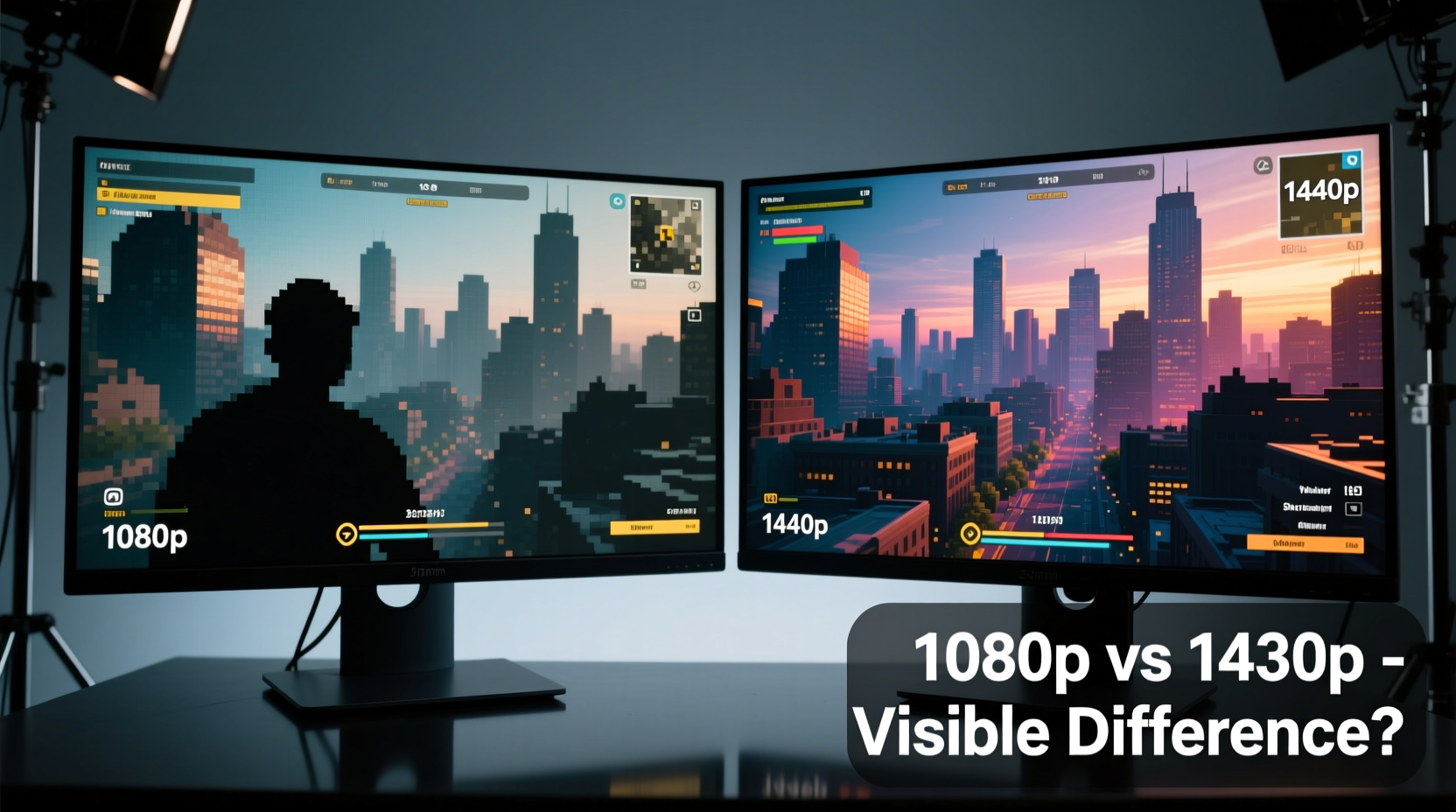
Resolution refers to the total number of pixels displayed on a screen—width by height. At 1080p, a monitor displays 1920 horizontal pixels by 1080 vertical pixels. At 1440p, that increases to 2560x1440, which means approximately 78% more pixels. But raw numbers don’t tell the full story; what matters most is how densely packed those pixels are over the physical screen area.
Pixel density, measured in pixels per inch (PPI), determines how sharp an image appears. A higher PPI results in crisper text, smoother edges, and finer detail in textures and models. On a 27-inch monitor:
| Resolution | Total Pixels | Pixels Per Inch (PPI) | Perceived Sharpness |
|---|---|---|---|
| 1920x1080 (1080p) | ~2.1 million | 81 PPI | Moderate; visible pixelation up close |
| 2560x1440 (1440p) | ~3.7 million | 109 PPI | Significantly sharper; minimal pixelation |
The increase from 81 to 109 PPI is substantial. To put it in perspective, Apple defines \"Retina\" displays as those where individual pixels are indistinguishable at a typical viewing distance. While Retina thresholds vary by screen size and usage, the jump to 1440p on a 27-inch panel brings you much closer to that ideal.
Real-World Visibility: Is the Difference Noticeable?
The human eye can detect differences in sharpness when comparing side-by-side displays or after switching between them regularly. Gamers upgrading from 1080p to 1440p often report immediate improvements in clarity, particularly in games with detailed environments like Cyberpunk 2077, Red Dead Redemption 2, or open-world RPGs.
Text in user interfaces, HUD elements, and subtitles appear significantly cleaner. Anti-aliasing needs are reduced because higher native resolution inherently smooths jagged edges. This means fewer post-processing effects like FXAA or MSAA are required to achieve clean visuals.
However, visibility depends heavily on three factors:
- Viewing distance: Sitting farther than 3 feet may reduce perceived gains.
- Visual acuity: Some users notice fine details more easily than others.
- Content type: Text-heavy applications (e.g., productivity software) benefit more than fast-paced esports titles where motion dominates.
“On a 27-inch display, 1440p offers a sweet spot between desktop usability and gaming performance. The clarity improvement over 1080p is objectively measurable and subjectively satisfying.” — David Chen, Display Analyst at TechVision Labs
A Mini Case Study: From 1080p to 1440p
Consider Alex, a competitive FPS player using a 27-inch 1080p monitor for three years. His rig—a mid-tier RTX 3060 and Ryzen 5 5600X—delivered solid 100+ FPS in CS2 and Valorant. He upgraded to a 1440p monitor without changing his GPU. Initially, he feared frame drops would hurt performance.
After calibration, he found that while average FPS dropped by 15–20%, the enhanced clarity allowed him to spot enemies through foliage more easily. He adjusted in-game settings to medium-high presets and enabled FSR 2.0 upscaling. Within a week, he adapted to the slightly lower frame rate and preferred the visual precision. His K/D ratio improved slightly—not due to resolution alone, but because environmental awareness increased.
This illustrates a key point: resolution impacts not just aesthetics, but functional gameplay advantages in certain genres.
Performance Impact: Can Your System Handle 1440p?
More pixels demand more from your GPU. Rendering at 1440p requires processing nearly 1.6 times as many pixels as 1080p. That extra load translates into higher VRAM usage, greater shader workload, and potentially lower frame rates—especially in graphically intensive titles.
Here’s a realistic performance comparison using common GPUs in a demanding game like Alan Wake 2 at high settings:
| GPU | 1080p Avg FPS | 1440p Avg FPS | Feasibility at 1440p |
|---|---|---|---|
| RTX 3060 | 55–60 | 35–40 | Limited; needs upscaling |
| RTX 4070 | 85–90 | 60–65 | Good; playable at high settings |
| RTX 4080 | 110+ | 85–90 | Excellent; max settings viable |
If you're running a mid-range GPU, achieving smooth 60+ FPS at 1440p in AAA titles may require compromises. However, modern upscaling technologies like NVIDIA DLSS, AMD FSR, and Intel XeSS help bridge the gap by rendering internally at a lower resolution and intelligently upscaling to 1440p.
When 1080p Still Makes Sense
Despite the advantages of 1440p, 1080p remains a compelling option under specific conditions:
- You prioritize high refresh rates (144Hz+) for competitive gaming.
- Your GPU is below RTX 3060 / RX 6700 XT tier.
- You sit more than 36 inches from the screen.
- Budget constraints limit display or component upgrades.
In these scenarios, the performance cost of 1440p may outweigh its visual benefits. A fast 1080p 165Hz monitor can deliver a smoother, more responsive experience than a locked 60Hz 1440p panel—even if the latter looks sharper.
Step-by-Step Guide: Choosing Between 1080p and 1440p
Follow this practical sequence to determine the best resolution for your 27-inch gaming setup:
- Measure your viewing distance. Use a tape measure from your eyes to the screen. If less than 28 inches, lean toward 1440p.
- Evaluate your current GPU. Check benchmarks for your card at both resolutions in your favorite games.
- Determine your primary use case. Are you playing simulators and single-player epics (favor 1440p), or fast-paced shooters (favor high refresh 1080p)?
- Test before buying (if possible). Visit a store with demo units or borrow a friend’s monitor to compare.
- Factor in future-proofing. 1440p will remain relevant longer as game engines evolve and texture packs grow larger.
This methodical approach ensures you’re not swayed solely by marketing claims or peer pressure. Personal fit matters most.
Frequently Asked Questions
Is 1440p worth it over 1080p on a 27-inch monitor?
Yes, for most users. The increase in pixel density delivers noticeably sharper images, better text clarity, and improved immersion. However, it requires a capable GPU to maintain high frame rates without upscaling.
Can I run 1440p with an RTX 3060 or RX 6700 XT?
You can, but expect to adjust settings or use upscaling in demanding titles. These cards perform well at 1440p in esports and moderately demanding games, but struggle with ultra settings in AAA releases.
Does 1440p affect input lag or responsiveness?
Not directly. Input lag is more influenced by panel technology (e.g., IPS vs TN), refresh rate, and adaptive sync features (G-Sync/FreeSync). However, lower frame rates at 1440p might feel less responsive compared to higher FPS at 1080p.
Actionable Checklist Before Upgrading
Before committing to a 1440p monitor, complete this checklist:
- ✅ Confirm your GPU supports 1440p at acceptable frame rates in your top 3 games.
- ✅ Ensure your graphics card has DisplayPort 1.2 or HDMI 2.0+ for 1440p@144Hz support.
- ✅ Measure your seating position—ideally within 24–30 inches of the screen.
- ✅ Decide whether visual fidelity or maximum FPS is more important to your playstyle.
- ✅ Budget for potential upgrades: GPU, cables, or power supply if needed.
Final Verdict: The Visibility Gap Matters
The resolution jump from 1080p to 1440p on a 27-inch screen is absolutely visible—provided you’re seated within a typical viewing range and using content that benefits from higher clarity. It's not a night-and-day transformation like going from 720p to 1080p, but it’s a meaningful upgrade akin to swapping standard-definition TV for HD.
For hybrid users who game and work on the same machine, 1440p offers tangible benefits beyond gaming: sharper text, better multitasking with split windows, and reduced eye strain during long sessions. For dedicated competitive players focused solely on reaction time, a faster 1080p panel may still be preferable.
Ultimately, 1440p represents the current sweet spot for 27-inch monitors. It balances visual quality, hardware feasibility, and longevity. As game development continues pushing graphical boundaries, native support for higher resolutions becomes increasingly important. Investing in 1440p today prepares you for tomorrow’s titles.




 浙公网安备
33010002000092号
浙公网安备
33010002000092号 浙B2-20120091-4
Comments
No comments yet. Why don't you start the discussion?