
For beginners stepping into the world of 3D printing, one of the first decisions they face is choosing between resin and filament-based printers. While both technologies offer unique advantages, the choice significantly impacts the learning curve, safety considerations, maintenance effort, and overall satisfaction. Resin printers deliver ultra-fine detail and smooth surfaces, ideal for miniatures and jewelry prototypes. Fused deposition modeling (FDM) printers using filament are more forgiving, affordable, and better suited for functional parts. But when it comes to ease of use for someone just starting out, the answer isn’t always clear-cut.
The key lies in understanding how each technology fits into a beginner’s lifestyle—considering setup time, post-processing demands, safety protocols, and long-term costs. This guide breaks down the core differences and provides actionable insights to help new hobbyists make an informed decision without getting overwhelmed by technical jargon.
Understanding the Core Technologies
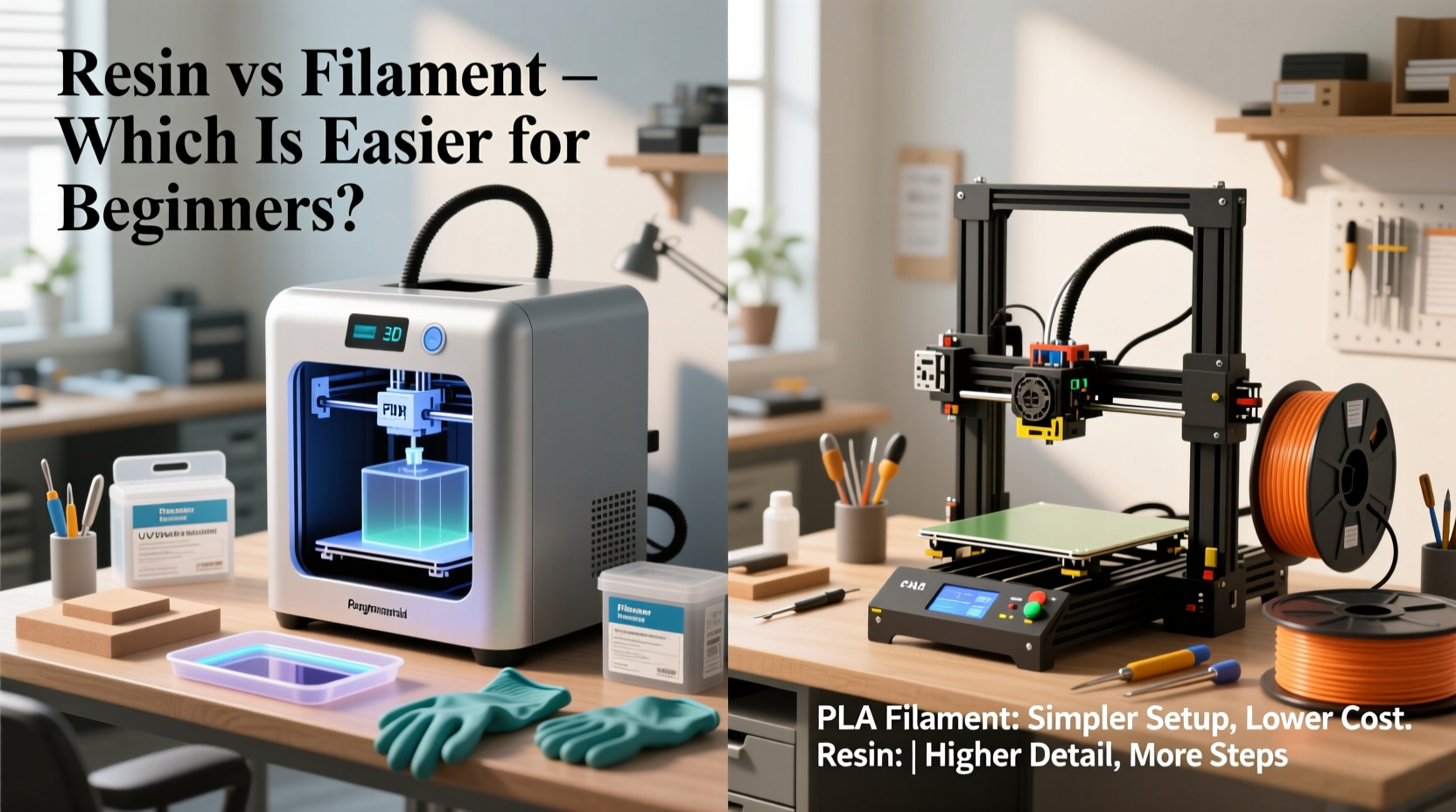
Filament-based 3D printing, also known as FDM (Fused Deposition Modeling), works by melting thermoplastic material—typically PLA or ABS—and extruding it layer by layer through a heated nozzle. The process is mechanical and relatively straightforward: load the filament, level the bed, start the print. It's similar to using a high-precision hot glue gun guided by software.
Resin 3D printing, or stereolithography (SLA), uses a vat of liquid photopolymer resin that hardens when exposed to ultraviolet (UV) light. A laser or LCD screen cures each layer from the bottom up, building the model with exceptional precision. Because the layers are cured at a microscopic level, prints can achieve intricate details not possible with most FDM printers.
While both methods produce physical objects from digital models, their operational principles lead to vastly different user experiences—especially for those without prior experience in manufacturing or engineering.
“New users often underestimate the post-processing requirements of resin printing. What looks like a simple print can turn into a 45-minute cleanup session with gloves, alcohol, and UV curing.” — Jordan Lee, Community Manager at PrintCraft Forum
Safety and Workspace Considerations
One of the most critical factors for beginners is safety. Filament printing is generally safe for home environments. PLA, the most common filament, is made from cornstarch and emits minimal fumes when printed at standard temperatures. Even when using materials like ABS, proper ventilation reduces risks. Most FDM printers can operate on a kitchen table or desk with little concern.
Resin printing introduces chemical hazards. Liquid resin is toxic before curing and can cause skin irritation or respiratory issues if inhaled in poorly ventilated areas. Uncured resin must be handled with nitrile gloves, and spills require careful cleanup with isopropyl alcohol (IPA). Additionally, UV exposure during curing requires protective eyewear or enclosed curing stations.
Beginners living in small apartments, shared spaces, or homes with children or pets may find resin printing impractical due to storage and spill risks. Filament spools are inert and pose no health threat when stored properly. In contrast, resin bottles must be kept away from sunlight and securely sealed to prevent premature curing or leakage.
Learning Curve and Initial Setup
Getting started with filament printing typically involves leveling the print bed, loading the filament, and selecting a pre-sliced model. Many modern FDM printers come with auto-bed leveling and touchscreen interfaces, reducing initial frustration. Calibration is important but often intuitive, especially with community-supported firmware like Marlin or Klipper.
Resin printers demand more meticulous preparation. The build plate must be perfectly leveled—a process called “Z-offset calibration”—to ensure adhesion without damaging the FEP film at the bottom of the resin vat. Even slight misalignment can result in failed prints or difficult removals. Beginners often struggle with this step, leading to wasted resin and discouragement.
Additionally, resin slicing software (such as Chitubox or Lychee) requires adjusting supports, orientation, and exposure times—parameters that aren't always beginner-friendly. Incorrect settings can cause layer separation, warping, or complete print failure despite hours of printing.
In contrast, filament slicing software like Ultimaker Cura or PrusaSlicer offers presets for common materials, making it easier to achieve decent results on the first try. Failed filament prints are usually recoverable; failed resin prints often mean draining and filtering contaminated resin, adding cleanup time and material loss.
Cost Comparison: Upfront and Long-Term Expenses
At first glance, entry-level resin printers appear competitively priced—some models available under $200. However, total ownership cost tells a different story. Beyond the printer, beginners need:
- Nitrile gloves (multiple pairs per print)
- Isopropyl alcohol (IPA) for washing prints
- A wash station or manual container for cleaning
- A UV curing station for final hardening
- Resin disposal containers (uncured resin is hazardous waste)
Filament printing requires far fewer accessories. A basic toolkit might include tweezers, a spatula, and spare nozzles. PLA filament costs around $20 per kilogram, while a liter of quality resin ranges from $35 to $50—and lasts much less due to higher density and support structures.
“I started with a cheap resin printer thinking I’d save money. Within two months, I spent more on IPA and replacements than I would have on a mid-range FDM machine.” — Mark T., DIY enthusiast and Reddit r/3Dprinting contributor
| Expense Category | Filament (FDM) | Resin (SLA) |
|---|---|---|
| Entry-Level Printer | $180–$300 | $170–$250 |
| Material Cost per kg/L | $18–$25 (PLA) | $35–$50 |
| Required Accessories | Basic tools, optional enclosure | Gloves, IPA, wash tank, UV station |
| Maintenance Frequency | Monthly nozzle checks | Weekly FEP film inspection, resin filtering |
| Waste Disposal | Non-hazardous plastic scraps | Hazardous liquid (requires special handling) |
The recurring cost of IPA alone adds up quickly. A single medium-sized print can use 100–200ml of alcohol, which must be filtered and reused or disposed of responsibly. Over time, these consumables erode the perceived affordability of resin printing.
Print Quality vs. Practicality for Beginners
It’s true that resin printers produce superior surface finish and finer details. For hobbyists focused on tabletop gaming miniatures, dental models, or jewelry casting, this precision is invaluable. However, beginners rarely need such detail right away. Learning how to orient models, manage supports, and troubleshoot failures is challenging enough without the added complexity of chemical processing.
Filament prints may show visible layer lines, but they’re durable and functional. A beginner can print a phone stand, organizer, or replacement part that works immediately after cooling. There’s no need for washing or curing. If the print fails, it takes minutes to remove and restart.
Resin prints, even when successful, require post-processing: peeling from the build plate, rinsing in alcohol, drying, and UV curing. This multi-step workflow increases the chance of error—touching a sticky uncured print can leave fingerprints, and insufficient curing leads to brittleness or deformation over time.
Mini Case Study: Sarah’s First Month in 3D Printing
Sarah, a college student interested in creating custom cosplay props, bought a sub-$200 resin printer based on online reviews praising its resolution. Her first print—a small dragon figurine—took six hours. When she removed it, the supports snapped off in her hand, leaving deep marks on the model. She soaked it in IPA, only to realize she didn’t have a curing station. Leaving it in sunlight warped the piece.
Her second attempt failed due to a poorly calibrated Z-offset. The print peeled off mid-way, requiring her to drain and filter the resin. After three weeks and nearly $60 in supplies, she switched to a used Creality Ender 3 V2. Her first PLA print—a simple hook—worked flawlessly. Within days, she was printing functional organizers and brackets. Though less detailed, the immediate feedback and low stress boosted her confidence.
Sarah now owns both types of printers but advises newcomers: “Start with filament. Learn the basics. Then add resin when you’re ready for the extra work.”
Step-by-Step Guide: Choosing Your First 3D Printer
- Assess your goals: Are you making display models or functional items? If detail is critical, consider resin later.
- Evaluate your space: Do you have a dedicated, ventilated area for chemical handling? If not, filament is safer.
- Budget beyond the printer: Add $100–$150 for resin accessories. For filament, $30 covers essentials.
- Check community support: Look for active forums or YouTube tutorials for your chosen model.
- Test print availability: Download sample files and check slicer compatibility before purchasing.
- Start simple: Choose a well-reviewed FDM kit with auto-leveling if you're unsure.
Frequently Asked Questions
Can I use a resin printer in my bedroom?
Not recommended. Uncured resin emits volatile organic compounds (VOCs), and spills pose health risks. Use in a garage, shed, or well-ventilated workshop with proper PPE.
Is PLA filament safer than resin?
Yes. PLA is biodegradable and non-toxic when printed at recommended temperatures. It emits minimal odor and no harmful fumes under normal conditions.
Do I need a license to dispose of used resin?
In many regions, uncured resin is classified as hazardous waste. Contact your local waste authority for disposal guidelines—never pour it down the drain.
Final Recommendation: Why Filament Wins for Beginners
Despite the allure of high-resolution prints, filament-based 3D printing remains the most accessible entry point for hobbyists. It combines lower operational risk, simpler workflows, and greater forgiveness for mistakes. New users can focus on mastering design, slicing, and troubleshooting without managing chemicals or complex post-processing.
Resin printing excels in niche applications but introduces barriers that can frustrate beginners. The steep learning curve, combined with ongoing costs and safety concerns, makes it better suited as a secondary tool once foundational skills are developed.
That said, technology is evolving. Some newer resin printers feature self-cleaning vats, reduced-stick tanks, and integrated wash-and-cure stations. As these become more affordable, the gap may narrow. But for now, the evidence points clearly toward filament as the beginner-friendly choice.




 浙公网安备
33010002000092号
浙公网安备
33010002000092号 浙B2-20120091-4
Comments
No comments yet. Why don't you start the discussion?