
Gaming at high resolutions has become more accessible than ever, but with that accessibility comes a critical decision: should you prioritize visual fidelity or smooth performance? The debate between 4K and 1440p monitors isn't just about pixels—it's about how you experience games. For competitive players, frame rate can mean the difference between victory and defeat. For story-driven gamers, resolution defines immersion. This article breaks down the technical and experiential differences between 4K and 1440p, helping you decide whether dropping resolution for higher FPS is truly worth it.
Understanding the Core Differences
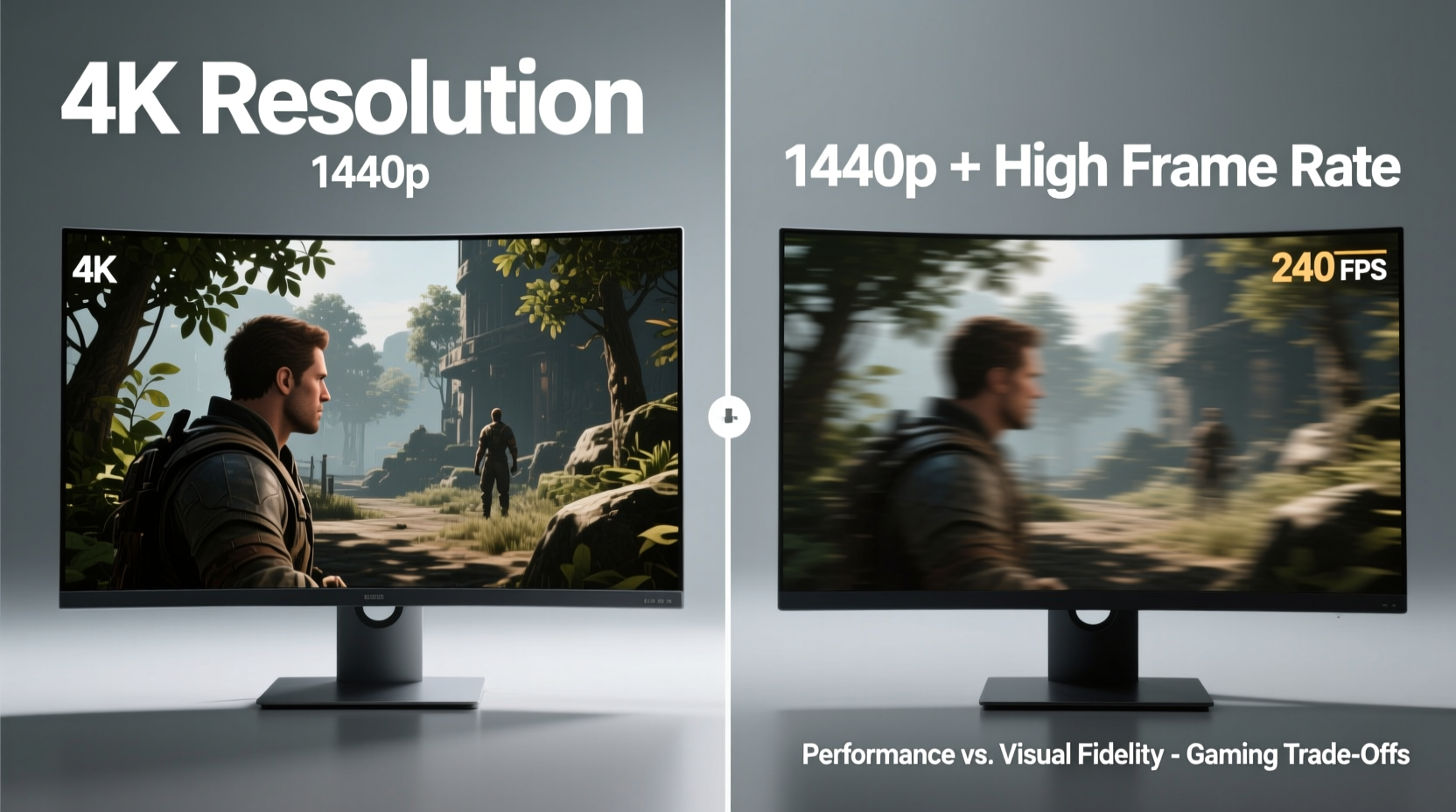
At its core, the choice between 4K (3840 x 2160) and 1440p (2560 x 1440) comes down to pixel density and rendering workload. 4K offers four times the number of pixels as 1080p and roughly 77% more than 1440p. That extra detail translates into sharper textures, cleaner edges, and a more cinematic presentation—especially on larger screens (27 inches and above).
However, each additional pixel demands more from your GPU. Rendering at 4K requires significantly more processing power, often forcing compromises in frame rate unless you're using top-tier hardware like an RTX 4080 or better. In contrast, 1440p strikes a balance. It delivers a noticeable upgrade over 1080p while remaining within reach of mid-range to high-end GPUs such as the RTX 4070 or RX 7800 XT.
The trade-off becomes apparent when comparing average frame rates. A game running at 4K may deliver 60–80 FPS with ray tracing enabled, while the same setup at 1440p could push 100–144+ FPS with similar settings. That jump doesn’t just look smoother—it feels more responsive.
Frame Rate vs. Resolution: What Matters More?
There’s no universal answer to whether resolution or frame rate matters more. It depends on your playstyle, genre preferences, and hardware capabilities.
In competitive esports titles, input lag and motion clarity are paramount. Higher frame rates reduce ghosting, improve tracking of fast-moving targets, and make controls feel snappier. Studies have shown that professional players consistently perform better at 120+ FPS compared to 60 FPS, even on identical hardware setups. The human eye may not “see” every millisecond of improvement, but the brain registers the responsiveness.
Conversely, single-player narrative experiences benefit greatly from higher resolutions. Games like Red Dead Redemption 2, Horizon Forbidden West, or The Last of Us Part I are designed with visual storytelling in mind. At 4K, environmental details—like distant foliage, character facial expressions, and atmospheric effects—are rendered with greater precision, deepening immersion.
“While 4K enhances realism, 1440p at high refresh rates provides a tangible edge in reaction time and control fluidity.” — David Chen, Senior Game Performance Analyst at FrameLab Studios
Performance Benchmarks: Real-World Data
To illustrate the gap, here’s a comparison of average frame rates across three popular games using an NVIDIA RTX 4070 Ti, a common high-performance GPU among enthusiasts.
| Game | Resolution | Settings | Average FPS | Ray Tracing |
|---|---|---|---|---|
| Call of Duty: Modern Warfare III | 1440p | Ultra | 138 | On (Medium) |
| Call of Duty: Modern Warfare III | 4K | High | 76 | On (Low) |
| Elden Ring | 1440p | Ultra | 89 | Off |
| Elden Ring | 4K | High | 54 | Off |
| Forza Horizon 5 | 1440p | Ultra | 112 | On (High) |
| Forza Horizon 5 | 4K | Ultra | 68 | On (High) |
The data shows a consistent trend: moving from 1440p to 4K results in a 35–50% drop in average frame rate, even when adjusting graphics settings downward. While upscaling technologies like DLSS and FSR help bridge the gap, they can’t fully eliminate the performance cost of native 4K rendering.
Mini Case Study: A Competitive Gamer’s Setup Shift
Take Mark, a semi-professional Valorant player who upgraded his rig with an RTX 4070 and a new 32-inch monitor. Initially, he opted for a 4K 120Hz display, drawn by the promise of crisp visuals. However, he quickly noticed inconsistencies in gameplay—slight stutters during intense gunfights and a perceived delay in crosshair movement.
After testing various configurations, he switched to a 27-inch 1440p 165Hz monitor. Even though the screen was smaller and less sharp up close, his average FPS jumped from ~75 to ~140. The difference was immediately noticeable. His aim felt tighter, enemy tracking improved, and his K/D ratio increased by 22% over the next month.
Mark didn’t abandon 4K entirely—he kept his old monitor connected for watching cutscenes and playing single-player RPGs. But for daily competitive sessions, 1440p became his default. His experience underscores a growing trend: hybrid setups where resolution and refresh rate are chosen based on use case, not one-size-fits-all logic.
When 4K Makes Sense for Gamers
Despite the performance hit, 4K remains a compelling option under specific conditions:
- You own a high-end GPU: Cards like the RTX 4080, 4090, or RX 7900 XTX can handle 4K with high settings and acceptable frame rates, especially with DLSS/FSR support.
- You play mostly single-player or cinematic games: Titles with deliberate pacing and rich environments benefit most from enhanced resolution.
- Your monitor is 32 inches or larger: On bigger screens, pixel density at 1440p drops noticeably, making 4K essential for maintaining image clarity.
- You value future-proofing: As game engines evolve and assets become more detailed, higher resolutions will matter more—even for non-competitive play.
Moreover, advancements in AI upscaling have narrowed the gap. Technologies like NVIDIA DLSS 3 with frame generation allow some 4K titles to run at 100+ FPS on supported hardware, effectively offering both resolution and smoothness. However, these features come with potential drawbacks—input lag, artifacting in fast motion, and limited game support—making them less ideal for purists or competitive players.
Why 1440p Is the Sweet Spot for Most Gamers
For the majority of PC gamers, 1440p represents the optimal balance between visual quality and performance. Here’s why:
- Better performance per dollar: Mid-tier GPUs deliver strong 1440p performance without requiring a $1,500+ graphics card.
- Wider monitor selection: The 1440p market includes a broad range of IPS, OLED, and VA panels with refresh rates up to 240Hz.
- Improved responsiveness: Higher frame rates reduce input-to-display latency, enhancing control precision.
- Less strain on system resources: Lower resolution frees up CPU and GPU headroom for other tasks like streaming or multitasking.
- Sharper than 1080p without the 4K tax: You get a clear visual upgrade without sacrificing playability.
Additionally, modern 1440p monitors often include features like variable refresh rate (VRR), low response times (<1ms GTG), and HDR support—features that enhance gameplay beyond what resolution alone can offer.
Checklist: Choosing Between 4K and 1440p
Use this checklist to guide your decision based on your priorities and setup:
- ✅ Do you primarily play competitive, fast-paced games? → Lean toward 1440p.
- ✅ Is your GPU RTX 3080 / RX 6800 XT or lower? → 1440p is likely the better fit.
- ✅ Do you own an RTX 4080 or higher with DLSS 3? → 4K becomes viable.
- ✅ Is your monitor 27 inches or smaller? → 1440p offers excellent pixel density.
- ✅ Do you value cinematic visuals over competitive edge? → 4K may be worth the trade-off.
- ✅ Are you on a budget? → 1440p monitors and compatible GPUs are generally more affordable.
- ✅ Do you stream or record gameplay? → Higher frame rates at 1440p provide smoother recordings.
Frequently Asked Questions
Can I run 4K at 144Hz?
Yes, but only with high-end hardware. You’ll need a powerful GPU (RTX 4080 or better), a DisplayPort 1.4 or HDMI 2.1 connection, and a monitor that supports 4K at 144Hz. Even then, achieving consistent frame rates in demanding games may require lowering settings or using upscaling.
Does upscaling (DLSS/FSR) make 4K feasible on mid-range GPUs?
Upscaling helps significantly. DLSS and FSR can boost frame rates by 40–70%, making 4K playable on cards like the RTX 4070. However, image quality varies—some users notice artifacts or softness, particularly in motion. Native rendering still looks sharper, but upscaling closes the gap considerably.
Is 1440p going to be obsolete soon?
No. 1440p remains a dominant standard in gaming. With widespread support, excellent panel options, and strong performance across GPUs, it’s far from outdated. Many professional esports tournaments still use 1440p due to its balance of clarity and speed.
Final Verdict: Is the Drop Worth It?
Dropping from 4K to 1440p is absolutely worth it—if your priority is smoother, more responsive gameplay. The leap from 60 FPS to 100+ FPS is transformative, affecting everything from aiming accuracy to overall enjoyment in fast-paced titles. While 4K delivers stunning visuals, it often comes at the cost of fluidity, especially without premium hardware.
That said, the decision isn’t binary. Many gamers now adopt a dual-monitor setup or switch profiles depending on the game. Use 4K for immersive single-player adventures and fall back to 1440p when you need peak performance. The goal isn’t to choose one resolution forever, but to match your display settings to your gaming intent.
Ultimately, the best setup is the one that aligns with how you play. If you crave every advantage in ranked matches, embrace the frame rate boost. If you want to lose yourself in a beautifully crafted world, let 4K pull you in. Technology serves the experience—not the other way around.




 浙公网安备
33010002000092号
浙公网安备
33010002000092号 浙B2-20120091-4
Comments
No comments yet. Why don't you start the discussion?