
When building or upgrading a gaming setup, one of the most debated decisions is choosing between a 1440p (QHD) and a 4K (UHD) monitor. The leap from 2560x1440 to 3840x2160 represents a significant increase in pixel count—over 77% more—but does that translate into a visibly better gaming experience? For many gamers, the answer isn’t straightforward. It depends on screen size, viewing distance, GPU capability, game optimization, and personal sensitivity to visual detail.
This article examines whether the resolution bump from 1440p to 4K is truly visible during gameplay, how it impacts performance, and what factors determine if the upgrade is worth it. We’ll also explore real-world scenarios, expert insights, and provide a practical checklist to help you make an informed decision.
Understanding Resolution: Pixels, PPI, and Perceived Sharpness
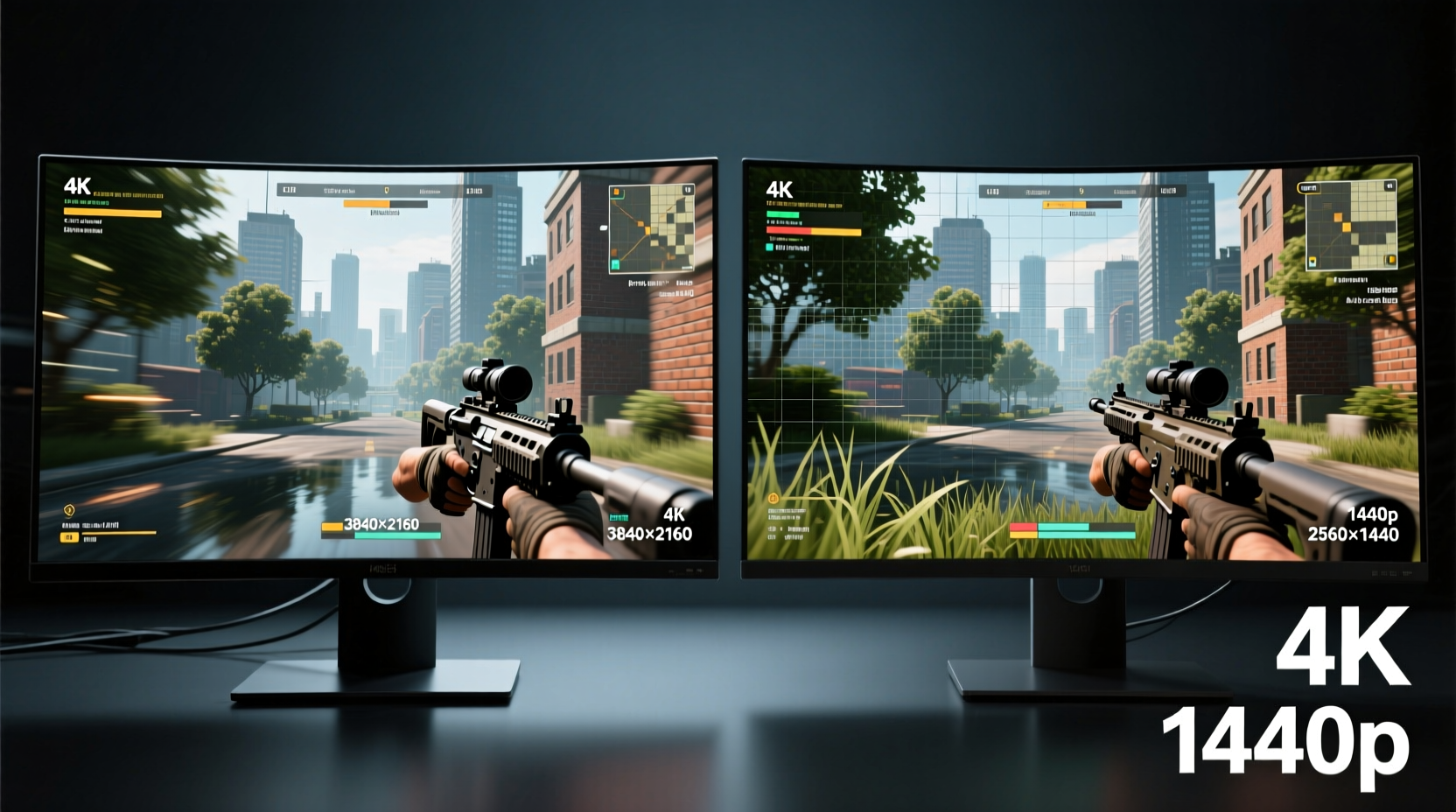
Resolution refers to the total number of pixels displayed on a screen. A 1440p monitor has 3,686,400 pixels (2560 × 1440), while a 4K monitor packs 8,294,400 pixels (3840 × 2160). That’s more than double the data the GPU must render per frame. But raw numbers don’t tell the full story—perceived sharpness depends on pixel density (PPI) and viewing distance.
Pixel density—the number of pixels per inch—determines how crisp an image appears. On a 27-inch monitor:
- 1440p delivers about 109 PPI
- 4K delivers about 163 PPI
The higher PPI of 4K means finer details, smoother edges, and less visible pixel structure. However, this benefit diminishes if you sit farther than 3 feet from the screen. Human eyes have limits; beyond a certain point, additional pixels don’t register as sharper imagery.
“Most users can’t distinguish between 1440p and 4K at typical desktop viewing distances unless they’re looking at text or static images up close.” — Dr. Alan Hester, Display Technology Researcher, MIT Media Lab
Performance Impact: Frame Rates, GPUs, and Game Optimization
The most tangible trade-off with 4K gaming is performance. Rendering four times as many pixels as 1080p and nearly twice as many as 1440p places immense strain on your GPU. Even high-end graphics cards like the NVIDIA RTX 4080 or AMD RX 7900 XTX struggle to maintain consistent 60+ FPS in demanding titles at native 4K without lowering settings or using upscaling.
Consider this comparison using a popular AAA title like Cyberpunk 2077 with ray tracing enabled:
| Resolution | GPU | Avg. FPS | Settings |
|---|---|---|---|
| 1440p | RTX 4070 | 68 | High + RT Medium |
| 4K | RTX 4070 | 32 | Medium + RT Low |
| 4K (DLSS Quality) | RTX 4070 | 54 | High + RT Medium |
| 4K Native | RTX 4090 | 82 | Ultra + RT High |
As shown, achieving smooth 4K gameplay often requires either top-tier hardware or upscaling technologies like DLSS, FSR, or XeSS. These tools render the game at a lower resolution and upscale it, preserving much of the visual fidelity while boosting performance. While effective, purists argue that native rendering offers superior clarity and consistency.
For competitive gamers prioritizing high refresh rates (144Hz+), 1440p remains the sweet spot. It balances visual quality with responsiveness, allowing mid-to-high-tier GPUs to deliver 100+ FPS in esports titles like CS2, Valorant, or Apex Legends. At 4K, even powerful systems rarely exceed 100 FPS without aggressive setting reductions.
Is the Difference Visible? Real-World Perception Factors
Whether you can see the difference between 1440p and 4K depends on several interrelated factors:
Screen Size and Viewing Distance
Larger monitors (32 inches and above) make the 4K advantage more obvious. At 27 inches, the difference is subtle unless you're scrutinizing fine textures or text. According to the Society for Information Display (SID), the human eye can resolve differences in resolution up to a certain angular threshold—about 1 arcminute under ideal conditions. Sitting 3 feet away, a 27-inch 4K monitor just crosses this threshold for most people.
Game Type and Art Style
Open-world games with detailed environments—like Red Dead Redemption 2, Elden Ring, or Horizon Forbidden West—show off 4K’s strengths. Textures, foliage, and distant terrain appear significantly more refined. In contrast, stylized or cartoonish games (e.g., Fortnite or Overwatch 2) benefit less from higher resolution, as their art design doesn’t rely on photorealism.
Visual Acuity and Attention to Detail
Some players are simply more sensitive to image quality. Gamers who spend time exploring environments, taking screenshots, or playing story-driven titles tend to appreciate 4K more. Others focused on fast-paced action may not notice—or care about—minor improvements in texture clarity.
Use of Upscaling Technologies
With DLSS 3 and FSR 3 introducing frame generation, the gap between 1440p and 4K performance is narrowing. A well-tuned DLSS “Quality” mode at 4K can look nearly indistinguishable from native 1440p, especially in motion. This blurs the line: are you seeing true 4K, or a smart approximation?
“The perceived benefit of 4K today is often tied more to upscaling quality than raw resolution. A good DLSS implementation can offer 90% of the visual payoff with 60% of the performance cost.” — Linus Sebastian, Tech Analyst, Linus Tech Tips
Mini Case Study: Upgrading from 1440p to 4K
James, a PC gamer with a 27-inch 1440p 144Hz monitor and an RTX 3070, decided to upgrade to a 32-inch 4K 60Hz display for improved immersion in single-player RPGs. He paired it with an RTX 4080 to handle the load.
Initially, he was stunned by the clarity—text was razor-sharp, shadows were smoother, and textures in The Witcher 3: Wild Hunt looked dramatically better. However, he quickly noticed two issues: input lag increased slightly, and his favorite competitive titles ran at inconsistent frame rates unless he used FSR.
After three months, James added a second 1440p 165Hz monitor for multiplayer gaming and kept the 4K screen for cinematic experiences. His conclusion: “4K is incredible for immersion, but 1440p still wins for responsiveness and value. I use both now—one for feel, one for function.”
This hybrid approach is becoming increasingly common among enthusiasts who want the best of both worlds.
Step-by-Step Guide: Choosing Between 1440p and 4K
If you're deciding whether to invest in 4K, follow this practical evaluation process:
- Assess your current setup: Note your GPU model, monitor size, and typical viewing distance.
- Determine your primary gaming genre: Competitive? Go 1440p. Cinematic or exploration-heavy? 4K gains relevance.
- Check GPU benchmarks: Look up your card’s average FPS in your favorite games at both resolutions.
- Factor in upscaling: If your GPU supports DLSS/FSR, you may achieve near-4K quality at lower performance cost.
- Test if possible: Visit a store with side-by-side displays or borrow a friend’s setup to compare.
- Consider future-proofing: 4K content is growing. If you plan to keep your monitor for 4+ years, higher resolution may pay off.
- Budget accordingly: A 4K monitor often costs 20–40% more, and the required GPU upgrade can double your investment.
Comparison Table: 1440p vs 4K at a Glance
| Feature | 1440p (QHD) | 4K (UHD) |
|---|---|---|
| Resolution | 2560×1440 | 3840×2160 |
| Pixel Count | ~3.7 million | ~8.3 million |
| Best Screen Size | 24–27 inches | 27–32+ inches |
| GPU Demand | Moderate to high | Very high |
| Avg. FPS (Mid-range GPU) | 80–120+ | 40–60 (without upscaling) |
| Text & UI Clarity | Good | Excellent |
| Competitive Gaming Suitability | Excellent | Fair (depends on refresh rate) |
| Immersion in Single-Player Games | Strong | Exceptional |
| Cost (Monitor + GPU) | $$ | $$$–$$$$ |
| Future-Proofing | 3–4 years | 5+ years |
FAQ
Can you really see the difference between 1440p and 4K while gaming?
Yes, but only under the right conditions. On a 27-inch or larger screen, viewed from 2.5 to 3 feet away, and in visually rich games, the difference is noticeable—especially in textures, anti-aliasing, and UI sharpness. From farther away or on smaller screens, the improvement becomes marginal.
Do I need a new GPU to run 4K gaming smoothly?
For playable frame rates (60+ FPS) at high settings, yes. Mid-range GPUs like the RTX 4060 or RX 7700 XT can handle some titles at 4K with upscaling, but a high-end card (RTX 4070 Ti or above) is recommended for a reliable 4K experience.
Is 1440p obsolete now that 4K is mainstream?
No. 1440p remains the optimal balance of performance, price, and visual quality for most gamers. It’s particularly dominant in the esports and high-refresh-rate market. Many professional players and streamers still prefer 1440p for its responsiveness and lower hardware demands.
Conclusion: Making the Right Choice for Your Playstyle
The visibility of the resolution bump from 1440p to 4K isn't universal—it's contextual. For immersive single-player adventures, creative work, or media consumption, 4K offers a tangible upgrade in clarity and realism. But for fast-paced multiplayer gaming, high frame rates, and budget-conscious builds, 1440p continues to deliver exceptional value.
Ultimately, the decision shouldn't be driven by specs alone. Consider how you play, what you play, and how you sit in front of your screen. With modern upscaling, the lines are blurring, making 1440p with DLSS/FSR a compelling middle ground. Meanwhile, 4K shines brightest when paired with capable hardware and the right environment.




 浙公网安备
33010002000092号
浙公网安备
33010002000092号 浙B2-20120091-4
Comments
No comments yet. Why don't you start the discussion?