
In the age of remote work, live streaming, and high-definition video calls, the quality of your webcam matters more than ever. As 4K webcams become increasingly available—even at consumer-friendly price points—many creators, professionals, and streamers are asking: Is upgrading from a 1080p webcam to a 4K model actually beneficial, or is it just marketing hype? The answer isn't a simple yes or no. It depends on your setup, internet bandwidth, software capabilities, and intended use.
While 4K offers four times the resolution of 1080p, real-world benefits hinge on whether your system can leverage that extra detail. For most everyday users, 1080p remains more than sufficient. But for professional streamers, content creators, and those with optimized workflows, 4K may provide tangible advantages—if implemented correctly.
Understanding Resolution: What’s the Real Difference?
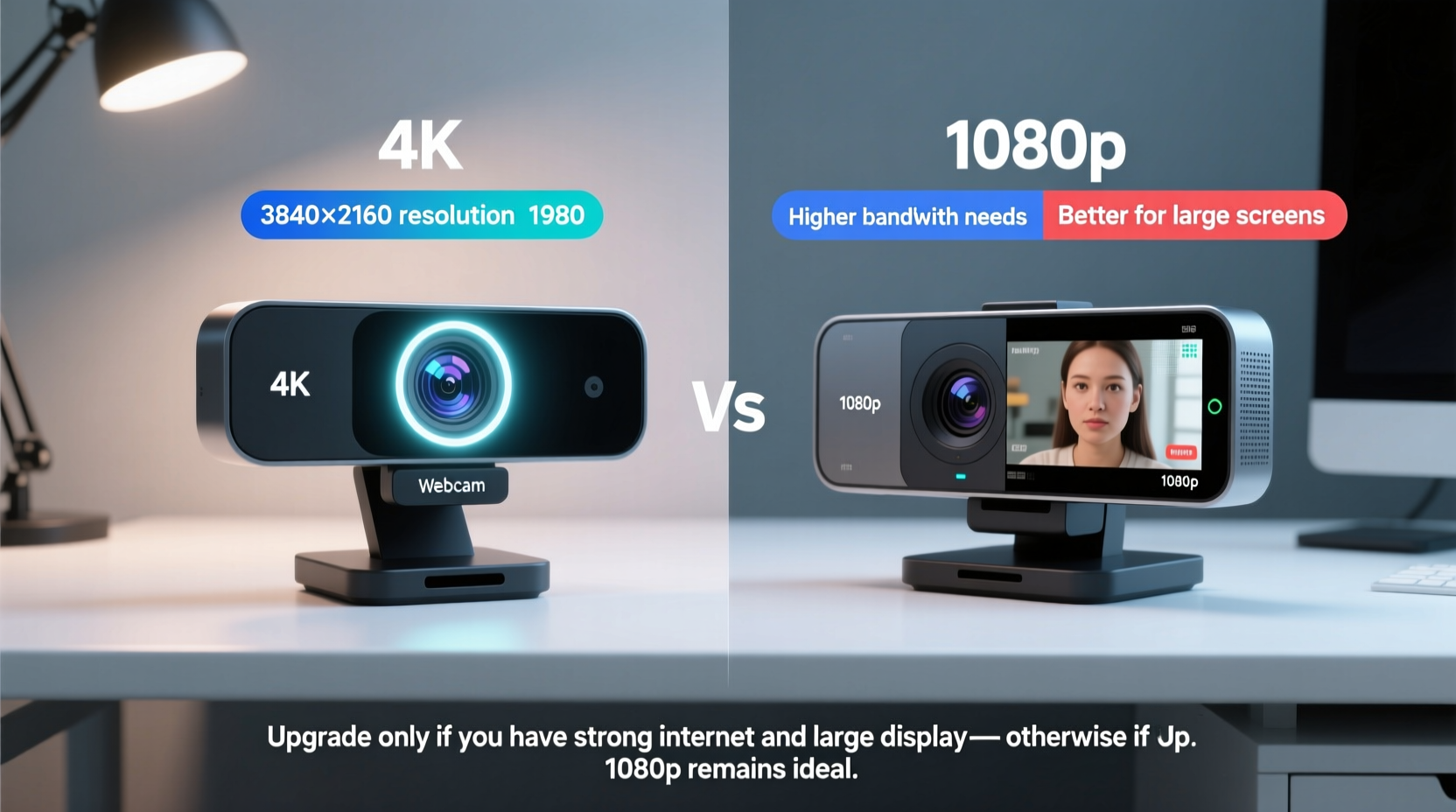
At its core, resolution refers to the number of pixels displayed on screen. A 1080p (Full HD) webcam captures video at 1920x1080 pixels, totaling about 2.1 megapixels. In contrast, a 4K (Ultra HD) webcam typically records at 3840x2160 pixels—roughly 8.3 megapixels. That’s nearly four times the visual data.
This difference becomes noticeable when viewing footage on large screens or when digital zooming is required. However, if your audience watches streams on mobile devices or small laptop screens, the jump from 1080p to 4K may be imperceptible.
It's also important to distinguish between native 4K capture and upscaling. Some webcams claim \"4K\" but use interpolation to upscale lower-resolution images, which doesn’t deliver true clarity. True 4K requires both a sensor capable of capturing that resolution and a processor powerful enough to handle the data throughput.
Performance Considerations: Bandwidth, Processing, and Frame Rate
Higher resolution means larger file sizes and greater demands on your computer and network. Streaming in 4K requires significantly more upload bandwidth than 1080p. Most platforms, including Twitch and YouTube, recommend at least 6–8 Mbps for stable 1080p streaming at 60fps. For 4K, you’ll need upwards of 15–20 Mbps—double that for HDR or high-bitrate settings.
Even if your internet can handle it, your computer must encode the video feed efficiently. Most consumer-grade webcams output via USB, and pushing 4K video through USB 2.0 often results in compression artifacts or dropped frames. A USB 3.0 or USB-C connection is essential for smooth 4K transmission.
Additionally, frame rate plays a crucial role. Many 4K webcams max out at 30 frames per second (fps), while 1080p models often support 60fps. For fast-paced content like gaming or dynamic presentations, smoother motion from 60fps can be more valuable than sharper static images from 4K/30fps.
“Resolution alone doesn’t define video quality. Color accuracy, dynamic range, and frame rate are equally important—especially in variable lighting.” — Jordan Lee, Broadcast Engineer & Streaming Consultant
Real-World Use Cases: Who Actually Benefits from 4K?
The value of a 4K webcam varies dramatically depending on your use case. Let’s examine three common scenarios:
Professional Content Creators
For YouTubers producing cinematic vlogs or product reviews, 4K offers creative flexibility. Even if the final video is exported in 1080p, shooting in 4K allows for digital cropping, re-framing, and zooming without losing clarity. This is particularly useful when editing talking-head segments or showcasing close-up details.
Gamers and Live Streamers
Most gamers prioritize low latency and high frame rates over resolution. On Twitch, the majority of viewers watch in 720p or 1080p, and few broadcasters stream in native 4K due to encoding demands. Unless you're using advanced setups with dual PCs (one for gaming, one for encoding), 4K streaming is impractical. A high-quality 1080p60 webcam delivers better motion clarity and frees up system resources.
Remote Professionals and Educators
If you're attending Zoom meetings or teaching online classes, 1080p is more than adequate. Video conferencing platforms compress feeds heavily, often reducing input resolution before delivery. In these cases, features like auto-framing, background blur, and low-light performance matter more than raw pixel count.
Comparison Table: 4K vs 1080p Webcams at a Glance
| Feature | 4K Webcam | 1080p Webcam |
|---|---|---|
| Resolution | 3840x2160 (8.3MP) | 1920x1080 (2.1MP) |
| Max Frame Rate | Typically 30fps | Up to 60fps |
| Bandwidth Required | 15–20 Mbps (ideal) | 6–8 Mbps |
| USB Requirement | USB 3.0 or USB-C recommended | USB 2.0 sufficient |
| Best For | High-end production, post-production editing, large-screen viewing | Streaming, video calls, general use |
| Typical Price Range | $120–$250+ | $50–$120 |
Mini Case Study: The Hybrid Streamer’s Dilemma
Mark, a full-time streamer and part-time educator, runs a popular tech review channel on YouTube and streams weekly gaming sessions on Twitch. He upgraded to a 4K webcam hoping to future-proof his setup. Initially excited by the sharpness, he soon encountered issues: his single PC struggled to encode both game footage and 4K webcam input, leading to stuttering streams and overheating.
After testing different configurations, Mark reverted to using his 1080p60 webcam for live streams. However, he kept the 4K camera for pre-recorded YouTube videos, where he could crop and zoom during editing without quality loss. His solution? Dual-webcam setup—one optimized for live performance, the other for high-resolution recording.
His experience illustrates a key insight: 4K isn’t inherently better—it’s situational. Using it effectively requires aligning hardware, software, and workflow.
Actionable Checklist: Should You Upgrade to 4K?
Before investing in a 4K webcam, consider this checklist:
- ✅ Do you record video for post-production editing (e.g., YouTube, tutorials)?
- ✅ Do you have a reliable internet connection with at least 15 Mbps upload speed?
- ✅ Is your computer equipped with USB 3.0+ ports and a strong CPU/GPU for encoding?
- ✅ Are you using software that supports 4K input (OBS, vMix, etc.)?
- ✅ Will your audience view content on large screens or in high-resolution formats?
- ❌ Are you primarily live streaming on platforms like Twitch or Facebook?
- ❌ Do you rely on a single PC for gaming and streaming?
- ❌ Is your current 1080p feed already meeting viewer expectations?
If most of your answers are “yes” to the first five and “no” to the last three, a 4K upgrade could be worthwhile. Otherwise, you may benefit more from improving lighting, audio, or camera placement than chasing higher resolution.
Frequently Asked Questions
Can I stream in 4K on Twitch or YouTube?
YouTube supports 4K live streaming, but it requires exceptional upload speeds (15–20 Mbps), a powerful encoder, and a verified channel. Twitch does not currently support 4K streaming; the highest quality available to viewers is 1080p60. Therefore, even with a 4K webcam, your stream will be downscaled.
Does a 4K webcam improve video calls?
Not noticeably. Platforms like Zoom, Teams, and Google Meet compress video aggressively, often reducing resolution to 720p or lower during transmission. Features like noise reduction, auto-focus, and wide dynamic range offer more practical benefits than 4K in conferencing.
Will 4K become standard for webcams in the future?
Likely, but gradually. As USB-C becomes universal and AI-powered compression improves, 4K adoption will grow. However, 1080p will remain the sweet spot for mainstream users for years due to its balance of quality, performance, and affordability.
Final Verdict: Overkill Today, Strategic Tomorrow
For the vast majority of users, upgrading to a 4K webcam is currently overkill. The infrastructure—bandwidth, software support, and viewing habits—hasn’t caught up to the hardware. A well-lit 1080p60 feed with good color reproduction and consistent focus will always look better than a poorly managed 4K stream riddled with compression artifacts.
That said, 4K is not pointless. If you produce edited content, value post-production flexibility, or operate in a professional studio environment, a 4K webcam adds real value. It’s an investment in creative control, not just resolution.
The smart approach is to assess your entire ecosystem—not just the camera. Improve your lighting, microphone, and backdrop before prioritizing pixel count. A compelling stream isn’t defined by resolution alone, but by clarity, consistency, and connection.




 浙公网安备
33010002000092号
浙公网安备
33010002000092号 浙B2-20120091-4
Comments
No comments yet. Why don't you start the discussion?