
Planning a trip with several destinations doesn’t have to mean booking multiple rides or complicating your commute. With Lyft’s multi-stop feature, riders can seamlessly include up to two additional stops on their journey—all within a single ride request. Whether you're picking up a friend, grabbing coffee before work, or running quick errands, understanding how to use this function efficiently saves time, reduces costs, and enhances convenience.
This guide walks through everything you need to know about adding multiple stops on Lyft, from setup and best practices to managing driver expectations and avoiding common pitfalls.
How to Add Multiple Stops on Lyft: Step-by-Step
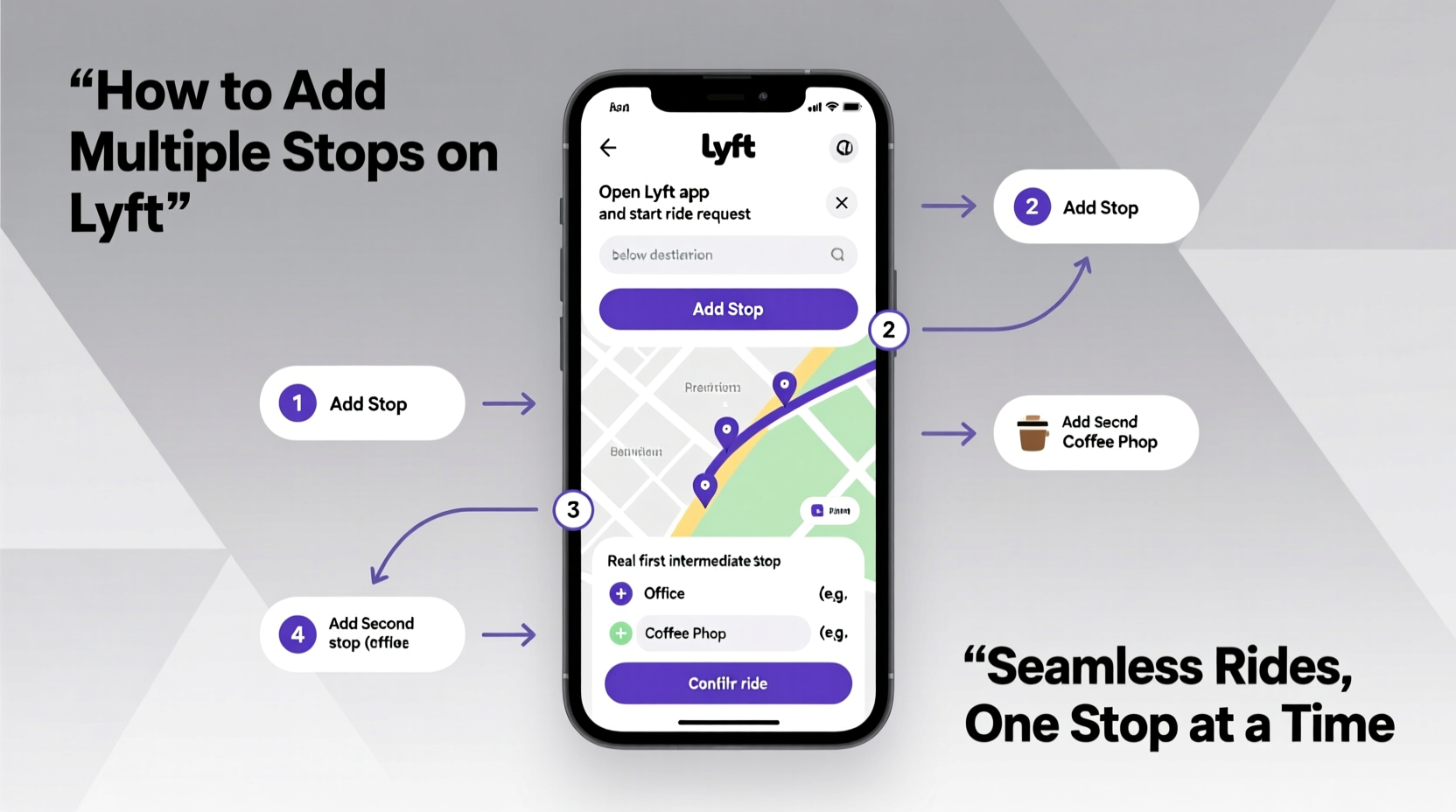
The process of adding extra stops is integrated directly into the Lyft app and takes only a few taps. Follow these steps to plan a multi-stop trip:
- Open the Lyft app and enter your starting location in the “Pickup” field (usually auto-filled based on your current GPS).
- Input your final destination in the “Where to?” box.
- Tap “Add stop” beneath the destination field. A new line will appear where you can type the address of your first intermediate stop.
- Repeat if needed—you can add one more stop, for a total of three locations including the final drop-off.
- Reorder stops if necessary by pressing and holding the drag handle (≡) next to each stop to adjust the route sequence.
- Select your ride type and confirm pickup details.
- Request your ride. Drivers will see the full itinerary before accepting.
Once matched, your driver follows the pre-set route, pausing briefly at each stop. You remain responsible for guiding them to exact building entrances or parking spots if needed.
Best Practices for Multi-Stop Rides
Using multiple stops effectively requires more than just knowing how to access the feature. To ensure smooth experiences for both you and your driver, consider the following guidelines:
- Keep stops short: Each stop should take no longer than 3–5 minutes. Extended delays may frustrate drivers or impact their earnings.
- Communicate clearly: If you're meeting someone or need help loading items, let your driver know upfront via in-app messaging.
- Avoid last-minute changes: Once the ride begins, you cannot modify the number or location of stops. Plan ahead.
- Group nearby stops together: Clustering errands geographically minimizes detours and keeps fares predictable.
- Respect driver time: Remember, they’re paid per trip segment, not per minute spent waiting.
“Riders who plan their stops thoughtfully tend to get better service and higher driver satisfaction ratings.” — Carlos Mendez, Transportation Efficiency Analyst at Urban Mobility Lab
Multi-Stop vs. Single-Destination Rides: Key Differences
Understanding how multi-stop trips differ from standard rides helps set realistic expectations around pricing, duration, and driver behavior.
| Feature | Single Stop Ride | Multi-Stop Ride |
|---|---|---|
| Number of Locations | One destination | Up to three (pickup + 2 stops) |
| Fare Estimate Timing | Shown immediately after destination input | Displayed only after all stops are added |
| Route Flexibility | Fixed path | Predefined but reorderable before booking |
| Driver Acceptance Rate | Generally high | Slightly lower due to longer trip time |
| Waiting Time Included | Minimal (drop-off only) | Short pauses (~5 min) at each stop |
Note that fares for multi-stop trips are calculated dynamically based on total distance, time, and local rates. The app provides an estimated range once all stops are entered, but surge pricing or traffic may affect the final cost.
Real-World Example: A Seamless Morning Commute
Sophia lives in downtown Denver and works remotely two days a week. On Wednesdays, she attends a team breakfast at a café near her office before heading to a co-working space, then drops off a package at a shipping center on her way home.
In the past, she booked three separate rides. Now, she opens Lyft, sets her first stop at the café, adds the co-working hub as the second, and inputs her apartment as the final destination. She reorders the stops to match her planned route, checks the fare estimate ($22–$26), and requests the ride.
Her driver arrives, completes all stops with minimal wait, and Sophia arrives home without hassle. By consolidating her journey, she saves $7 compared to individual trips and avoids the friction of repeated pickups.
What You Shouldn’t Do When Adding Stops
To maintain reliability and courtesy, avoid these common missteps:
- Don’t add stops after the ride has started: The system locks the itinerary upon pickup.
- Don’t exceed the two-stop limit: Complex itineraries should be split into multiple bookings.
- Don’t expect drivers to make unplanned detours: Even small deviations outside the app route can violate policy.
- Don’t leave personal items behind during stops: There's no guarantee the same driver will return to retrieve them.
FAQ: Common Questions About Multiple Stops on Lyft
Can I add more than two stops?
No, Lyft currently allows only two additional stops beyond your initial pickup point. For longer itineraries, consider booking sequential rides or using Lyft Concierge for enterprise-level scheduling.
Will my driver wait while I run inside?
Yes, but only briefly—typically up to five minutes. Longer waits may prompt the driver to contact you or end the ride. If you anticipate delays, inform your driver through the app’s messaging feature.
Is there an extra fee for multiple stops?
There’s no flat “multi-stop fee,” but your total fare increases based on added distance and time. The app shows an updated estimate after you input all stops, so you can decide whether to proceed.
Checklist: Preparing for a Successful Multi-Stop Ride
Before requesting your ride, go through this quick checklist to ensure everything runs smoothly:
- ✅ Confirm all addresses are correct and specific (e.g., suite numbers, side entrances)
- ✅ Reorder stops in the most logical route
- ✅ Review the fare estimate and compare with budget
- ✅ Notify companions that the driver will wait only briefly
- ✅ Pack essentials so nothing is left behind during transitions
- ✅ Enable location sharing with trusted contacts for safety
Maximize Convenience Without Compromising Courtesy
The ability to add multiple stops transforms Lyft from a basic point-to-point service into a flexible mobility tool. When used wisely, it streamlines daily routines, supports shared travel, and reduces environmental impact by minimizing redundant trips.
However, its success depends on mutual respect between riders and drivers. Clear communication, punctuality, and adherence to platform rules ensure that every participant benefits. As urban transportation evolves, features like multi-stop routing represent the future of efficient, personalized travel.




 浙公网安备
33010002000092号
浙公网安备
33010002000092号 浙B2-20120091-4
Comments
No comments yet. Why don't you start the discussion?