
Apple’s AirPods have redefined wireless audio with seamless integration, compact design, and reliable performance. But like any electronic device, their functionality hinges on proper power management. The AirPods case isn’t just a protective shell—it’s the central hub for charging, storing, and extending listening time. Understanding how to use it effectively ensures you get the most from your investment. This guide breaks down best practices, charging methods, battery preservation techniques, and real-world strategies to keep your AirPods ready when you need them.
How the AirPods Case Charges Your Earbuds
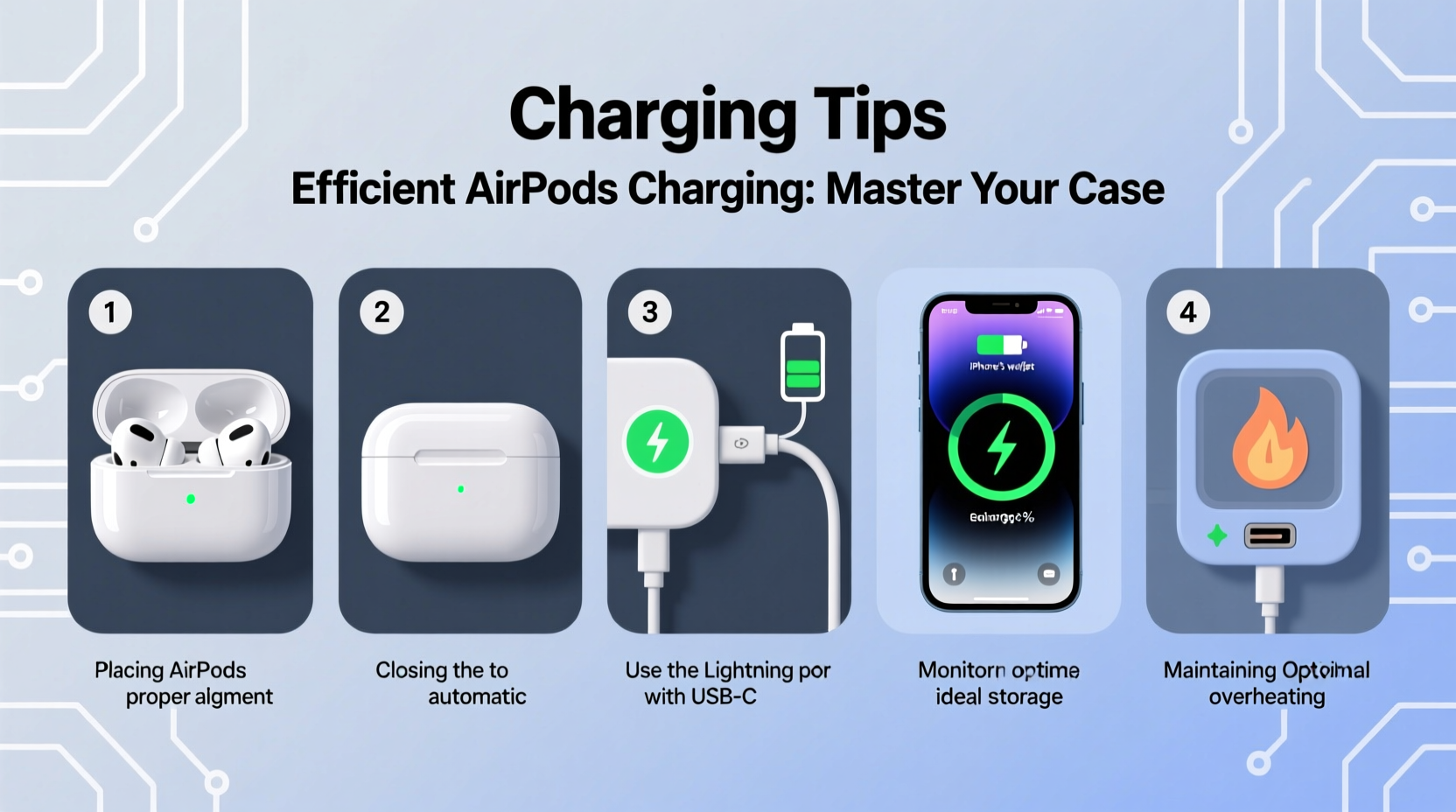
The AirPods charging case acts as a portable battery pack specifically designed for the earbuds. When placed inside, the earbuds connect magnetically to internal charging contacts. These contacts transfer power from the case’s internal battery to the AirPods themselves. Depending on the model—AirPods (1st, 2nd, or 3rd generation), AirPods Pro, or AirPods Max—the case may support Lightning charging, USB-C, or MagSafe wireless charging.
Charging begins automatically once the earbuds are seated correctly. A status light on the front of the case indicates the charging state: green means fully charged, amber means less than one full charge remains, and no light suggests the case is off or depleted.
Step-by-Step: Charging Your AirPods Using the Case
- Place your AirPods in the case. Align each earbud with its respective compartment until you hear a soft magnetic click.
- Close the lid. This conserves energy and protects the earbuds.
- Check the LED status light. A white flashing light means the case is connecting; green or amber indicates charging progress.
- Charge the case itself. Connect a compatible cable (Lightning or USB-C) to the port at the bottom of the case and plug into a power source.
- Wait for full charge. Most cases take about 1 hour to fully recharge. Once charged, the status light turns green when opened near an iPhone.
- Remove and use. After sufficient charge time, remove the AirPods and resume listening.
This process works whether you're topping up mid-day or performing a full overnight charge. For fastest results, use a certified Apple adapter or a high-quality third-party charger with adequate output (5W minimum, 12W recommended).
Battery Longevity: Do’s and Don’ts
Maintaining the health of both your AirPods and their case battery extends usable lifespan and prevents premature degradation. Lithium-ion batteries degrade over time, especially under poor charging habits. Follow these guidelines to preserve capacity and efficiency.
| Do’s | Don’ts |
|---|---|
| Charge regularly before the battery drops below 20% | Leave the case plugged in for days after full charge |
| Use original or MFi-certified cables and adapters | Expose the case to extreme heat or direct sunlight |
| Store in a cool, dry place when not in use | Allow moisture or debris to enter the charging port |
| Enable Optimized Battery Charging on compatible devices | Fully discharge the case frequently |
“Lithium-ion batteries perform best when kept between 20% and 80%. Avoid full discharges and constant top-ups to prolong cycle life.” — Dr. Alan Kim, Power Systems Engineer
Maximizing Efficiency: Tips for Daily Use
Efficient charging isn’t just about plugging in—it’s about smart usage patterns that reduce unnecessary drain and optimize power delivery.
- Use the case as a buffer. Instead of charging your AirPods directly, rely on the case for daily top-offs. It’s more convenient and reduces wear on the earbuds’ internal circuits.
- Carry a partially charged case. Keep your case at around 50–70% if you expect limited access to outlets during travel.
- Leverage Fast Charging. AirPods Pro and later models offer approximately 1 hour of listening time after just 5 minutes in the case. Use this during short breaks.
- Monitor battery levels via iPhone widget. Add the Batteries widget to your Home Screen or Today View to check AirPods and case levels at a glance.
- Turn off automatic ear detection if unused. This feature uses sensors that consume small amounts of power even when idle.
Real-World Scenario: Commuter’s Charging Routine
Sophia, a graphic designer in Chicago, uses her AirPods Pro daily during her 45-minute train commute. She previously struggled with dead earbuds by mid-afternoon. After adjusting her routine, she now keeps her AirPods in the case during work hours unless actively listening. Each morning, she places them in the case while making coffee—just 10 minutes provides enough charge for her outbound trip. At lunch, she connects the case to her laptop’s USB port for another 20 minutes. By evening, both earbuds and case maintain over 60% charge, ensuring uninterrupted use. This micro-charging strategy eliminated her battery anxiety without requiring lifestyle changes.
Charging Methods Compared
Different AirPods models support various charging options. Knowing which method suits your needs helps streamline your routine.
| Charging Method | Supported Models | Pros | Cons |
|---|---|---|---|
| Lightning Cable | All except USB-C models | Widely available, fast | Cable can fray over time |
| USB-C Cable | AirPods (3rd gen), AirPods Pro (2nd gen) | Durable, reversible, faster charging | Newer standard, may require adapter |
| Wireless Charging (Qi/MagSafe) | Wireless Charging Case, AirPods Pro | No cables needed, convenient | Slower, requires compatible pad |
| MagSafe Charger | Magnetic cases only | Secure alignment, integrates with Apple ecosystem | Premium cost |
| Portable Power Bank | All models | On-the-go charging, ideal for travel | Extra item to carry |
For most users, combining wired charging at home with occasional wireless or power bank use offers optimal flexibility.
Frequently Asked Questions
How long does it take to fully charge the AirPods case?
Using a standard 5W adapter, the case takes about 1 hour to reach full charge from zero. Faster chargers (12W or higher) can reduce this to 45 minutes. Wireless charging typically takes slightly longer—around 1.5 hours.
Can I charge my AirPods without the case?
No. Unlike some true wireless earbuds, AirPods cannot be charged directly. They must be placed inside the charging case to receive power. The case is essential for both storage and charging.
Why isn’t my AirPods case charging?
First, check the cable and power source with another device. Clean the charging port gently with a dry, soft-bristled brush. Ensure the case isn’t in deep sleep mode—try pressing the setup button on the back. If issues persist, reset the case by holding the button for 15 seconds until the light flashes amber, then white.
Final Thoughts: Charge Smarter, Not Harder
Efficient charging isn’t about speed—it’s about sustainability. By treating your AirPods case as a strategic power reserve rather than just a container, you gain greater control over your listening experience. Simple habits like regular partial charges, avoiding extreme temperatures, and using quality accessories compound over time into significantly better battery performance. Whether you’re commuting, working, or traveling, a well-maintained charging routine ensures your AirPods are always ready to deliver crisp audio on demand.




 浙公网安备
33010002000092号
浙公网安备
33010002000092号 浙B2-20120091-4
Comments
No comments yet. Why don't you start the discussion?