
As Apple continues to release new versions of the Apple Watch, many users continue to rely on older models such as the Series 3, 4, 5, or even earlier generations. While these watches still perform reliably, finding compatible replacement bands can become confusing due to subtle changes in design and sizing across generations. Whether you're replacing a worn-out band or simply want a style refresh, understanding compatibility is essential to ensure a secure, comfortable fit.
This guide breaks down everything you need to know about selecting the right band for your older Apple Watch model—covering size standards, material options, common pitfalls, and how to future-proof your accessories.
Understanding Apple Watch Band Sizing Across Generations
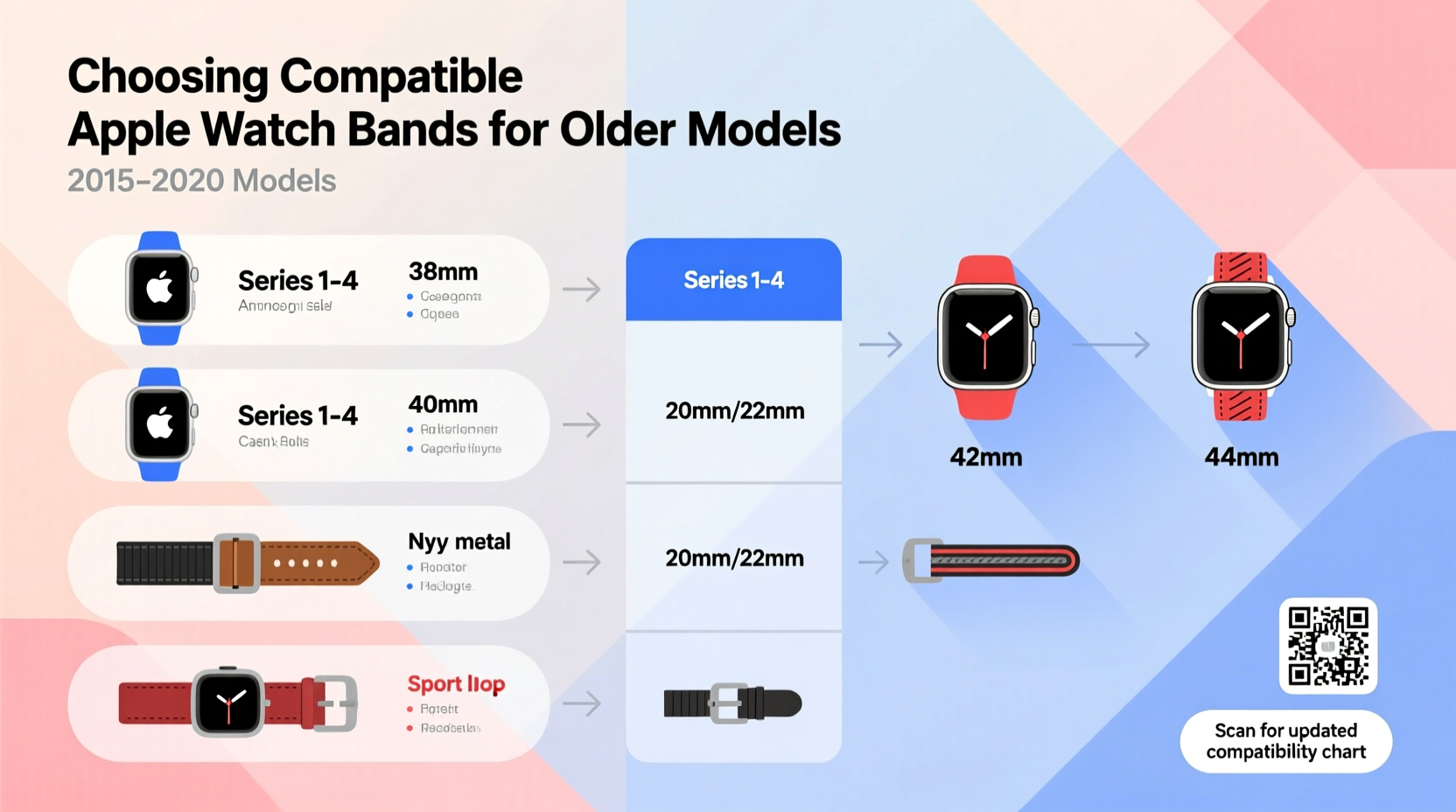
Apple has maintained a consistent lug system since the original Apple Watch launched in 2015. The lugs—the connectors on the sides of the watch—are standardized across all models, meaning that any band designed for a specific case size will physically attach regardless of generation. However, case sizes have evolved over time, so it’s critical to match the band width to your watch’s display size.
The key distinction lies in the two standard widths:
- 38mm/40mm/41mm cases: Use 20mm bands (older 38mm), 20mm (40mm), or 20mm (41mm).
- 42mm/44mm/45mm cases: Use 22mm bands (older 42mm), 22mm (44mm), or 22mm (45mm).
Despite changes in naming (e.g., moving from 38mm to 40mm), Apple kept the same band width measurements. This means a 20mm band made for a Series 3 38mm works perfectly on a Series 7 40mm or a Series 9 41mm.
Compatibility by Model: What Works With What?
While Apple uses a universal attachment mechanism, confusion often arises when shopping third-party bands labeled only for \"newer\" models. The table below clarifies which bands work with which older models.
| Apple Watch Model | Case Size | Band Width | Compatible With Newer Bands? |
|---|---|---|---|
| Series 1–3 | 38mm / 42mm | 20mm / 22mm | Yes – any 20mm or 22mm band |
| Series 4–6 | 40mm / 44mm | 20mm / 22mm | Yes – same widths apply |
| SE (1st Gen) | 40mm / 44mm | 20mm / 22mm | Yes – fully backward compatible |
| Series 7–9 & Ultra | 41mm / 45mm / 49mm | 20mm / 22mm / 23mm* | *Ultra uses 23mm; others use 20/22mm – compatible with older bands |
Notice that newer models like the Series 7, 8, and 9 retained the same 20mm and 22mm band standards for their respective sizes. Only the Apple Watch Ultra introduced a wider 23mm band, which is not compatible with older models.
“Apple’s commitment to backward compatibility in band design means users don’t need to reinvest in entire accessory collections with each upgrade.” — Jordan Lee, Wearable Tech Analyst at GadgetInsight
Step-by-Step: How to Find the Right Band for Your Older Watch
Follow this practical process to ensure you purchase a compatible and high-quality band:
- Determine your watch’s case size. Go to Settings > General > About on your Apple Watch to see the exact model and dimensions.
- Note the band width. Match it to either 20mm (smaller models) or 22mm (larger models).
- Decide on material and use case. Are you looking for sport, formal, or rugged outdoor durability?
- Check product specifications carefully. Avoid vague labels like “fits most Apple Watches.” Look for explicit width details.
- Purchase from reputable sellers. Stick to Apple-certified manufacturers or well-reviewed brands to avoid poor clasp mechanisms or misaligned connectors.
- Test the fit upon arrival. Ensure the band clicks securely into place without wobbling or resistance.
Material Options and Long-Term Durability Tips
Beyond compatibility, the material of your band affects comfort, longevity, and suitability for different lifestyles. Here are the most common types available for older models:
- Sport Band (Fluoroelastomer): Ideal for workouts and daily wear. Resistant to sweat and moisture. Easy to clean with mild soap and water.
- Woven Nylon: Lightweight and breathable, great for casual or military-style looks. Can absorb odors over time; wash monthly.
- Leather: Elegant and premium feel. Not recommended for swimming or intense exercise. Condition every few months to prevent cracking.
- Stainless Steel Link: Durable and adjustable. Heavier than other options. May require resizing for smaller wrists.
- Third-Party Silicone Alternatives: Often cheaper than Apple’s version but vary in quality. Look for reinforced connector pins.
Real-World Example: Sarah’s Band Upgrade Journey
Sarah owns a Series 4 Apple Watch (44mm) she’s used daily for five years. Recently, her original Sport Band cracked near the clasp after constant gym use. She assumed newer bands wouldn’t fit since Apple now sells Series 9 models. After researching, she discovered that her 44mm watch uses a 22mm band—identical to the current Series 9 45mm. She purchased a third-party recycled plastic band marketed for “44mm–45mm” watches and found it snapped into place perfectly. Not only did it fit, but the eco-friendly material felt lighter and more breathable during runs.
Her experience highlights a common misconception: that older watches lose accessory support. In reality, thoughtful upgrades can enhance both function and sustainability.
Frequently Asked Questions
Can I use an Apple Watch Ultra band on my Series 5?
No. The Apple Watch Ultra uses a 23mm band, which is wider than the 20mm and 22mm bands used by all non-Ultra models. It will not fit older watches.
Are third-party bands safe for older Apple Watches?
Yes, provided they are made to precise specifications. Poorly manufactured bands may have loose connectors or sharp edges that could scratch the watch casing. Look for brands with strong customer reviews and metal reinforcement around the pin area.
Do screen protectors affect band installation?
No. Screen protectors do not interfere with band attachment, as the connection points are on the sides of the case, away from the display.
Checklist: Before You Buy a New iWatch Band
- ✅ Confirm your Apple Watch case size (e.g., 40mm or 44mm)
- ✅ Identify required band width (20mm or 22mm)
- ✅ Choose material based on lifestyle (sport, office, sleep tracking, etc.)
- ✅ Verify compatibility claims beyond marketing language
- ✅ Check return policy in case of fit issues
- ✅ Prefer brands with reinforced connector housings
Final Thoughts: Make Smart, Sustainable Choices
Your older Apple Watch doesn’t need to be retired just because it’s no longer the latest model. By understanding band compatibility, you can breathe new life into your device with fresh styles and improved comfort—all while saving money and reducing electronic waste. The ecosystem Apple built around interchangeable bands remains one of the most user-friendly in wearable tech.




 浙公网安备
33010002000092号
浙公网安备
33010002000092号 浙B2-20120091-4
Comments
No comments yet. Why don't you start the discussion?