
Smart sunglasses blend fashion with functionality, offering features like audio playback, voice assistants, and Bluetooth connectivity. But when your sleek shades won’t connect to your phone or keep dropping the signal, the experience quickly turns frustrating. Unlike traditional eyewear, these devices rely on stable wireless communication, battery performance, and firmware integrity—all of which can fail silently. Understanding how to diagnose and resolve these issues ensures you get the most out of your investment.
Understanding Common Causes of Connectivity Problems
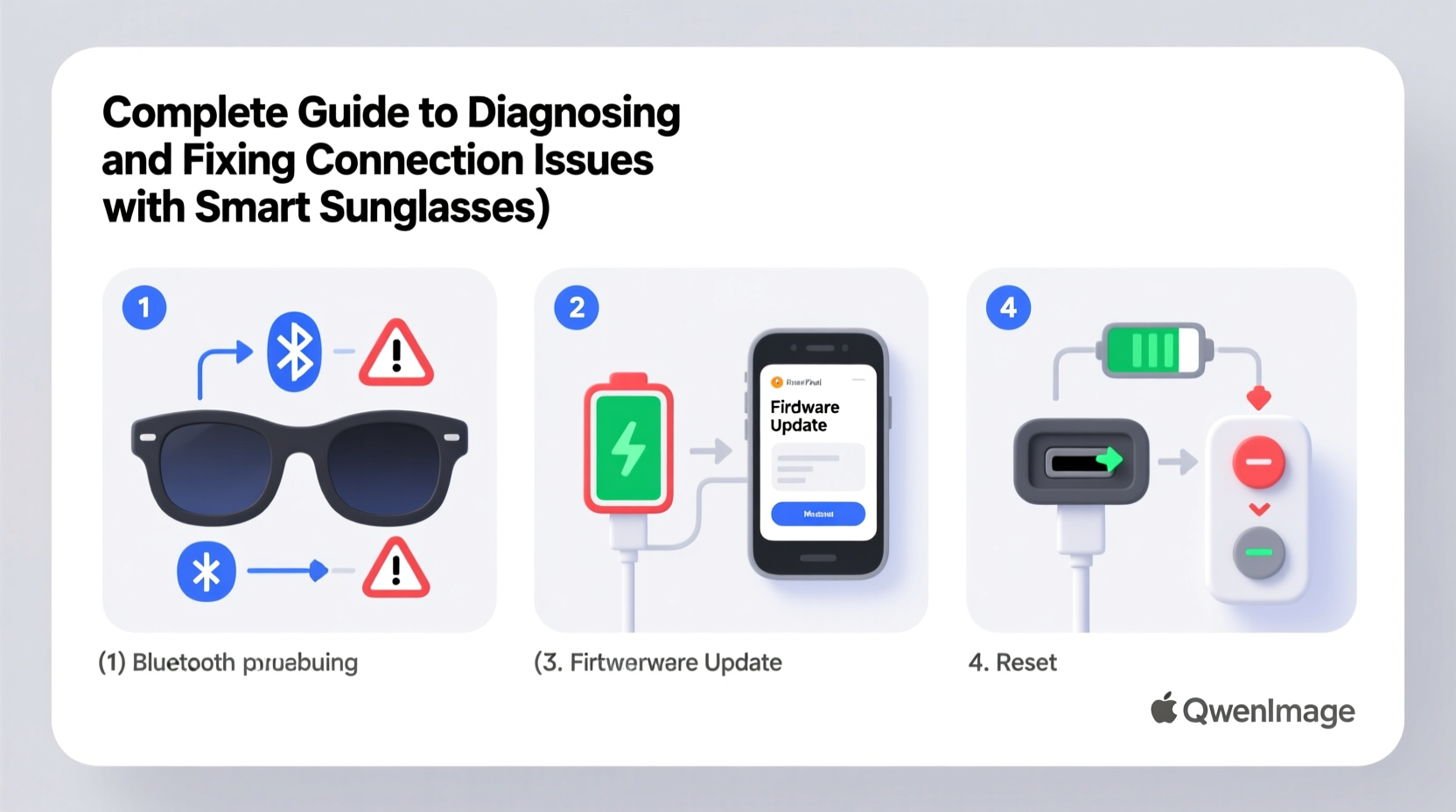
Before diving into fixes, it’s essential to identify what might be causing the disconnection. Smart sunglasses use Bluetooth 5.0 or higher for pairing, but interference, outdated software, or hardware wear can disrupt performance.
- Bluetooth interference: Wi-Fi networks, microwaves, and other wireless devices operating in the 2.4 GHz band can interfere with signal stability.
- Outdated firmware: Manufacturers release updates to improve compatibility and fix bugs. Ignoring these can lead to persistent issues.
- Low battery: A weak charge may prevent full functionality, including stable pairing.
- Incorrect device settings: Phones may automatically switch audio outputs or disable Bluetooth profiles needed for glasses.
- Physical obstructions: Wearing a hat or turning too far from your paired device can break line-of-sight signal strength.
Step-by-Step Troubleshooting Process
Follow this logical sequence to isolate and resolve connection problems efficiently. Each step builds on the previous one, minimizing guesswork.
- Check battery level: Ensure your sunglasses have at least 20% charge. Low power can cause intermittent disconnects.
- Enable Bluetooth on your phone: Confirm it’s turned on and set to discoverable mode.
- Reset Bluetooth cache (Android): Go to Settings > Apps > Show System Apps > Bluetooth > Storage > Clear Cache. On iOS, toggle airplane mode on/off.
- Unpair and re-pair the device: Remove the sunglasses from your phone’s Bluetooth list, then follow the manufacturer’s pairing instructions.
- Test with another device: Try connecting to a different phone or tablet to determine if the issue is device-specific.
- Update firmware: Use the companion app (e.g., Ray-Ban Stories, Bose Frames, or Nod Originals) to check for updates.
- Factory reset the sunglasses: Hold the power button for 10–15 seconds until lights flash rapidly (varies by model).
Do’s and Don’ts When Handling Smart Eyewear
| Do’s | Don’ts |
|---|---|
| Store in a dry, temperature-controlled case | Leave them in direct sunlight or hot cars |
| Clean lenses with microfiber cloths | Use alcohol-based cleaners on touch-sensitive arms |
| Charge regularly using the provided cable | Overcharge beyond 2 hours unless specified |
| Update firmware monthly via the companion app | Ignore update notifications for extended periods |
| Keep software on your phone updated | Pair with multiple devices simultaneously without checking compatibility |
Real-World Example: The Commuter’s Audio Dropout
Jamal, a daily cyclist in Seattle, bought premium smart sunglasses for hands-free navigation and music during his 12-mile commute. After two weeks, the audio would cut out every few minutes, especially near downtown intersections. He assumed the glasses were defective.
After testing at home with no issues, he realized the problem occurred only in high-traffic zones. Using a Bluetooth scanner app, he discovered over 40 active signals in dense urban areas—his glasses were struggling with interference. By switching his phone’s Bluetooth priority setting to “absolute” and disabling background apps, Jamal restored stable playback. He also began updating firmware biweekly, as new patches improved signal resilience.
This case highlights that environmental factors often play a bigger role than hardware flaws.
“Many users blame device quality when connectivity fails, but context—location, device load, and network congestion—is just as critical.” — Dr. Lena Torres, Wireless Systems Engineer at MIT Media Lab
Essential Checklist for Maintaining Connection Stability
Use this checklist monthly—or whenever issues arise—to maintain peak performance:
- ✅ Charge sunglasses to full capacity at least once per week
- ✅ Delete and re-pair the device from your phone’s Bluetooth menu
- ✅ Open the companion app and confirm firmware is up to date
- ✅ Restart your smartphone to clear temporary memory glitches
- ✅ Clean charging contacts with a dry cotton swab to ensure proper power delivery
- ✅ Test microphone and speakers using a voice memo app
- ✅ Verify that your phone isn’t routing audio to another device (like earbuds or car systems)
Frequently Asked Questions
Why do my smart sunglasses connect but produce no sound?
This usually happens when the audio output isn’t properly routed. On iPhone, swipe down Control Center and tap the audio icon to select your sunglasses. On Android, go to Bluetooth settings, find your device, and ensure \"Media Audio\" is enabled. Also, check that volume is up on both the phone and the glasses themselves.
Can water damage affect Bluetooth performance?
While many smart sunglasses are rated IPX4 or higher (splash-resistant), prolonged exposure to moisture can corrode internal circuits over time. Even if they still power on, damaged antennas or connectors can weaken signal transmission. Always dry them thoroughly after rain or sweat exposure.
How far can I walk from my phone before losing connection?
Most models support a range of 30 feet (about 10 meters) in open space. Walls, metal objects, and crowds reduce this significantly. If you consistently lose connection within 15 feet, investigate interference or perform a factory reset.
Final Recommendations for Long-Term Reliability
Smart sunglasses are not just accessories—they’re wearable computers. Treating them with the same care as your phone improves longevity and performance. Establish a routine: charge weekly, update monthly, clean gently, and store properly. Keep the companion app installed and permissions granted so notifications aren’t missed.
If problems persist despite following all steps, contact the manufacturer’s support team. Many brands offer warranty replacements for verified hardware defects. Some even provide remote diagnostics through their apps.
“The future of wearable tech depends on seamless integration. That starts with user awareness and ends with reliable design.” — Mark Rinaldi, Senior Product Lead at Bose Wearables
Take Action Today
Your smart sunglasses are designed to enhance your day—not complicate it. By applying systematic troubleshooting and preventive care, you reclaim control over your tech experience. Whether you're commuting, traveling, or enjoying a walk, stable connectivity means uninterrupted music, calls, and voice commands.




 浙公网安备
33010002000092号
浙公网安备
33010002000092号 浙B2-20120091-4
Comments
No comments yet. Why don't you start the discussion?