
Lige Smart Glasses blend fashion with functionality, offering wearers real-time notifications, voice commands, and immersive audio—all through a sleek, wearable design. Like any advanced tech device, their performance depends heavily on up-to-date software. Outdated firmware can lead to reduced battery efficiency, connectivity issues, or missed features. Knowing how to update your Lige Smart Glasses properly ensures you get the most from your investment. This guide walks you through every step of the process, from preparation to post-update checks, so you can maintain peak performance with confidence.
Why Software Updates Matter for Smart Glasses
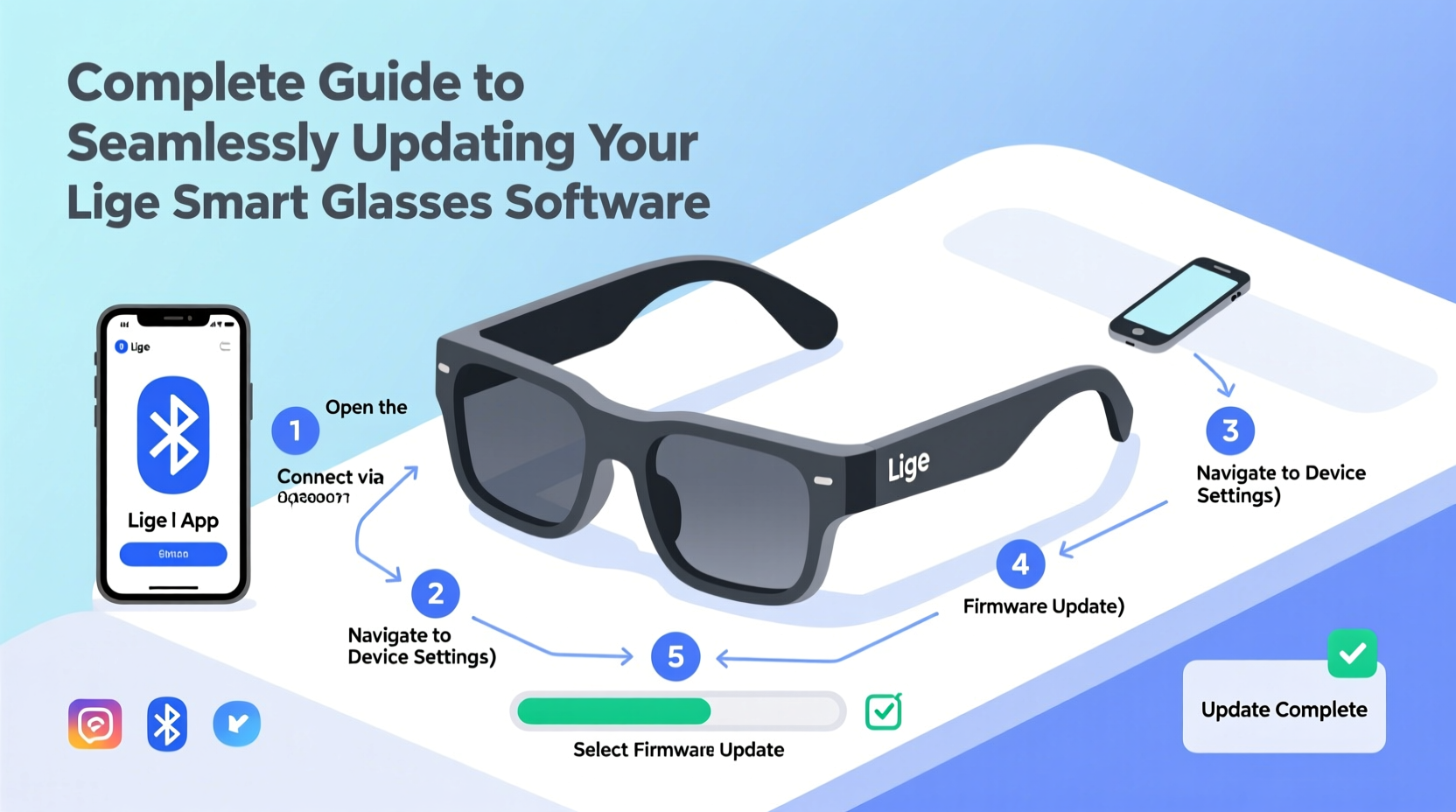
Smart glasses operate on embedded firmware that controls everything from Bluetooth pairing to gesture recognition. Manufacturers like Lige release regular updates to fix bugs, improve stability, enhance security, and introduce new capabilities. Ignoring these updates means missing out on critical improvements that affect both usability and longevity.
For example, a recent Lige firmware patch improved voice assistant responsiveness by 40% and extended standby time by nearly two hours. These aren’t minor tweaks—they directly impact daily use. Additionally, outdated software may become incompatible with newer smartphones or apps, cutting off essential functionality over time.
“Firmware updates are not optional extras—they’re maintenance essentials. Skipping them is like ignoring oil changes in a car.” — Rajiv Mehta, Senior Wearables Engineer at TechWear Labs
Step-by-Step Guide to Updating Your Lige Smart Glasses
Updating your Lige Smart Glasses is straightforward when you follow the correct procedure. Here’s a detailed timeline to ensure a smooth experience:
- Check Current Firmware Version: Open the official Lige Connect app (available on iOS and Android), pair your glasses, and navigate to Device Settings > About Device to view the current firmware version.
- Ensure Sufficient Battery: Charge your glasses to at least 60%. Never attempt an update below 50%—a power interruption during the process could corrupt the firmware.
- Connect to Stable Wi-Fi: While the glasses themselves don’t connect to Wi-Fi, the companion app downloads updates via your phone’s internet connection. Use a strong, uninterrupted network.
- Open Lige Connect App: Make sure it’s updated to the latest version from the App Store or Google Play.
- Initiate Update: If an update is available, the app will prompt you with a notification. Tap “Download and Install.”
- Maintain Proximity: Keep your glasses within 3 feet of your phone throughout the update. Do not close the app or lock your phone.
- Wait for Completion: The update typically takes 8–12 minutes. A progress bar will show status. Once done, the glasses will restart automatically.
- Verify Success: Reconnect via the app and confirm the firmware version has changed.
Common Issues and How to Resolve Them
Even with careful preparation, users occasionally encounter hiccups. Below are frequent problems and practical solutions:
- Update Fails Midway: Ensure your phone doesn’t go to sleep. Disable auto-lock settings temporarily. Restart both the app and the glasses, then retry.
- Glasses Won’t Reconnect After Update: Forget the device in Bluetooth settings, restart your phone, and re-pair using the Lige Connect app.
- App Says “No Update Available” But Features Are Missing: Check the Lige website for regional rollout schedules—some updates roll out gradually.
- Device Overheats During Update: Stop the process, let the glasses cool for 10 minutes, then try again. High ambient temperatures can interfere with firmware writing.
Do’s and Don’ts of Firmware Management
| Do’s | Don’ts |
|---|---|
| Always back up your paired devices list before updating | Don’t interrupt the update by closing the app or moving out of range |
| Update as soon as a new version is available | Don’t attempt updates while charging with low-quality cables |
| Keep your smartphone’s OS updated for app compatibility | Don’t ignore error messages—address them immediately |
| Restart your glasses after major updates | Don’t use custom ROMs or rooted firmware patches |
Real-World Example: Sarah’s Seamless Upgrade Experience
Sarah, a digital marketer based in Austin, relies on her Lige Smart Glasses for hands-free calendar alerts and calls during client meetings. When she noticed delayed notifications, she checked the Lige Connect app and found a pending firmware update labeled “Audio Sync Optimization v2.1.”
She followed the standard procedure: charged her glasses to 75%, connected to her home Wi-Fi, and initiated the download. The update completed in 10 minutes. After restarting, she tested voice prompts and found response times significantly faster. More importantly, background music no longer paused unexpectedly during calls—a known bug fixed in the patch.
By staying proactive, Sarah avoided prolonged frustration and maintained professional reliability during high-stakes presentations.
Frequently Asked Questions
How often should I check for Lige Smart Glasses updates?
Lige releases firmware updates approximately every 8–12 weeks. It’s best to check the Lige Connect app monthly. You’ll also receive push notifications if automatic alerts are enabled.
Can I update my glasses without a smartphone?
No. The Lige Connect app is currently the only supported method for firmware updates. There is no desktop or standalone web updater available.
Will updating erase my settings or paired devices?
In most cases, no. Standard updates preserve your preferences and Bluetooth pairings. However, major version upgrades (e.g., v2.x to v3.x) may reset some configurations. Always note down important settings beforehand.
Maximizing Long-Term Performance Through Regular Maintenance
Updating your Lige Smart Glasses isn’t a one-off task—it’s part of ongoing device care. Think of firmware like the nervous system of your wearable: it coordinates inputs, outputs, and interactions. Just as you’d maintain a laptop with regular patches, your smart glasses deserve the same attention.
Set a reminder every four weeks to open the Lige Connect app and verify your firmware status. Pair this habit with a quick cleaning of the touchpad and audio nozzles using a dry microfiber cloth. These small actions compound into years of reliable service.
Conclusion
Keeping your Lige Smart Glasses software up to date is essential for security, performance, and access to new features. With the right preparation and knowledge, the update process is quick, safe, and effective. Whether you're troubleshooting an issue or simply staying ahead of the curve, regular firmware management empowers you to get the most from your wearable technology.




 浙公网安备
33010002000092号
浙公网安备
33010002000092号 浙B2-20120091-4
Comments
No comments yet. Why don't you start the discussion?