
Instagram’s “Add Yours” sticker has quietly become one of the most effective tools for driving organic engagement in Stories. Unlike traditional posts or Reels that rely heavily on algorithmic reach, the Add Yours feature leverages user participation to expand visibility through shared storytelling. When used strategically, it can spark conversations, encourage community interaction, and even go viral—without paid promotion.
The feature allows users to invite others to contribute their own response to a prompt by adding a new Story with the same sticker. It creates a chain of responses that viewers can tap through, making it both interactive and shareable. But simply using the sticker isn’t enough. To truly benefit from its potential, creators need a clear strategy rooted in timing, creativity, and consistency.
How the Add Yours Feature Works
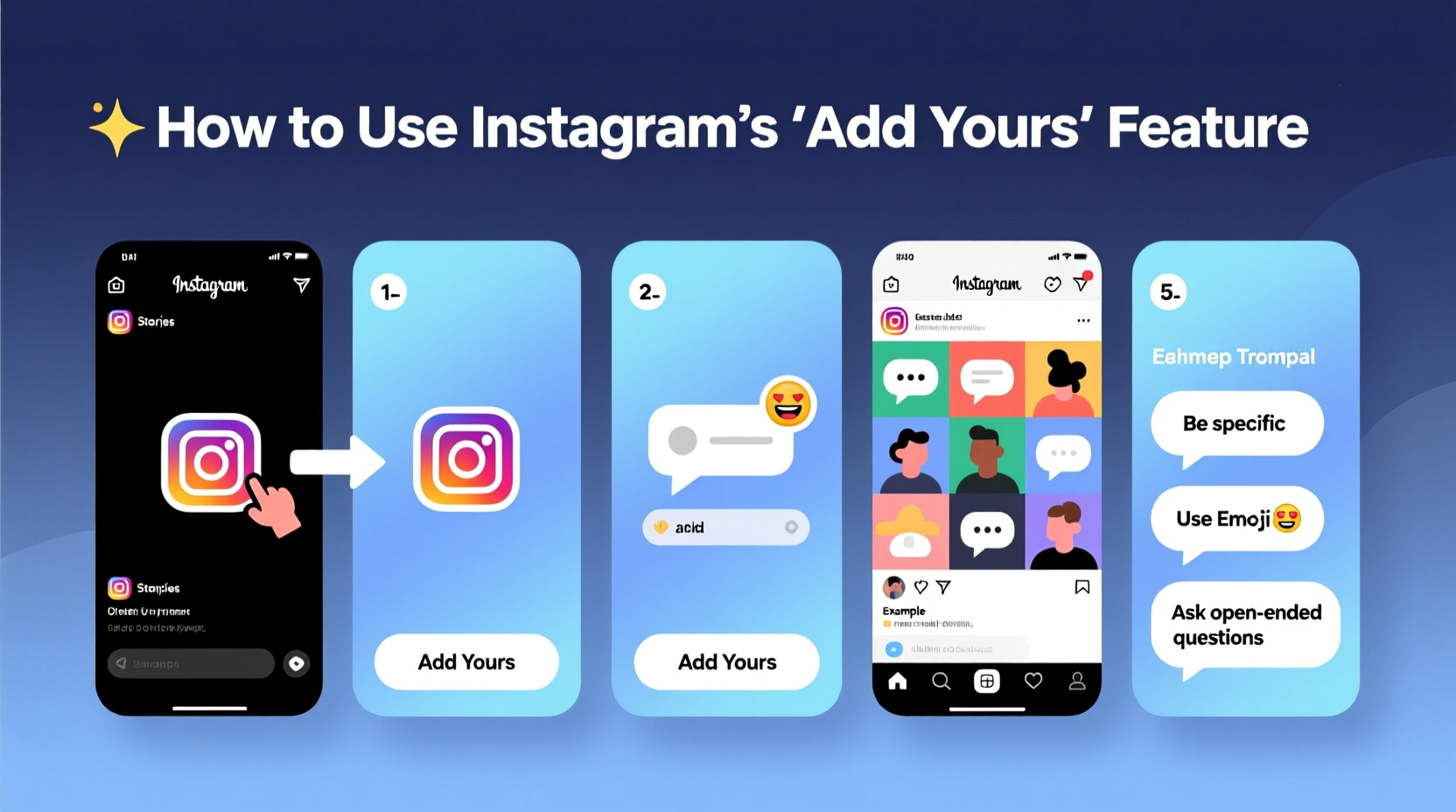
The Add Yours sticker appears as a customizable prompt in Instagram Stories. When someone taps “Add Yours,” they’re prompted to create their own Story responding to the original post, which then links back to the chain. This creates a ripple effect: each new addition is visible to the poster’s followers, increasing cross-exposure.
For example, if you post a Story titled “Add Your Morning Routine,” and five people respond, those responses appear as swipe-up links beneath your Story. Anyone viewing your Story can tap into each contributor’s version, potentially exposing your content—and theirs—to entirely new audiences.
This peer-to-peer sharing mechanism bypasses some of the limitations of Instagram’s algorithm because engagement comes not just from likes or comments, but from active participation. The more compelling the prompt, the higher the chance of widespread adoption.
Strategic Uses of Add Yours for Engagement Growth
The best uses of the Add Yours feature go beyond novelty. They serve a purpose: building community, showcasing authenticity, or promoting a campaign. Here are several high-impact applications:
- Community Building: Invite followers to share personal stories, such as “Add Your First Concert Experience.” This fosters emotional connection and encourages repeat interaction.
- User-Generated Content (UGC): Launch a challenge like “Add Your Coffee Art” to collect authentic visuals that double as free promotional material.
- Brand Awareness: Businesses can use themed prompts (“Add Your Favorite Outfit from Our Collection”) to subtly promote products while engaging customers.
- Feedback & Research: Ask questions like “Add Your Ideal Weekend Getaway” to gather insights while keeping the tone light and fun.
- Viral Potential: Trending formats—such as “Add Your Pet Doing Something Silly”—tap into existing behaviors and spread quickly when timed well.
“Add Yours stickers work because they turn passive viewers into active contributors. That shift is where real engagement begins.” — Lena Torres, Social Media Strategist at Bloom Digital
Step-by-Step Guide to Creating an Effective Add Yours Story
To maximize results, follow this structured approach every time you use the feature:
- Choose a Clear Theme: Decide whether the goal is entertainment, education, or brand promotion. Keep the focus narrow.
- Create a Visually Engaging Story: Use clean text overlays, branded colors, or short video clips to make your prompt stand out.
- Add the Sticker: Tap the sticker icon, select “Add Yours,” and customize the text to reflect your prompt (e.g., “Add Your Study Playlist”).
- Write a Strong Call-to-Action: In voiceover or text, explain why viewers should participate. Example: “Tag me when you add yours—I’ll reshare my favorites!”
- Post at Peak Times: Share during high-engagement windows (typically 7–9 AM or 5–7 PM local time) to increase initial traction.
- Engage With Contributors: Respond to participants by liking, commenting, or resharing their Stories to reinforce community behavior.
- Track Performance: Monitor how many people added theirs via Insights (available to accounts with Professional Tools enabled).
Do’s and Don’ts of Using Add Yours
| Do’s | Don’ts |
|---|---|
| Use prompts that are easy to understand and quick to respond to | Avoid overly complex or niche topics that limit participation |
| Leverage trends (e.g., seasonal themes, viral memes) for relevance | Don’t ignore follower privacy—avoid prompts that ask for sensitive information |
| Encourage tagging or mention to increase visibility | Don’t overuse the sticker—limit to 1–2 per week to maintain impact |
| Follow up by featuring top contributions in future content | Never manipulate chains by asking friends to artificially inflate responses |
Real Example: How a Small Creator Grew by 3K Followers in Two Weeks
Jamie Lin, a lifestyle creator with around 8,000 followers, wanted to boost interaction without investing in ads. She launched a series of themed Add Yours prompts: “Add Your Cozy Reading Nook,” followed by “Add Your Tea of Choice,” and “Add Your Rainy Day Activity.”
Each Story included a warm voice note inviting participation and promised to feature the most creative entries. Within three days, her average Story completion rate jumped from 45% to 78%, and over 120 people contributed across the series.
More importantly, her follower count grew by nearly 3,000 in two weeks. Many new followers came directly from contributors who discovered her profile after seeing their own Story linked in the chain. By treating each Add Yours post as part of a cohesive narrative, Jamie turned simple prompts into a growth engine.
Checklist: Optimizing Your Add Yours Strategy
- ☑ Define your objective (engagement, UGC, awareness)
- ☑ Craft a simple, relatable prompt
- ☑ Design a visually appealing Story background
- ☑ Include a verbal or written call-to-action
- ☑ Post during peak audience activity hours
- ☑ Monitor responses and engage with contributors
- ☑ Repurpose top entries into feed posts or Reels
- ☑ Analyze performance weekly using Instagram Insights
Frequently Asked Questions
Can anyone see the chain of “Add Yours” responses?
Only public accounts’ responses are visible to everyone. If a user has a private account, their contribution will only be seen by their approved followers. You won’t be able to track every addition unless participants tag you or have public profiles.
Why didn’t anyone add theirs to my Story?
Low response rates often stem from unclear prompts, poor timing, or lack of incentive. Try simplifying your question, posting when your audience is most active, or offering recognition (e.g., “I’ll feature the funniest answer tomorrow”).
Can businesses use Add Yours effectively?
Absolutely. Brands can use it to showcase customer experiences, run low-effort contests, or gather feedback. For instance, a skincare company might prompt, “Add Your Nighttime Routine Using Our Serum,” turning customers into advocates.
Conclusion: Turn Participation Into Momentum
The Add Yours feature is more than a fleeting trend—it’s a tool for cultivating deeper connections in a platform increasingly dominated by impersonal algorithms. When used with intention, it invites collaboration, surfaces authentic content, and extends your reach far beyond your current follower base.
Success doesn’t come from posting once and hoping for the best. It comes from designing thoughtful prompts, engaging with participants, and integrating the responses into your broader content strategy. Whether you’re a solo creator or part of a brand team, the power of collective storytelling is within reach.




 浙公网安备
33010002000092号
浙公网安备
33010002000092号 浙B2-20120091-4
Comments
No comments yet. Why don't you start the discussion?