
Facebook remains one of the most powerful platforms for personal branding, business promotion, and community engagement. One of the simplest yet most effective tools at your disposal is the clickable link. Whether you're directing followers to a blog, product page, event registration, or portfolio, knowing how to properly embed functional links can dramatically increase traffic and conversions. Despite its widespread use, many users still struggle with inconsistent results—sometimes links appear as plain text, while other times they don’t work at all. This guide walks through every detail of adding clickable links across Facebook posts and profile sections in 2024, including recent interface changes and best practices.
Why Clickable Links Matter on Facebook
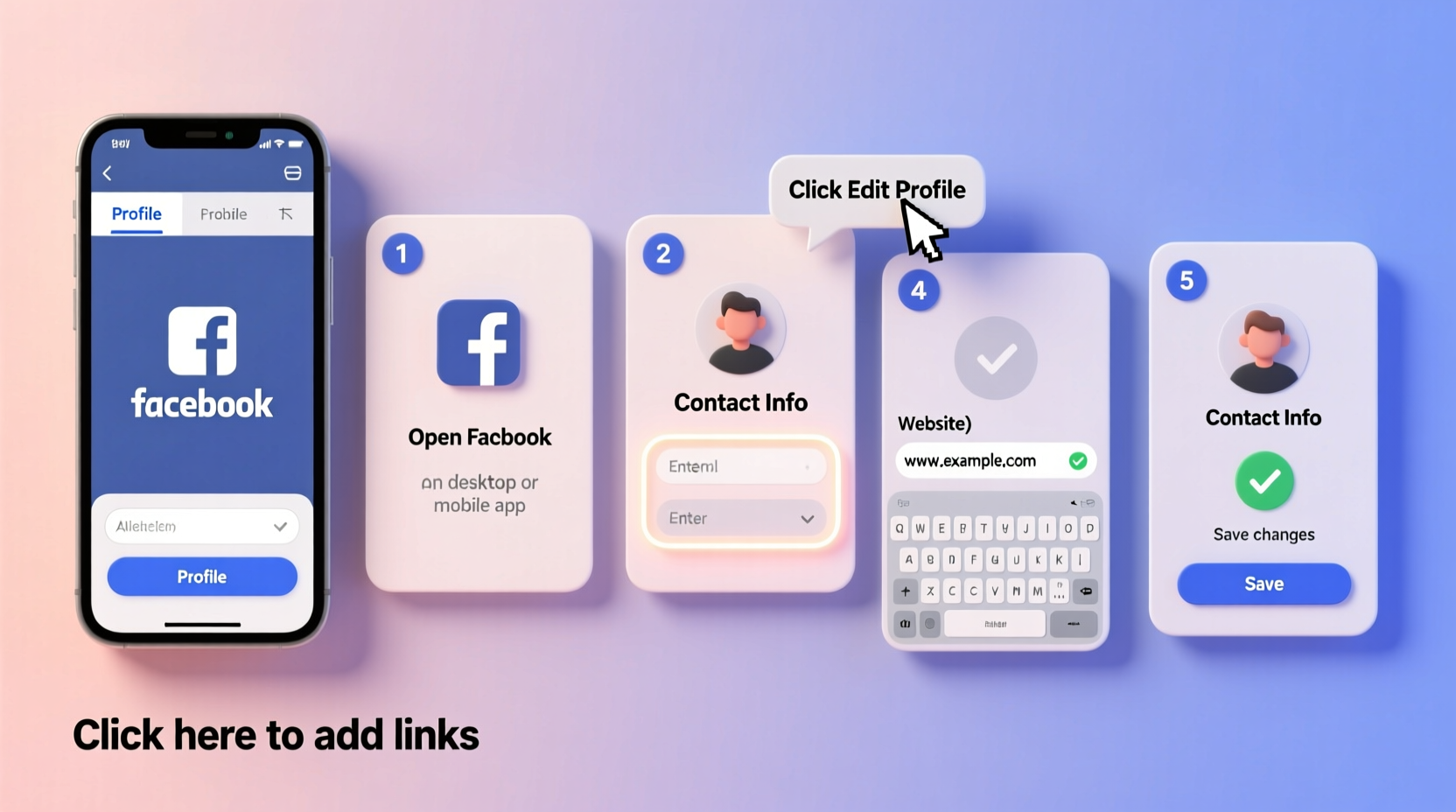
A clickable link transforms passive scrolling into active engagement. When someone sees a compelling post about a new service or article, a single tap on a working hyperlink can lead directly to conversion. Without it, users must manually copy-paste URLs—a barrier that drastically reduces click-through rates. According to social media analytics firm Rival IQ, posts with embedded links generate up to 3 times more outbound traffic than those without. Yet, improper formatting often undermines this potential.
Facebook automatically detects and converts most full URLs (e.g., https://www.example.com) into clickable links when published. However, user experience varies depending on where the link appears—whether in a status update, comment, bio section, or About page—and how it's formatted.
Step-by-Step: Adding Links to Facebook Posts
Posting a clickable link in your feed or group is straightforward, but attention to detail ensures reliability.
- Open the Facebook composer: Click “What’s on your mind?” on your timeline, group, or Page.
- Type or paste a complete URL: Always include
https://orhttp://. For example:https://yourwebsite.com/blog-post. - Wait for the preview to load: Within seconds, Facebook will fetch a thumbnail, title, and description from the linked page.
- Edit if needed: Click the pencil icon next to the preview to change the image, headline, or caption.
- Publish: Once satisfied, hit “Post.” The link will be clickable for all viewers.
Using Shortened Links
You may prefer using shortened URLs (like bit.ly or t.co) for tracking or aesthetics. These also become clickable if they start with http:// or https://. However, avoid services blocked by Facebook’s spam filters. Stick to reputable providers like Bitly, Rebrandly, or UTM-based shorteners.
Adding Links to Your Facebook Profile
Your profile serves as a digital calling card. Making key links accessible improves discoverability and credibility.
Link in the \"About\" Section
- Navigate to your profile and click About.
- Scroll to Contact and Basic Info.
- Under “Website,” click Add a website.
- Enter the full URL (e.g., https://linkedin.com/in/yourname).
- Choose a label: Personal Website, Blog, LinkedIn, etc.
- Click Save.
The link will now appear under your name on your profile and be clickable across devices.
Profile Action Button (For Public Figures & Pages)
If your profile qualifies as a public figure, creator, or business, you can add a prominent call-to-action button below your cover photo.
- Go to your profile and hover over the bottom-right of your cover photo.
- Click Add a Button.
- Select an action type: “Contact Us,” “Book Now,” “Shop,” or “Learn More.”
- Choose “Go to Website” as the destination.
- Enter the destination URL.
- Publish the change.
This button stays visible on both desktop and mobile, increasing visibility and click rates.
Do’s and Don’ts of Facebook Linking
| Do | Don't |
|---|---|
Always include https:// at the beginning of URLs |
Use naked domains like “example.com” without protocol |
| Test links before publishing using a private browser window | Assume links work just because they appeared during drafting |
| Use clear anchor text in captions (e.g., “Read more here”) alongside the URL | Spam multiple identical links in comments or within short intervals |
| Leverage UTM parameters to track traffic sources | Share links to sites with malware or poor security (risks account flagging) |
| Update outdated links in pinned posts or About sections regularly | Ignore Facebook’s warnings about potentially unsafe content |
“Many small businesses lose valuable leads simply because their Facebook links aren’t optimized. A working, well-placed link can be the difference between curiosity and conversion.” — Dana Lee, Social Media Strategist at ReachWave Consulting
Tips for Maximizing Link Engagement
- Pin high-value posts: Pin a post with a crucial link (e.g., webinar signup) to the top of your timeline for sustained visibility.
- Use link previews strategically: Edit the preview image and headline to make it more compelling than the default scrape.
- Avoid linking in comments excessively: While comments support clickable URLs, overuse can trigger spam filters or reduce trust.
- Monitor link performance: Use Facebook Insights (on Pages) or third-party tools like Hootsuite or Buffer to track clicks and engagement.
Mini Case Study: Boosting Newsletter Signups via Facebook
Sophie Chen, a freelance nutrition coach, wanted to grow her email list. She posted weekly tips on Facebook but noticed low conversion despite strong engagement. After auditing her strategy, she realized she was writing, “Check the link in bio!”—but her personal profile had no website listed.
She updated her About section with her landing page URL and added a “Learn More” button linking directly to her free meal plan offer. Then, she pinned a post featuring a blog article with a clear CTA: “Download your free guide → [https://sophieshealth.com/guide].” Within three weeks, her newsletter signups increased by 68%, with Facebook becoming her top traffic source.
The change wasn’t in content quality—it was in making the next step effortless.
Common Issues and Troubleshooting
Even when following best practices, some users report broken or non-clickable links. Here are frequent causes and fixes:
- Missing HTTPS: Facebook may not auto-link URLs starting with just “www.” Always use full protocols.
- Link preview failure: If no preview appears, the site may block Facebook’s crawler (via robots.txt) or lack Open Graph tags. Use Facebook’s Sharing Debugger to diagnose.
- Links not working on mobile: Rare, but possible if the URL contains special characters or spaces. Encode them properly or use a shortener.
- Account restrictions: New or flagged accounts may have linking privileges limited. Verify identity and follow community standards.
FAQ
Can I make text-only links (like hyperlinked words) on Facebook?
No. Unlike websites or email, Facebook does not support HTML-style anchor text (e.g., click here). You must include the full URL in the post. However, the platform usually hides the raw link behind a clean preview, which functions as a de facto hyperlink.
Why isn’t my link showing a preview?
This typically happens if Facebook’s crawler can’t access the page. Common reasons include server downtime, password protection, or missing meta tags. Use the Facebook Sharing Debugger to force a refresh and identify technical issues.
Can I add multiple links in one post?
Yes, but only one will generate a rich preview. Additional URLs will appear as plain clickable text. For multiple destinations, consider using a landing page that consolidates links or leveraging Facebook’s built-in features like Link stickers in Stories (for eligible accounts).
Final Checklist: Mastering Facebook Links
- Before Posting:
-
✅ Include
https://in every URL - ✅ Test the link in an incognito window
- ✅ Optimize the preview using correct Open Graph tags
- In Your Profile:
- ✅ Add your website in the About section
- ✅ Set up a call-to-action button if eligible
- ✅ Keep links updated and relevant
- For Performance:
- ✅ Use UTM parameters for tracking
- ✅ Pin important link-containing posts
- ✅ Monitor clicks via Insights or external analytics
Conclusion
Adding clickable links on Facebook isn’t complicated—but doing it right requires consistency, proper formatting, and awareness of platform nuances. From status updates to profile optimization, each opportunity to share a link is a chance to deepen engagement and drive meaningful actions. Whether you’re a solopreneur, marketer, or casual user, mastering this fundamental skill amplifies your online presence.




 浙公网安备
33010002000092号
浙公网安备
33010002000092号 浙B2-20120091-4
Comments
No comments yet. Why don't you start the discussion?