
Unwanted phone calls have become a modern nuisance. Whether it’s aggressive sales pitches, robotic scam messages, or relentless telemarketers, receiving dozens of unsolicited calls each week can be intrusive and stressful. Fortunately, you’re not powerless. The National Do Not Call Registry exists to help consumers limit these interruptions. But signing up is only the first step—true protection requires a layered strategy. This guide walks you through every action needed to register your number, enforce your rights, and significantly reduce unwanted calls.
Understanding the National Do Not Call Registry
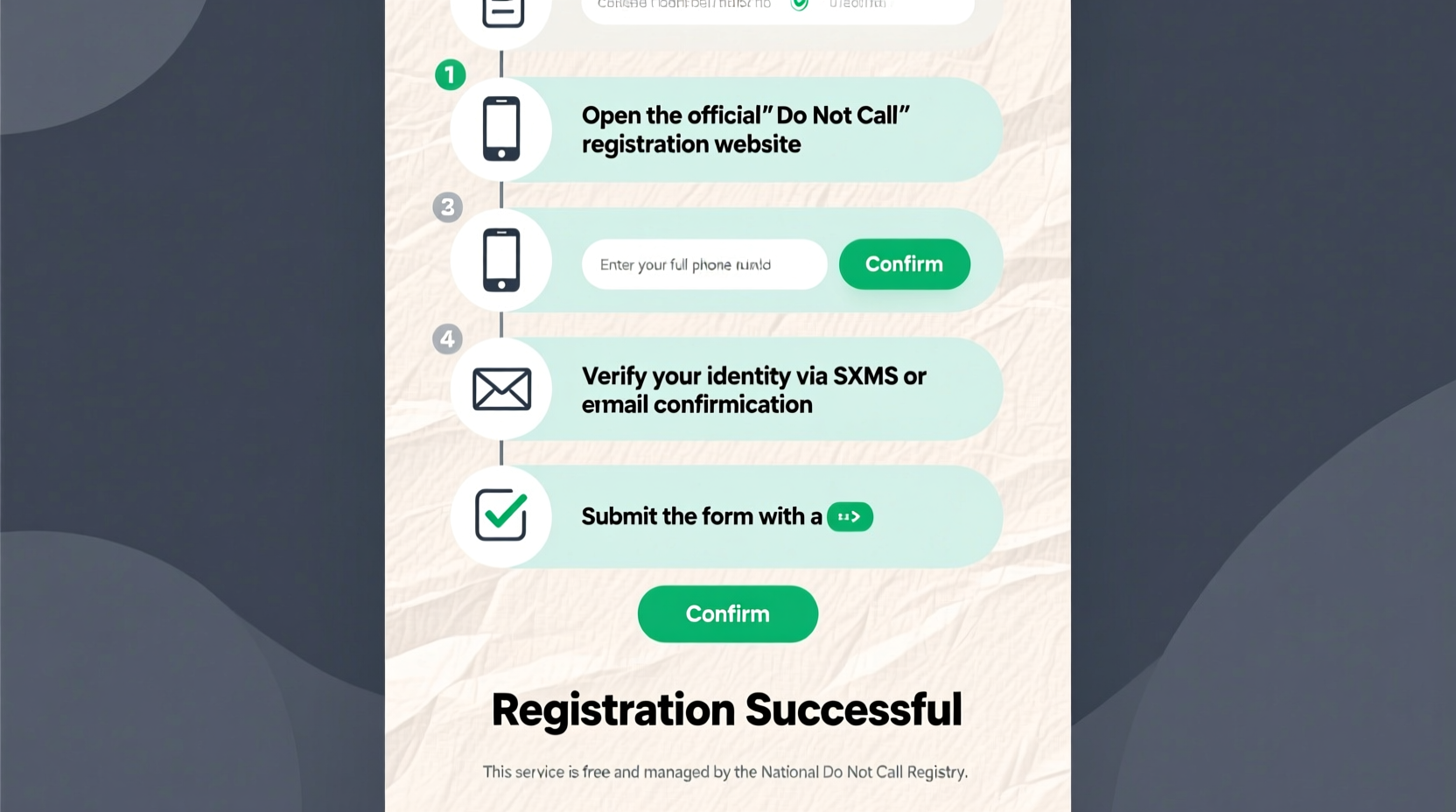
The National Do Not Call Registry, managed by the Federal Trade Commission (FTC), allows consumers to opt out of most telemarketing calls. Once your number is registered, legitimate businesses are legally required to remove it from their calling lists within 31 days. The registry covers home, mobile, and VoIP numbers, and it’s free to join.
It's important to note that the registry doesn't block all calls. Exemptions include political organizations, charities, surveyors, and debt collectors. Additionally, scammers operating outside the law ignore the registry entirely. That said, registering your number remains a critical first line of defense against legal telemarketing abuse.
“Over 245 million numbers are on the Do Not Call list, and studies show registered numbers receive up to 90% fewer legitimate sales calls.” — FTC Consumer Protection Division
Step-by-Step: How to Register Your Number
Adding your phone number to the National Do Not Call Registry is straightforward and takes less than five minutes. Follow this timeline to complete the process correctly:
- Visit the official website: Go to donotcall.gov. Avoid third-party sites that may charge fees or collect personal data.
- Select “Register Your Number”: Click the prominent button to begin.
- Enter your phone number: Input your 10-digit number. You can register landlines and cell phones.
- Provide an email address: The FTC will send a confirmation email. This prevents fraudulent registrations using someone else’s number.
- Confirm via email: Open your inbox, find the message from “DoNotCall@ftc.gov,” and click the verification link.
- Wait 31 days: Legitimate companies must stop calling within one month of your registration.
What Happens After Registration?
Once your number is in the system, regulated businesses must purge it from their databases. However, enforcement relies on consumer reporting. If you continue receiving illegal telemarketing calls after 31 days, you can file a complaint at reportfraud.ftc.gov.
Keep records of unwanted calls: write down the date, time, caller ID, and nature of the call. This information strengthens your complaint and helps the FTC track violators. Companies found in violation of the Do Not Call rules face fines of up to $43,792 per call.
Additional Tools to Stop Unwanted Calls
The Do Not Call list reduces legal telemarketing, but it won’t stop scams or spoofed numbers. For comprehensive protection, combine registration with these proven tools:
- Carrier-built call blocking: Most major carriers (AT&T, Verizon, T-Mobile) offer free or premium call filtering services. Enable them through your account portal or phone settings.
- Third-party apps: Apps like RoboKiller, Hiya, and Truecaller use crowd-sourced data to identify and block spam callers in real time.
- Smartphone features: iPhones can enable “Silence Unknown Callers” under Settings > Phone. Android users can use Google’s Call Screen or built-in spam protection.
- STIR/SHAKEN compliance: This technology verifies caller ID authenticity. While implemented by carriers, you benefit when scammers can no longer fake local numbers.
| Method | Effectiveness | Cost | Best For |
|---|---|---|---|
| National Do Not Call Registry | High (for legal marketers) | Free | Reducing sales calls |
| Carrier Call Blocking | Moderate to High | Free – $5/month | All users |
| Third-Party Apps | Very High | $2–$4/month | Frequent targets of spam |
| Phone OS Features | Moderate | Free | iOS and Android users |
Real Example: How Sarah Reduced Her Spam Calls by 95%
Sarah, a teacher from Ohio, used to receive over 15 unwanted calls daily—everything from fake IRS threats to timeshare promotions. She started by registering her cell and home numbers on donotcall.gov. Within four weeks, calls from known companies stopped. But robocalls persisted.
She then enabled AT&T’s Call Protect on her smartphone and installed Truecaller. She also activated “Silence Unknown Callers” on her iPhone. Over the next month, her spam dropped dramatically. Today, she receives fewer than one suspicious call per week—and her phone automatically labels and diverts it to voicemail.
Sarah’s approach demonstrates that while no single solution blocks every call, combining multiple layers drastically improves results.
Common Mistakes That Invite More Calls
Some behaviors unintentionally increase unwanted contact. Avoid these pitfalls:
- Pressing buttons during robocalls: Saying “press 1 to unsubscribe” confirms your number is active, inviting more spam.
- Sharing your number online: Public forums, social media, and unsecured websites can harvest and resell your digits.
- Providing your number unnecessarily: Many stores ask for phone numbers at checkout—decline unless essential.
- Calling back unknown numbers: Scammers often use “neighbor spoofing” to mimic local area codes. Returning the call can lead to high charges or further targeting.
FAQ: Common Questions About the Do Not Call List
Does the Do Not Call list stop all unwanted calls?
No. It only applies to legal telemarketers. Scammers, political groups, charities, and surveyors are exempt. Use additional tools like call-blocking apps for broader protection.
How long does registration last?
Indefinitely. Once your number is on the list, it stays unless you request removal or disconnect the number.
Can I register a number that’s already on a company’s list?
Yes. Companies must honor the registry even if they previously had your permission. Exceptions apply only if you’ve made a recent purchase or inquiry from them.
Action Checklist: Secure Your Phone Line
To maximize protection, follow this checklist:
- ✅ Register all your phone numbers at donotcall.gov
- ✅ Confirm registration via email
- ✅ Wait 31 days for full effect
- ✅ Enable built-in call blocking on your phone or carrier app
- ✅ Install a trusted third-party spam blocker (e.g., RoboKiller or Truecaller)
- ✅ Turn on “Silence Unknown Callers” (iPhone) or “Block Suspected Spam” (Android)
- ✅ Report persistent violators to the FTC
- ✅ Avoid engaging with suspicious calls
Take Control of Your Privacy Today
Unwanted calls don’t have to be a daily burden. By registering with the National Do Not Call Registry and layering smart technology, you can reclaim your phone line. Remember, protection isn’t passive—it requires proactive steps and consistent habits. Start today by visiting donotcall.gov and securing your number. Share this guide with friends and family who struggle with spam calls. Together, we can reduce the reach of intrusions and preserve the integrity of personal communication.




 浙公网安备
33010002000092号
浙公网安备
33010002000092号 浙B2-20120091-4
Comments
No comments yet. Why don't you start the discussion?