
Wearing a Fitbit watch means having constant access to health metrics, activity tracking, and smart notifications. But none of that matters if your device runs out of power at the wrong moment. Proper charging isn’t just about plugging in—it’s about doing so in a way that preserves battery longevity, avoids hardware stress, and ensures consistent performance. Many users unknowingly shorten their device’s lifespan by using incorrect chargers, overcharging, or exposing components to moisture. This guide walks you through every phase of safe, efficient charging with practical tips grounded in both manufacturer guidelines and real-world usage.
Understanding Your Fitbit Charger and Battery
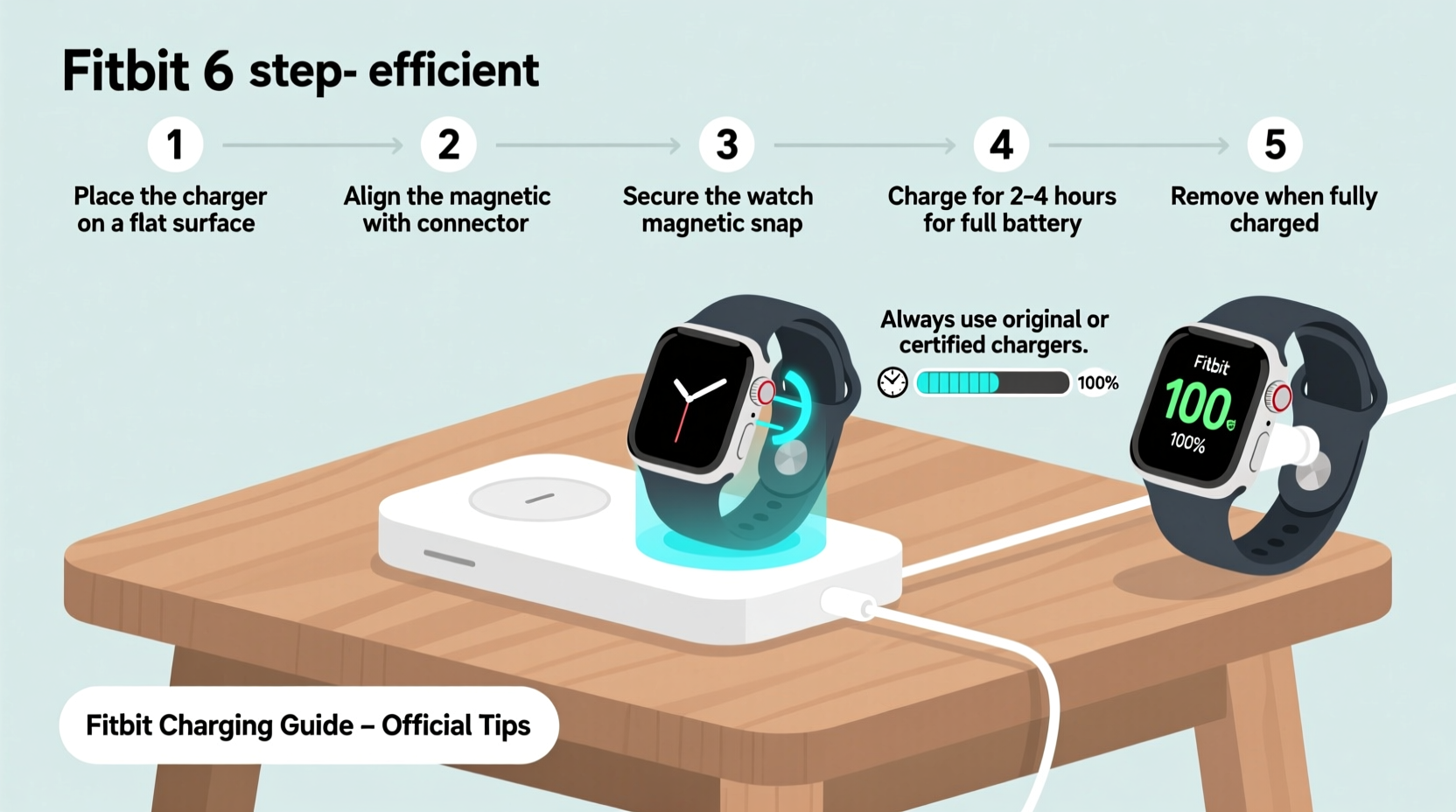
Before plugging in, it’s essential to understand what powers your Fitbit. Most modern Fitbit watches—including the Sense, Charge, Luxe, Versa, and Inspire series—use lithium-ion batteries, which are sensitive to heat, overcharging, and physical wear. These batteries degrade over time, but proper care can significantly slow that process.
Each Fitbit model comes with a proprietary magnetic charger. The connector uses contact points that align with metal pads on the back of the watch. Because these vary slightly between models, using the correct charger is non-negotiable. For example, a Fitbit Versa 3 charger will not work with a Fitbit Luxe, despite superficial similarities.
The average charging time for most Fitbit devices ranges from 1 to 2 hours for a full charge, depending on usage and battery condition. Newer models often reach 80% capacity within 30–45 minutes, making them ideal for quick top-ups before a workout or travel day.
Step-by-Step Charging Procedure
Charging your Fitbit correctly involves more than connecting two pieces. Follow this sequence to ensure safety and efficiency:
- Power off unnecessary devices nearby. Electromagnetic interference from routers or speakers can occasionally disrupt charging signals, especially with older units.
- Remove the watch from your wrist gently. Avoid pulling on the band; instead, unclasp it smoothly to prevent strain on the buckle or clasp mechanism.
- Clean the charging contacts. Use a dry, lint-free cloth to wipe the metal pads on the back of the watch and the pins on the charger. Dust or sweat residue can block conductivity.
- Align the charger magnetically. Bring the charger close to the back of the watch. The magnets should snap into place automatically. If they don’t, reposition until alignment is secure.
- Plug into a USB port or adapter. Use a wall adapter (preferably 5V/1A output) rather than a computer USB port, which may provide unstable current.
- Wait for the charging indicator. A lightning bolt or battery icon will appear on-screen within seconds. If nothing appears after 10 seconds, disconnect and repeat steps 3–5.
- Allow uninterrupted charging. Let the device charge fully unless you're doing a partial top-up. Avoid using the watch while charging, as screen interaction generates heat.
- Disconnect once complete. When the battery reaches 100%, remove the charger promptly. Prolonged connection offers no benefit and increases thermal stress.
Best Practices for Long-Term Battery Health
Lithium-ion batteries perform best under specific conditions. To extend your Fitbit’s usable life, follow these evidence-based practices:
- Maintain a charge level between 20% and 80% when possible. Deep discharges (below 10%) accelerate degradation.
- Avoid leaving your Fitbit in direct sunlight or hot environments (e.g., a car dashboard), as temperatures above 35°C (95°F) impair battery chemistry.
- Charge regularly—even if not fully depleted. Allowing the battery to sit at 0% for days can cause permanent capacity loss.
- Store the device at around 50% charge if not in use for extended periods.
- Keep firmware updated. Fitbit occasionally rolls out battery optimization updates via its app.
“Battery longevity in wearables hinges on thermal management and charge cycles. Avoiding extreme states—fully empty or fully charged for long durations—preserves cell integrity.” — Dr. Alan Reyes, Power Systems Engineer, Consumer Electronics Lab
Do’s and Don’ts of Fitbit Charging
| Do’s | Don’ts |
|---|---|
| Use the original Fitbit charger | Use third-party or generic magnetic chargers |
| Charge in a cool, dry place | Charge in humid areas like bathrooms |
| Clean contacts monthly with a dry cloth | Use liquids or abrasive cleaners on contacts |
| Unplug once fully charged | Leave the device connected overnight routinely |
| Charge before battery drops below 15% | Wait until the device shuts down completely |
Troubleshooting Common Charging Issues
Even with careful handling, problems can arise. Here’s how to resolve frequent issues:
Problem: No charging indicator appears.
First, clean both the watch back and charger pins. Then test with a different USB cable or power source. If still unresponsive, restart the watch via the Settings menu before reconnecting.
Problem: Charging is extremely slow.
Check that you’re using a high-quality USB cable and a stable power source. Low-output ports, such as those on older laptops, can reduce charging speed by up to 70%.
Problem: Device heats up during charging.
Minor warmth is normal, but excessive heat indicates a problem. Stop charging immediately. Inspect for debris on contacts and ensure the watch isn’t covered or enclosed, which traps heat.
Real-World Example: How Sarah Extended Her Fitbit’s Life by Two Years
Sarah, a fitness instructor from Portland, used her Fitbit Charge 5 daily for workouts, sleep tracking, and heart rate monitoring. After noticing reduced battery life within eight months, she researched best practices and adjusted her routine. She began charging only when the battery dropped to 25%, avoided wearing the device in saunas, cleaned the contacts weekly, and stopped leaving it plugged in after 100%. She also turned off GPS and continuous skin temperature scanning when not needed.
Two years later, her Fitbit still holds 82% of its original battery capacity—well above the industry average of 60% at that age. “I treat it like I do my phone,” she says. “Small habits make a big difference.”
Frequently Asked Questions
Can I charge my Fitbit with a phone charger?
Yes, as long as it’s a standard USB-A or USB-C adapter with 5V output. However, avoid fast-charging adapters designed for smartphones, as they may deliver unstable current. Stick to basic 5W (5V/1A) chargers for safest results.
Is it safe to charge my Fitbit overnight?
While modern Fitbits stop drawing power at 100%, frequent overnight charging contributes to cumulative thermal stress. Occasional overnight charging won’t harm the device, but making it a habit accelerates battery aging. Aim to charge during daytime hours when you can monitor progress.
Why does my Fitbit lose charge quickly even after a full charge?
Rapid discharge can stem from background features like GPS, SpO2 monitoring, or frequent notifications. Check your settings and disable non-essential functions. Also, outdated firmware can cause inefficiencies—update via the Fitbit app to restore optimal performance.
Conclusion: Make Charging a Smart Habit
Efficient and safe charging is the simplest yet most overlooked aspect of wearable care. By understanding your device’s needs and following a disciplined routine, you protect your investment and maintain accurate, reliable tracking. Whether you're training for a marathon or managing your sleep schedule, a well-maintained Fitbit supports your goals without interruption.




 浙公网安备
33010002000092号
浙公网安备
33010002000092号 浙B2-20120091-4
Comments
No comments yet. Why don't you start the discussion?