
Submitting an application—be it for a job, visa, loan, university admission, or government benefit—is only half the journey. The waiting period that follows can be stressful, especially without clear updates. Fortunately, most modern systems offer ways to track progress. Knowing how to check your application status effectively reduces uncertainty, prevents delays, and helps you act quickly if additional information is needed.
This guide walks through practical, reliable methods to monitor your application in real time, avoid common pitfalls, and respond appropriately when updates are received. Whether you're tracking a passport renewal or a mortgage request, these steps apply across sectors and platforms.
1. Understand Where and How to Check
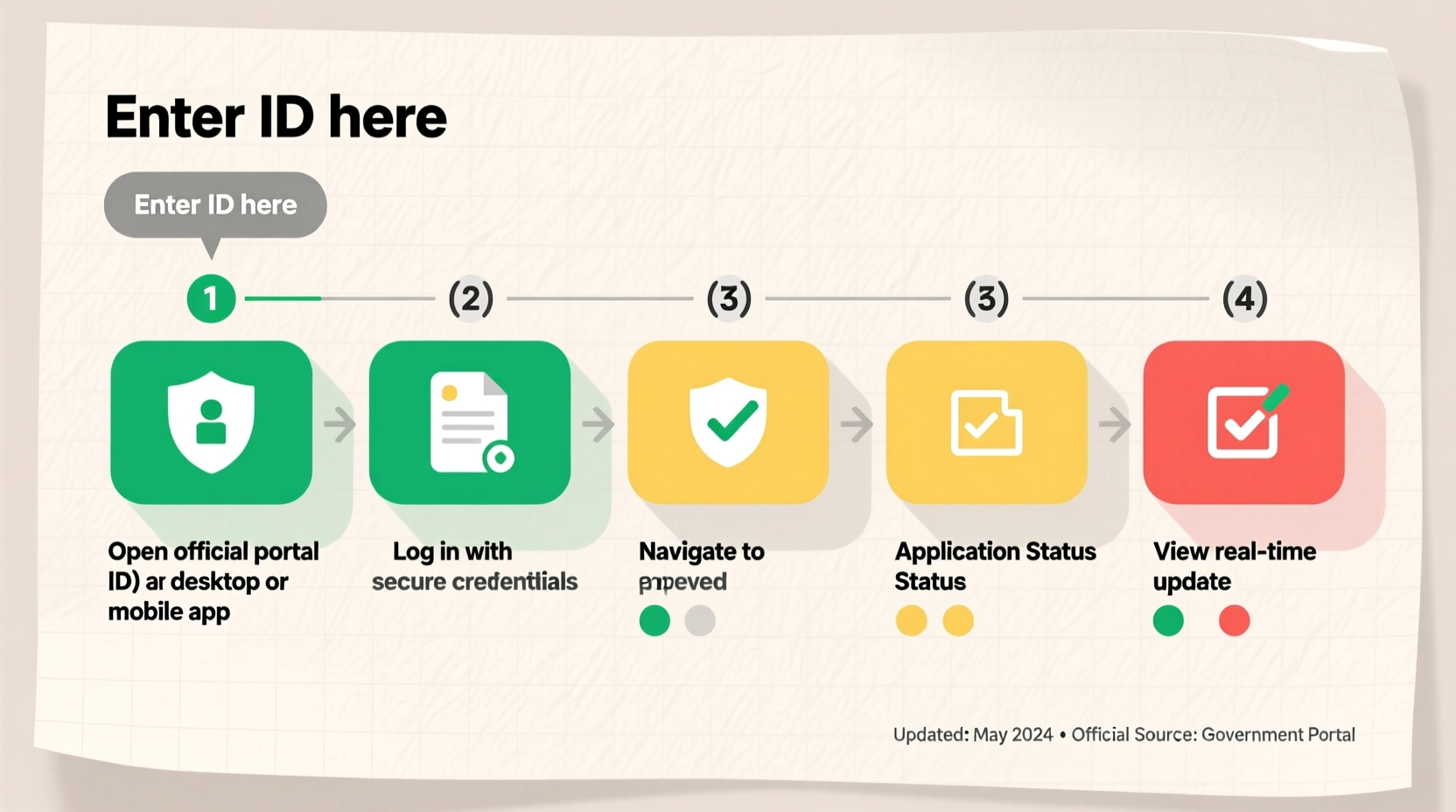
The first step in tracking your application is identifying the correct channel. Each organization uses different systems, so assuming one method works universally leads to frustration.
Most official applications now provide online portals where applicants can log in with a username, reference number, or email address. These dashboards typically display:
- Submission confirmation
- Current processing stage
- Estimated response time
- Requests for additional documentation
- Final decision outcome
If no portal exists, some agencies use email alerts, SMS notifications, or public case lookup tools requiring only an application ID.
2. Gather Required Information Before You Begin
To access your application status, you’ll often need specific details. Trying to check without them results in dead ends or security blocks.
Commonly required information includes:
- Application reference number (e.g., USCIS receipt number, job ID)
- Email address used during submission
- Date of birth or national ID number
- Password or account credentials (if registered)
- Security questions or two-factor authentication codes
For physical submissions, keep copies of mailed documents, postal receipts, and any acknowledgment letters. These help verify submission dates if discrepancies arise later.
Essential Checklist for Tracking Success
- ✅ Save all confirmation emails and reference numbers
- Store them in a dedicated folder labeled “Applications” for easy access.
- ✅ Bookmark the official status-checking website
- Avoid phishing sites by saving the legitimate URL directly.
- ✅ Note expected processing times
- Check official guidelines to know whether your wait is normal or delayed.
- ✅ Set calendar reminders
- Follow up every 7–10 days if no updates appear beyond the estimated timeframe.
3. Use the Official Platform Correctly
Many people waste time searching third-party forums or calling support lines when the answer lies in the official system—if used properly.
Here’s how to maximize efficiency on most government and institutional portals:
- Navigate to the official agency or company website (never trust Google ad links).
- Locate the “Check Application Status” section—often found under “Services” or “Applicant Resources.”
- Enter your reference number and personal identifiers exactly as submitted.
- Review all fields on the results page, including hidden tabs like “Messages” or “Requirements.”
- Download or screenshot the status update for your records.
If the system shows “Under Review,” it means your file has been received and is being processed. If it reads “Additional Documentation Needed,” act immediately to upload missing items before deadlines.
Do’s and Don’ts When Checking Application Status
| Do’s | Don’ts |
|---|---|
| Use the official website only | Click on unverified links in emails |
| Log in regularly during business hours | Spam refresh buttons excessively |
| Keep printed or digital records of each check | Assume silence means rejection |
| Contact support only after verifying no updates exist | Submit duplicate applications out of frustration |
4. Real Example: Tracking a U.S. Visa Application
Maria, a software developer from Colombia, applied for a U.S. H-1B visa through her employer. After submitting Form DS-160 and paying fees, she waited anxiously for news.
She followed these steps:
- Saved her CEAC (Consular Electronic Application Center) barcode and confirmation page.
- Bookmarked
ceac.state.govand avoided similar-looking domains. - Checked her status weekly using her DS-160 confirmation number and passport details.
- Noticed after three weeks that her case moved from “Pending” to “Document Delivery Scheduled.”
- Updated her contact info promptly when notified about courier options.
By staying proactive and using the correct tools, Maria received her visa within six weeks—two weeks faster than average.
“Over 70% of status-related inquiries we receive could have been resolved by reviewing the applicant portal. We update cases daily—check early, check often.” — James Lin, U.S. Department of State Customer Support Lead
5. What to Do If There’s No Update or an Error Appears
Delays happen. Systems glitch. But knowing how to respond makes all the difference.
If your application shows no movement past the expected processing window:
- Verify accuracy: Double-check that you entered the right reference number and personal data.
- Clear browser cache: Sometimes outdated cookies prevent proper loading.
- Try alternate devices: Test on a phone, tablet, or different computer.
- Wait 24–48 hours: Backend updates may not reflect instantly.
If none work, escalate appropriately:
- Use the official contact form on the website.
- Cite your application ID, submission date, and screenshots of attempts.
- Avoid repeated calls or emails—most agencies prioritize written inquiries with documentation.
Frequently Asked Questions
How long should I wait before checking my application status?
Wait at least 3–5 business days after submission. Immediate checks often show “Not Found” because databases take time to sync.
Can someone else check my application status for me?
In most cases, yes—but only if authorized. Some systems allow designated representatives (like employers or immigration lawyers) to access status via power of attorney or linked accounts.
Does frequent checking affect my application?
No. Refreshing the status page does not impact processing speed or approval odds. However, automated systems may temporarily block IPs that send excessive requests per minute.
Stay Informed, Stay Confident
Checking your application status doesn't have to be confusing or stressful. With the right preparation, tools, and mindset, you can stay informed every step of the way. The key is consistency: save your details, use trusted sources, and monitor progress without panic.
Remember, silence isn’t rejection. Delays aren’t denials. A well-managed follow-up process reflects responsibility—not impatience.




 浙公网安备
33010002000092号
浙公网安备
33010002000092号 浙B2-20120091-4
Comments
No comments yet. Why don't you start the discussion?