
Creating a new Facebook account is simple, but doing it right—especially with privacy, security, and long-term engagement in mind—is often overlooked. Whether you're setting up a personal profile, managing a community page, or launching a brand presence, the initial setup determines how safe you are online and how effectively you connect with others. This guide walks you through each phase: from registration to optimization, covering best practices that protect your identity and amplify your reach.
Step 1: Create Your Account with Privacy in Mind
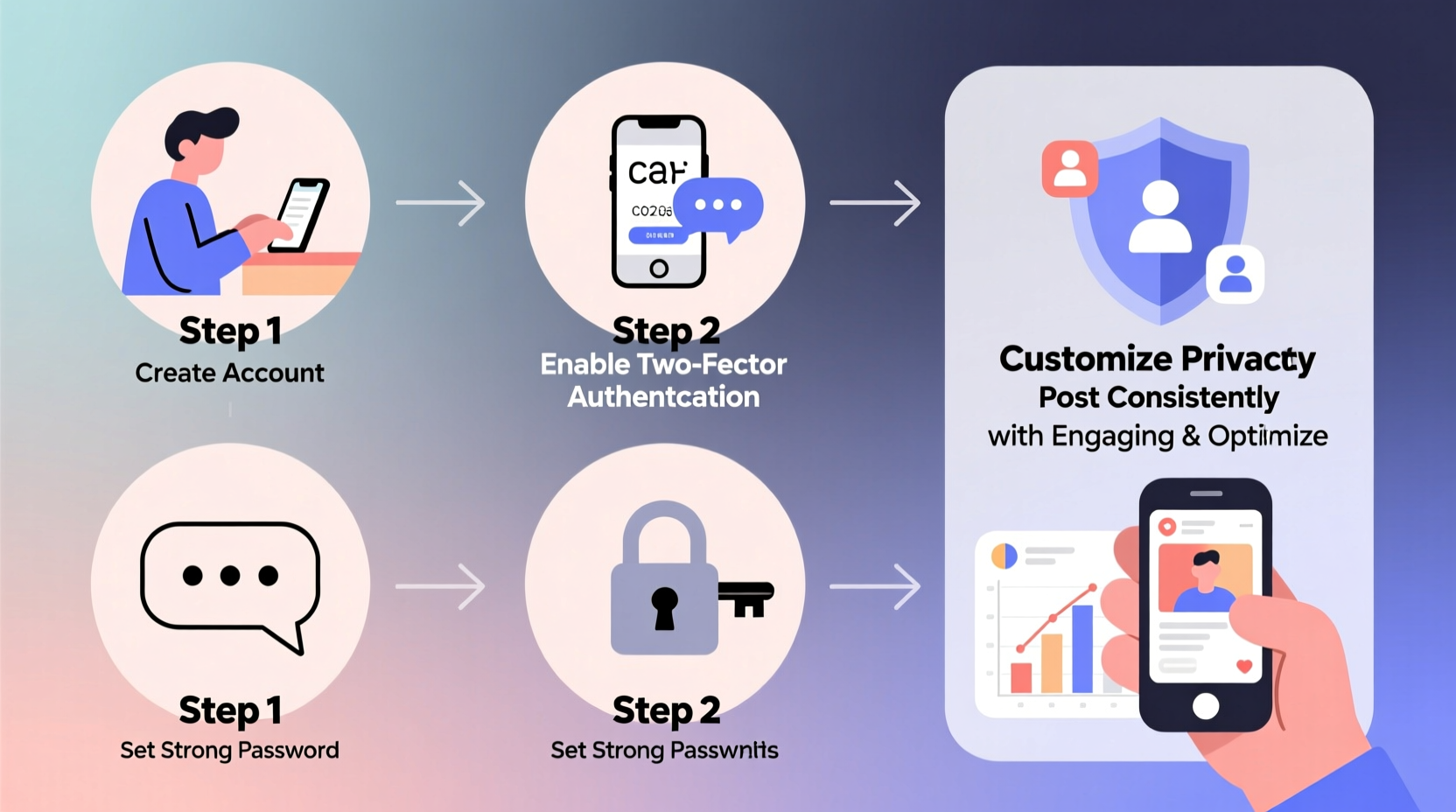
Begin by visiting facebook.com and filling out the registration form. Use a real first and last name, as Facebook enforces real-name policies, but avoid oversharing at this stage. Do not use your full birthdate—only include the month and day if possible. Choose a strong password immediately: at least 12 characters long, combining uppercase, lowercase, numbers, and symbols.
Use an email address dedicated to social media, not one tied to banking or work. If available, register with a phone number—but consider using a secondary number via a VoIP service (like Google Voice) to reduce exposure of your primary contact information.
Step 2: Secure Your Account Immediately
After signing up, go directly to your security settings. This is non-negotiable. Facebook offers several layers of protection that must be enabled early before any content is posted or connections made.
- Enable Two-Factor Authentication (2FA): Go to Settings > Security and Login > Two-Factor Authentication. Use an authenticator app (like Google Authenticator or Authy), not SMS, for better protection against SIM-swapping attacks.
- Set up Trusted Contacts: In case you lose access, designate 3–5 friends who can help verify your identity.
- Review Active Sessions: Check where your account is logged in. Log out of unfamiliar devices immediately.
- Turn on Login Alerts: Get notified whenever someone logs in from a new device or browser.
“Over 70% of account takeovers could have been prevented with two-factor authentication.” — Cybersecurity Report, National Institute of Standards and Technology (NIST)
Step 3: Optimize Privacy Settings Before Posting
Your default privacy settings are not designed for maximum protection—they’re designed for visibility and engagement, often at the expense of user safety. Adjust these critical controls before sharing anything publicly.
| Setting | Recommended Option | Risk of Default |
|---|---|---|
| Profile Visibility | Friends only | Publicly visible to strangers |
| Posts Audience | Friends | Public or “Friends of Friends” |
| Tagging Permissions | Review tags before they appear | Tags appear instantly |
| Search Engine Indexing | Disable | Your profile may appear in Google results |
| Contact Info Visibility | Only me | Email/phone visible to friends of friends |
To adjust these, navigate to Settings > Privacy. Use the “Limit Past Posts” tool to retroactively apply current privacy settings to older content—a crucial step even for new users importing data.
Step 4: Build and Curate Your Network Strategically
Who you connect with shapes your feed, your exposure, and your risk level. Accept friend requests cautiously. Scammers often create fake profiles with minimal activity, stock photos, and few mutual connections.
When adding people:
- Verify mutual friends or shared locations.
- Avoid accepting requests from profiles with no profile picture or generic names like “John Smith123.”
- Do not follow or message large numbers of accounts quickly—this triggers spam filters and may lead to temporary restrictions.
If you're building a professional presence, consider starting a Facebook Page instead of using a personal profile. Pages offer analytics, scheduling tools, and clearer separation between personal and public content.
Step 5: Optimize for Engagement Without Sacrificing Safety
Once secured, your account can begin engaging meaningfully. But high visibility doesn’t require low privacy. You can build influence while staying protected.
Post consistently, but avoid geotagging every update. Sharing your location in real time—especially during travel—can expose you to physical risks. Instead, share experiences after the fact or use broad location tags like “California” rather than exact addresses.
Use Facebook Groups wisely. Join niche communities relevant to your interests or profession, but don’t reveal sensitive personal details in discussions. Participate authentically without oversharing.
Leverage Facebook’s built-in tools:
- Scheduled Posts: Maintain consistency without being online constantly.
- Story Highlights: Showcase key moments or achievements permanently.
- Reels and Video: Increase reach algorithmically while expressing ideas visually.
“Engagement grows fastest when authenticity meets consistency—but safety must underpin both.” — Maya Thompson, Digital Communications Strategist
Mini Case Study: From Insecure to Influential
Consider Lena, a freelance designer who created a new Facebook profile after her previous account was hacked. She followed standard setup steps but skipped security configuration. Within weeks, she received login alerts from Moscow and Prague. Her account began sending scam messages to her network.
She deleted that account and started over. This time, she used a unique email, enabled 2FA with an authenticator app, limited past post visibility, and only connected with verified colleagues. She created a separate Page for her design portfolio. Within three months, her engagement tripled—not because she posted more, but because her audience trusted her content. No further breaches occurred.
Lena’s turnaround wasn’t due to advanced tech skills. It came from disciplined setup and consistent boundaries.
Essential Optimization Checklist
Before going active, complete this checklist to ensure your account is secure and effective:
- ✅ Used a strong, unique password
- ✅ Enabled two-factor authentication via authenticator app
- ✅ Reviewed and logged out of unknown active sessions
- ✅ Set profile and post visibility to “Friends” or custom audience
- ✅ Disabled search engine indexing of profile
- ✅ Limited visibility of email and phone number
- ✅ Turned on login notifications
- ✅ Set up trusted contacts for account recovery
- ✅ Considered using a Facebook Page for professional content
- ✅ Audited friend requests and avoided suspicious profiles
Frequently Asked Questions
Can I remain completely anonymous on Facebook?
No. Facebook requires real names and some form of identity verification. However, you can minimize exposure by limiting shared details, avoiding facial photos if desired, and using privacy controls aggressively. For full anonymity, other platforms may be more suitable.
Is it safe to log in using Google or Apple credentials?
Yes, and it’s often safer. Logging in via Apple (with Hide My Email) generates a disposable email, reducing tracking and spam. These third-party logins also support stronger encryption standards than traditional password entry.
How often should I review my privacy settings?
At minimum, every three months. Facebook frequently updates its interface and default settings. A quarterly check ensures your preferences remain intact and no new permissions have been silently enabled.
Final Steps: Stay Proactive, Stay Protected
A well-configured Facebook account balances connection and caution. The habits formed during setup ripple outward—determining what you share, who sees it, and how resilient you are to threats. Security isn’t a one-time task; it’s ongoing maintenance. Revisit your settings regularly, question new features before adopting them, and always prioritize control over convenience.
Optimization isn’t just about likes and followers. It’s about crafting a digital presence that reflects your values, protects your identity, and fosters genuine interaction. Start strong, stay alert, and engage with intention.




 浙公网安备
33010002000092号
浙公网安备
33010002000092号 浙B2-20120091-4
Comments
No comments yet. Why don't you start the discussion?