
In today’s fast-moving digital world, signing documents by hand is no longer a necessity. Electronic signatures—commonly known as e signatures—offer a faster, more secure, and legally recognized way to approve contracts, agreements, and forms from anywhere in the world. Whether you're finalizing a job offer, closing a real estate deal, or approving an invoice, understanding how to create and use e signatures correctly can save time, reduce errors, and streamline workflows.
This guide walks through every stage of the e-signature process: from choosing the right tools to ensuring legal compliance and maximizing security. By the end, you’ll be equipped to confidently send, sign, and manage digital documents across personal and professional contexts.
Understanding E Signatures: What They Are and How They Work
An electronic signature is a digital form of consent or approval attached to a document. Unlike a scanned image of a handwritten signature, a true e signature includes authentication data that verifies the signer’s identity, intent, and the integrity of the document. This makes it tamper-evident and court-admissible under laws like the U.S. ESIGN Act, the EU’s eIDAS regulation, and similar frameworks worldwide.
E signatures are not just convenient—they’re built on cryptographic technology. When you sign electronically, the system generates a unique digital fingerprint (hash) of the document and binds it to your identity using encryption. Any changes made after signing invalidate the signature, providing strong proof of authenticity.
“Electronic signatures are legally binding in most countries and carry the same weight as wet ink signatures when implemented properly.” — Sarah Lin, Digital Compliance Officer at TrustVerify Inc.
Step-by-Step Guide to Creating and Using E Signatures
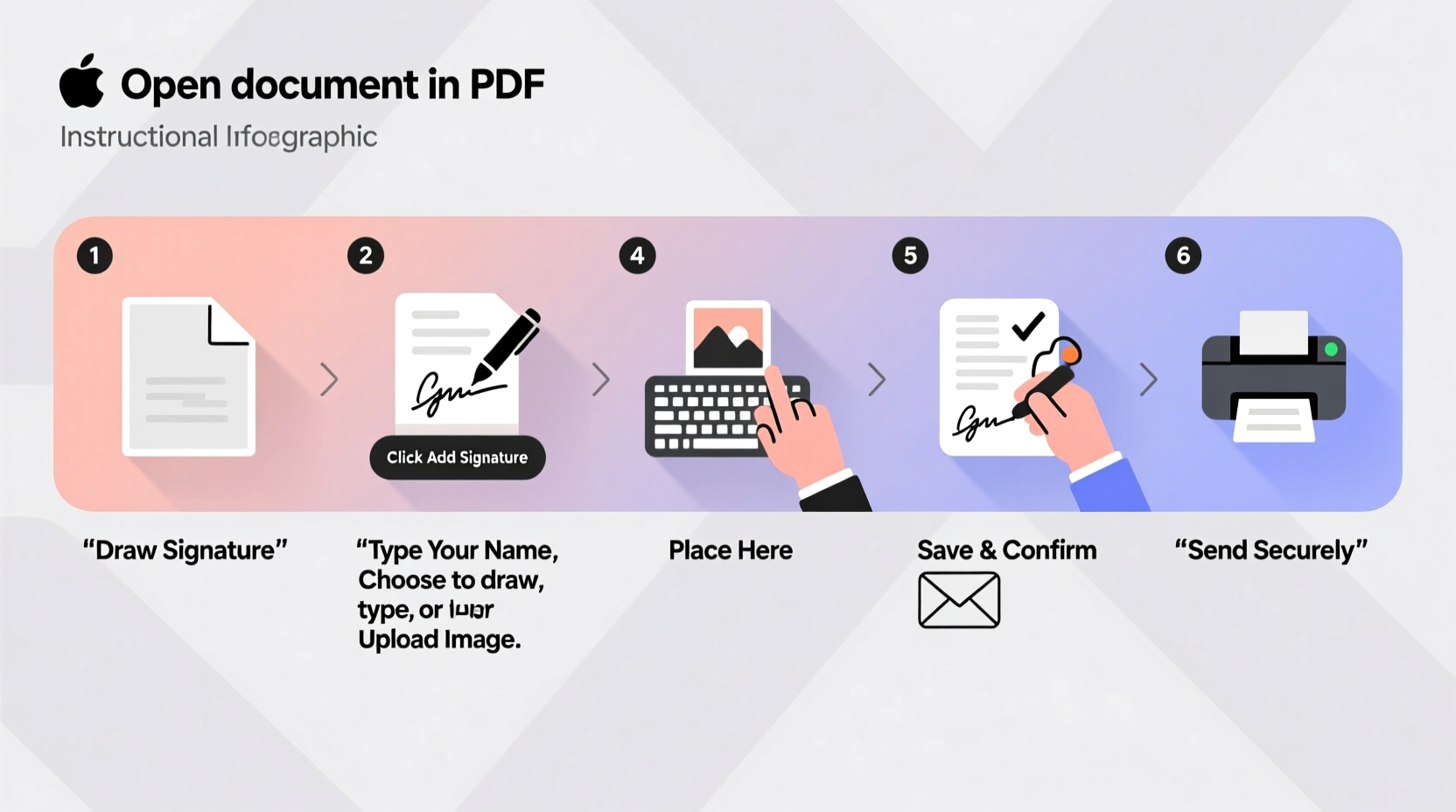
Follow this clear, six-step process to begin using e signatures effectively and securely.
- Choose a Trusted E Signature Platform
Select a reputable service such as DocuSign, Adobe Sign, HelloSign, or PandaDoc. Look for features like audit trails, two-factor authentication, and compliance with international standards (e.g., SOC 2, ISO 27001). - Create Your Account and Verify Identity
Register with your email and complete identity verification. Many platforms require phone confirmation or government ID upload to prevent fraud and ensure signer legitimacy. - Upload the Document You Want Signed
Supported formats typically include PDF, Word, and image files. Ensure the file is finalized before uploading—any edits post-signing will break the signature’s validity. - Add Signature Fields and Assign Roles
Drag and drop signature, date, and initial fields where needed. Designate who signs first if multiple parties are involved. You can also add required text fields (e.g., name, title, company). - Send for Signature
Enter the recipient’s email address. Include a personalized message if desired. The platform sends a secure link directly to their inbox, often with tracking so you know when they open and sign it. - Sign and Confirm Completion
When it's your turn, click the link, review the document, draw or type your signature, and confirm. You’ll receive a completed copy automatically, along with a detailed audit trail showing timestamps and IP addresses.
Best Practices for Secure and Effective Use
To get the most out of e signatures while minimizing risk, follow these proven strategies:
- Use Strong Authentication: Enable two-factor authentication (2FA) for both sending and signing. This prevents unauthorized access even if login credentials are compromised.
- Maintain Audit Trails: Keep records of all signed documents, including metadata like timestamps, geolocation, and device information. These logs are crucial in disputes.
- Avoid Public Devices: Never sign sensitive documents on public computers or unsecured Wi-Fi networks. Use private, updated devices with antivirus protection.
- Train Team Members: If used in business, provide brief training to employees on proper e-signature etiquette and security protocols.
- Store Copies Securely: Save finalized documents in encrypted cloud storage (e.g., Google Drive with 2FA, Dropbox Business) or dedicated document management systems.
Comparison: E Signatures vs. Traditional Signatures
| Feature | E Signatures | Traditional Signatures |
|---|---|---|
| Speed | Minutes to seconds | Days via mail or in-person |
| Security | High (encryption, audit trail) | Low (no verification) |
| Legal Validity | Fully enforceable | Fully enforceable |
| Cost | Low (digital only) | High (printing, postage, storage) |
| Environmental Impact | Negligible | Significant (paper waste) |
Real-World Example: Streamlining HR Onboarding
At NexaTech Solutions, a mid-sized software firm, onboarding new hires used to take up to five days due to physical paperwork, courier delays, and lost documents. After switching to an e signature platform, the HR team automated the entire process.
They created templates for employment agreements, tax forms, and NDAs. New employees received an email with all documents bundled together. Most completed signing within hours of receiving the link. The result? Onboarding time dropped to less than 24 hours, employee satisfaction rose, and administrative workload decreased by 60%.
The company now uses dynamic fields to auto-fill employee details, reducing manual entry errors. Every signed document is archived in their HRIS system with full traceability—proving invaluable during a recent compliance audit.
Common Myths About E Signatures Debunked
Despite widespread adoption, misconceptions persist. Here are three common myths—and the truth behind them:
- Myth: E signatures aren’t legally binding.
Truth: In over 180 countries, e signatures have the same legal standing as handwritten ones when compliant with local regulations. - Myth: Anyone can forge an e signature easily.
Truth: Reputable platforms use PKI encryption and multi-layered verification, making forgery far harder than with paper documents. - Myth: You need special software or hardware.
Truth: Most e signature services work directly in your browser or mobile app—no downloads or tokens required.
FAQ: Frequently Asked Questions
Are e signatures valid for all types of documents?
Most documents—including contracts, leases, invoices, and waivers—are eligible for e signatures. However, some exceptions exist, such as wills, divorce papers, and certain court filings, depending on jurisdiction. Always check local laws before proceeding.
Can I sign a document on my phone?
Yes. All major e signature platforms offer mobile apps for iOS and Android. You can upload, review, and sign documents using touch input, facial recognition, or biometric authentication.
What happens if someone denies signing later?
The audit trail serves as evidence. It includes the signer’s IP address, device type, timestamp, and authentication method. Courts routinely accept this data as proof of consent and action.
Final Checklist Before Sending a Document
Before hitting “send,” run through this quick checklist to avoid mistakes:
- ✅ Document is finalized and error-free
- ✅ Correct recipients added with accurate email addresses
- ✅ Signature and data fields placed correctly
- ✅ Required fields marked as mandatory
- ✅ Personal message included (optional but recommended)
- ✅ Identity verification enabled if needed (e.g., SMS code)
- ✅ Reminder settings configured for follow-up
Conclusion: Embrace Efficiency Without Sacrificing Security
Creating and using e signatures isn’t just about convenience—it’s about modernizing how we agree, commit, and move forward. With the right tools and practices, digital signing becomes a seamless, secure, and legally sound alternative to outdated paper processes.
Whether you're a freelancer managing client contracts, a manager streamlining approvals, or an individual handling personal paperwork, now is the time to adopt e signatures confidently. Start small, learn the platform, and scale your usage as trust grows. The future of signing isn’t just digital—it’s already here.




 浙公网安备
33010002000092号
浙公网安备
33010002000092号 浙B2-20120091-4
Comments
No comments yet. Why don't you start the discussion?