
With the rebranding of Twitter to X, users are navigating a shifting digital landscape where personal data, activity logs, and communication histories remain valuable yet often overlooked. Understanding your digital footprint on X isn’t just about curiosity—it’s essential for privacy, security, and personal accountability. Whether you're concerned about what information is stored, want to audit your online presence, or need to retrieve past conversations, this guide walks you through every stage of accessing and reviewing your X history and data with precision.
Why Reviewing Your X Data Matters
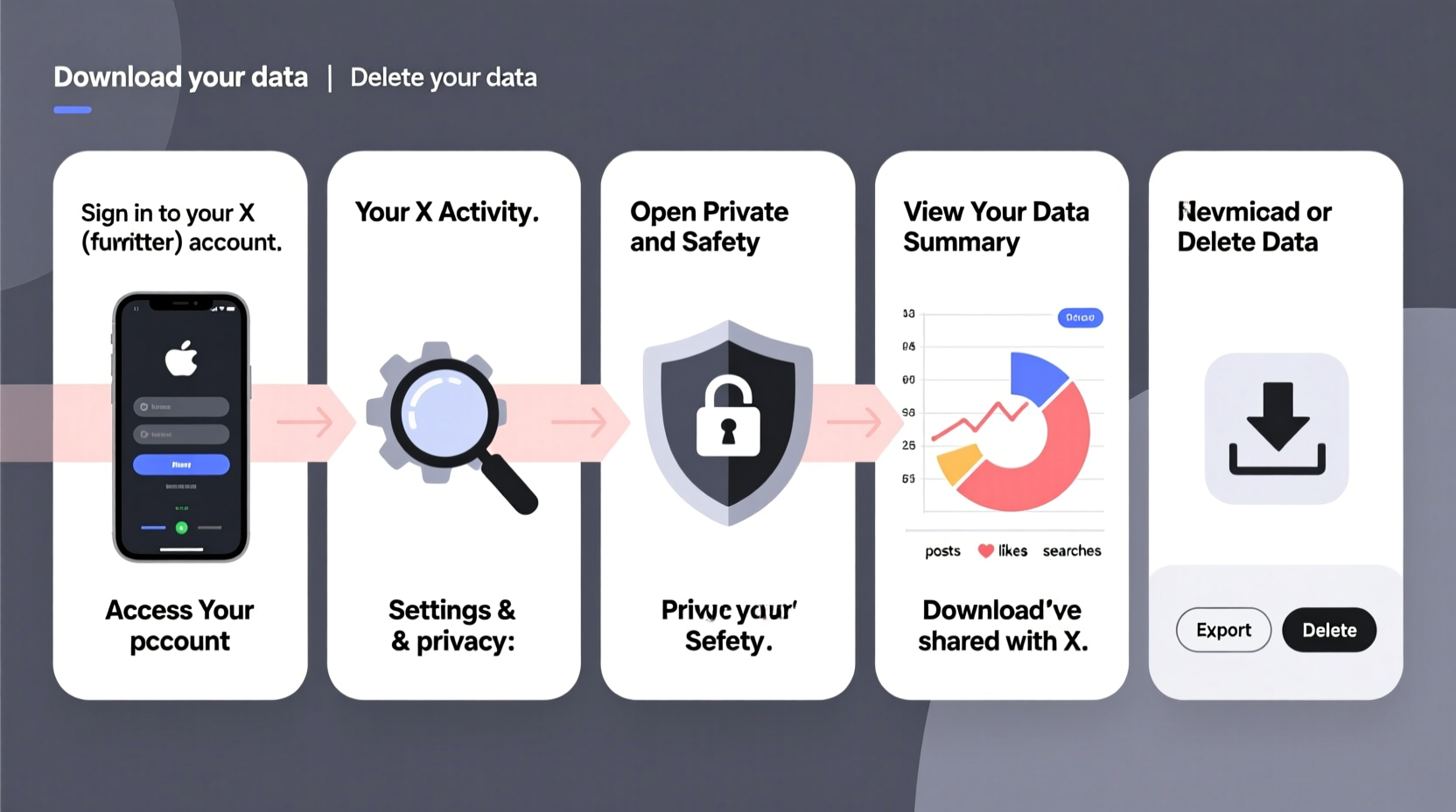
X collects extensive data from user activity: tweets, direct messages, search history, ad interactions, device information, and more. This data shapes your experience on the platform but can also expose you to risks if left unchecked. Regular audits help identify outdated or sensitive content, detect unauthorized access, and ensure compliance with your own privacy standards.
According to cybersecurity expert Dr. Lena Torres, “Most users underestimate how much behavioral data platforms like X accumulate. Routine checks empower individuals to reclaim control over their digital identities.” Taking ownership of your data isn't paranoia—it's digital hygiene.
Step-by-Step: How to Access Your X Account Data
X allows users to request a full archive of their account information. This downloadable package includes tweets, DMs, media uploads, login history, and settings. Follow these steps carefully:
- Log in to your X account via the web browser (recommended) or the official app.
- Navigate to Settings and Privacy from the main menu.
- Select Your account > Download an archive of your data.
- Click Request data. X will process your request and send an email when it’s ready—usually within 24–72 hours.
- Check your registered email for a notification from X containing a secure download link.
- Download the ZIP file and extract its contents to a private, encrypted folder on your device.
The archive typically includes JSON files, HTML summaries, and folders for images and videos. While technical, many sections are readable in a standard web browser.
What Your X Data Archive Contains
Once downloaded, your archive reveals the depth of X’s data collection. Here's a breakdown of key components:
| Data Type | Description | Why It Matters |
|---|---|---|
| Tweet.js | All your published tweets, including deleted ones (if archived before deletion) | Review past statements that may affect reputation or privacy |
| Direct Messages | Full history of private conversations (excluding disappearing messages) | Identify sensitive exchanges or potential leaks |
| Login History | IP addresses, devices, and locations used to access your account | Detect suspicious or unauthorized logins |
| Ad Preferences | Interests inferred by X based on behavior and targeting settings | Understand how you’re profiled for advertising |
| Search History | Terms and accounts you’ve searched for | Reveal patterns of interest or accidental exposure |
| Media | Photos, videos, and GIFs uploaded or shared | Assess visual content that could be repurposed or misused |
“Your social media archive is a mirror of your digital life. Ignoring it is like ignoring your credit report.” — Marcus Reed, Digital Forensics Analyst
How to Analyze and Act on Your X History
Simply downloading your data isn’t enough. The real value lies in analysis and action. Start by reviewing your most sensitive categories: direct messages and tweet history. Look for:
- Old posts with location tags or personal details (e.g., home address, phone number)
- Sentiment-heavy content that could resurface during job screenings or public scrutiny
- Messages sent during emotional moments that you’d prefer weren’t preserved
- Repeated interactions with suspicious or spam accounts
Use your findings to refine privacy settings. For instance, disable location tagging on future tweets and limit who can message you. Consider deleting outdated tweets in bulk using third-party tools like TweetDelete or TwitWipe—though always back up important content first.
Mini Case Study: Recovering Lost Content After an Account Compromise
Jamal, a freelance journalist, noticed unfamiliar retweets on his X profile. He immediately reset his password and enabled two-factor authentication. Then, he requested his data archive to investigate. Inside the login history, he spotted a foreign IP address from Nigeria. The tweet.js file revealed three fake posts promoting cryptocurrency scams.
Using timestamps from the archive, Jamal reported the activity to X Support and provided evidence. Within 48 hours, the fraudulent tweets were removed, and his account recovery was expedited. He now downloads his data every three months and uses a password manager to avoid future breaches.
Essential Checklist for Auditing Your X Data
To ensure a thorough review, follow this actionable checklist:
- ✅ Request your full X data archive via Settings > Your account
- ✅ Verify the download link comes from an official @x.com email
- ✅ Open the archive on a secure, updated device
- ✅ Review login history for unrecognized devices or locations
- ✅ Scan direct messages and tweets for sensitive or regrettable content
- ✅ Delete or archive old posts that no longer align with your personal brand
- ✅ Update privacy settings: disable geotagging, restrict DMs, and review ad preferences
- ✅ Store the archive in an encrypted folder—do not leave it on shared drives
Frequently Asked Questions
Can I delete my X data permanently after downloading it?
You can delete individual tweets, media, or even deactivate your account—but once data is downloaded, only you control its retention. X retains backups per their privacy policy, but deactivation removes your profile from public view. Full deletion may take up to 30 days.
Does the archive include deleted tweets?
If a tweet was still live when you requested the archive, it will appear. However, tweets deleted prior to the request are generally not recoverable through X’s system. Third-party backup tools used at the time of posting may retain them.
Is it safe to store my X data archive on my computer?
Only if properly secured. Encrypt the folder, use strong passwords, and avoid storing it on public or work devices. Treat it like any sensitive document—such as tax records or medical files.
Protect Your Digital Legacy
Your activity on X forms part of your long-term digital identity. From professional networking to political expression, every interaction leaves a trace. By proactively checking your history and understanding what data is collected, you gain clarity, reduce risk, and maintain authenticity in your online presence.
Don’t wait for a breach or public incident to act. Use this guide to perform your first comprehensive audit today. Knowledge is power—and in the world of social media, it’s also protection.




 浙公网安备
33010002000092号
浙公网安备
33010002000092号 浙B2-20120091-4
Comments
No comments yet. Why don't you start the discussion?