
Discord has evolved from a niche communication tool for gamers into a thriving hub for communities across interests—ranging from coding and music production to book clubs and mental wellness groups. At the heart of this ecosystem are guilds (formerly known as servers), where members connect, share ideas, and build relationships. For newcomers, joining and actively participating in a guild can feel overwhelming. This guide breaks down the process into clear, actionable steps to help you confidently enter and contribute to any Discord community.
Understanding What a Discord Guild Is
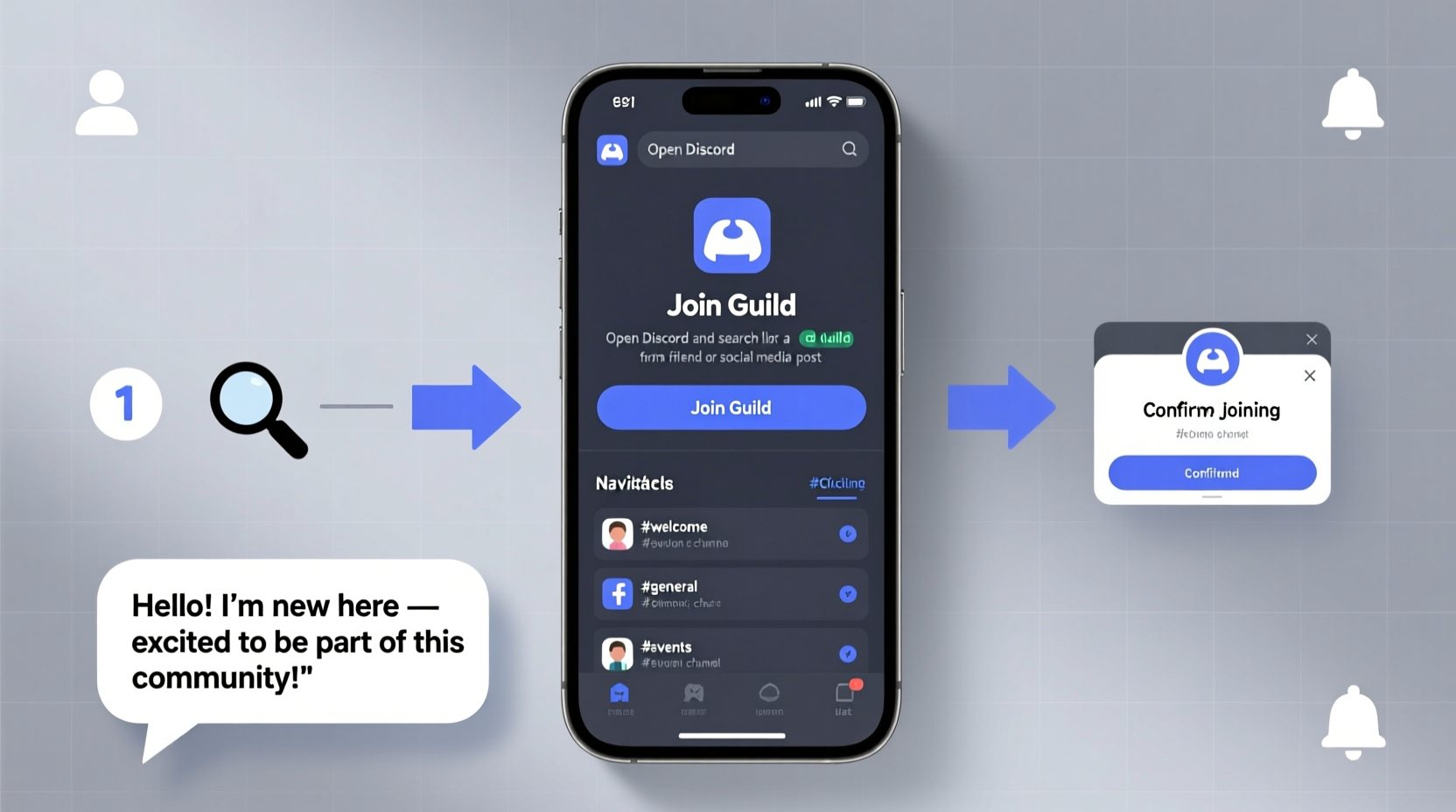
A Discord guild is a dedicated space where users gather around a shared interest. Each guild operates independently, with its own rules, structure, channels, and moderation team. Unlike direct messages or group chats, guilds can host thousands of members and offer organized spaces for discussion through text and voice channels.
Guilds vary widely in tone and purpose. Some are tightly moderated with strict entry requirements, while others welcome casual participation. Before joining, it’s essential to understand that every guild has its culture—what works in one may not be acceptable in another.
Step-by-Step Guide to Joining a Guild
- Create a Discord Account
If you don’t already have one, visit discord.com, click “Sign Up,” and follow the prompts. Use a reliable email and strong password. - Download the App or Use the Browser Version
While Discord works in browsers, downloading the desktop or mobile app offers better performance and notifications. - Find a Guild to Join
You can join via an invite link shared on social media, forums, or websites. Alternatively, use discovery platforms like Disboard.org or Discord.me to search for guilds by topic (e.g., photography, programming, fitness). - Click the Invite Link
Once you find a guild, click the invitation URL. You’ll be prompted to confirm your account and accept the server. - Complete Verification (If Required)
Some guilds use verification bots like CaptchaBot or require reading rules before granting access. Follow the instructions carefully. - Review Rules and Roles
Upon entry, most guilds redirect new members to a #welcome or #rules channel. Read thoroughly. Many also use self-assignable roles—take time to select those relevant to your interests.
Navigating Your New Guild
After joining, take time to explore the layout. Guilds typically organize content using categories and channels:
- Text Channels: Labeled for specific topics (e.g., #general, #help, #off-topic).
- Voice Channels: For real-time audio conversations (e.g., “General Chat,” “Study Room”).
- Categories: Folders grouping related channels (e.g., “Community,” “Support,” “Events”).
Use the search bar to locate past discussions. Pin important channels to your sidebar for quick access. Pay attention to permissions—some channels may only be visible to certain roles.
| Channel Type | Purpose | Etiquette Tip |
|---|---|---|
| #announcements | Official updates from moderators | Do not reply unless prompted; mute if too noisy |
| #introductions | New member greetings | Share your interests and respond to others |
| #resources | Links, tools, tutorials | Check here before asking common questions |
| Voice Channel | Live conversation | Mute when not speaking; avoid background noise |
How to Get Involved and Build Connections
Joining is just the beginning. True value comes from engagement. Start small: introduce yourself in the designated channel, react to messages with emojis, and answer questions when you can. Over time, consistent presence builds recognition and trust.
Participate in scheduled events like game nights, AMAs (Ask Me Anything), or collaborative projects. These are excellent opportunities to interact beyond text. If the guild allows, consider contributing by sharing helpful resources, moderating discussions, or volunteering for community initiatives.
“Communities thrive when members move from passive observers to active contributors.” — Lena Torres, Community Manager at OpenSourceGuild
Mini Case Study: From Observer to Moderator
Jamal, a 24-year-old aspiring developer, joined a programming guild focused on Python after finding a link on Reddit. Initially hesitant, he spent two weeks reading threads and absorbing information. He then began answering beginner questions using knowledge from his coursework. His responses were accurate and kind, earning positive reactions.
When the guild hosted a hackathon, Jamal joined a team and helped debug code. The moderators noticed his reliability and invited him to assist with organizing future events. Within six months, he became a junior moderator, managing user queries and improving documentation. His journey highlights how thoughtful participation can lead to meaningful roles.
Common Pitfalls to Avoid
- Spamming links or self-promotion – Most guilds prohibit unsolicited advertising.
- Ignoring rules – Even well-intentioned messages can violate guidelines (e.g., discussing politics in a non-political space).
- Talking over others in voice chat – Use push-to-talk or pause when someone else is speaking.
- Reacting inappropriately – Emojis matter; avoid misuse of reactions in serious discussions.
Do’s and Don’ts at a Glance
| Do | Don't |
|---|---|
| Read the rules and FAQs | Assume everything is allowed |
| Use clear, respectful language | Use excessive slang or all caps |
| Ask questions politely | Demand immediate answers |
| Contribute value (tips, feedback, help) | Only take without giving back |
FAQ
Can I join a guild without a microphone?
Absolutely. Many members participate exclusively through text. Voice channels are optional, and most guilds design their experience to be inclusive of text-only users.
What if I get banned by mistake?
Contact the moderation team via direct message or an appeal form if available. Be polite, explain your perspective, and ask for clarification. Not all bans are reversible, but respectful communication often opens dialogue.
How many guilds should I join?
There’s no limit, but quality matters more than quantity. Focus on 2–4 active communities where you can meaningfully engage rather than passively lurking in dozens.
Final Checklist: Your First Week Action Plan
- ✅ Create and secure your Discord account
- ✅ Join 1–2 relevant guilds using trusted invite links
- ✅ Read the rules and channel descriptions
- ✅ Introduce yourself in the appropriate channel
- ✅ Explore key channels (#resources, #events, #help)
- ✅ React to or reply to at least three posts
- ✅ Attend one live event or voice chat (optional but encouraged)
- ✅ Set notification preferences to avoid overload
Conclusion: Start Building Your Digital Community
Joining a Discord guild is more than logging into a chat room—it’s the first step toward building real connections in digital spaces that align with your passions. By following these steps, respecting community norms, and gradually increasing your involvement, you position yourself as a valued member rather than just another username.
The best communities grow stronger when individuals choose to show up consistently and authentically. Whether you’re looking for mentorship, collaboration, or friendship, the right guild can open doors you didn’t know existed. Take the leap, engage thoughtfully, and become part of something bigger than yourself.




 浙公网安备
33010002000092号
浙公网安备
33010002000092号 浙B2-20120091-4
Comments
No comments yet. Why don't you start the discussion?