
For businesses of all sizes, attracting qualified candidates begins with visibility. When a job is posted only on internal channels or niche boards, it risks being overlooked by the very talent you're trying to reach. Google for Jobs changed the game by aggregating listings directly into search results, making it easier than ever for job seekers to find opportunities. But simply having a job listing isn’t enough—your posting must be structured correctly to appear in Google’s feed and rank effectively. This guide walks through the exact steps to post your job openings on Google with maximum visibility, ensuring top talent sees your opportunity the moment they search.
How Google for Jobs Works
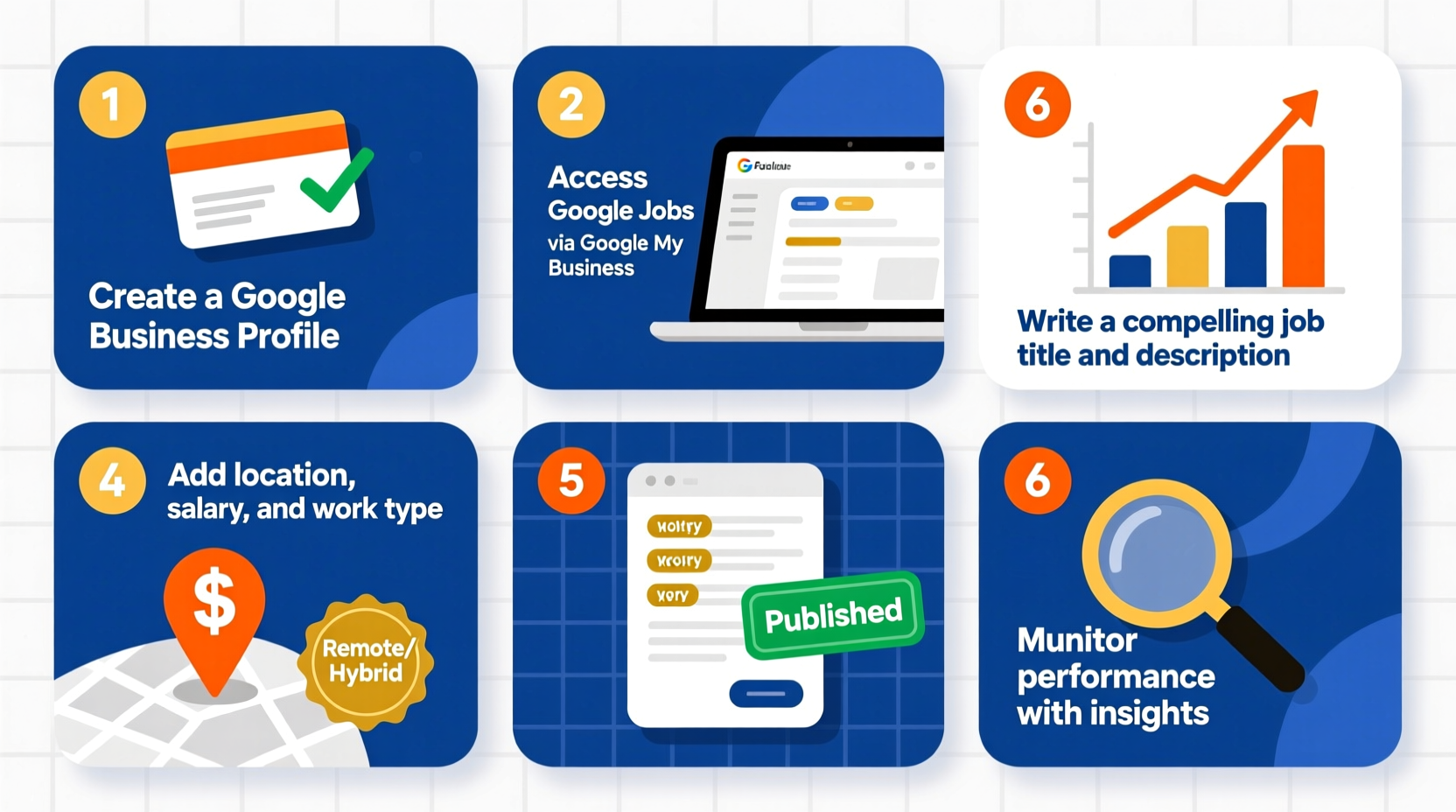
Google for Jobs pulls job listings from thousands of career sites, job boards, and company websites that meet specific technical and content criteria. When someone searches for “marketing jobs in Austin” or “remote customer support roles,” Google displays a carousel of relevant positions sourced via structured data markup (schema.org/JobPosting). The algorithm prioritizes relevance, freshness, location accuracy, and user experience.
If your job posting lacks proper schema markup or contains incomplete information, it won’t appear in these high-visibility results. That means missed applicants, longer time-to-hire, and higher recruitment costs. The solution? Publish job postings with SEO best practices and technical compliance built in.
“Over 80% of job seekers start their search on a search engine. Being visible on Google isn't optional—it's essential.” — Sarah Lin, Talent Acquisition Strategist at TechHire Solutions
Step-by-Step Process to Post Jobs on Google
Step 1: Prepare Your Job Description with Key Details
Before publishing anything online, craft a complete and compelling job description. Google prioritizes listings with clear, accurate information. Include the following elements:
- Exact job title (e.g., “Senior UX Designer,” not “Creative Genius Wanted”)
- Full company name and location (with remote/hybrid status clearly noted)
- Detailed responsibilities and required qualifications
- Employment type (full-time, part-time, contract, internship)
- Salary range or compensation details (increases engagement and trust)
- Application deadline (if applicable)
- Direct link to apply
Step 2: Add Structured Data Markup to Your Job Page
Google uses schema.org markup to identify and index job postings. Without this code, your listing won’t appear in Google for Jobs. You need to embed JSON-LD structured data within the HTML of your job page.
Here’s an example of valid JobPosting schema:
{
  \"@context\": \"https://schema.org/\",
  \"@type\": \"JobPosting\",
  \"title\": \"Digital Marketing Manager\",
  \"description\": \"<p>We are seeking a skilled Digital Marketing Manager...</p>\",
  \"identifier\": {
    \"@type\": \"PropertyValue\",
    \"name\": \"TechCorp Inc.\",
    \"value\": \"job-12345\"
  },
  \"datePosted\": \"2025-04-01\",
  \"validThrough\": \"2025-05-01\",
  \"employmentType\": \"FULL_TIME\",
  \"hiringOrganization\": {
    \"@type\": \"Organization\",
    \"name\": \"TechCorp Inc.\",
    \"sameAs\": \"https://www.techcorp.com\",
    \"logo\": \"https://www.techcorp.com/logo.png\"
  },
  \"jobLocation\": {
    \"@type\": \"Place\",
    \"address\": {
      \"@type\": \"PostalAddress\",
      \"streetAddress\": \"123 Innovation Drive\",
      \"addressLocality\": \"Austin\",
      \"addressRegion\": \"TX\",
      \"postalCode\": \"78701\",
      \"addressCountry\": \"US\"
    }
  },
  \"baseSalary\": {
    \"@type\": \"MonetaryAmount\",
    \"currency\": \"USD\",
    \"value\": {
      \"@type\": \"QuantitativeValue\",
      \"value\": 75000,
      \"unitText\": \"YEAR\"
    }
  },
  \"applicantLocationRequirements\": {
    \"@type\": \"State\",
    \"name\": \"Texas\"
  }
}
This script should be placed inside the <head> or just before the closing </body> tag of your job posting page.
Step 3: Publish the Job on a Public-Facing Website
The job must be hosted on a publicly accessible webpage with a unique URL. Avoid posting behind login walls or on PDFs. Google cannot crawl password-protected or non-HTML content.
Best practice: Create a dedicated careers section on your company website (e.g., yourcompany.com/careers/digital-marketing-manager). This improves SEO and ensures long-term indexing.
Step 4: Test and Validate Your Structured Data
Use Google’s Rich Results Test Tool to verify your markup. Enter your job page URL and confirm that Google detects the JobPosting schema without errors.
If issues appear—such as missing fields or invalid syntax—correct them immediately. Even small mistakes can prevent your job from appearing in Google for Jobs.
Step 5: Monitor Indexing and Performance
After publishing, submit the URL to Google Search Console under the “URL Inspection” tool and request indexing. Within 24–72 hours, your job should begin appearing in relevant searches.
Track performance using Search Console’s “Jobs” report to see impressions, clicks, and average position. Update or refresh underperforming listings to maintain visibility.
Checklist: Ensure Your Job Posts Appear on Google
- ✅ Write a clear, keyword-rich job title
- ✅ Include full job description with responsibilities and requirements
- ✅ Specify employment type (full-time, remote, etc.)
- ✅ Add accurate location and work arrangement
- ✅ Provide salary or pay range
- ✅ Embed valid JSON-LD JobPosting schema
- ✅ Host the job on a public, indexable web page
- ✅ Test schema using Google’s Rich Results Tool
- ✅ Submit URL to Google Search Console
- ✅ Monitor analytics and update as needed
Do’s and Don’ts of Google Job Listings
| Do’s | Don’ts |
|---|---|
| Use standard job titles (e.g., “Software Engineer”) | Use vague or branded titles (e.g., “Code Wizard”) |
| Include salary information | Leave compensation blank |
| Mark remote roles clearly with “TELECOMMUTE” or location | Assume users will infer remote status |
| Update or remove expired jobs promptly | Leave old postings live indefinitely |
| Use HTTPS and mobile-friendly pages | Host jobs on insecure or poorly formatted sites |
Real Example: How a Small Business Doubled Applications
GreenSprout Organics, a mid-sized sustainable foods company, struggled to fill warehouse supervisor roles despite posting on LinkedIn and Indeed. After auditing their process, they discovered their website job pages lacked structured data and used informal titles like “Warehouse Boss.”
They revised their approach: renamed the role to “Warehouse Supervisor – Night Shift,” added detailed descriptions with pay ($22/hr), embedded proper schema markup, and published each job on a dedicated page. Within two weeks, the listing appeared in Google for Jobs for queries like “warehouse jobs near me” and “night shift warehouse jobs Texas.” Applications increased by 112% in the first month, and the role was filled in 18 days—down from 45 previously.
Frequently Asked Questions
Do I need a large company website to get listed on Google for Jobs?
No. Google indexes job postings from websites of all sizes, provided they use correct schema markup and are publicly accessible. Even small businesses with simple career pages can appear if technical requirements are met.
Can I post multiple locations for the same job?
Yes. If you’re hiring for the same role across several cities, create separate pages (or use location-specific schema entries) for each. This increases local visibility and avoids confusion.
How long do job postings stay on Google?
Google typically removes listings after the “validThrough” date specified in the schema. If no end date is set, Google may keep it indexed for up to 30 days before dropping it. Always set an accurate expiration.
Maximize Your Reach Starting Today
Posting jobs on Google isn’t about luck—it’s about precision. By following technical standards, writing clear descriptions, and optimizing for search intent, you place your opportunities directly in front of active job seekers. Unlike traditional boards where candidates actively browse, Google captures users at the moment of intent. That makes it one of the most powerful tools in modern recruitment.
Don’t leave visibility to chance. Audit your current job postings, implement structured data, and ensure every new role meets Google’s criteria from day one. The right candidate might already be searching—make sure they find you.




 浙公网安备
33010002000092号
浙公网安备
33010002000092号 浙B2-20120091-4
Comments
No comments yet. Why don't you start the discussion?