
Changing your phone number is a common occurrence—whether you're switching carriers, retiring an old SIM, or relocating internationally. But what many users overlook is how deeply their phone number is embedded across digital accounts, especially within the Google ecosystem. From Gmail and YouTube to Google Pay and two-factor authentication, your number acts as both a recovery method and identity anchor. Failing to update it consistently can lead to locked accounts, missed verifications, or even security vulnerabilities.
This guide walks through every essential step to ensure your new number is correctly reflected across all major Google services, minimizing disruption and maximizing account safety.
Why Updating Your Google Phone Number Matters
Your phone number in Google isn't just for notifications—it's tied to account recovery, login verification, app access, and personalized advertising. If Google can't reach you via your registered number, you risk losing access during critical moments, such as password resets or suspicious login attempts.
Additionally, outdated contact information weakens your account’s defense against unauthorized access. Cybersecurity experts emphasize that maintaining accurate recovery details is one of the most effective ways to prevent account takeovers.
“Keeping recovery options current is like updating the locks on your home—it doesn’t guarantee safety, but it removes easy entry points for attackers.” — Lena Patel, Senior Security Analyst at Digital Trust Labs
Step-by-Step: How to Update Your Primary Phone Number in Google Account
The central hub for managing personal data in Google is your Google Account settings. This is where you’ll start the process of changing your number.
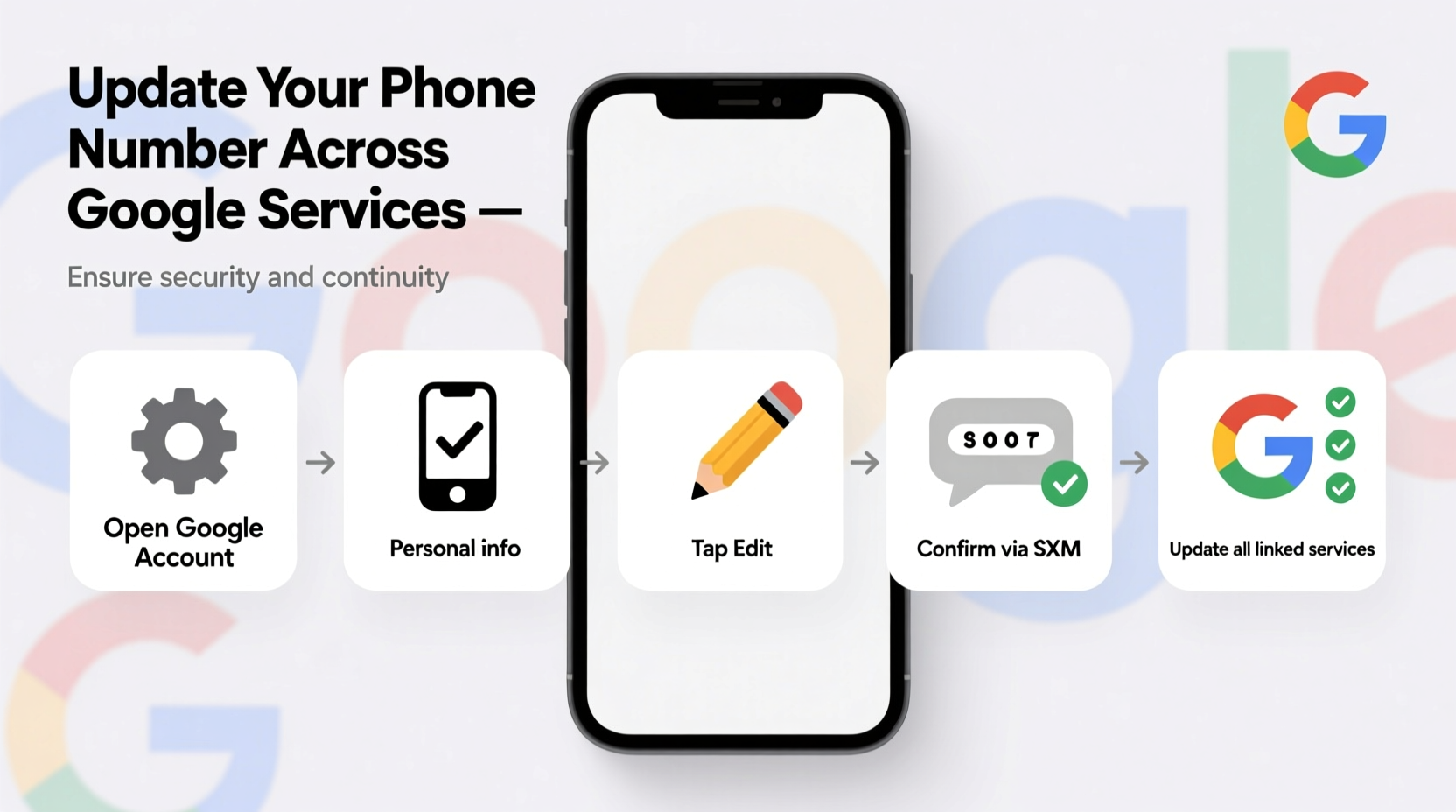
- Sign in to your Google Account: Visit myaccount.google.com and log in with your credentials.
- Navigate to “Personal info”: On the left sidebar, click “Personal info” (or go directly to the section labeled “Contact info”).
- Edit your phone number: Under the “Phone” section, click the pencil/edit icon.
- Verify ownership: Google will ask you to confirm your identity, typically by sending a verification code to your current number or email.
- Add your new number: Enter the full international format (e.g., +1 555 123 4567), select its purpose (call, text, or both), then save.
- Confirm via SMS: You’ll receive a six-digit code on your new device. Enter it to finalize the change.
Key Google Services That Use Your Phone Number
Updating your number at the account level is crucial, but some Google services may cache old numbers or require separate confirmation. Below is a breakdown of major platforms and how they handle phone updates.
| Service | Auto-Updated? | Action Required |
|---|---|---|
| Gmail | Yes | None; uses account-level number |
| Google Authenticator | No | Re-sync 2FA apps if using SMS-based backup |
| Google Pay | Partial | Manually verify new number in payment settings |
| YouTube | Yes | Only if used for comments or live chat moderation |
| Google Voice | No | Requires separate setup; cannot transfer unless eligible |
| Android Device Manager (Find My Device) | Yes | Ensure device syncs after change |
Real-World Scenario: Recovering Access After a Number Change
Sarah, a freelance designer based in Austin, upgraded her mobile plan and switched to a new number. She updated her iPhone settings but forgot to notify Google. Two weeks later, while trying to log into her secondary Gmail account from a new laptop, she was prompted for a verification code sent to her old number—now owned by someone else.
After failing multiple recovery attempts, Sarah spent nearly 48 hours verifying her identity through alternate email and historical data. Her workflow stalled, client emails were delayed, and she temporarily lost access to Google Drive files.
Her experience highlights a common gap: people assume automatic syncing across devices and services. The lesson? Proactively update your number before disconnecting the old line.
Critical Checklist: Ensuring Full Coverage
To avoid Sarah’s situation, follow this checklist after changing your number:
- ✅ Update primary number in Google Account settings
- ✅ Confirm receipt of a test verification SMS
- ✅ Review recovery options: ensure backup email is active
- ✅ Re-add phone as second factor in 2-Step Verification
- ✅ Check Google Pay and confirm transaction alerts work
- ✅ Sign out and back into Android apps that use SMS login
- ✅ Remove old number completely once new one is verified
Frequently Asked Questions
Will changing my phone number affect my Google Voice number?
Not necessarily. Google Voice allows you to link a new mobile number as your forwarding or carrier number, but only if your account qualifies. However, if your Google Voice number itself is changing, that’s a separate process involving porting and fees.
Can I have more than one phone number linked to my Google Account?
Yes. Google allows multiple numbers—for example, a personal mobile and a work landline. Each can be designated for different purposes like recovery, calls, or messages. However, only one can be primary for 2-Step Verification unless using authenticator apps.
What happens if I don’t verify the new number?
Unverified numbers remain inactive. Google won’t use them for security alerts or recovery until confirmed. In some cases, the system may revert to the previous number or prompt for alternative verification methods.
Securing Your Updated Account
Once your number is changed, reinforce your account security. A new number introduces a brief window of vulnerability—especially if the old number has been reassigned.
Review your recent activity under “Security” in your Google Account. Look for unrecognized devices or locations. Consider enabling the “Stay signed in?” prompt and turning on alerts for new logins.
If you use SMS-based two-factor authentication, consider upgrading to the Google Authenticator app or a physical security key. These are less vulnerable to SIM-swapping attacks, which exploit mobile carrier weaknesses to hijack phone numbers.
“Phone numbers are convenient but fragile identifiers. For high-value accounts, move beyond SMS for stronger protection.” — Marcus Tran, Identity & Access Management Lead, CloudShield Security
Conclusion
Updating your phone number across Google services is more than a technical chore—it's a vital part of digital hygiene. With a few deliberate steps, you maintain seamless access, protect your identity, and keep your online life running smoothly. Whether you're relocating, upgrading your phone plan, or simply retiring an old number, taking control of this transition ensures your Google experience remains secure and uninterrupted.




 浙公网安备
33010002000092号
浙公网安备
33010002000092号 浙B2-20120091-4
Comments
No comments yet. Why don't you start the discussion?