
Choosing the right lighting system for a home, studio, or commercial space goes beyond brightness and color. Today’s smart lighting options offer dynamic control, mood enhancement, and even interactive experiences. Two dominant types—addressable RGBW lights and fixed color LED sets—are often compared, especially when it comes to animation capabilities. While both deliver illumination, their functionality diverges sharply when customization is required. Understanding the technical and practical differences helps ensure you invest in a system that grows with your needs.
Understanding the Core Differences
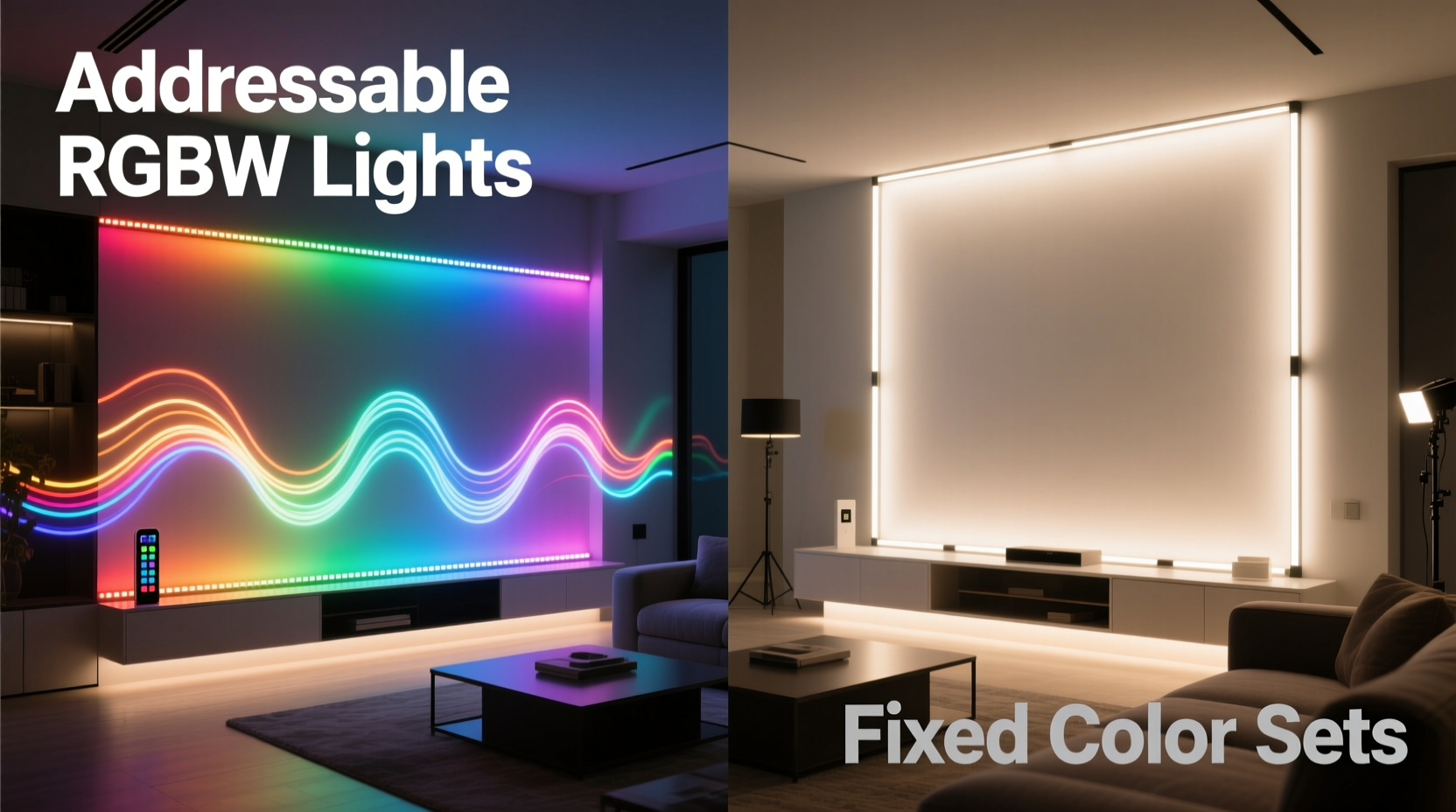
The most fundamental distinction lies in control granularity. Fixed color LED strips emit one consistent hue—such as warm white, cool white, or a single RGB shade—across their entire length. These are ideal for ambient lighting where uniformity matters more than variation. In contrast, addressable RGBW lights consist of individual LEDs, each capable of being controlled independently for color, brightness, and timing. The “W” in RGBW refers to a dedicated white diode, offering purer whites than mixed RGB tones.
This level of per-pixel control enables effects like color chasing, fading sequences, wave patterns, and synchronized music-reactive displays. Fixed color systems cannot replicate these behaviors because they lack segmentation and programmability. They operate as a single unit: on, off, or dimmed uniformly.
“Addressable lighting transforms static environments into responsive experiences. It’s not just about light—it’s about movement, rhythm, and emotion.” — Lin Zhao, Smart Lighting Designer at Lumos Dynamics
Why Custom Animations Require Addressable Control
Custom animations depend on precise timing and spatial variation. A simple rainbow scroll across a wall, for example, requires different colors to appear at specific points along the strip at exact moments. This is only possible if each LED can be addressed individually. Fixed color systems, by design, broadcast the same output from end to end. Even if connected to a controller, they can only shift intensity or transition between preset modes—if those modes exist at all.
Addressable RGBW strips use embedded microchips (commonly WS2812B, SK6812, or APA102) that interpret digital signals from a controller such as an Arduino, ESP32, or Raspberry Pi running software like WLED or FastLED. Each chip receives instructions for its corresponding LED, enabling complex choreography across hundreds of nodes.
Comparing Features: A Practical Breakdown
| Feature | Addressable RGBW Lights | Fixed Color LED Sets |
|---|---|---|
| Per-LED Control | Yes | No |
| Custom Animations | Full support | Limited or none |
| White Light Quality | Dedicated white diode (tunable CCT) | Single temperature (e.g., 3000K or 6500K) |
| Controller Required | Yes (microcontroller + software) | Optional (basic power supply or remote) |
| Installation Complexity | Moderate to high | Low |
| Cost per Meter | Higher ($8–$20) | Lower ($2–$6) |
| Best Use Case | Decorative displays, entertainment zones, art installations | Kitchen under-cabinets, task lighting, cove lighting |
The table illustrates a clear trade-off: capability versus simplicity. If your goal is subtle, functional lighting, fixed color strips are cost-effective and easy to deploy. But if you want lights that respond to sound, change based on time of day, or display unique patterns during events, addressable RGBW is the only viable path.
Real-World Application: A Home Theater Upgrade
Consider Mark, a homeowner in Portland who wanted to elevate his basement media room. His initial setup used fixed-color warm white strips behind the TV and along baseboards. While adequate, it lacked engagement. After researching options, he replaced them with addressable RGBW tape lights controlled via WLED on an ESP32 module.
He programmed multiple scenes: a soft blue gradient for movie previews, pulsing reds during action sequences synced to audio input, and a sunrise simulation for morning wake-up routines. Using a smartphone app, he could switch modes instantly or schedule transitions. Friends noticed the transformation immediately—not just the colors, but the sense of immersion.
“It changed how we experience movies,” Mark said. “The lights aren’t just background anymore. They’re part of the story.”
This case exemplifies the experiential leap enabled by addressable systems. Fixed color setups serve utility; addressable ones create atmosphere.
Step-by-Step: Building Your First Animated Setup
Creating custom animations doesn’t require advanced engineering, but it does involve careful planning. Follow this sequence to get started:
- Define the Purpose: Determine where the lights will go and what effect you want—mood lighting, party visuals, or workspace ambiance.
- Select Components: Choose an addressable RGBW strip (preferably 60 LEDs/meter), a compatible microcontroller (ESP32 recommended), a suitable power supply (5V, sufficient amperage), and connectors.
- Plan Power Distribution: For runs over 2 meters, inject power at multiple points to prevent voltage drop and color distortion at the far end. <4> Flash Firmware: Install WLED or FastLED on your controller. WLED offers a user-friendly web interface; FastLED gives deeper code-level control.
- Wire the System: Connect data, power, and ground lines carefully. Double-check polarity and secure connections.
- Test Basic Functions: Use the default presets to verify all LEDs respond correctly.
- Create or Upload Animations: Modify existing effects or write new ones using JSON parameters (in WLED) or C++ code (in FastLED).
- Integrate Controls: Set up voice control via Alexa/Google Assistant, automation through Home Assistant, or manual toggles via mobile apps.
This process typically takes 3–6 hours for a beginner but results in a fully customizable lighting ecosystem.
Common Pitfalls and How to Avoid Them
Even experienced users encounter issues when working with addressable lighting. Here are frequent challenges and solutions:
- Voltage Drop: Long strips show dimming or color shifts at the end. Fix by using thicker gauge wire and injecting power every 2–3 meters.
- Data Signal Degradation: Flickering or random behavior may stem from poor signal quality. Use a 470Ω resistor between the data pin and the first LED, and keep data wires short.
- Overloading Power Supplies: Calculate total current draw (LED count × max current per LED). Add a 20% safety margin and choose accordingly.
- Incompatible Controllers: Not all drivers support RGBW natively. Ensure firmware like WLED is configured for SK6812 or your specific IC type.
Checklist: Is Addressable RGBW Right for You?
Before committing, ask yourself the following:
- Do I want different colors or effects in different parts of the same strip?
- Am I interested in syncing lights to music, games, or video content?
- Do I plan to automate lighting based on time, sensors, or occupancy?
- Am I comfortable with basic electronics and software configuration?
- Is budget flexible enough to accommodate higher upfront costs?
If most answers are “yes,” addressable RGBW is the superior choice. If not, fixed color systems remain excellent for straightforward applications.
Frequently Asked Questions
Can fixed color LED strips be upgraded to support animations?
No—not without replacing the entire strip. Fixed color LEDs lack individual addressing hardware. Some controllers simulate rudimentary fades or flashes, but these are limited to whole-strip changes and do not qualify as true animations.
Are addressable RGBW lights harder to install than fixed color ones?
Yes, moderately. They require additional components (controllers, firmware setup, stable power delivery), and troubleshooting involves both electrical and software elements. However, pre-flashed controllers and plug-and-play kits have significantly reduced the learning curve.
Do I need coding skills to use addressable lights?
Not necessarily. Platforms like WLED provide intuitive web interfaces with drag-and-drop effects, color pickers, and preset libraries. Coding is only needed for highly customized behaviors or integration with other smart home systems.
Conclusion: Choose Capability Over Convenience
While fixed color LED sets serve well in traditional lighting roles, they fall short when creativity, personalization, or interactivity is desired. Addressable RGBW lights open doors to expressive design, adaptive environments, and immersive experiences that evolve with your lifestyle. The initial investment and setup effort pay dividends in versatility and future-proofing.
Whether you're enhancing a living room, building a gaming rig, or designing a retail display, prioritize systems that allow growth. Technology advances quickly—don’t lock yourself into static solutions when dynamic ones are within reach.




 浙公网安备
33010002000092号
浙公网安备
33010002000092号 浙B2-20120091-4
Comments
No comments yet. Why don't you start the discussion?