
For anyone stepping into the world of electronics, programming, or DIY automation, Arduino is a gateway to creativity and innovation. Its open-source platform allows users to build interactive projects—from simple LED blinkers to complex home automation systems. The challenge isn’t learning Arduino; it’s choosing the right starter kit that balances affordability, versatility, and educational value. With dozens of options on the market, selecting one that grows with your skill level is essential.
The best Arduino starter kits don’t just teach you how to connect wires—they guide you through logic, circuit design, and coding in a way that builds confidence. Whether you're a student, hobbyist, or educator, this guide cuts through the noise to highlight the most practical, expandable, and budget-friendly kits available today.
What Makes a Great Arduino Starter Kit?
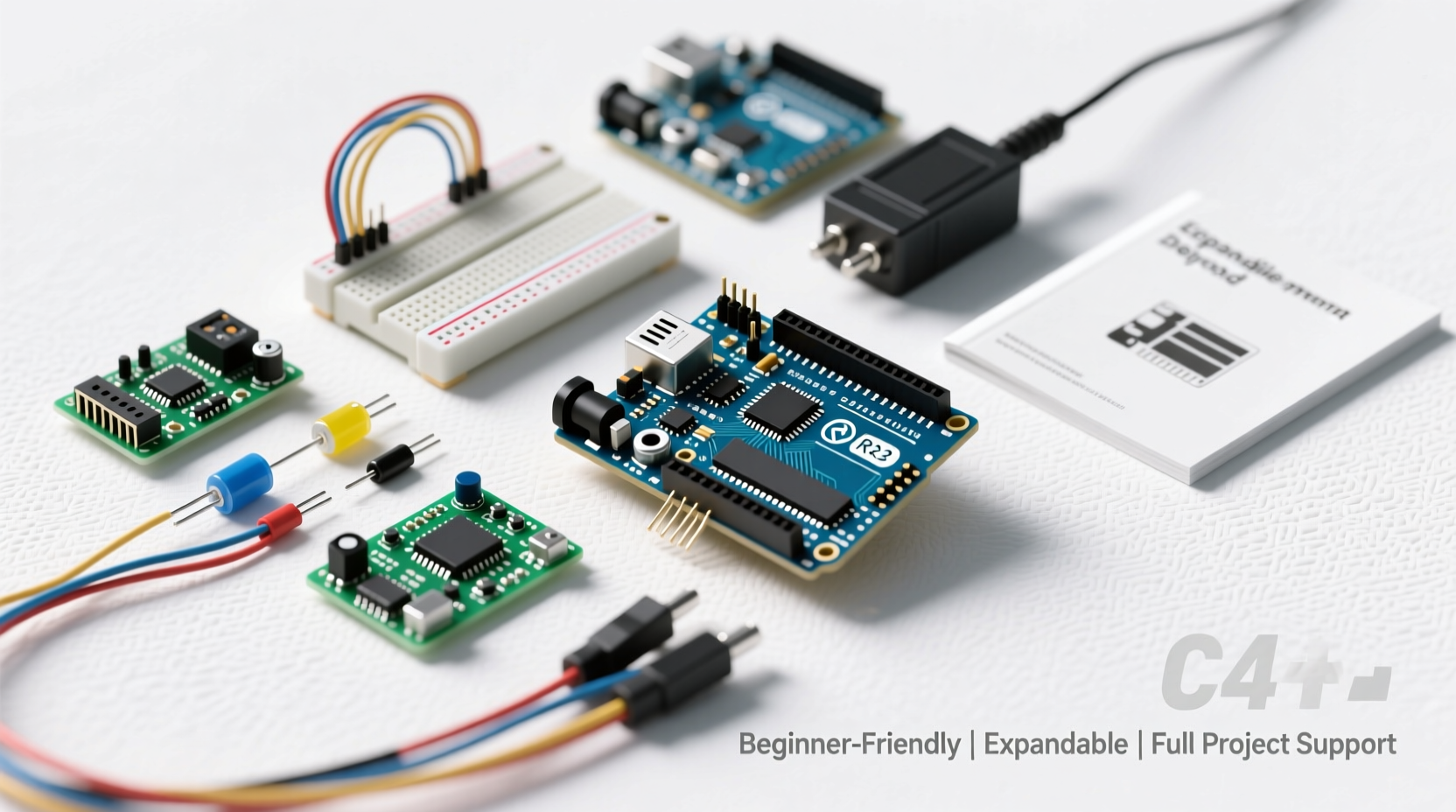
A strong starter kit should do more than bundle components—it should offer a structured learning path, reliable parts, and room for experimentation. Key factors include component variety, project diversity, quality of instructional materials, and compatibility with future upgrades.
Beginner-friendly kits often come with step-by-step tutorials, breadboards, sensors, resistors, and an Arduino-compatible board. But the best ones also encourage tinkering beyond the included projects, allowing users to modify circuits or write their own code after mastering the basics.
“An ideal starter kit doesn’t just hand you answers—it gives you the tools to ask better questions.” — Dr. Alan Reyes, Embedded Systems Educator at MIT
Top 5 Affordable & Versatile Arduino Starter Kits
After evaluating over a dozen kits based on price, component quality, documentation, and scalability, these five stand out as the most balanced choices for learners and makers alike.
| Kit Name | Price Range | Key Features | Best For |
|---|---|---|---|
| ELEGOO UNO Project Super Starter Kit | $35–$45 | Includes ELEGOO R3 board (Arduino-compatible), 200+ piece set, detailed PDF tutorials, LCD screen, servo motor | Beginners wanting maximum components and guided projects |
| Arduino Starter Kit (Official) | $70–$90 | Authentic Arduino Uno, 15 hands-on projects, full-color book, excellent support | Those prioritizing official branding and premium learning materials |
| KEYESTUDIO Super Starter Kit | $30–$40 | Arduino-compatible board, clear tutorials, includes relay module and IR receiver | Budget-focused learners who still want robust functionality |
| Freenove Ultimate Starter Kit | $50–$60 | Web-based tutorials, Raspberry Pi compatibility, real-time code examples | Makers interested in cross-platform integration |
| DFRobot Beginner Kit for Arduino | $40–$50 | Well-organized storage box, beginner-friendly guide, sensor-heavy focus | Educators and classrooms needing durable, organized setups |
Step-by-Step Guide to Getting Started
Even the best kit won’t help if you’re overwhelmed from day one. Follow this timeline to make meaningful progress without frustration.
- Unbox and inventory all components – Verify everything listed in the manual is present. Missing buttons or resistors can stall early projects.
- Install the Arduino IDE – Download the free software from arduino.cc and install drivers if using a compatible board.
- Complete the first three projects – Usually “Blink,” “Fade,” and “Button Control.” These teach digital I/O, analog input, and basic circuit logic.
- Modify the code – Change delay times, add conditions, or reverse logic. This builds confidence in programming.
- Design a mini-project – Combine two concepts (e.g., light sensor + buzzer) to create something original.
- Join a community – Platforms like Reddit’s r/arduino or Arduino Forum provide troubleshooting help and inspiration.
Maximizing Value: How to Extend Your Kit’s Lifespan
A good starter kit can last years if used strategically. Many beginners burn out not from complexity, but from hitting a creative wall too soon. Avoid this by treating your kit as a foundation, not a finish line.
- Reuse components across projects – Resist the urge to dedicate parts permanently. A servo used in a robotic arm today can power a weather vane tomorrow.
- Add external modules gradually – Once comfortable, purchase shields (like WiFi or motor controllers) to expand capabilities.
- Document your builds – Keep a notebook or digital log with schematics and code notes. It accelerates future debugging.
- Teach someone else – Explaining concepts reinforces your understanding and reveals knowledge gaps.
Real Example: From First Circuit to Smart Plant Monitor
Jamie, a high school teacher in Portland, bought an ELEGOO starter kit to introduce electronics in her science class. Her first attempt—a blinking LED—felt underwhelming. But after completing the temperature sensor project, she realized she could adapt it.
She combined a moisture sensor, a small pump, and a piezo buzzer to create a smart plant monitor. When soil dryness crossed a threshold, the device sent an alert via sound and activated irrigation. Her students replicated the project with variations—some added solar panels, others integrated Bluetooth alerts.
“The kit didn’t teach me everything,” Jamie said, “but it gave me enough confidence to start solving real problems.”
Checklist: Choosing the Right Kit for You
Before purchasing, ask yourself the following. Check off each point as you confirm it.
- ✅ Does it include an Arduino Uno or compatible board?
- ✅ Are there at least 10 guided projects with explanations?
- ✅ Is a breadboard included for circuit prototyping?
- ✅ Does it come with common sensors (e.g., motion, light, temperature)?
- ✅ Are code examples well-commented and easy to follow?
- ✅ Is customer support or online help available?
- ✅ Can components be reused in future standalone projects?
Frequently Asked Questions
Can I use any Arduino-compatible board with these kits?
Yes—most kits work with both genuine Arduino boards and clones. However, ensure voltage ratings and pin layouts match. Some cheaper clones may lack proper USB-to-serial chips, requiring additional drivers.
Do I need prior coding experience?
No. Arduino uses a simplified version of C/C++, and starter kits include beginner-friendly code examples. Understanding basic logic (like loops and conditionals) helps, but you’ll learn as you go.
Are these kits suitable for children?
Children aged 12 and up can benefit greatly under supervision. Younger kids may struggle with small parts and abstract concepts. Look for kits with large-print manuals and visual wiring diagrams if teaching younger audiences.
Conclusion: Start Simple, Build Boldly
The right Arduino starter kit doesn’t have to be expensive to be effective. What matters most is consistency, curiosity, and the freedom to experiment. Whether you choose the ELEGOO Super Kit for its sheer volume of parts or the official Arduino kit for its polished curriculum, what follows is entirely up to you.
Every expert builder once held a resistor in their hand, wondering what it did. That moment of uncertainty is where mastery begins. Pick a kit, power up your board, and start creating—not because it’s impressive, but because it’s yours.




 浙公网安备
33010002000092号
浙公网安备
33010002000092号 浙B2-20120091-4
Comments
No comments yet. Why don't you start the discussion?