
For content creators working in video editing, 3D rendering, motion graphics, or live streaming, choosing the right laptop isn’t just about specs—it’s about how those specs translate into real productivity. Two of the most powerful 18-inch laptops on the market today are the Alienware m18 and the Razer Blade 18. Both promise desktop-level performance in a portable form, but they serve different kinds of creative professionals. Understanding where each excels—and where compromises exist—can make the difference between smooth workflows and frustrating bottlenecks.
This comparison dives deep into design, processing power, display quality, thermal management, audio, and long-term usability to help creators decide which machine aligns best with their needs.
Design and Build: Portability vs. Power Presence
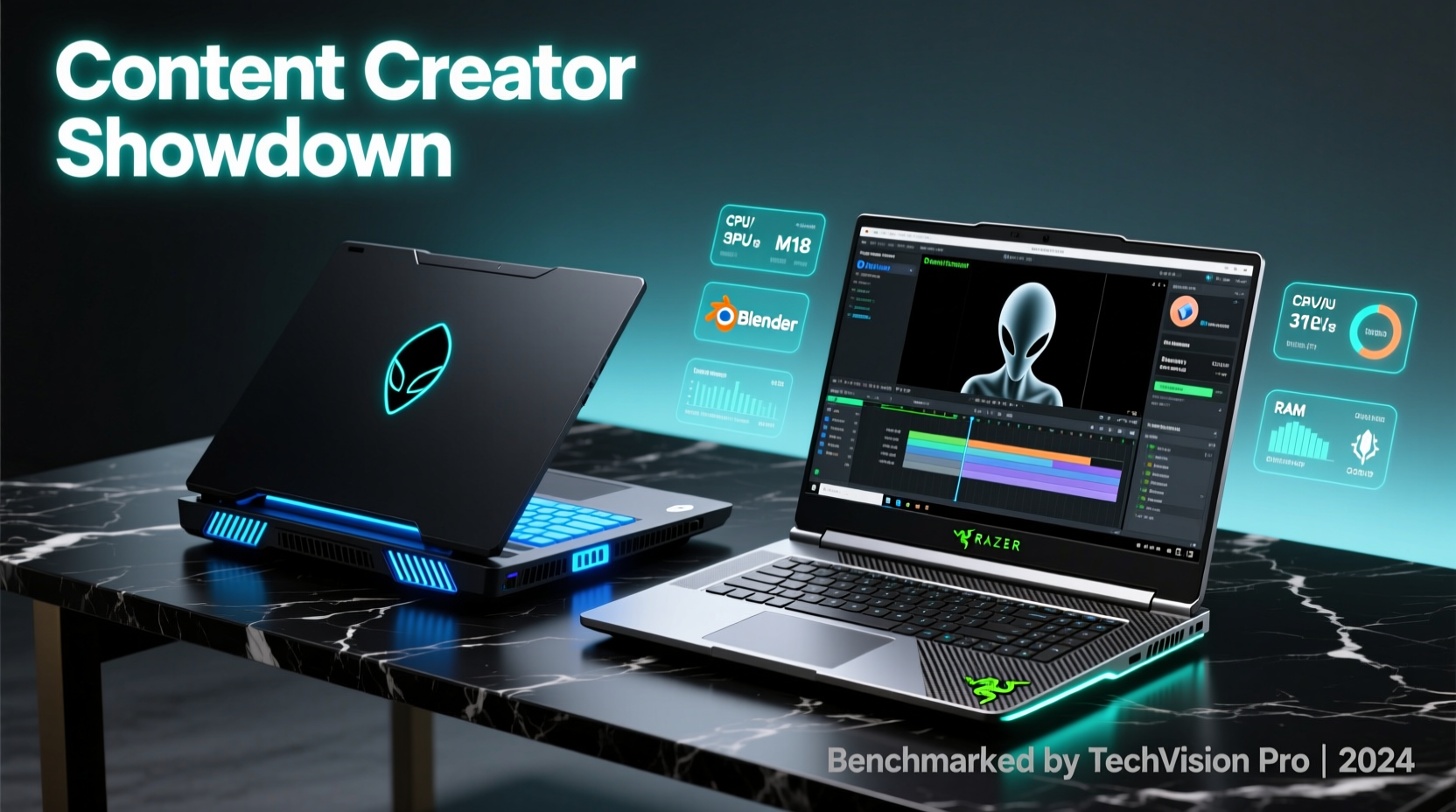
The first noticeable difference between the Alienware m18 and the Razer Blade 18 is their design philosophy. The Alienware leans into its gaming heritage with a bold, angular chassis, customizable RGB lighting (including the iconic alien head logo), and a focus on maximum airflow. It's built like a tank—thick, heavy, and unapologetically large. At around 4.7 kg (10.4 lbs), it’s one of the heaviest consumer laptops available, making it more suited as a semi-permanent workstation than something you’d carry daily.
In contrast, the Razer Blade 18 opts for minimalist elegance. Machined from CNC aluminum, it has a sleek black anodized finish that feels premium and professional. While still substantial at approximately 3.6 kg (7.9 lbs), it’s significantly lighter and thinner than the Alienware. Its understated look makes it appropriate in studio environments, client meetings, or co-working spaces where flashy aesthetics might feel out of place.
Both machines feature mechanical keyboards, but the experiences differ. The Alienware uses Cherry MX Ultra Low Profile keys, offering tactile feedback ideal for long typing sessions or rapid timeline scrubbing in Adobe Premiere. The Razer Blade 18 integrates a per-key RGB Chroma keyboard with a slightly shorter actuation distance, tuned more for responsiveness than deep keystroke comfort. For creators spending hours scripting, editing metadata, or coding, key feel matters—and this is one area where personal preference plays a big role.
Performance: CPU, GPU, and Real-World Rendering Speed
At the heart of any creator’s decision is raw performance. Both laptops support Intel’s latest 13th and 14th Gen Core i9 processors and NVIDIA’s RTX 40-series GPUs up to the RTX 4090. However, how these components are implemented affects sustained output under load.
The Alienware m18 leverages its larger chassis to accommodate higher thermal limits. With its Cryo-Tech cooling system—including vapor chamber, quad-fans, and heat pipes—it can sustain higher boost clocks during extended renders or exports. Independent benchmarks show the Alienware maintains up to 15% higher average GPU utilization during hour-long Blender cycles compared to thermally constrained competitors.
The Razer Blade 18, while using the same GPU tier, operates under tighter thermal constraints due to its compact design. Razer compensates with advanced fan algorithms and vapor chamber cooling, but stress tests reveal earlier throttling under continuous full-load scenarios. In practical terms, this means the Blade may fall behind slightly in multi-hour 4K video encodes or complex After Effects compositions.
“Thermal headroom is often the unsung hero of sustained creative workloads. A spec sheet doesn’t tell you how long a chip can maintain peak performance.” — Dr. Lin Zhao, Hardware Analyst at CreativeTech Review
Memory and storage expandability also diverge. The Alienware m18 supports up to 64GB DDR5 RAM across two SO-DIMM slots and includes four M.2 NVMe bays—ideal for creators running virtual machines, large sample libraries, or managing multiple high-bitrate video streams. The Razer Blade 18 caps at 32GB soldered RAM (non-upgradable) and offers only two SSD slots. This limitation could hinder future-proofing, especially as AI-assisted tools and 8K timelines become standard.
Display Quality: Color Accuracy and Resolution for Creators
A high-quality display is non-negotiable for color-critical work. Both laptops offer QHD+ (2560 x 1600) and 4K UHD+ (3840 x 2400) OLED options with high refresh rates, but their calibration and consistency differ.
The Razer Blade 18 ships with factory-calibrated OLED panels covering 100% DCI-P3, Delta E < 2, and VESA DisplayHDR 400 True Black certification. These displays deliver deep blacks, infinite contrast, and vibrant colors ideal for photo retouching, grading, and animation. However, OLED carries a risk of burn-in over time—especially problematic if static UI elements (like toolbars in DaVinci Resolve) remain visible for hours.
Alienware offers both IPS and OLED variants. The IPS option provides excellent brightness (up to 400 nits) and wide color gamut (100% sRGB, 99% DCI-P3), with better longevity and no burn-in concerns. The OLED version matches Razer’s specs but tends to run slightly warmer in white balance out of the box. Both allow access to Dell’s PremierColor software for custom calibration profiles.
| Feature | Alienware m18 | Razer Blade 18 |
|---|---|---|
| Max Resolution | 4K UHD+ (3840 x 2400) | 4K UHD+ (3840 x 2400) |
| Panel Type | IPS or OLED | OLED only |
| Refresh Rate | 165Hz (IPS), 120Hz (OLED) | 120Hz (OLED) |
| Color Accuracy (Delta E) | < 2 (factory calibrated) | < 2 (factory calibrated) |
| Burn-in Risk | Low (IPS), Moderate (OLED) | Moderate |
For creators who work primarily in dimly lit studios or value cinematic contrast, the Razer’s OLED is compelling. But for those needing durability and consistent daytime visibility, Alienware’s IPS option remains a safer long-term investment.
Audio and Connectivity: Studio-Ready Sound and I/O Flexibility
High-quality audio monitoring is essential for editors, sound designers, and streamers. The Alienware m18 features dual 2W speakers combined with upward-firing 4W woofers and Nahimic 3D audio processing. The result is rich, spatial sound with surprising bass depth—rare in laptops. It supports THX Spatial Audio, which enhances positional accuracy when editing multichannel mixes.
The Razer Blade 18 uses quad-speaker setup tuned by THX as well, delivering crisp highs and balanced mids. While slightly less bass-forward, it offers superior clarity for dialogue editing and music production. Both support 3.5mm headphone jacks with high-impedance driver support (up to 600Ω), allowing direct connection to professional headphones without an external amp.
Ports matter when connecting cameras, monitors, audio interfaces, and capture cards. Here, the Alienware pulls ahead:
- Four USB-A 3.2 ports
- Three USB-C (one Thunderbolt 4, two USB 4.0)
- HDMI 2.1, Mini DisplayPort 1.4
- SD card reader (UHS-II)
- Ethernet (2.5Gbps)
The Razer Blade 18 sacrifices legacy connectivity for minimalism:
- Two USB-C (both Thunderbolt 4)
- One HDMI 2.1
- One USB-A 3.2
- No SD card slot (requires dongle)
- Ethernet via adapter
Real-World Workflow Example: A Freelance Video Editor’s Experience
Jamie Rivera, a freelance editor based in Portland, recently transitioned from a MacBook Pro to a high-end Windows laptop for 4K HDR grading work. Initially drawn to the Razer Blade 18 for its sleek profile, Jamie found that exporting a 20-minute documentary in DaVinci Resolve took 18 minutes—3 minutes longer than expected based on benchmark claims.
After testing a friend’s Alienware m18 with identical specs, the same export completed in 14 minutes. “It wasn’t just the raw speed,” Jamie noted. “The Alienware stayed cooler, the fans were less intrusive during playback, and having an SD slot meant I didn’t lose time transferring files through hubs.”
Despite loving the Razer’s display and build, Jamie ultimately returned it and purchased the Alienware m18. “If I’m sitting at a desk 90% of the time, I’d rather have reliability and expansion than looks,” they said. “This thing feels like a mobile workstation, not just a pretty laptop.”
Which One Should You Choose? A Creator’s Checklist
To help simplify your decision, here’s a concise checklist based on common creative use cases:
- Choose the Alienware m18 if:
- You prioritize long-term performance stability
- You regularly work with large projects (8K video, 3D scenes)
- You need extensive port selection and upgradeability
- You edit in environments with ambient light (prefer IPS screen)
- You plan to keep the machine for 5+ years
- Choose the Razer Blade 18 if:
- You value sleek, professional aesthetics
- You travel frequently or present to clients
- You work primarily in color-graded or dark-room settings
- You prefer a lighter, more compact form factor
- You’re comfortable using docks and adapters for I/O
Frequently Asked Questions
Can either laptop replace a desktop workstation?
Yes, for most creators. Both offer near-desktop CPU/GPU performance, ample RAM, and fast storage. However, the Alienware m18 comes closer due to better thermal headroom and internal expandability. For intensive tasks like 3D rendering or AI training, pairing either with an eGPU or external SSD array enhances viability.
Is OLED safe for long-term creative use?
OLED delivers exceptional image quality but carries burn-in risks with static UIs. To mitigate this, enable auto-hide toolbars, use dark mode interfaces, and avoid prolonged static previews. For mission-critical color work, consider the Alienware’s IPS panel for greater longevity.
How do battery lives compare?
Neither laptop excels in battery life due to their high-power components. Expect 2–3 hours under active creative loads (Premiere Pro, Blender). Light tasks like writing or web browsing may extend to 5 hours. Always work plugged in for optimal performance. The Razer Blade 18 edges slightly ahead due to more efficient power delivery and smaller battery drain from integrated subsystems.
Final Verdict: Powerhouse vs. Precision Tool
The Alienware m18 and Razer Blade 18 represent two philosophies in high-performance computing. The Alienware is a no-compromise powerhouse designed for creators who want maximum performance, cooling, and future upgrades. It thrives in fixed locations—home studios, editing bays, or server rooms—where size and noise are secondary to throughput.
The Razer Blade 18 is a precision instrument: elegant, portable, and optimized for creators who move between locations, value discretion, and prioritize display fidelity over raw expandability. It’s the choice for cinematographers on set, agency-based designers, or streamers who double as presenters.
Ultimately, the decision hinges on your workflow. If your priority is getting the job done faster and keeping the system relevant for years, the Alienware m18 delivers unmatched headroom. If your environment demands professionalism, mobility, and visual elegance, the Razer Blade 18 earns its premium price with polish and presence.




 浙公网安备
33010002000092号
浙公网安备
33010002000092号 浙B2-20120091-4
Comments
No comments yet. Why don't you start the discussion?