
When your amplifier fails to turn on, it can disrupt everything from a live performance to a quiet evening of music at home. While amplifiers are generally reliable, electrical issues, faulty components, or improper setup can prevent them from receiving power. Diagnosing the root cause requires a methodical approach—starting with the simplest possibilities and moving toward more complex hardware faults. This guide walks through the most frequent reasons an amp won’t power up, offering practical solutions you can apply immediately.
1. Check the Power Source and Connections
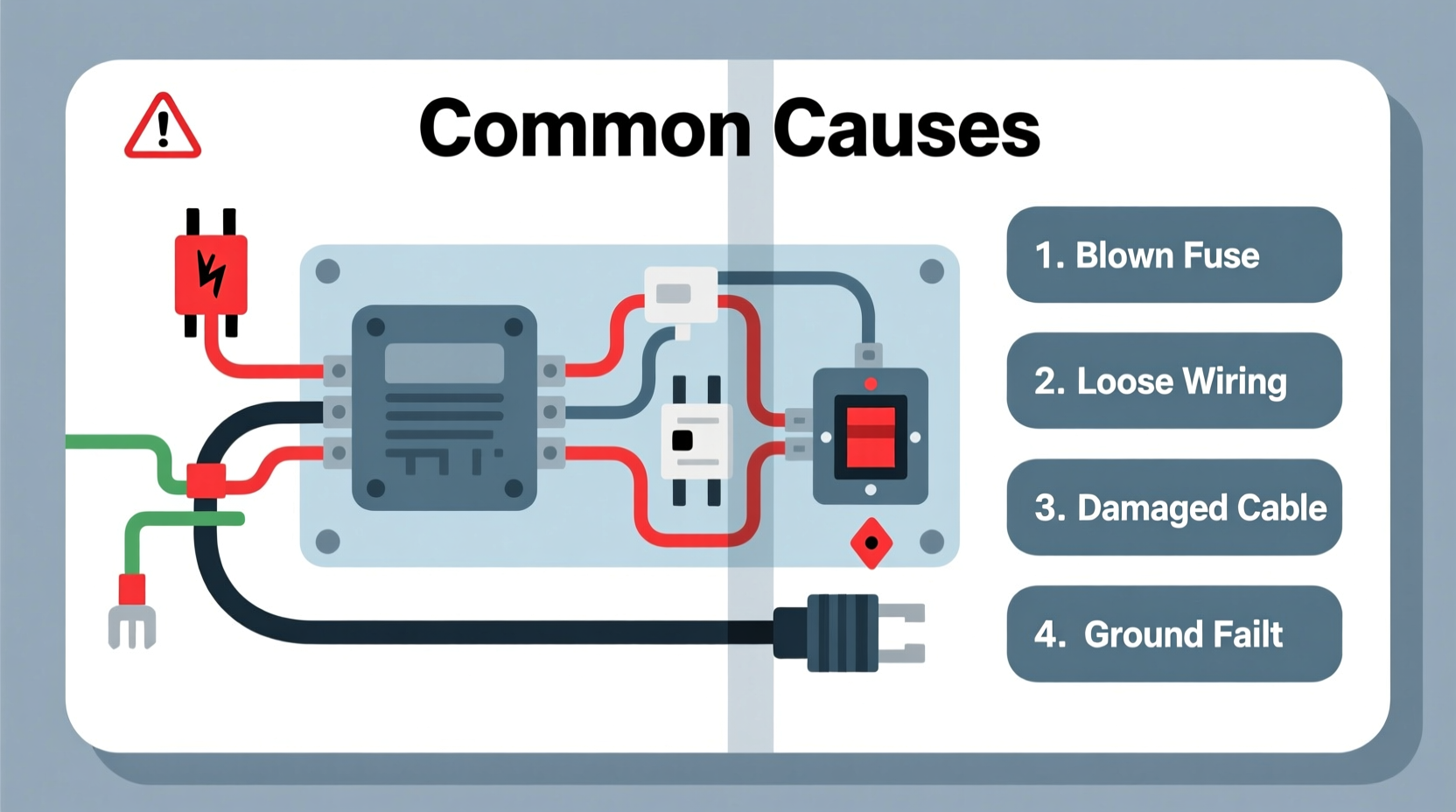
The first and most critical step is verifying that power is actually reaching the amplifier. Many so-called \"dead amps\" are simply victims of overlooked connection issues.
- Confirm the outlet is live: Plug in another device (like a lamp or phone charger) to ensure the wall socket functions.
- Inspect the power cord: Look for frayed wires, bent prongs, or loose connections. Try using a known-working cable if possible.
- Check the circuit breaker or fuse: A tripped breaker or blown fuse in your building’s electrical panel may cut power to the outlet.
- Avoid daisy-chaining power strips: Overloaded surge protectors can reduce voltage or cut off supply entirely.
2. Internal Fuse Inspection and Replacement
Many amplifiers include internal fuses designed to protect sensitive circuitry from power surges. If the fuse blows, the amp will not receive power regardless of external conditions.
To check the fuse:
- Unplug the amplifier and wait at least 5 minutes to discharge any residual current.
- Locate the fuse holder—usually near the power inlet or on the back panel.
- Use a small screwdriver or fuse puller to remove the fuse. <4>Examine the filament inside. If it’s broken or darkened, the fuse is blown.
- Replace it with a new fuse of the exact same type and rating (voltage and amperage).
Using an incorrect fuse can damage the amp or create a fire hazard. Always refer to the manufacturer’s specifications printed near the fuse compartment.
“Fuses are the first line of defense in amplifier protection. Never bypass them—even temporarily.” — James Roderick, Audio Equipment Technician
3. Common Causes of Power Failure: A Diagnostic Table
Below is a summary of the most common reasons an amplifier fails to power on, along with diagnostic steps and potential fixes.
| Cause | Symptoms | How to Diagnose | Solution |
|---|---|---|---|
| Dead outlet or tripped breaker | No lights, no sound, complete silence | Test outlet with another device | Reset breaker or use a working outlet |
| Blown internal fuse | No response, even with correct outlet | Visually inspect fuse or test with multimeter | Replace with correct-rated fuse |
| Damaged power cable | Intermittent power or no power | Swap with known-good cable | Replace cable |
| Power switch failure | Clicks but no power-up; LED stays off | Inspect for physical damage or continuity test | Repair or replace switch |
| Failed power supply board | Fuse keeps blowing, burning smell | Professional inspection with multimeter | Repair or replace PCB |
| Short circuit in connected gear | Amp powers off immediately or trips breaker | Disconnect all inputs and try standalone | Identify and isolate faulty component |
4. Step-by-Step Troubleshooting Guide
Follow this sequence to systematically identify and resolve power issues:
- Unplug everything: Disconnect all input cables, speakers, and accessories from the amp.
- Try a different outlet: Use one that powers other devices reliably.
- Swap the power cord: Substitute with a compatible, working cable.
- Inspect the fuse: Remove and examine both line and internal fuses.
- Check the power switch: Listen for a click and look for physical resistance or looseness.
- Look for signs of damage: Smell for burnt components, check for bulging capacitors, or discoloration on the circuit board.
- Reconnect gradually: Once the amp powers on, reconnect devices one at a time to detect if an external unit is causing a short.
5. Real-World Example: Live Sound Failure Resolved
During a small venue gig, a bassist found their amplifier completely unresponsive. The venue had confirmed power, but the amp showed no signs of life. The technician followed standard procedure:
First, they tested the outlet with a stage monitor—power was present. Next, they swapped the power cable with a spare, but the amp still didn’t turn on. They then removed the rear panel and inspected the internal fuse. It was visibly blown—the filament was shattered and blackened.
After replacing the fuse with an identical 5A slow-blow model, the amp powered up normally. However, when they reconnected the speaker cabinet, it shut down again. Further inspection revealed a frayed speaker wire causing a short. Once repaired, the system ran without issue for the rest of the night.
This case highlights how multiple factors—a blown fuse and a wiring fault—can compound into a total power failure. Isolating variables is essential.
6. When to Seek Professional Repair
While many power issues can be resolved by users, some problems require expert attention. Avoid opening the amplifier or attempting repairs if you lack electronics experience, especially when dealing with:
- Burnt smells or visible charring on circuit boards
- Repeated fuse blowouts after replacement
- Leaking or swollen capacitors
- High-voltage sections of the power supply
Modern amplifiers often contain surface-mount components and complex switching power supplies that demand specialized tools and knowledge. Attempting DIY fixes here can lead to permanent damage or safety risks.
7. Preventive Maintenance Checklist
Preventing power issues starts with regular care and smart usage habits. Use this checklist monthly or before major events:
- ✅ Inspect power cables for wear or exposed wires
- ✅ Test backup fuses to ensure they’re functional
- ✅ Clean dust from vents and connectors using compressed air
- ✅ Verify all connections are tight and corrosion-free
- ✅ Store the amp in a dry, temperature-controlled environment
- ✅ Avoid plugging into outlets shared with high-draw appliances
- ✅ Power down before connecting or disconnecting speakers
8. Frequently Asked Questions
Why does my amp have power but no sound?
This is different from a “no power” issue. If LEDs are on but there’s no audio, the problem likely lies in signal path components—such as input jacks, preamp tubes, or output transistors—not the power supply.
Can a bad speaker cause an amp to lose power?
Yes. A shorted speaker coil or damaged wiring can draw excessive current, tripping protection circuits or blowing fuses. Always test speakers with a multimeter for continuity and impedance before connecting.
Is it safe to leave my amp plugged in when not in use?
While convenient, leaving an amp plugged in exposes it to power surges and voltage spikes. For long-term storage, unplug it. Consider using a surge protector with automatic cutoff.
Conclusion
An amplifier not receiving power is a frustrating but often solvable issue. By starting with simple checks—outlets, cables, and fuses—and progressing through systematic diagnostics, most problems can be identified and corrected without professional help. However, knowing when to stop and seek expert repair is just as important as troubleshooting itself.
Regular maintenance, proper handling, and using quality power accessories go a long way in preventing future failures. Don’t wait for a breakdown during a critical moment—take action now to ensure your gear remains reliable and ready.




 浙公网安备
33010002000092号
浙公网安备
33010002000092号 浙B2-20120091-4
Comments
No comments yet. Why don't you start the discussion?