
Dark mode has become a staple across smartphones, praised for reducing eye strain and enhancing visual comfort. But one of its most promoted benefits—battery savings—isn’t equally effective on all devices. While both Android and iOS tout dark mode as a way to extend battery life, the actual impact depends heavily on screen technology, system-level implementation, and how users interact with their phones daily. The question isn’t whether dark mode saves power—it does—but which platform delivers more meaningful gains in real-world conditions.
The answer hinges on a crucial factor: display type. Most high-end Android phones use OLED panels, where individual pixels emit their own light and can turn off completely when displaying black. iPhones, while also using OLED in Pro models, include LCD-based devices in their lineup, particularly in the base models. This distinction alone creates a fundamental difference in how much energy dark mode actually conserves.
How OLED Makes Dark Mode More Efficient
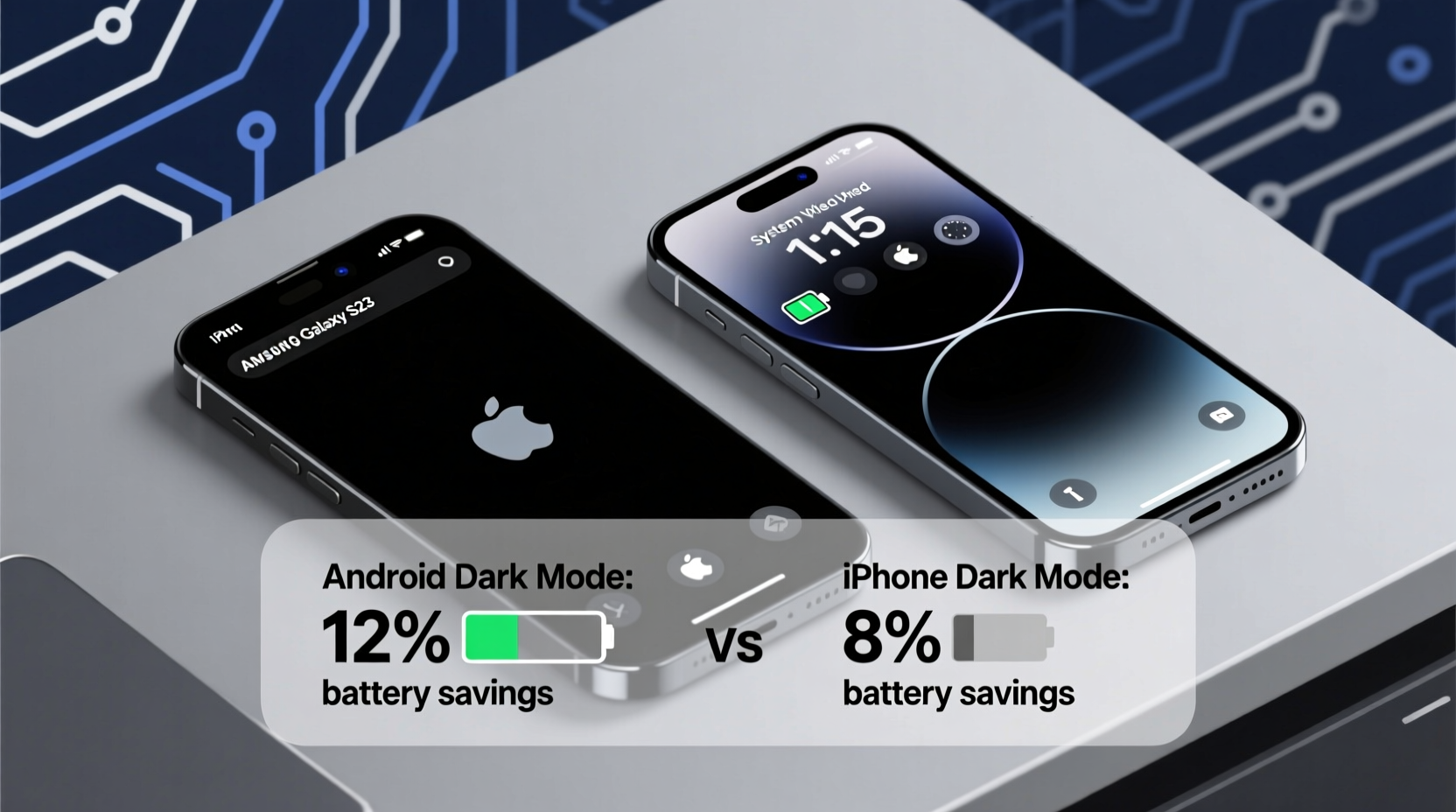
OLED (Organic Light-Emitting Diode) displays are inherently different from traditional LCDs. In an LCD panel, a backlight illuminates the entire screen uniformly, regardless of the content. Even if a pixel is black, the backlight remains on, consuming power. In contrast, each pixel on an OLED screen produces its own light. When a pixel displays true black (#000000), it turns off entirely—consuming zero energy.
This means that on OLED screens, dark mode isn't just aesthetically pleasing; it’s functionally efficient. Apps with predominantly black or dark gray interfaces reduce the number of active pixels, directly lowering power consumption. Studies have shown that switching from a fully white screen to a fully black one on OLED can reduce display power draw by up to 60%, depending on brightness and content.
“On OLED displays, dark mode isn’t just a UI trend—it’s a legitimate power-saving feature. The deeper the black, the greater the savings.” — Dr. Lin Zhao, Display Technology Researcher at MIT.nano
However, not all “dark” themes are created equal. Many so-called dark modes use dark gray backgrounds (e.g., #121212) instead of pure black. While this improves visual depth and reduces halo effects, it still keeps pixels partially lit, diminishing potential battery savings. True black backgrounds maximize efficiency but are less common due to design preferences.
Android’s Fragmented Advantage: OLED Dominance and System-Level Control
Android holds a structural advantage in battery-efficient dark mode usage because most flagship and mid-range devices now ship with OLED or AMOLED displays. From Samsung Galaxy models to Google Pixel phones and OnePlus devices, OLED is the norm. This widespread adoption allows Android to leverage dark mode as a genuine battery-saving tool across a broad segment of its ecosystem.
Moreover, Android offers deeper system-level integration of dark mode. Starting with Android 10, the OS introduced a global dark theme that automatically applies to supported apps, including third-party ones through forced darkening. Users can enable “Auto” scheduling based on sunset times or manually toggle it anytime. Some manufacturers, like Samsung and OnePlus, go further by offering adaptive brightness curves optimized for dark themes.
But Android’s strength is also its weakness: fragmentation. Not all Android devices use OLED. Budget phones from brands like Motorola, Nokia, or older Xiaomi models may still use LCDs, where dark mode provides negligible battery benefits. Users must check their display type before expecting significant power savings.
iOS and iPhone: Uniform Experience, Limited Hardware Reach
Apple introduced system-wide dark mode in iOS 13, bringing a sleek, consistent aesthetic across iPhone, iPad, and iPod Touch. However, the battery-saving potential varies drastically between iPhone models. Only iPhone models starting from the iPhone X (and continuing with XS, 11 Pro, 12, 13, 14, and 15 series) use OLED displays. The base iPhone 14 and iPhone 15, however, still use Liquid Retina LCD panels, which do not benefit from pixel-level power control.
This means that only iPhone Pro and Pro Max models gain measurable battery improvements from dark mode. For users of standard iPhones, dark mode is purely cosmetic—a preference without functional battery upside.
Even on OLED iPhones, Apple takes a more conservative approach to dark mode implementation. Unlike Android, iOS does not offer a system-level option to force dark mode in every app. Some third-party apps remain stubbornly light-themed, limiting the consistency of the experience. Additionally, Apple uses dark gray (#1C1C1E) rather than pure black in many system interfaces, trading slight battery efficiency for better perceived contrast and reduced burn-in risk.
Real-World Battery Impact: How Much Do You Actually Save?
Laboratory tests show clear differences, but real-world usage tells a more nuanced story. A 2022 study by DisplayMate found that on a Samsung Galaxy S22 (OLED), using YouTube in dark mode at 60% brightness saved approximately 18% in display power over two hours compared to light mode. On an iPhone 13 Pro under the same conditions, the saving was around 15%. But on an iPhone 14 (LCD), there was no measurable difference.
Another test conducted by Tom's Guide showed that enabling dark mode during typical mixed usage—messaging, browsing, social media—extended battery life by about 9–12% on OLED Android phones over a full day. On OLED iPhones, the gain was closer to 7–10%, likely due to less aggressive dark theme adoption in background processes.
These numbers may seem modest, but they translate into tangible benefits. An extra 10% battery can mean avoiding a mid-afternoon charge or surviving a long flight without needing a power bank.
“We’ve seen users extend screen-on time by nearly 30 minutes per day just by switching to dark mode on OLED devices. It’s not revolutionary, but it’s free energy.” — Sarah Kim, Senior UX Engineer at a major mobile OS firm
Comparison Table: Android vs iPhone Dark Mode Battery Performance
| Feature | Android (OLED Devices) | iPhone (Pro Models - OLED) | iPhone (Base Models - LCD) |
|---|---|---|---|
| Display Type | OLED/AMOLED (most models) | OLED (Super Retina XDR) | Liquid Retina LCD |
| True Black Support | Yes (in some apps/themes) | Limited (uses dark gray) | N/A |
| System-Wide Dark Mode | Yes (Android 10+) | Yes (iOS 13+) | Yes (cosmetic only) |
| Force Dark Mode in Apps | Yes (Developer Option) | No | No |
| Estimated Battery Saving (OLED) | 9–18% | 7–15% | 0–2% |
| User Control Over Scheduling | High (custom schedules, location-based) | Moderate (sunrise/sunset or manual) | Moderate |
Mini Case Study: Two Users, Two Platforms, One Goal
Consider two users: Maya, who uses a Google Pixel 7 (OLED), and James, who uses an iPhone 15 Pro (OLED). Both work remotely, spend 5–6 hours daily on their phones, and rely heavily on email, Slack, Chrome, and streaming video.
Maya enables dark mode system-wide and activates “Schedule based on sunset” in her settings. She also forces dark mode in unsupported apps via developer options. Over a week, she notices her average battery drain drops from 22% per hour of screen-on time to 19.5%. Her phone lasts until bedtime without charging.
James enables dark mode on his iPhone and sets it to activate at sunset. However, several key apps—including Notes and some banking apps—remain in light mode. He also keeps brightness slightly higher due to outdoor use. His screen-on battery drain decreases from 23% to 21% per hour—notable, but less than Maya’s improvement.
The difference? Greater system-level control and more consistent app support on Android allowed Maya to extract more efficiency from the same underlying OLED technology.
Actionable Checklist: Maximize Your Dark Mode Battery Savings
- Check your display type: Confirm whether your phone uses OLED or LCD. Settings > Display > Screen Type or consult manufacturer specs.
- Use true black themes: Install launchers or themes that use #000000 backgrounds instead of dark gray.
- Enable system dark mode: Turn on dark theme globally in Settings > Display & Brightness.
- Schedule automatic toggling: Set dark mode to turn on at sunset or during evening hours.
- Force dark mode (Android): Go to Developer Options and enable “Override force-dark” for unsupported apps.
- Lower brightness: Combine dark mode with reduced brightness for compounded savings.
- Monitor app behavior: Use battery usage stats to identify apps that ignore dark mode and seek alternatives.
Frequently Asked Questions
Does dark mode save battery on all phones?
No. Dark mode only saves significant battery on OLED or AMOLED displays. Phones with LCD screens, such as the base iPhone 14/15 or budget Android models, see little to no improvement in battery life from dark mode.
Is black better than dark gray for battery savings?
Yes. Pure black (#000000) turns off OLED pixels completely, consuming no power. Dark gray (#121212 or #1C1C1E) keeps pixels lit at low intensity, reducing but not eliminating power draw. The difference can be 10–15% in sustained usage.
Can dark mode extend my phone’s lifespan?
Indirectly, yes. By reducing overall power consumption and heat generation, dark mode can lessen battery degradation over time. Additionally, using darker colors may reduce OLED pixel wear, potentially mitigating burn-in risks on long-lived devices.
Conclusion: Android Edges Ahead—But Only If You Have the Right Device
When comparing Android and iPhone dark mode for real-world battery savings, Android holds a narrow but meaningful lead—but only for users with OLED-equipped devices. The combination of widespread OLED adoption, deeper system integration, and user-controllable features like forced darkening gives Android an edge in maximizing efficiency.
iOS delivers a polished, consistent dark mode experience, especially on Pro models, but lacks the granular control and aggressive optimization seen in Android. For iPhone users with LCD models, dark mode remains a visual choice with no practical battery benefit.
In the end, the platform matters less than the hardware. If you’re using an OLED phone—whether Android or iPhone—you’ll save battery with dark mode. But if you want to squeeze out every possible minute of screen time, Android currently offers more tools to do so.




 浙公网安备
33010002000092号
浙公网安备
33010002000092号 浙B2-20120091-4
Comments
No comments yet. Why don't you start the discussion?