
Spatial computing has arrived — but is it truly ready for the average person? With Apple’s Vision Pro and Meta’s Quest 3 leading the charge, consumers now face a high-stakes decision between two very different visions of the future. One promises seamless integration with daily life through premium design and advanced mixed reality; the other delivers accessible, app-rich VR at half the cost. For everyday users — not developers or early adopters — the question isn’t just about specs. It’s about utility, comfort, affordability, and whether either device meaningfully improves how we work, relax, or connect.
This isn’t science fiction anymore. Spatial computing aims to blend digital content into physical space so naturally that screens fade into the background. But for non-tech enthusiasts, the transition must be intuitive, reliable, and worth the investment. Let’s break down how Apple Vision Pro and Meta Quest 3 measure up in real-life scenarios — from watching movies to managing emails — and assess whether this technology is genuinely ready for mainstream adoption.
The Core Philosophies: Different Visions, Different Users
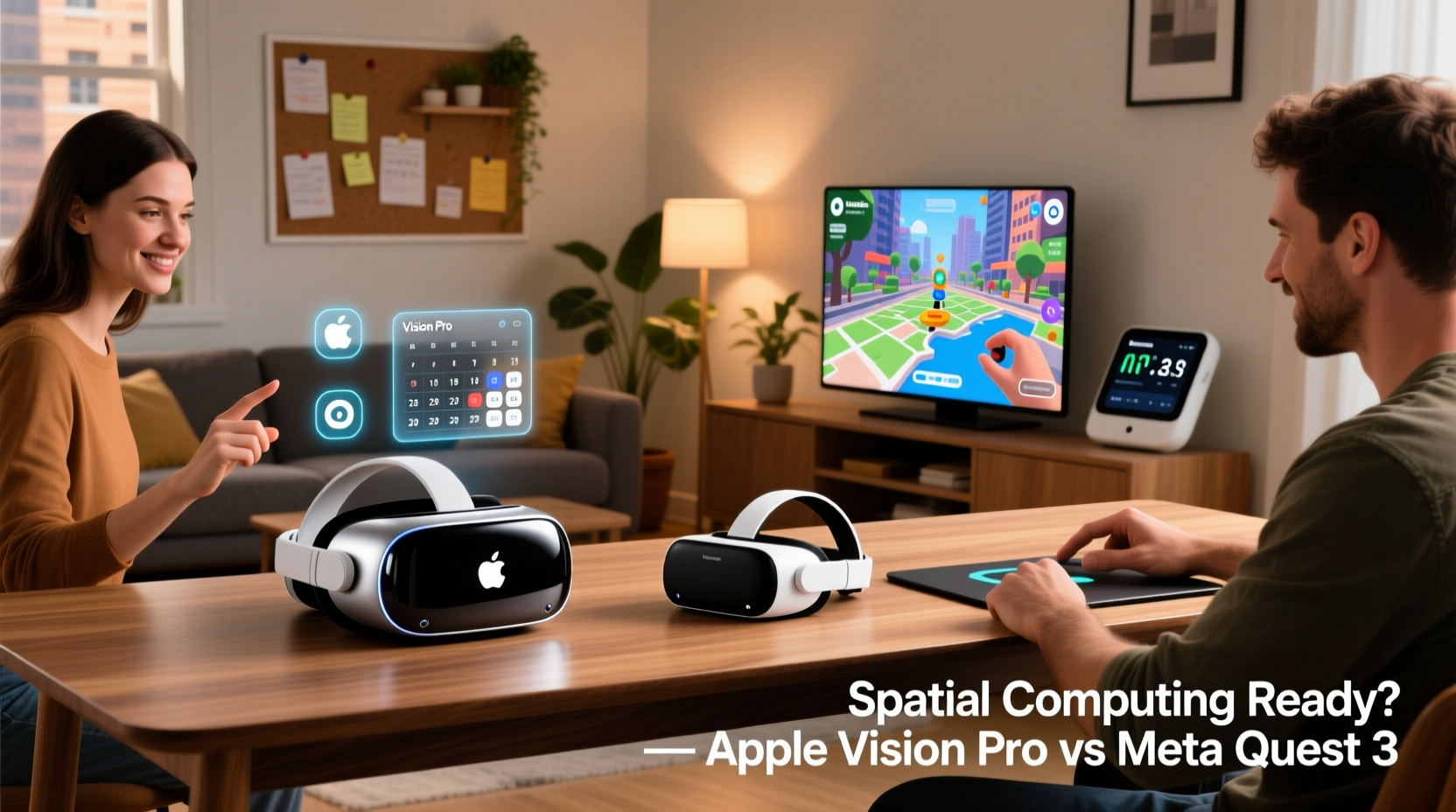
At their core, Apple and Meta are pursuing divergent strategies. Apple positions the Vision Pro as a “spatial computer” — a productivity and media hub that replaces monitors, TVs, and even some aspects of mobile devices. It emphasizes precision, realism, and environmental awareness. The passthrough video uses ultra-high-resolution cameras to render your surroundings in near-photorealistic detail, allowing virtual windows to sit convincingly on your walls.
Meta, by contrast, treats the Quest 3 as an evolution of VR gaming and social experiences. Its mixed reality capabilities are impressive, especially with occlusion and depth sensing, but they’re still secondary to immersive entertainment. The focus remains on apps like fitness games, virtual meetings in Horizon Worlds, and standalone VR content. While both support hand and eye tracking, Apple leans into subtle, glance-based navigation; Meta favors gesture commands and voice.
“Spatial computing isn’t about escaping reality — it’s about enriching it.” — Tim Cook, CEO of Apple
This quote captures Apple’s ambition: to make digital interactions feel like natural extensions of our environment. Yet for many users, the gap between vision and execution remains wide. High prices, limited battery life, and a lack of essential apps challenge the idea that either headset is fully mature for daily use.
Comfort and Practicality: Can You Wear It All Day?
No matter how advanced a device is, if it’s uncomfortable or impractical, it won’t last beyond novelty use. Here, the differences between Vision Pro and Quest 3 become stark — especially for extended wear.
Apple’s Vision Pro features a sleek, minimalist design with a custom-fit solo or dual-loop band. It distributes weight well across the head and forehead, minimizing pressure points. However, at around 650 grams (1.4 lbs), it’s significantly heavier than most eyewear. After 90 minutes of continuous use, fatigue sets in for many users, particularly around the bridge of the nose and behind the ears. The external battery pack, while necessary for performance, adds another cord to manage — a drawback for anyone hoping to move freely.
The Quest 3, weighing just 500 grams (1.1 lbs), feels noticeably lighter and more balanced. Its adjustable strap system is simpler but effective, and the front-heavy design is less pronounced than previous models. Most users report being able to wear it comfortably for up to two hours during gaming or video sessions. Combined with its standalone operation (no PC or external battery needed), the Quest 3 wins on mobility and convenience.
Performance and Use Cases: What Can You Actually Do?
For everyday users, functionality matters more than raw power. Let’s evaluate both headsets across common tasks: media consumption, productivity, communication, and casual creativity.
- Watching Movies & TV: Both devices excel here. The Vision Pro offers unmatched immersion with its 23-million-pixel display and spatial audio. Apps like Disney+ and Apple TV let you place giant virtual screens anywhere in your room, simulating a personal theater. The Quest 3 supports similar experiences via Netflix and YouTube, though resolution and color accuracy aren’t quite as refined.
- Productivity: Vision Pro integrates deeply with macOS and iCloud. You can open multiple floating windows, browse Safari, edit documents in Pages, and join FaceTime calls — all while seeing your real desk. It’s a compelling alternative to dual monitors. The Quest 3 lacks native email or document apps unless you mirror from a phone or PC. Productivity tools exist (like Immersed), but they require setup and compromise on polish.
- Communication: Vision Pro’s EyeSight feature shows your eyes to others when someone approaches, reducing social awkwardness. FaceTime calls support spatial audio and life-like avatars. On Quest 3, Messenger and WhatsApp integrations allow video chats, but the experience feels more detached, often within virtual rooms rather than your actual space.
- Fitness & Wellness: Quest 3 dominates with titles like Supernatural and Les Mills Body Combat. These are structured workouts designed for daily use. Vision Pro has no dedicated fitness ecosystem yet, making it less appealing for health routines.
Real Example: A Remote Worker’s Weekend Test
Consider Sarah, a freelance graphic designer who works remotely. On Saturday morning, she tries Vision Pro for editing client mockups across three virtual displays. She appreciates the clarity and multitasking ability, but after two hours, her head aches slightly, and the battery dies. Later, she switches to Quest 3 for a 45-minute boxing workout. She finishes energized, having burned calories and enjoyed responsive gameplay. Sunday evening, she watches a movie on Vision Pro — a cinematic highlight — but realizes she hasn’t used it for anything else all weekend.
This scenario reflects a broader trend: Vision Pro shines in passive, focused tasks but struggles to integrate into active lifestyles. Quest 3 fits more naturally into varied routines, even if its interface feels less sophisticated.
Price and Ecosystem: Who Can Afford Daily Use?
Cost is perhaps the biggest barrier to mainstream adoption. The base model of Apple Vision Pro starts at $3,499 — comparable to a mid-range laptop and external monitor combined. Add prescription lenses (if needed) and accessories, and total cost can exceed $4,000. At $499, the Quest 3 is not only cheaper but represents excellent value for what it delivers.
Ecosystem maturity also plays a role. Vision Pro launched with fewer than 100 optimized apps, many of which are demos or niche tools. Major services like Zoom, Slack, or Adobe Creative Cloud have no native support yet. Developers are still learning how to build for spatial interfaces. In contrast, Quest 3 benefits from years of VR development. Thousands of apps and games are available immediately, including popular titles like Beat Saber, Walkabout Mini Golf, and FitXR.
“The app gap is real. Without killer productivity tools, spatial computers remain curiosities.” — Dr. Lena Patel, HCI Researcher at Stanford University
For families or budget-conscious users, the choice is clear. The Quest 3 allows shared use across age groups — kids play games, parents meditate or exercise, teens explore educational apps. Vision Pro’s price and form factor limit it to single-user, luxury status.
Detailed Comparison Table: Key Features Side-by-Side
| Feature | Apple Vision Pro | Meta Quest 3 |
|---|---|---|
| Price (Starting) | $3,499 | $499 |
| Weight | 650g (~1.4 lbs) | 500g (~1.1 lbs) |
| Battery Life | 2 hours (external pack) | 2–3 hours |
| Display Type | Micro-OLED (23M pixels) | Fast-switch LCD (combined ~3.7K) |
| Passthrough Quality | High-resolution color, low latency | Good color, moderate resolution |
| Hand & Eye Tracking | Yes (precision focus selection) | Yes (gesture-based navigation) |
| Standalone Operation | Yes | Yes |
| App Ecosystem Size | ~100 optimized apps | 5,000+ VR/MR apps |
| Fitness & Gaming Focus | Limited | Strong |
| Productivity Integration | iCloud, Mail, Safari, FaceTime | Third-party via mirroring or web apps |
Is Spatial Computing Ready for Everyday Users?
The short answer: not yet — but the path is clearer than ever.
The Vision Pro demonstrates what’s possible when hardware, software, and design align toward a unified spatial vision. Its ability to overlay digital content onto your living room with minimal lag or distortion is revolutionary. However, its limitations — cost, weight, app scarcity — prevent it from becoming an essential tool for most people.
The Quest 3, meanwhile, proves that affordable mixed reality can deliver tangible value today. Whether you're working out, learning anatomy in 3D, or playing chess with a friend in another country, the experience feels useful and engaging. It may not match Apple’s visual fidelity, but it achieves something arguably more important: regular, meaningful usage.
Spatial computing will only become “ready” when it solves everyday problems better than existing devices. Right now, neither headset consistently replaces your smartphone, laptop, or TV. They augment them — sometimes beautifully, sometimes awkwardly.
Checklist: Is a Spatial Computer Right for You?
- ✅ I want a private, theater-like movie experience at home
- ✅ I’m willing to spend over $3,000 on experimental tech
- ✅ I work remotely and need flexible virtual displays
- ✅ I enjoy VR gaming or fitness and want mixed reality effects
- ✅ I value cutting-edge innovation over proven reliability
- ✅ I have space and lighting suitable for AR/VR use
If three or more apply, a headset might fit your lifestyle. If not, waiting another year or two could yield better value and broader app support.
Frequently Asked Questions
Can I use these headsets without a powerful PC?
Yes, both the Apple Vision Pro and Meta Quest 3 operate independently. No PC is required for basic functions, though you can connect them to computers for expanded capabilities (e.g., streaming PC VR games to Quest 3).
Do I need glasses with these devices?
Vision Pro supports custom magnetic lens inserts for prescriptions, sold separately. Quest 3 doesn’t include corrective lenses, but third-party inserts are available. If you wear reading glasses, holding virtual text at arm’s length may help avoid strain.
Will spatial computing replace smartphones?
Not anytime soon. Current headsets lack portability, battery life, and instant-access convenience. Smartphones remain far more practical for quick tasks like texting, navigation, or photo-taking. Spatial computers complement phones — they don’t replace them.
Conclusion: Taking the First Step Thoughtfully
The era of spatial computing has begun, but it’s still in its adolescence. Apple Vision Pro offers a glimpse of a polished, integrated future where digital and physical seamlessly coexist. Meta Quest 3 delivers a functional, fun, and accessible entry point into mixed reality today. For most everyday users, the Quest 3 provides greater immediate value and versatility. The Vision Pro remains a premium product best suited for professionals, creatives, or tech enthusiasts with deep pockets and specific needs.
Neither device is perfect, but both push boundaries in ways that will shape how we interact with technology for decades. If you’re curious, start with the Quest 3. Try it for a week. See how often you reach for it. Then decide whether upgrading to Vision Pro — or waiting for Vision Pro 2 — makes sense.




 浙公网安备
33010002000092号
浙公网安备
33010002000092号 浙B2-20120091-4
Comments
No comments yet. Why don't you start the discussion?