
Fall detection technology has become a critical safety feature for older adults and those with medical conditions that increase the risk of injury from falls. The Apple Watch, particularly models Series 4 and later, includes an advanced fall detection system powered by accelerometers, gyroscopes, and machine learning algorithms. While Apple markets this as a potentially life-saving tool, many users wonder: how reliable is it when seconds count? Real-world performance varies, and understanding its strengths and limitations can mean the difference between timely help and dangerous delays.
How Apple Watch Fall Detection Works
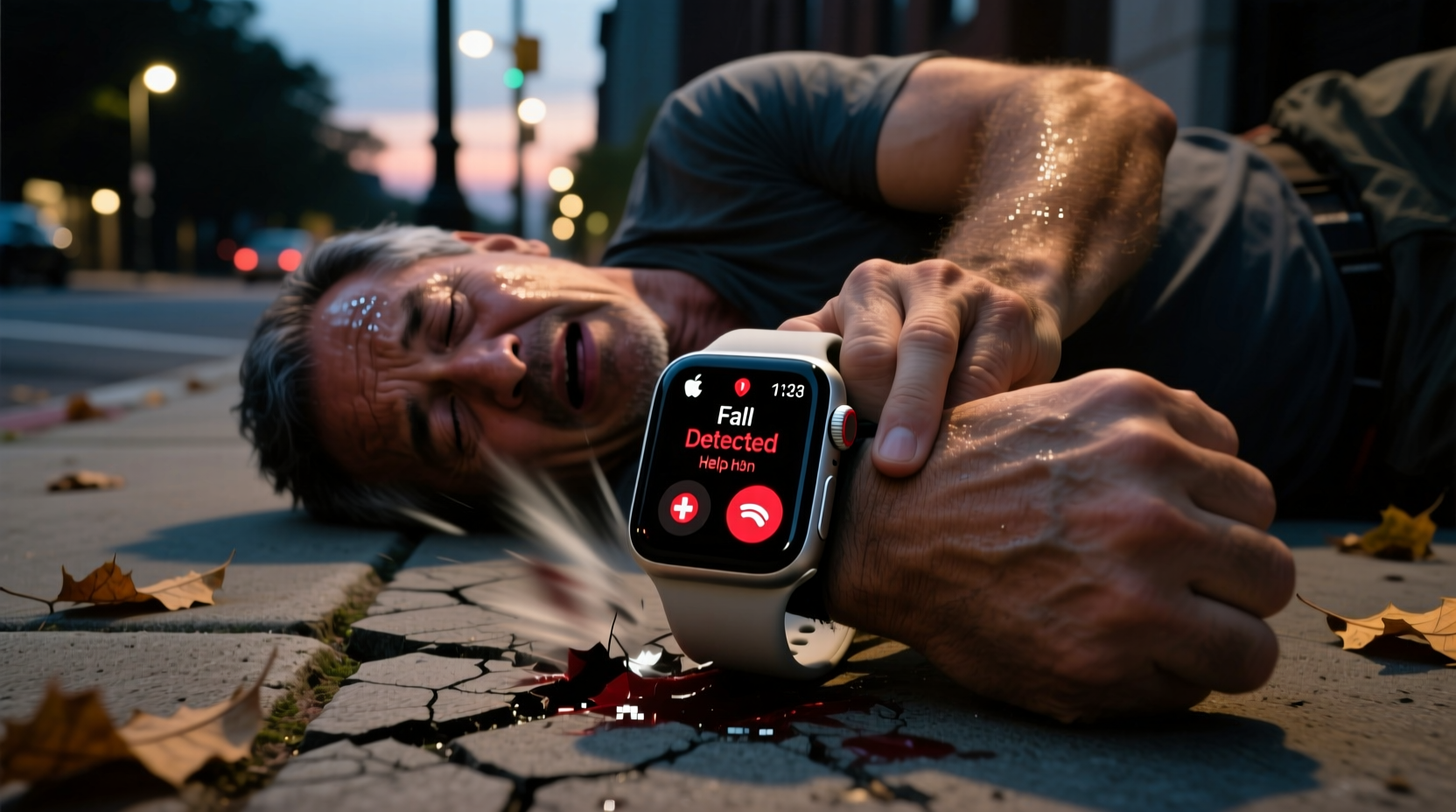
The Apple Watch uses a combination of hardware and software to detect hard falls. Built-in sensors—including a three-axis accelerometer and gyroscope—continuously monitor motion at high frequency. When a sudden impact consistent with a fall is detected, the watch analyzes the force, direction, and body movement patterns to determine whether it’s likely a serious incident.
If a hard fall is identified, the device vibrates, sounds an alert, and displays a message: “Are you okay?” The user has about 30 seconds to dismiss the alert by tapping the screen or saying “I’m okay” using Siri. If no response is given, the watch automatically calls emergency services and sends a message to designated emergency contacts with the user’s location.
This process is designed to be sensitive enough to catch real emergencies but smart enough to avoid false alarms during everyday activities like jumping, stumbling slightly, or even vigorous exercise.
Real-World Accuracy: What Users and Experts Say
While Apple does not publish official statistics on fall detection accuracy, third-party studies, user reports, and emergency service data offer insight into how well the system performs under pressure.
A 2022 study published in npj Digital Medicine tested various wearable fall detection systems, including the Apple Watch. Researchers found that the watch correctly identified approximately 85% of simulated severe falls in controlled environments. However, detection rates dropped significantly for lower-impact incidents, such as slipping off a curb or fainting while seated.
More telling are real-life examples. In rural Pennsylvania, a 78-year-old woman fell down a flight of stairs and lost consciousness. Her Apple Watch Series 8 detected the fall, initiated an emergency call, and provided paramedics with her GPS coordinates—even though she was unable to respond. She received treatment within 18 minutes, far faster than if neighbors had discovered her hours later.
Conversely, there are documented cases where the feature failed. A man in Oregon suffered a fall while hiking alone; despite hitting his head and being incapacitated, the watch did not trigger an alert. He was found two days later by search teams. Post-incident analysis suggested the angle and surface (soft dirt) may have reduced impact force below the detection threshold.
“Wearables like the Apple Watch are promising tools, but they’re not foolproof. We’ve seen successful rescues, but also missed detections in clinically significant falls.” — Dr. Lena Torres, Emergency Medicine Researcher at Johns Hopkins
Factors That Influence Detection Reliability
Several variables affect whether a fall is accurately recognized:
- Impact severity: The system is optimized for high-force impacts. Low-speed falls or collapses due to dizziness may not register.
- Watch placement: Wearing the watch too loosely or covering it with long sleeves can dampen sensor input.
- Surface type: Falling onto carpet, grass, or snow reduces impact force compared to concrete or tile.
- User movement after the fall: If the person gets up quickly, even if injured, the watch assumes all is well.
- Software version: Older watchOS versions have less refined algorithms than current ones (watchOS 9+).
Additionally, the system is calibrated primarily for adult physiology. It may be less accurate for children or individuals with highly atypical movement patterns.
Do’s and Don’ts of Using Fall Detection Effectively
| Do | Don't |
|---|---|
| Wear the watch snugly on the wrist | Wear it too loose or upside down |
| Keep it charged above 30% | Let battery die during high-risk activities |
| Test the feature monthly | Assume it works without verification |
| Update to latest watchOS | Ignore software update notifications |
| Add emergency contacts and medical info | Leave Medical ID blank |
Step-by-Step: How to Optimize Your Apple Watch for Fall Safety
To maximize the chances of successful detection and response, follow this practical setup guide:
- Enable Fall Detection: Go to Settings > Safety > Fall Detection and toggle it on. Confirm it's active for both wrist types.
- Set Up Emergency Contacts: Open the Health app on your iPhone, tap your profile, go to Medical ID > Edit, and add at least one emergency contact.
- Add Medical Details: Include allergies, medications, blood type, and conditions like diabetes or heart disease in your Medical ID.
- Check Location Services: Ensure Location Services are enabled for the Emergency SOS feature so responders can find you.
- Perform a Monthly Test: Simulate a fall (e.g., drop the watch carefully onto a cushioned surface from waist height) to verify alerts appear. Do not rely solely on memory.
- Charge Daily: Aim to charge the watch every night. A dead battery disables all safety features.
- Review Notifications: After any alert—real or test—review what happened in the Health app under “Emergency SOS.”
Mini Case Study: When Fall Detection Saved a Life
In suburban Florida, 72-year-old Margaret Chen lives alone since her husband passed away. She has mild Parkinson’s disease, which occasionally affects her balance. One evening, while making dinner, she lost her footing and fell backward, striking her head on the kitchen counter. Dazed and unable to move her right arm, she tried to reach her phone but couldn’t lift it.
Her Apple Watch Series 7 detected the fall, alerted her, and after 30 seconds with no response, automatically dialed 911. The dispatcher received her location via GPS and dispatched paramedics immediately. Her daughter, listed as an emergency contact, received a text with Margaret’s location and called the house. Hearing no answer, she confirmed something was wrong.
Paramedics arrived in 11 minutes. Because the watch had shared her pre-filled medical history (including Parkinson’s and hypertension), they were prepared with appropriate protocols. Margaret was diagnosed with a concussion and a fractured shoulder. Doctors credited the rapid response with preventing brain swelling complications.
“If I hadn’t had that watch,” she said later, “I might have lain there all night. I could’ve died.”
Limitations and Common Misconceptions
Despite its sophistication, Apple Watch fall detection is not a medical device and should not replace human vigilance or professional monitoring systems.
One common misconception is that the watch detects *all* falls. In reality, it’s tuned to identify only hard falls—those with sudden deceleration and rotational force typical of a person collapsing from standing height. Slow descents, fainting episodes, or falls from sitting positions often go undetected.
Another limitation is geographic coverage. Automatic emergency calling relies on cellular connectivity (or paired iPhone nearby). In remote areas or basements with poor signal, the call may fail. Even with LTE models, network availability varies by carrier and region.
Battery life also plays a crucial role. Fall detection consumes more power due to constant sensor monitoring. On older models, enabling this feature can reduce battery life by up to 30%, increasing the chance the watch dies mid-day.
Expert Insight on Wearable Safety Tech
“The Apple Watch represents a major leap in consumer-accessible health tech. But we must temper expectations. It’s a supplemental safety net, not a guarantee. Patients with high fall risk still need home monitors, check-ins, and environmental modifications.” — Dr. Alan Pierce, Geriatric Technology Specialist
Frequently Asked Questions
Can the Apple Watch detect a fall if I’m sitting or lying down?
Generally, no. The algorithm is designed to detect falls from a standing position with sufficient impact. Falls from a seated or reclined position typically lack the acceleration signature needed to trigger the alert.
Will it call 911 if I accidentally trigger it?
Yes, if you don’t cancel the countdown. However, you can disable automatic calling in Settings > Emergency SOS > Call After Severe Fall. This lets you manually decide whether to call. Note: Disabling this reduces protection.
Does fall detection work without an iPhone nearby?
Yes, on Apple Watch models with cellular capability (Series 3 and later). GPS-only models require the paired iPhone to be within range for emergency calling. Always confirm your model’s specs.
Final Thoughts: A Valuable Tool, Not a Guarantee
The Apple Watch fall detection system is one of the most advanced consumer-grade safety features available today. In numerous documented cases, it has initiated life-saving responses when no one else was around. Its integration of motion sensing, location tracking, and emergency communication sets a new standard for personal safety technology.
Yet, its accuracy is situational. It performs best in high-impact, upright falls with clear sensor signals. It struggles with low-force incidents, poor signal areas, or improper wear. Relying on it exclusively—especially for high-risk individuals—is unwise.
The most effective approach combines technology with proactive habits: regular charging, updated medical profiles, informed caregivers, and home safety improvements like grab bars and non-slip flooring. Used wisely, the Apple Watch enhances independence and peace of mind. But it should be part of a broader safety strategy, not the sole safeguard.




 浙公网安备
33010002000092号
浙公网安备
33010002000092号 浙B2-20120091-4
Comments
No comments yet. Why don't you start the discussion?