
For millions who work at desks daily, the chair beneath them is more than a piece of furniture—it's a critical component of physical well-being, productivity, and long-term comfort. As remote work and hybrid setups become standard, people are reevaluating their home and office seating. The market offers options ranging from $50 online specials to $1,200+ ergonomic powerhouses. But does spending more actually deliver meaningful benefits, or can a budget chair do the job just as well?
The answer isn’t straightforward. It depends on how much time you spend seated, your body mechanics, existing discomfort, and long-term health goals. While a cheap chair might seem like a smart short-term save, it could cost more in medical bills, lost productivity, and chronic pain over time. Conversely, not everyone needs—or will use—a high-end ergonomic model. This article breaks down the true value of ergonomic chairs, compares them with budget alternatives, and helps you make an informed decision.
Understanding Ergonomic Design: What Makes a Chair \"Ergonomic\"?
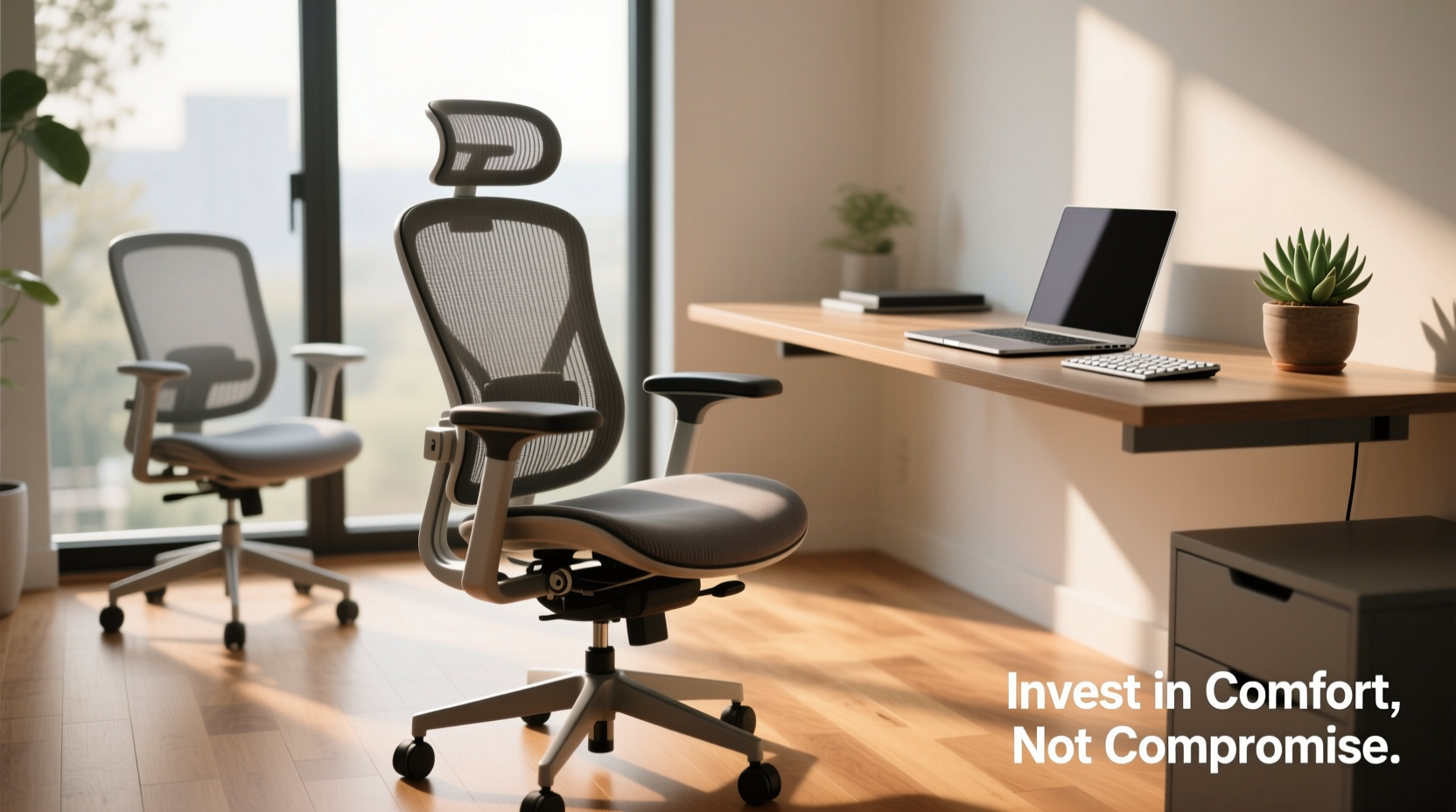
Ergonomics refers to designing products that fit the human body and its movements. An ergonomic office chair isn’t just comfortable—it supports proper posture, reduces strain on joints and muscles, and adapts to individual body types and sitting habits.
Key features of a truly ergonomic chair include:
- Lumbar support: Contoured lower back support that maintains the spine’s natural S-curve.
- Adjustable seat height: Allows feet to rest flat on the floor with knees at a 90-degree angle.
- Seat depth adjustment: Ensures thighs are supported without pressing into the backs of the knees.
- Armrest adjustability: Height, width, and pivot adjustments prevent shoulder tension.
- Synchro-tilt or reclining mechanism: Enables dynamic sitting, encouraging micro-movements.
- Breathable materials: Mesh backs reduce heat buildup and improve airflow.
- High-quality casters and base: Smooth movement on various floor types without wobbling.
These aren't just luxury add-ons—they’re engineered to reduce the risk of musculoskeletal disorders (MSDs), which affect nearly 34% of workers according to OSHA. Poor posture and inadequate seating contribute significantly to conditions like lower back pain, carpal tunnel syndrome, and neck strain.
“An ergonomic chair is an investment in injury prevention. For someone sitting eight hours a day, five days a week, even minor misalignments compound over time.” — Dr. Lena Torres, Occupational Health Specialist
Budget Chairs: The Hidden Costs of Cutting Corners
Budget office chairs—typically priced under $150—are widely available and often marketed with terms like “ergonomic” or “lumbar support.” However, these claims are frequently misleading. Many lack genuine adjustability, use thin padding that compresses quickly, and feature plastic frames prone to cracking.
A 2022 Consumer Reports analysis found that 68% of sub-$100 office chairs failed durability tests within six months of regular use. Common issues included:
- Collapsed lumbar pillows or non-adjustable backrests
- Stiff or broken tilt mechanisms
- Wobbly bases or wheels that jam
- Inadequate weight capacity (often under 250 lbs)
- Poor breathability leading to excessive sweating
While these chairs may feel fine initially, they often degrade rapidly. Users report increased lower back pain, numbness in legs due to poor circulation, and fatigue by mid-afternoon—all signs of biomechanical stress.
Comparing Value: Ergonomic vs. Budget Models
To assess whether splurging pays off, consider both upfront cost and long-term value. The table below compares typical features across price tiers.
| Feature | Budget Chair ($50–$150) | Mid-Range Ergonomic ($200–$500) | Premium Ergonomic ($600+) |
|---|---|---|---|
| Lumbar Support | Fixed pillow or none | Adjustable depth/height | Dynamically responsive |
| Seat Depth Adjustment | Rare | Common | Standard |
| Armrest Adjustability | Height only (if any) | Height, width, pivot | 4D adjustment + memory foam pads |
| Tilt Mechanism | Basic recline or locked | Synchro-tilt with tension control | Multi-axis with posture memory |
| Material Quality | Foam padding, PU leather | Moderate-density foam, breathable mesh | High-resilience foam, premium mesh/fabric |
| Warranty | 90 days to 1 year | 3–5 years | 7–12 years |
| Lifespan (with daily use) | 6–18 months | 3–7 years | 7–15 years |
When amortized over time, a $800 Herman Miller Aeron used for seven years costs about $3.10 per week. A $120 AmazonBasics chair replaced every 12 months totals $624 over the same period—and doesn’t offer comparable support. Over a decade, the savings disappear, and the health risks accumulate.
Real-World Example: Two Remote Workers, Two Choices
Consider two software developers working from home:
Jamal bought a $99 chair during a flash sale. It looked sleek and felt supportive for the first few weeks. By month three, he noticed stiffness in his lower back after coding sessions. The armrests couldn’t be adjusted low enough, forcing him to raise his shoulders slightly—an invisible but constant strain. After nine months, he developed sciatica-like symptoms and consulted a physiotherapist. The diagnosis: prolonged pelvic tilt and weakened core stabilization from poor seating. He ended up buying a $450 Steelcase Leap and undergoing six weeks of therapy—costing far more than if he’d invested wisely upfront.
Nadia, on the other hand, spent $750 on a used Herman Miller Mirra 2 after researching ergonomics. She adjusted the seat depth, set the lumbar curve to match her spine, and used the tilt limiter to encourage active sitting. After one year, she reported no back pain, improved focus, and even reduced eye strain because her posture allowed better screen alignment. Her chair showed minimal wear and came with a 12-year warranty.
The difference wasn’t just in price—it was in outcomes. Nadia preserved her health; Jamal paid a physical and financial penalty for cutting corners.
When a Budget Chair Might Suffice
That said, a high-end ergonomic chair isn’t essential for everyone. There are scenarios where a budget option makes sense:
- Light or occasional use: If you sit less than two hours per day, a basic supportive chair may be adequate.
- Short-term needs: Temporary setups, guest seating, or project-based work don’t justify a major investment.
- Alternative postures: Standing desk users who alternate positions frequently place less demand on their chairs.
- Physical compatibility: Some individuals have naturally resilient spines and neutral posture, reducing their need for advanced support.
Even in these cases, avoid the cheapest options. Look for budget-friendly ergonomic hybrids—brands like Staples’ Hyken, IKEA’s Markus, or Clatina’s Mellet—that offer real adjustability and decent build quality for $200–$300.
Action Plan: Choosing the Right Chair for Your Needs
Before making a purchase, follow this step-by-step evaluation process:
- Assess your daily sitting time: More than four hours? Prioritize adjustability and support.
- Identify pain points: Do you experience back, neck, or hip discomfort? These signal a need for targeted support.
- Measure your body: Note your height, weight, and thigh length to ensure proper fit.
- Test before buying (if possible): Visit a furniture showroom or order from retailers with generous return policies.
- Check adjustability features: Ensure lumbar, seat depth, armrests, and tilt are customizable.
- Read verified reviews: Focus on long-term user experiences, not initial impressions.
- Compare warranties: Longer coverage indicates manufacturer confidence in durability.
Frequently Asked Questions
Can I make a budget chair more ergonomic?
Yes, to some extent. Add a separate lumbar roll, use a footrest if your feet don’t reach the floor, and place a cushion for extra seat padding. However, these are workarounds—not replacements—for structural support. Without proper adjustability, you’re still at risk of misalignment.
Do all expensive chairs qualify as ergonomic?
No. High price doesn’t guarantee ergonomic design. Some luxury chairs prioritize aesthetics over function. Always verify adjustability, support zones, and independent reviews. Look for certifications like BIFMA (Business and Institutional Furniture Manufacturers Association) compliance.
How long should a good ergonomic chair last?
A well-maintained ergonomic chair used daily should last 7–12 years. Signs it’s time to replace include sagging seat foam, stiff or noisy mechanisms, cracked armrests, or persistent discomfort despite correct adjustments.
Final Verdict: Is Splurging Worth It?
For most full-time desk workers, yes—investing in a high-quality ergonomic chair is worth the cost. The benefits extend beyond comfort: improved posture enhances breathing and circulation, reduces fatigue, and supports cognitive performance. Over time, the chair pays for itself in avoided medical expenses, fewer sick days, and sustained productivity.
However, “splurging” doesn’t always mean buying the most expensive model. Mid-range ergonomic chairs from reputable brands often deliver 80–90% of the benefits at half the price. The key is prioritizing adjustability, build quality, and long-term durability over flashy branding.
If you're spending thousands on a laptop and monitor, skimping on the chair—the one thing supporting your body for hundreds of hours a year—is a false economy. Think of it not as a furniture purchase, but as healthcare infrastructure for your work life.
“The best ergonomic chair is the one that disappears beneath you—because when it fits perfectly, you stop noticing it. That’s when you know it’s working.” — Mark Chen, Certified Ergonomist and Workplace Consultant
Take Action Today
Your spine doesn’t come with a warranty, but your chair should. Whether you upgrade now or plan for the future, start evaluating your current seating setup with fresh eyes. Measure your posture, track discomfort, and research options that align with your body and workload. A small investment today could prevent years of pain tomorrow.




 浙公网安备
33010002000092号
浙公网安备
33010002000092号 浙B2-20120091-4
Comments
No comments yet. Why don't you start the discussion?