
Foldable laptops have emerged as one of the most talked-about innovations in personal computing. With sleek designs, flexible OLED screens, and compact form factors, they promise to revolutionize how we work and study. But for students—whose devices endure backpack drops, all-nighters, coffee spills, and constant movement—the question isn’t just about novelty. It’s about practicality. Are these devices durable enough for campus life, or are they better suited as display pieces than daily drivers?
The answer isn't a simple yes or no. Foldable laptops sit at the intersection of cutting-edge engineering and real-world demands. While they offer undeniable advantages in portability and screen flexibility, concerns about long-term resilience, repair costs, and software optimization remain valid. To determine whether they’re worth the investment for students, it's essential to examine their strengths, limitations, and how they compare to traditional clamshell notebooks.
Durability: The Core Concern for Student Use
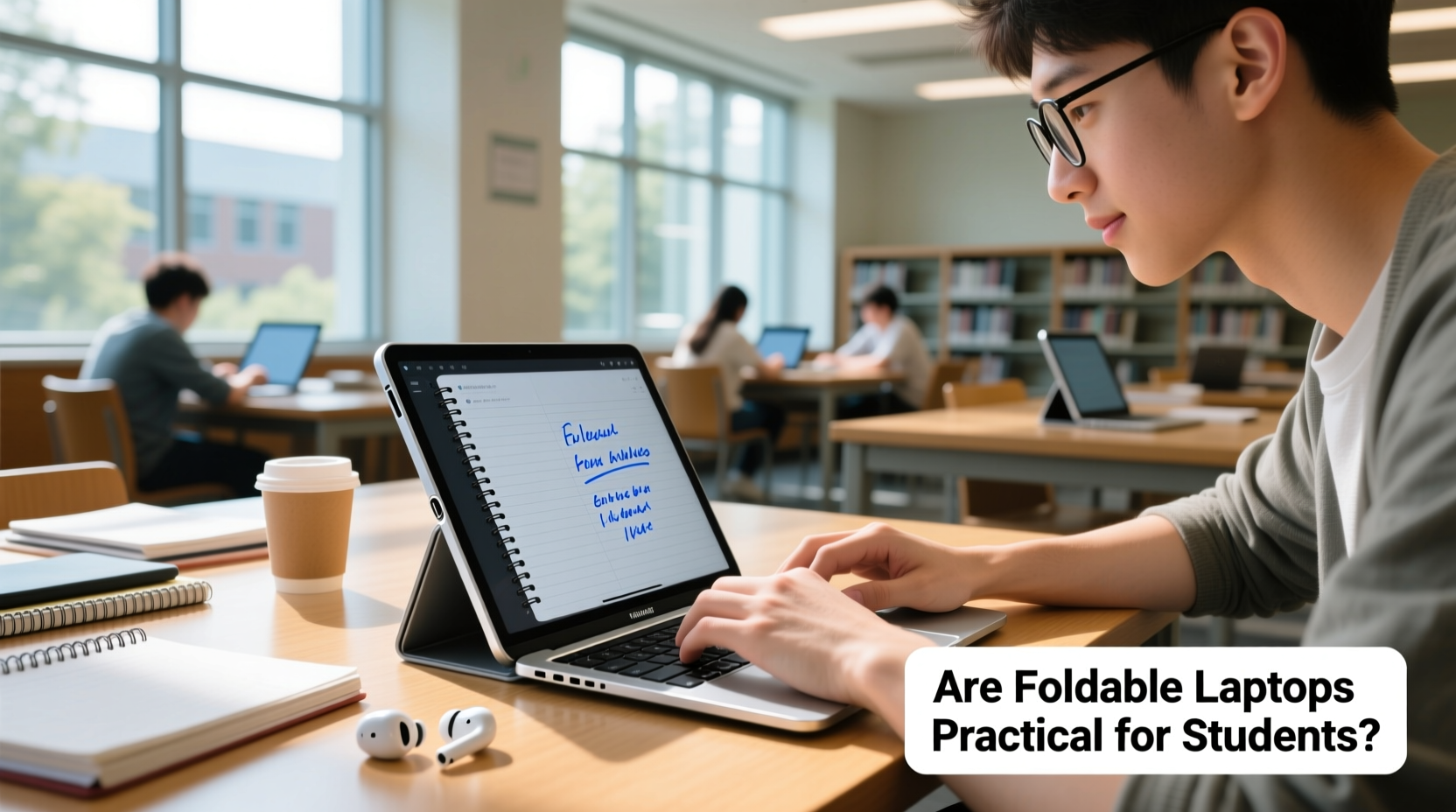
Students don’t treat laptops gently. Devices are tossed into backpacks, used on uneven surfaces like dorm beds or cafeteria tables, and often share space with textbooks, water bottles, and snacks. In this context, durability is not a luxury—it’s a necessity.
Foldable laptops use flexible OLED displays and complex hinge mechanisms that allow the screen to bend inward or outward. These components are inherently more delicate than the rigid LCD panels and sturdy hinges found in conventional laptops. Early models from brands like Lenovo, Dell, and ASUS have shown promising build quality, but long-term reliability under student-level stress remains unproven.
Scratches, pressure marks, and creasing along the fold line are common complaints among early adopters. While manufacturers apply protective coatings and dust-resistant seals, the reality is that no foldable screen today matches the scratch resistance of Gorilla Glass. A dropped backpack or an errant pen in a bag could compromise the display.
“Foldables represent a leap in design, but they haven’t yet matched the ruggedness expected in educational environments.” — Dr. Nathan Liu, Human-Computer Interaction Researcher at MIT Media Lab
Portability vs. Practicality: What Students Actually Gain
The primary appeal of foldable laptops lies in their compactness. When folded, many models are roughly the size of a large smartphone, making them easier to carry between classes than a standard 13- or 15-inch laptop. This can be a game-changer for students who walk across sprawling campuses or rely on public transit.
However, portability gains must be weighed against usability trade-offs. Most foldable laptops sacrifice keyboard size and trackpad real estate to achieve their slim profiles. Typing long essays or coding assignments on a cramped, split keyboard can lead to fatigue and reduced productivity. Some models attempt to compensate with Bluetooth peripherals, but that defeats the purpose of an all-in-one portable device.
On the other hand, the larger unfolded screen (typically 13–17 inches) provides excellent real estate for multitasking—viewing lecture slides while taking notes, comparing research sources side-by-side, or editing documents with reference material open. For visual learners or those in design-heavy fields like architecture or digital arts, this expansive canvas adds tangible value.
Real-World Scenario: A Week with a Foldable Laptop
Consider Maya, a third-year graphic design student at a metropolitan university. She replaces her aging MacBook Air with a premium foldable laptop for its portability and stylus support. Over the course of a week, she finds the device excels during sketching sessions and presentations, where the large screen enhances creativity and clarity. However, she struggles during late-night paper writing sessions—the small keyboard leads to frequent typos, and the battery lasts only four hours under heavy load. By Friday, she’s charging multiple times a day and carrying a power bank. While she loves the innovation, she admits it doesn’t yet replace her old laptop for sustained academic work.
Performance and Battery Life: Can They Keep Up?
Foldable laptops typically use low-power processors to manage heat and extend battery life within tight chassis. While sufficient for web browsing, document editing, and video lectures, they often fall short when running demanding applications like Adobe Creative Suite, MATLAB, or virtual machines required in engineering or computer science courses.
Battery capacity is another limitation. Due to space constraints, most foldables pack smaller batteries than traditional laptops. Even with efficient chips, continuous use drains power quickly—often within 5 to 6 hours. For students attending back-to-back classes without easy access to outlets, this can be a critical drawback.
Additionally, thermal throttling is common. Without adequate airflow, especially when the device is folded or used on soft surfaces, performance dips during extended tasks. This inconsistency can disrupt workflow during time-sensitive assignments or exam prep.
Do’s and Don’ts for Maximizing Foldable Laptop Longevity
| Do | Don’t |
|---|---|
| Clean the screen with a microfiber cloth and approved cleaner | Use abrasive cloths or household cleaners on the display |
| Keep the device in a protective case when not in use | Place loose items like pens or keys directly on the screen |
| Update firmware regularly for hinge and display optimizations | Force the screen open or closed if resistance is felt |
| Use a stylus for note-taking to reduce finger contact | Apply pressure along the center fold line |
| Charge to 80% for daily use to prolong battery health | Leave the device plugged in overnight regularly |
Cost and Value: Is the Investment Justified?
Foldable laptops currently retail between $1,800 and $3,000—a significant premium over standard student laptops. At this price point, buyers expect both longevity and versatility. Yet, most manufacturers offer limited warranties (typically one year), and screen replacements can cost over $600, sometimes exceeding half the device’s original price.
For students relying on financial aid, scholarships, or part-time income, such repair risks make foldables a high-stakes gamble. A single accident could result in an unrecoverable financial loss. In contrast, traditional laptops—even ultraportables like the MacBook Air or Dell XPS 13—are more affordable to repair and generally last 4–5 years with moderate care.
That said, prices are beginning to trend downward as competition increases. Future generations may offer better value, but today’s models remain niche products aimed more at tech enthusiasts and professionals than budget-conscious students.
Checklist: Is a Foldable Laptop Right for You?
- ✅ Do you prioritize portability above all else?
- ✅ Will you primarily use lightweight apps (web, docs, email)?
- ✅ Are you enrolled in a visually oriented program (art, design, media)?
- ✅ Can you afford potential repair costs or plan to get extended protection?
- ✅ Do you have reliable access to charging stations throughout the day?
- ✅ Are you comfortable using external accessories (keyboard, mouse) when needed?
If you answered “yes” to most of these, a foldable laptop might fit your lifestyle. If not, a well-built ultrabook or 2-in-1 convertible may deliver similar benefits with greater resilience.
The Verdict: Innovation Ahead of Its Time for Most Students
Foldable laptops are impressive feats of engineering, showcasing what’s possible when hardware boundaries are pushed. They offer unique advantages in screen flexibility and compact design that could shape the future of mobile computing. However, for the average student, they remain more fragile tech toy than practical tool.
Their susceptibility to damage, limited battery life, suboptimal typing experience, and high repair costs outweigh the benefits for most academic use cases. Until manufacturers improve hinge durability, enhance battery density, and lower production costs, foldables will likely stay in the hands of early adopters and professionals—not everyday learners.
That doesn’t mean students should ignore them entirely. Those in specialized fields who benefit from large, stylus-friendly displays may find niche utility. Additionally, keeping an eye on next-generation models—expected to feature stronger materials like ultra-thin glass and improved cooling systems—could reveal a tipping point where practicality meets innovation.
FAQ
Can I use a regular screen protector on a foldable laptop?
No. Standard screen protectors are rigid and will crack or interfere with folding. Some manufacturers offer proprietary peel-on films designed for flexibility, but even these are rare and not universally recommended. The safest approach is to avoid third-party protectors and rely on built-in coatings and careful handling.
Are foldable laptops good for note-taking in class?
Yes, but with caveats. Their large, touch-enabled screens paired with active styluses make them excellent for handwritten notes, diagrams, and annotations. However, prolonged use in tablet mode may strain wrists, and the lack of tactile keyboard feedback can slow typing speed. For hybrid use, pairing with a detachable keyboard case improves ergonomics.
How long do foldable laptop screens last before showing wear?
Most manufacturers rate their displays for around 200,000 folds—equivalent to opening and closing the device 50 times per day for over 10 years. While this sounds robust, real-world factors like dust ingress, temperature changes, and accidental pressure can accelerate degradation. Visible creases or pixel burn-in may appear within 1–2 years under heavy use.
Conclusion
Foldable laptops are not yet ready to become the default choice for students. Their fragility, high cost, and functional compromises make them impractical for the rigors of academic life. While they dazzle with futuristic design and innovative features, they fall short where it matters most: durability, affordability, and consistent performance.
That said, the technology is evolving rapidly. Within the next few years, we may see foldable devices that are truly resilient, energy-efficient, and accessible. Until then, students are better served by proven alternatives—lightweight convertibles, rugged ultrabooks, or even tablets with keyboard attachments—that balance portability with reliability.




 浙公网安备
33010002000092号
浙公网安备
33010002000092号 浙B2-20120091-4
Comments
No comments yet. Why don't you start the discussion?