
In an age where smartphones are the primary camera for most people, the line between casual photography and intentional content creation has blurred. With social media, remote work, and digital storytelling becoming part of daily life, more users are turning to accessories to improve their mobile experience. Among them, the phone tripod stands out — small, portable, and widely available. But is it actually useful, or just another impulse buy destined to end up in a drawer?
The answer isn’t simple. For some, a phone tripod is indispensable. For others, it’s forgotten after one use. The difference lies in how it's used, why it's needed, and whether it solves a real problem in your routine.
When a Phone Tripod Adds Real Value
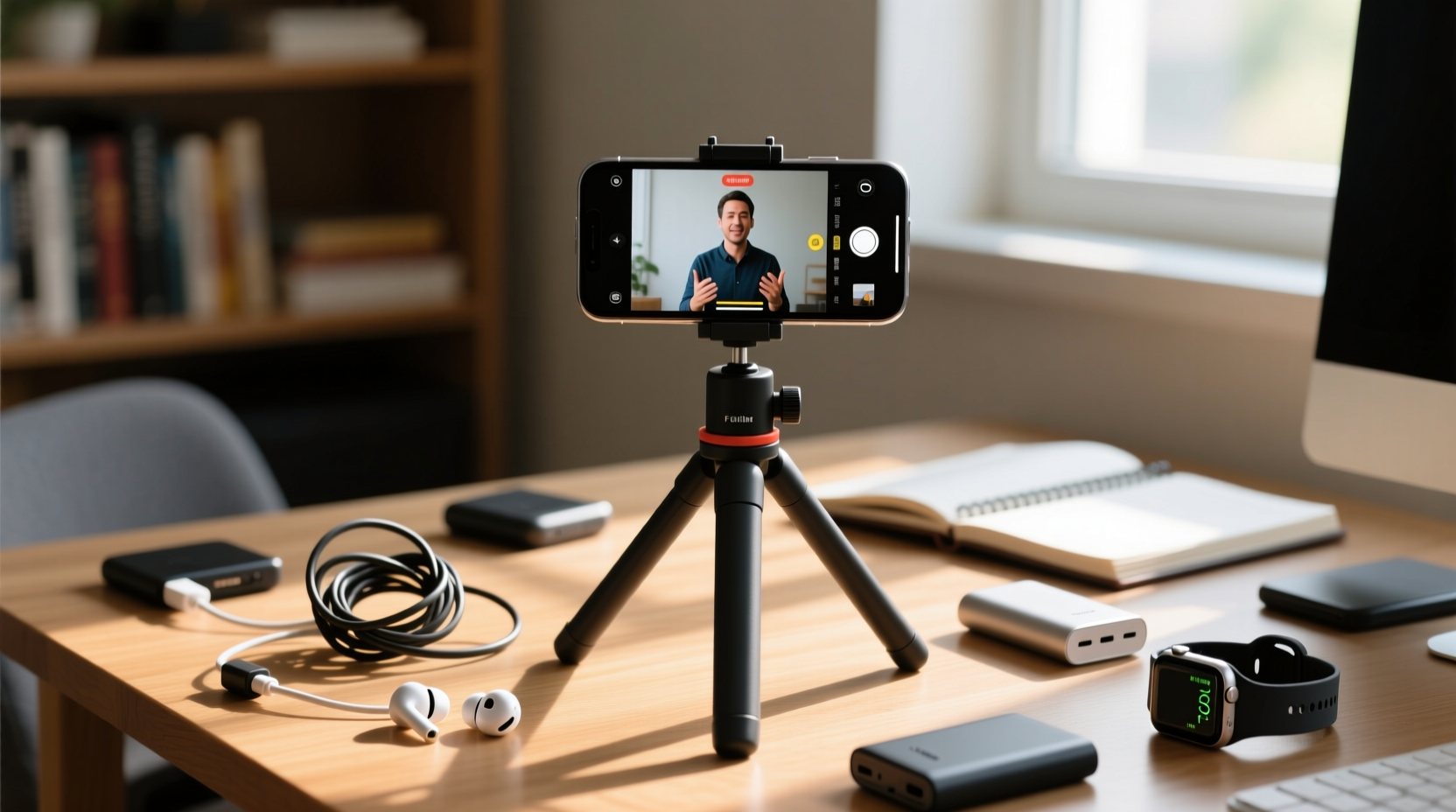
A tripod is not inherently useful — its value depends on context. For someone who occasionally snaps a group photo at dinner, holding the phone steady may be enough. But when you're filming a cooking tutorial, recording a video journal, or taking long-exposure night shots, stability becomes critical.
Consider these scenarios where a phone tripod proves its worth:
- Content creators filming YouTube videos, TikTok clips, or Instagram Reels benefit from consistent framing and hands-free operation.
- Remote workers using video calls from unconventional spaces (like kitchens or home offices) can position their phone at eye level for more professional-looking meetings.
- Photographers experimenting with night mode, HDR, or time-lapse features need absolute stillness to avoid blur.
- Families and travelers capturing group shots without relying on timers or awkward arm extensions.
In each case, the tripod isn’t just a convenience — it enables capabilities the phone alone can’t deliver reliably.
Common Reasons People Abandon Their Tripods
Despite their potential, many phone tripods do end up unused. Research into consumer behavior around tech accessories shows that nearly 40% of purchased tripods are used fewer than three times. Why?
Lack of Portability
Bulkier models defeat the purpose of smartphone convenience. If setting up takes longer than the task itself, motivation drops. A tripod that doesn’t fit in a coat pocket or laptop bag will rarely leave the house.
Poor Compatibility
Not all tripods accommodate every phone size or case. Some clip mechanisms fail to grip larger devices like the iPhone Pro Max or Samsung Galaxy S24 Ultra, especially with rugged cases. Others wobble under weight, defeating the stability goal.
No Clear Use Case
People buy tripods because they seem “smart” or were on sale, not because they’ve identified a recurring need. Without a habit or workflow built around it, the device remains dormant.
“Accessories only succeed when integrated into routine. A tripod should feel like a natural extension of your phone, not a chore to deploy.” — Jordan Lee, Mobile Photography Instructor
How to Choose a Tripod That You’ll Actually Use
Selecting the right model makes all the difference. Not every tripod is created equal. Here’s what to prioritize if you want one that stays off the shelf.
Size and Weight
Compact, flexible, or foldable designs win for everyday usability. Look for:
- Folded length under 8 inches
- Weight under 10 oz
- Flexible legs (for wrapping around poles or railings)
Mount Quality
The clamp should open wide enough (at least 3.5 inches), have rubberized grips, and lock securely. Bonus points for 360-degree rotation and tilt adjustment.
Stability vs. Versatility
If you’re mostly indoors, a lightweight desktop model suffices. For outdoor or uneven terrain, consider a mini tripod with adjustable legs or one that doubles as a grip handle.
| Feature | Best For | Watch Out For |
|---|---|---|
| Foldable metal legs | Travel, outdoor shooting | May lack fine angle control |
| Flexible \"octopus\" legs | Creative angles, uneven surfaces | Less stable on flat ground |
| Desktop mini-tripod | Video calls, indoor content | Limited height adjustment |
| Bluetooth remote compatible | Self-filming, solo creators | Extra cost, battery dependency |
Real-World Example: From Gadget to Essential Tool
Sophie, a freelance food blogger based in Portland, bought a $15 phone tripod during a Black Friday sale. She used it once to film a pancake recipe, then forgot about it for months. After switching to remote client consultations, she began struggling with poor camera angles — her phone leaned precariously on cookbooks, often falling mid-call.
She rediscovered the tripod, mounted her phone at eye level, and noticed immediate improvements in both professionalism and posture. Encouraged, she started using it daily: filming short recipe reels, capturing overhead shots of meals, and even doing quick yoga videos for her newsletter.
What changed wasn’t the tripod — it was Sophie’s routine. By integrating it into multiple aspects of her work, it shifted from novelty to necessity.
Step-by-Step: Building a Tripod Habit in 7 Days
Even the best gear fails without integration. Follow this week-long plan to turn your tripod into a regular tool.
- Day 1: Unbox and test the tripod at home. Mount your phone, adjust the angle, and take a photo. Confirm compatibility.
- Day 2: Use it during a video call. Position the phone at eye level, slightly above, for a flattering angle.
- Day 3: Film a 30-second selfie video (no editing needed). Speak directly to the camera with the tripod holding your phone steady.
- Day 4: Take a low-light photo using Night Mode. Rest the phone on the tripod for 10 seconds to prevent shake.
- Day 5: Set up a time-lapse of a sunset, coffee brewing, or plant growth. Let the tripod do the work.
- Day 6: Pack it in your day bag and bring it somewhere public. Use it for a candid street shot or a travel selfie.
- Day 7: Review your week. How many times did you use it? Which use felt most valuable?
By the end, you’ll know whether the tripod fills a gap — or if it’s truly just clutter.
Expert Tips for Maximizing Your Phone Tripod
Once you’ve decided to keep yours, here’s how to get the most from it.
- Use grid lines: Enable the rule-of-thirds overlay in your camera app to compose balanced shots while mounted.
- Pair with a remote: A Bluetooth shutter button lets you trigger photos without touching the phone, reducing vibration.
- Try different heights: Place the tripod on tables, chairs, or the floor to vary perspective — don’t always shoot at eye level.
- Record voiceovers hands-free: Prop your phone while narrating over video clips in editing apps.
“The tripod unlocks intentionality. It forces you to slow down, frame thoughtfully, and produce higher-quality content — even on a phone.” — Lena Patel, Digital Media Coach
Checklist: Is Your Phone Tripod Worth Keeping?
Answer these questions honestly to decide whether to retain or retire your tripod.
- ✅ Have I used it at least five times in the past month?
- ✅ Does it support my phone (with case) securely?
- ✅ Can I set it up in under 30 seconds?
- ✅ Do I have a specific use (e.g., video calls, content, photography)?
- ✅ Does it fit in my everyday bag?
- ✅ Have I seen a noticeable improvement in photo/video quality?
If you answered “yes” to four or more, keep it — and look for ways to expand its role. If not, consider donating it or selling it to someone building their creator toolkit.
Frequently Asked Questions
Can a phone tripod improve my social media content?
Yes — consistency and quality matter. A tripod allows for repeatable framing, smoother transitions, and cleaner visuals. Over time, this builds a more professional feed, which can increase engagement and follower trust.
Do I need a tripod if my phone has optical image stabilization?
OIS helps with handheld movement, but it can’t eliminate all shake — especially in low light or during long recordings. For best results in static scenes (interviews, tutorials, product shots), a tripod still provides superior stability.
Are expensive phone tripods worth it?
Not necessarily. Many sub-$25 models offer excellent build quality and functionality. Spend more only if you need advanced features like fluid head motion, universal ball mounts, or carbon fiber durability for frequent travel.
Conclusion: Utility Depends on Integration
A phone tripod is neither universally essential nor universally useless. Its value emerges only when matched to a genuine need and embedded into daily habits. For casual users, it may indeed become another forgotten gadget. But for those creating content, working remotely, or pursuing mobile photography seriously, it’s a small investment with outsized returns.
The key isn’t buying the fanciest model — it’s using the one you have. Turn it into a ritual, assign it a place in your workflow, and challenge yourself to find new applications. In doing so, you transform a piece of plastic and aluminum into a tool of creativity and clarity.




 浙公网安备
33010002000092号
浙公网安备
33010002000092号 浙B2-20120091-4
Comments
No comments yet. Why don't you start the discussion?