
The holiday season has evolved from simple string lights to full-blown light spectacles, with homes across neighborhoods turning into synchronized displays set to music and color-changing sequences. At the heart of this transformation are programmable Christmas lights—smart LED strands that allow users to design custom animations, control brightness, change colors, and even sync to audio. But with a higher price point and more complex setup than traditional lights, many homeowners wonder: are they actually worth the investment?
The answer depends on your goals, technical comfort level, and how much personalization you want in your holiday display. For some, blinking red and green lights are enough. For others, a dynamic show featuring cascading snowflakes, pulsing hearts, or a tribute to their favorite band is the ultimate expression of seasonal cheer. This article breaks down the real value of programmable Christmas lights, compares them to standard options, and provides practical guidance for deciding whether they’re right for your home.
What Are Programmable Christmas Lights?
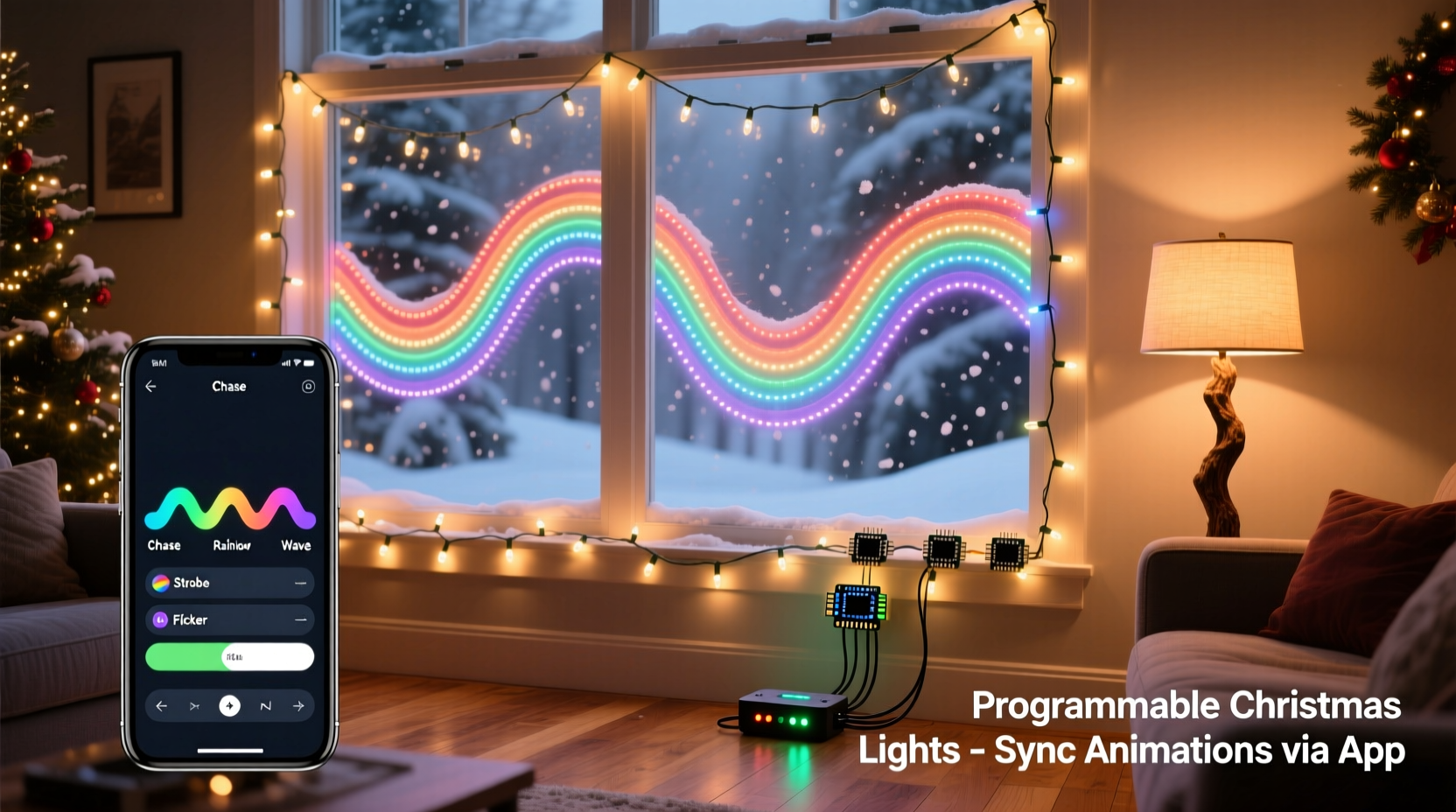
Programmable Christmas lights are typically addressable LED strings—often referred to as \"smart lights\"—where each bulb or segment can be individually controlled via software. Unlike traditional sets where all bulbs behave the same way (on/off, blink, fade), these lights allow granular control over color, intensity, timing, and animation patterns.
Most modern programmable lights use protocols like WS2811, WS2812B (commonly known as NeoPixels), or proprietary systems from brands such as Philips Hue, Govee, or Light-O-Rama. They connect to a controller that communicates with a smartphone app, computer software, or Wi-Fi network, enabling users to create and run custom lighting effects.
These lights are commonly used for:
- Custom color transitions (e.g., rainbow waves)
- Synchronized animations (e.g., chasing lights, twinkles)
- Music-synced light shows
- Themed displays (e.g., winter wonderland, Santa’s workshop)
- Interactive effects triggered by motion or sound
Pros and Cons of Programmable Lights vs. Traditional Sets
Before investing time and money, it's essential to weigh the benefits against the drawbacks. The following table compares key aspects of programmable and standard Christmas lights.
| Feature | Programmable Lights | Traditional Lights |
|---|---|---|
| Customization | Full control over color, pattern, speed, and sequence | Limited to preset modes (blink, steady, fade) |
| Animation Quality | Smooth, dynamic effects possible (waves, chases, ripples) | Basic or no animation; often jerky or repetitive |
| Setup Complexity | Moderate to high (requires controllers, power supplies, software) | Low (plug-and-play) |
| Cost | Higher upfront ($30–$100+ per strand) | Low ($5–$20 per strand) |
| Durability | Generally high (LED-based, but sensitive to voltage spikes) | Varies; incandescent bulbs burn out faster |
| Energy Efficiency | Very efficient (LEDs consume minimal power) | Less efficient, especially incandescent types |
| Software Dependency | Required for advanced effects | None needed |
While programmable lights offer unmatched creative freedom, they come with steeper learning curves and higher costs. For casual decorators, traditional lights may suffice. But for those aiming to elevate their display into a neighborhood attraction, programmable options open new dimensions of expression.
Real-World Example: A Homeowner’s First Animated Display
Consider Mark, a homeowner in Portland who had always used basic white mini-lights on his roofline. One year, inspired by a viral video of a house synced to “Carol of the Bells,” he decided to try programmable lights. He purchased two 50-light addressable strands, a $40 Wi-Fi controller, and downloaded a free light sequencing app.
After a weekend of trial and error—learning about pixel mapping, power injection, and frame rates—he created a simple animation: a slow gradient wave moving across the roof, transitioning from blue to silver to red. He later added a short music-synced routine using a pre-made template.
On opening night, neighbors stopped to watch. Kids pointed and waved. His display gained local attention and even made a community Facebook group highlight reel. For Mark, the effort was absolutely worth it—not just for the reactions, but for the sense of accomplishment and creativity it sparked.
This scenario illustrates that while the initial investment and learning curve are real, the emotional payoff and community impact can be significant.
“With programmable lights, you’re not just decorating—you’re storytelling with light. The technology turns architecture into a canvas.” — Daniel Reyes, Holiday Lighting Designer & Creator of LightFX Studio
Step-by-Step Guide to Getting Started with Custom Animations
If you're considering making the leap, here’s a practical roadmap to help you launch your first custom light show without frustration.
- Define Your Scope: Decide where you want lights (roofline, trees, porch) and how many pixels you’ll need. Most addressable lights are sold in 10-, 25-, or 50-pixel strands.
- Choose Your System: Opt for Wi-Fi-enabled lights (like Govee or Twinkly) for app control, or go with DMX/advanced controllers (like Falcon F16) for professional-grade shows.
- Gather Equipment: You’ll likely need:
- Addressable LED strips or strings
- Controller (matches your light protocol)
- Power supply (adequate amperage for total length)
- Extension cords (outdoor-rated)
- Mounting clips or gutter hooks
- Install Safely: Secure lights with clips, avoid sharp bends, and keep connections elevated off the ground. Use surge protectors.
- Map and Test: Use your software to verify each pixel responds correctly. Label circuits if running multiple strands.
- Create or Import Animations: Start with pre-built templates. Then experiment with gradients, wipes, and pulses. Gradually build complexity.
- Synchronize to Music (Optional): Use beat-detection tools in software like xLights or Vixen Lights to align flashes and color changes with song rhythms.
- Automate and Schedule: Set daily on/off times and holiday-specific routines (e.g., longer shows on weekends).
Is the Investment Worth It? Key Considerations
Whether programmable lights are “worth it” hinges on several factors beyond cost:
Creative Satisfaction
If you enjoy DIY projects, coding, or digital art, designing light animations can be deeply rewarding. The ability to tweak a color palette at midnight or surprise guests with a new effect every night adds lasting engagement.
Long-Term Reusability
Unlike disposable decorations, programmable lights can be reused annually with fresh designs. Once installed, they require minimal maintenance and last for thousands of hours.
Neighbor and Community Impact
A well-designed light show can become a local tradition. Some homeowners report increased foot traffic, donation drives, or even media coverage—turning decoration into connection.
Resale Value and Curb Appeal
While not a major factor, permanent or semi-permanent installations can enhance seasonal curb appeal. In some neighborhoods, elaborate displays are seen as desirable features.
Time vs. Reward Tradeoff
Be honest about how much time you can dedicate. A basic setup might take 8–10 hours. A full yard display with music sync could require 40+ hours over several weeks. If you value convenience over customization, stick with plug-and-play options.
“Every year, I spend less time installing and more time creating. My lights are now an extension of my holiday spirit.” — Sarah Lin, DIY Enthusiast & Creator of “The Glowing Porch” Display
Frequently Asked Questions
Can I mix programmable lights with regular ones?
Yes, but they won’t sync unless connected to the same control system. For cohesive displays, group programmable lights together and use traditional sets for static accents (e.g., wreaths, railings).
Do I need Wi-Fi for programmable Christmas lights?
Not always. Some systems use Bluetooth or standalone SD card controllers. However, Wi-Fi enables remote access, scheduling, and firmware updates—ideal for outdoor setups.
Are programmable lights harder to troubleshoot?
They can be. Issues like dead pixels, signal dropouts, or power shortages require methodical diagnosis. Keeping spare connectors and a multimeter on hand helps. Many manufacturers offer diagnostic modes to identify faulty segments.
Checklist: Is a Programmable Setup Right for You?
Use this checklist to evaluate your readiness:
- ☐ I want more than basic blinking or fading effects
- ☐ I’m comfortable downloading and using apps or desktop software
- ☐ I have a plan for outdoor power access and weatherproofing
- ☐ I’m willing to invest $100–$300+ for a mid-sized setup
- ☐ I enjoy creative projects and don’t mind a learning curve
- ☐ I’d like to sync lights to music in the future
- ☐ I plan to reuse the lights for multiple seasons
If you checked four or more boxes, programmable lights are likely a worthwhile investment.
Conclusion: Illuminate More Than Just Your Home
Programmable Christmas lights aren’t just about brighter or fancier decorations—they represent a shift from passive ornamentation to active storytelling. When you craft a custom animation, you’re not only enhancing your own holiday experience but potentially brightening someone else’s night. A child’s wide-eyed wonder, a passerby’s smile, or a shared moment of awe outside your front yard—these are the intangible returns that no price tag can measure.
Yes, they require more planning, patience, and upfront cost than traditional lights. But for those drawn to creativity, technology, or community joy, the rewards far outweigh the effort. Whether you start small with a single animated window outline or dream of a full symphony of light and sound, the tools are accessible, the community is supportive, and the season is waiting.




 浙公网安备
33010002000092号
浙公网安备
33010002000092号 浙B2-20120091-4
Comments
No comments yet. Why don't you start the discussion?