
For decades, holiday lighting meant strings of warm-white incandescents or basic multicolor bulbs—set-and-forget, charming in their simplicity, but limited in expression. Today’s programmable RGB LED light strips, nodes, and matrices promise cinematic animations, synchronized music shows, and pixel-perfect storytelling across rooftops, trees, and facades. Yet many hesitate—not because of price alone, but because of the steep learning curve: firmware updates, addressable protocols, sequencing software, Wi-Fi configuration, and troubleshooting flicker or ghosting mid-display. Is mastering that complexity truly justified for a seasonal tradition? The answer isn’t yes or no—it depends on your goals, tolerance for iteration, and how much you value creative control over convenience.
What “Programmable RGB” Actually Means (Beyond the Buzzwords)
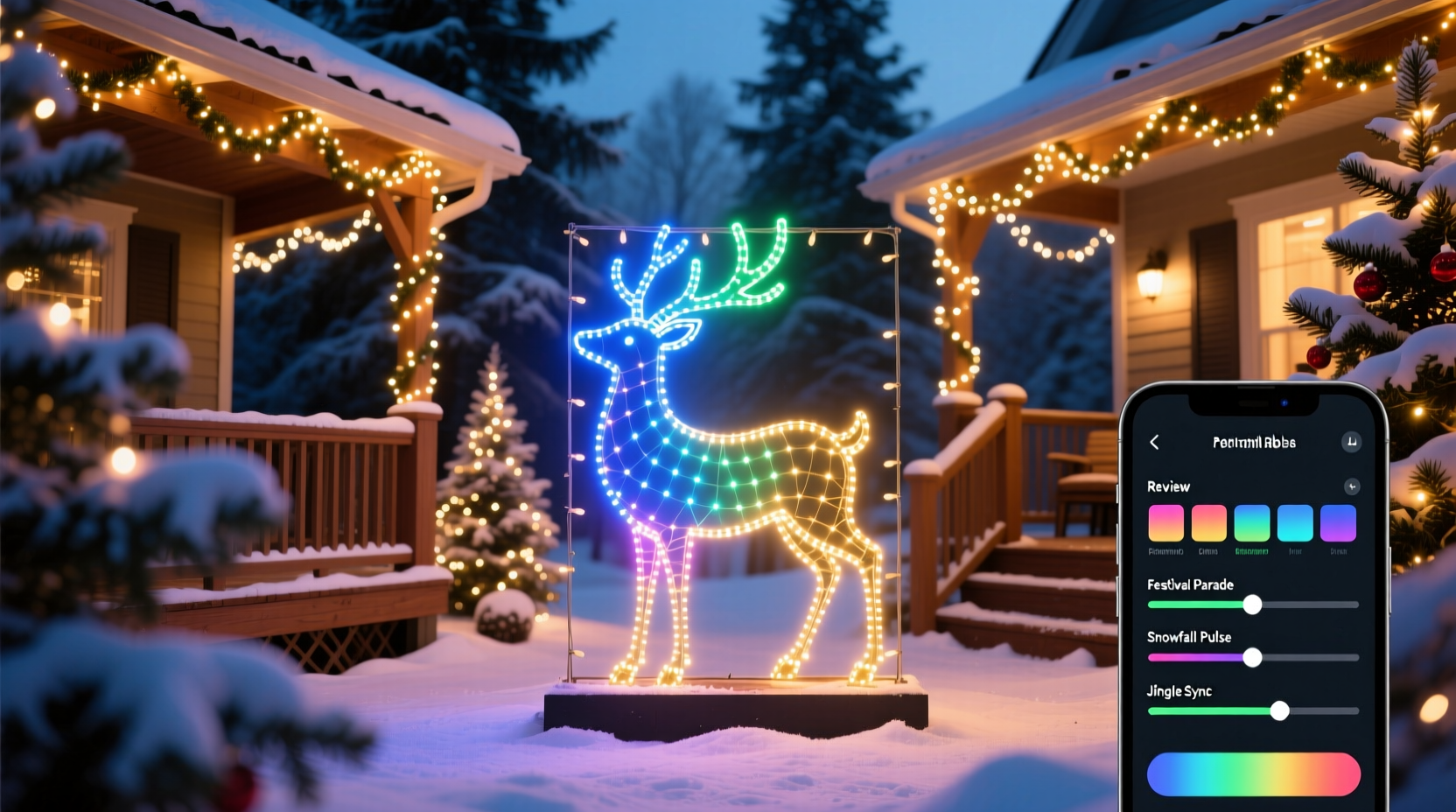
“Programmable RGB” refers to lights where each individual LED—or group of LEDs—can be controlled independently for color, brightness, and timing. Unlike traditional string lights with fixed patterns (twinkle, chase, fade), these systems use digital communication protocols like WS2811, WS2812B (NeoPixel), APA102 (DotStar), or DMX512. Each LED contains an integrated driver chip that receives data from a controller—often a microcontroller (e.g., ESP32, Raspberry Pi) or dedicated hardware (like the Falcon F16v3 or xLights-compatible controllers). That data tells the light exactly what to do, down to the millisecond.
This granularity enables effects impossible with analog lighting: a slow gradient sweeping up a 30-foot roofline; snowflakes falling at variable speeds across a matrix; your house “breathing” in sync with a holiday playlist; or even reactive lighting that pulses when car headlights hit your driveway sensor. But it also introduces layers of technical dependency: power injection points, signal integrity over long runs, voltage drop compensation, and precise pixel mapping.
The Real Learning Curve: Time, Tools, and Troubleshooting
The learning curve isn’t abstract—it’s measured in hours spent reading datasheets, calibrating gamma correction, debugging JSON config files, and re-flashing firmware after a failed OTA update. Based on field reports from over 120 home display builders surveyed in the 2023 Holiday Light Engineering Forum, here’s how time investment breaks down for first-time users:
| Skill Area | Average Time to Proficiency | Common Pain Points |
|---|---|---|
| Hardware Setup (wiring, power, controllers) | 8–15 hours | Voltage drop causing color shift; ground loop noise; insufficient amperage tripping breakers |
| Software Stack (xLights + E1.31 + Sequencing) | 20–40 hours | Pixel mapping mismatches; timing sync drift; confusing effect libraries; export failures to controllers |
| Creative Sequencing (music sync, transitions, themes) | 15–30 hours per 3-minute song | Overloading CPU during playback; inconsistent beat detection; manual frame-by-frame tweaking fatigue |
| Maintenance & Upgrades | 2–5 hours/year | Firmware incompatibility after OS updates; controller resets after power outages; weather-related corrosion on connectors |
This isn’t theoretical friction. It’s the difference between spending December 1st hanging lights—and December 22nd still testing why the left gable fades to magenta instead of deep blue.
A Real-World Case Study: The Henderson Family Display
In 2021, the Hendersons—a couple with no electronics background—installed 1,200 programmable pixels across their Craftsman bungalow: eaves, porch columns, garage door, and a 12-foot Douglas fir. They began with pre-programmed “smart” lights from a big-box retailer. Within two weeks, they were frustrated by rigid app presets, unreliable Bluetooth range, and zero customization. In spring 2022, they committed to a DIY approach using xLights, ESP32-based Pixelblaze controllers, and hand-soldered connections.
Their first season required 67 documented hours: 14 hours just configuring the network so all 7 controllers responded reliably; 11 hours calibrating white balance across three different LED brands (they’d mixed suppliers to save cost); and 9 hours fixing a single mis-wired data line that caused cascading errors in their tree sequence. But by December 2023, their second season required only 12 hours total—mostly updating sequences and adding new effects. Their display now features a fully synchronized 4-minute rendition of “Carol of the Bells,” with animated ornaments orbiting the tree trunk and synchronized strobes timed to bell strikes. More importantly, neighbors report stopping traffic to watch—and three families on their street have since started their own builds, using the Hendersons’ open-source wiring diagrams and sequencer templates.
Their ROI wasn’t just visual. It was competence gained, community built, and a tradition transformed from passive decoration to active creation.
When the Investment Pays Off (and When It Doesn’t)
Programmable RGB lights deliver disproportionate value in specific scenarios—and diminishing returns in others. Consider this decision framework before committing:
- Worth it if: You plan to run your display for 5+ years (RGB LEDs last 25,000–50,000 hours vs. 1,000–2,000 for incandescent); you enjoy iterative projects and view troubleshooting as part of the process; your display includes architectural features (columns, gables, archways) that benefit from precise pixel placement; or you want to integrate with smart home systems (e.g., turning off lights via voice command or triggering a “Santa is coming” animation).
- Not worth it if: You change your display layout annually; you prioritize plug-and-play reliability over customization; your installation site has no nearby power outlets or Wi-Fi coverage; or you’re managing the project alone with less than 10 weekend hours to dedicate before Thanksgiving.
“The biggest misconception is that ‘programmable’ means ‘instantly artistic.’ In reality, it means ‘instantly responsible.’ You’re not buying lights—you’re adopting a small embedded systems project. The magic emerges only after you’ve earned the muscle memory.” — Dr. Lena Torres, Lighting Systems Engineer & Co-Author of Practical Pixel Mapping for Makers
Your Action Plan: A Step-by-Step Launch Sequence
If you decide the payoff aligns with your goals, follow this proven sequence—designed to minimize frustration and maximize early wins:
- Define scope realistically: Map your display area on paper. Count total pixels needed (add 10% buffer). Identify power sources and controller locations. Avoid mixing LED types in one circuit.
- Procure compatible, tested gear: Use known-working combinations (e.g., WS2812B strips + ESP32 + xLights v2023.42). Avoid “no-name” controllers without community firmware support. Order from vendors with clear pinout diagrams and return policies.
- Build a test bench: Wire one 1-meter strip to your controller. Flash factory firmware. Confirm all pixels respond uniformly in red, green, blue, and white. Measure voltage at both ends—drop should be <0.5V.
- Install infrastructure first: Mount waterproof junction boxes, run 12AWG power cables with proper fusing, install weatherproof Ethernet conduit for controllers, and label every wire. Do *not* hang lights until power and signal paths are verified.
- Sequence incrementally: Start with a 30-second “static white” sequence. Then add one simple effect (e.g., wipe left-to-right). Only after that works flawlessly, layer in music sync—beginning with a single instrument track, not full orchestration.
FAQ: Practical Questions from First-Time Builders
How much more expensive are programmable RGB lights versus standard LED strings?
Per-pixel cost ranges from $0.08–$0.18 for bulk WS2812B strips (including power supplies and controllers), versus $0.03–$0.06 for non-addressable LED strings. For a modest 500-pixel display, expect $60–$120 in hardware versus $25–$40 for conventional lights. However, programmable systems eliminate the need to buy new strings annually—most users report 6–8 year lifespans with seasonal storage, making long-term TCO comparable or lower.
Can I use my existing extension cords and outlets?
Yes—but with critical caveats. Programmable systems draw sustained current (e.g., 500 pixels at full white = ~25A at 5V, requiring 120V/2.1A input). Standard 16AWG outdoor cords over 50 feet cause significant voltage drop. Use 12AWG or 10AWG cords under 100 feet, and never daisy-chain more than two 15A circuits. Install GFCI-protected outlets, and use a kill switch for safety during setup.
Do I need to know coding to create sequences?
No. Modern tools like xLights, Vixen Lights, and Pixelblaze’s web editor offer drag-and-drop interfaces, built-in music analyzers, and template libraries. You’ll configure settings and arrange effects visually—not write Python or C++. That said, understanding basic concepts (frame rate, gamma, channel mapping) accelerates troubleshooting far more than syntax ever will.
Conclusion: It’s Not About the Lights—It’s About What You Build With Them
The question “Are programmable RGB Christmas lights worth the learning curve?” misses the deeper truth: the learning curve *is* the point. It transforms holiday lighting from consumption into craft—from following instructions to authoring experience. Yes, you’ll spend evenings untangling data wires and adjusting gamma curves. Yes, your first snowfall animation might glitch at 7:03 p.m. sharp. But those moments forge resilience, deepen spatial awareness, and connect you to a global community of makers who share schematics, debug logs, and quiet pride in a perfectly timed pixel ripple across a frost-rimed windowpane.
These lights don’t just illuminate your home—they invite curiosity, reward patience, and turn December into a season of tangible creation. If you value intention over inertia, depth over default, and legacy over lease, then the curve isn’t a barrier. It’s the first brushstroke on your most meaningful holiday canvas yet.




 浙公网安备
33010002000092号
浙公网安备
33010002000092号 浙B2-20120091-4
Comments
No comments yet. Why don't you start the discussion?