
The revival of retro gaming has brought two dominant experiences to the forefront: official mini consoles such as the Sega Genesis Mini and software-based emulation on modern devices. Both allow players to revisit classic titles from the 8-bit and 16-bit eras, but they do so in fundamentally different ways. While one prioritizes authenticity and plug-and-play simplicity, the other offers unparalleled flexibility and customization. The question isn't just about which is technically superior—it's about what kind of experience you value most when revisiting gaming history.
The Appeal of Official Mini Consoles
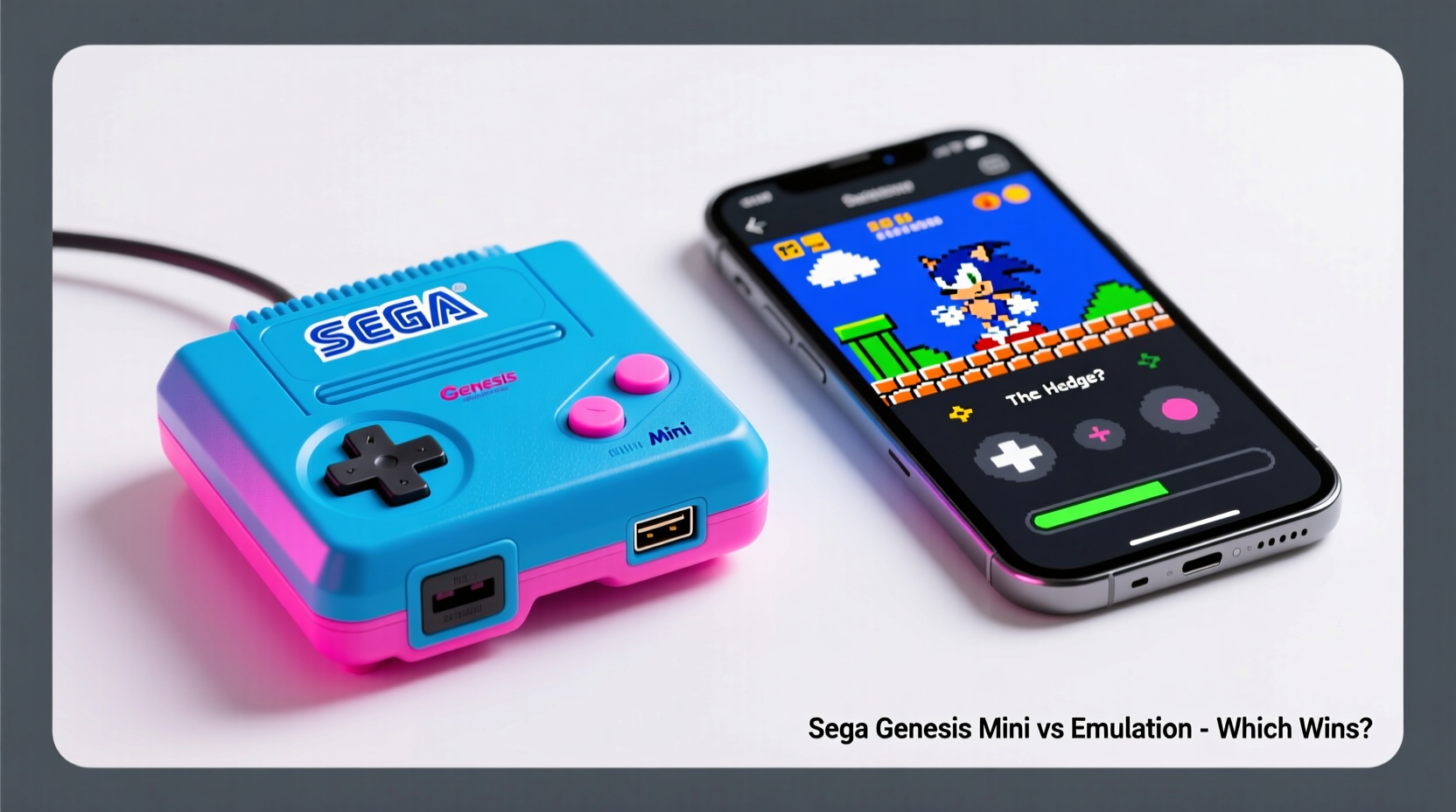
Mini consoles like the Sega Genesis Mini, NES Classic, and SNES Classic are officially licensed recreations of vintage hardware, scaled down in size and preloaded with a curated selection of games. These devices aim to recreate the original console experience with minimal setup. They connect directly to modern TVs via HDMI, require no technical know-how, and come with replica controllers that evoke nostalgia through design and feel.
One of the strongest arguments for mini consoles is their legitimacy. Every game included is officially licensed, properly emulated (or sometimes recompiled), and free from legal ambiguity. For collectors or casual fans who want a clean, turnkey solution, this peace of mind matters. There’s also an emotional component—holding a miniature version of the original Genesis, seeing its logo light up, and hearing the startup chime can trigger powerful memories.
How Emulation Outperforms in Flexibility and Features
Emulation, by contrast, treats old console hardware as data rather than physical objects. Through software, programs like RetroArch, Kega Fusion, or Genesis Plus GX simulate the behavior of vintage systems on PCs, smartphones, or dedicated handhelds like the Anbernic RG series. This approach unlocks capabilities far beyond what any mini console can offer.
With emulation, users aren’t limited to a fixed list of 40–50 games. You can play thousands of titles across multiple regions, including imports, homebrew releases, fan translations, and even unreleased prototypes. Save states allow pausing at any moment—not just between levels. Rewind functions let you undo mistakes instantly. Custom shaders enhance pixel art with CRT scanlines or smoothing filters, bringing old graphics closer to how they looked on original televisions.
Performance-wise, high-end emulation setups can deliver input lag lower than original hardware, especially when paired with modern displays. Input polling rates, frame timing, and audio synchronization can be fine-tuned to near-perfect precision—something impossible on a sealed mini console.
“Emulation isn’t about replacing the past—it’s about preserving it with tools that respect both accuracy and accessibility.” — Ben Frye, Digital Preservation Researcher at the Video Game History Foundation
Comparison: Sega Genesis Mini vs. Emulation Setup
| Feature | Sega Genesis Mini | Emulation (PC/Handheld) |
|---|---|---|
| Game Selection | Limited to 42 preloaded titles | Thousands of ROMs, including hacks, mods, and homebrew |
| Setup Complexity | Plug-and-play; no configuration needed | Requires initial setup, BIOS files, and ROM sourcing |
| Legal Status | Fully licensed and legal | Legal only if ROMs are self-ripped from owned cartridges |
| Customization | Minimal (brightness, filter options) | Full control over shaders, save states, rewind, controller mapping |
| Portability | Home use only (requires power and TV) | Highly portable on Android handhelds or laptops |
| Long-Term Viability | Dependent on manufacturer support; no updates since launch | Active development community; frequent improvements |
A Real Example: Two Gamers, Two Approaches
Consider two friends, Maya and Jordan, both wanting to replay *Sonic the Hedgehog 2*. Maya buys a Sega Genesis Mini. She plugs it into her living room TV, grabs the included controller, and within seconds she’s playing. She enjoys the authentic menu interface and appreciates not having to search online for anything. However, she notices the lack of save states—when she has to stop mid-level, she must restart later from the beginning.
Jordan sets up RetroArch on a Raspberry Pi-powered handheld. He spends an evening configuring controls and transferring ROMs from his old cartridge collection using a USB adapter. Once done, he can play *Sonic 2* with save states, rewind functionality, and CRT shader effects that mimic his childhood TV. When traveling, he plays on the train. But he occasionally deals with crashes when switching cores or misconfigured inputs.
Maya values immediacy and simplicity. Jordan values control and depth. Neither is wrong—their preferences reflect different priorities in how they engage with retro gaming.
Step-by-Step: Building a Responsible Emulation Setup
If you decide to explore emulation while respecting intellectual property, follow these steps to stay ethical and effective:
- Acquire Original Hardware: Purchase at least one physical copy of each game you plan to emulate. This supports developers and gives you legal grounds to create personal backups.
- Use a ROM Dumper: Devices like the Retrode or EverDrive allow you to extract ROMs directly from cartridges you own.
- Choose Your Platform: Decide whether to run emulation on PC (RetroArch, BizHawk), Android (Lemuroid, Dolphin), or a dedicated handheld (Analogue Pocket, Miyoo Mini+).
- Configure Core Settings: Select accurate emulation cores (e.g., Genesis Plus GX for Genesis), enable save states, and adjust audio/video sync.
- Add Shaders and Filters: Apply CRT scanlines or pixel-perfect scaling to enhance visuals without distorting the original art.
- Backup Your Library: Store your ROMs securely and privately. Never share them online.
When Mini Consoles Fall Short
The Sega Genesis Mini launched to positive reviews but quickly revealed limitations. Its firmware received only one update, adding modest features like save states—but no ability to add new games. The included controller cables are short, limiting multiplayer comfort. Some regional variants excluded popular titles available elsewhere (e.g., Japanese version includes *Mega Turrican*, Western versions do not).
Worse, Sega discontinued production after the first run, making units harder to find and often marked up by resellers. Unlike open-source emulators that evolve continuously, the Genesis Mini is frozen in time—a museum piece rather than a living platform.
In contrast, projects like the MiSTer FPGA system go beyond software emulation by replicating the actual electrical behavior of retro consoles using field-programmable gate arrays. The result is pixel-perfect timing, cycle-accurate performance, and compatibility with original accessories—all unattainable on a mini console.
FAQ
Is emulation legal?
Emulation itself is legal. However, downloading copyrighted ROMs you don’t physically own infringes on intellectual property laws. The safest and most ethical method is to dump ROMs from games you already own.
Can I play online with mini consoles?
No. The Sega Genesis Mini lacks online multiplayer functionality. In contrast, many emulators support netplay, allowing you to race against others in *Sonic* or battle in *Street Fighter II* over the internet with minimal lag.
Do mini consoles use real emulation?
Yes, but it's closed and proprietary. The Genesis Mini runs an embedded Linux system with custom emulation software developed by M2, a Japanese studio known for accurate ports. While competent, it doesn’t allow user modifications or enhancements.
Checklist: Choosing Between Mini Console and Emulation
- ✅ Want instant access with zero setup? → Choose a mini console
- ✅ Prefer playing obscure or imported titles? → Go with emulation
- ✅ Value visual authenticity (CRT effects, scanlines)? → Emulation offers more control
- ✅ Need portability? → Emulation wins on handhelds
- ✅ Concerned about legality and ethics? → Stick to licensed mini consoles or self-ripped ROMs
- ✅ Interested in homebrew, mods, or fan translations? → Only possible via emulation
- ✅ Playing with kids or non-tech-savvy family members? → Mini console is easier to recommend
Conclusion: It Depends on What You’re Preserving
The debate between retro mini consoles and emulation ultimately comes down to intent. Are you seeking a nostalgic artifact—an object that looks and feels like the past? Then the Sega Genesis Mini delivers beautifully. It’s a tribute, a coffee table conversation piece, a way to relive childhood moments exactly as they were.
But if you care about the longevity, adaptability, and evolution of retro gaming culture, then emulation is the future. It enables preservation, innovation, and global access in ways physical hardware never could. Emulators have kept forgotten games playable, enabled disabled gamers to remap controls, and allowed historians to study code and design decades later.
Neither option invalidates the other. Many enthusiasts own both—a mini console for guests and emulation for deep dives. What matters is recognizing that retro gaming isn’t just about playing old games. It’s about how we choose to remember them, share them, and pass them on.




 浙公网安备
33010002000092号
浙公网安备
33010002000092号 浙B2-20120091-4
Comments
No comments yet. Why don't you start the discussion?