
In an era where office workers spend upward of eight hours a day seated, the rise of the standing desk has been met with both enthusiasm and skepticism. Proponents claim it reduces back pain, improves posture, and boosts energy. Critics argue that prolonged standing can lead to new problems—joint strain, fatigue, and even circulatory issues. So, are standing desks actually better for posture? The answer isn’t a simple yes or no. When used correctly, standing desks can support better spinal alignment and reduce the risks associated with sedentary behavior. But improper use can exacerbate existing back pain or create new musculoskeletal challenges.
The key lies not in standing all day, but in movement, ergonomics, and balance. This article explores the science behind standing desks and posture, outlines best practices for pain-free usage, and provides actionable steps to integrate standing into your workday safely and effectively.
The Posture Problem: What Sitting Does to Your Spine
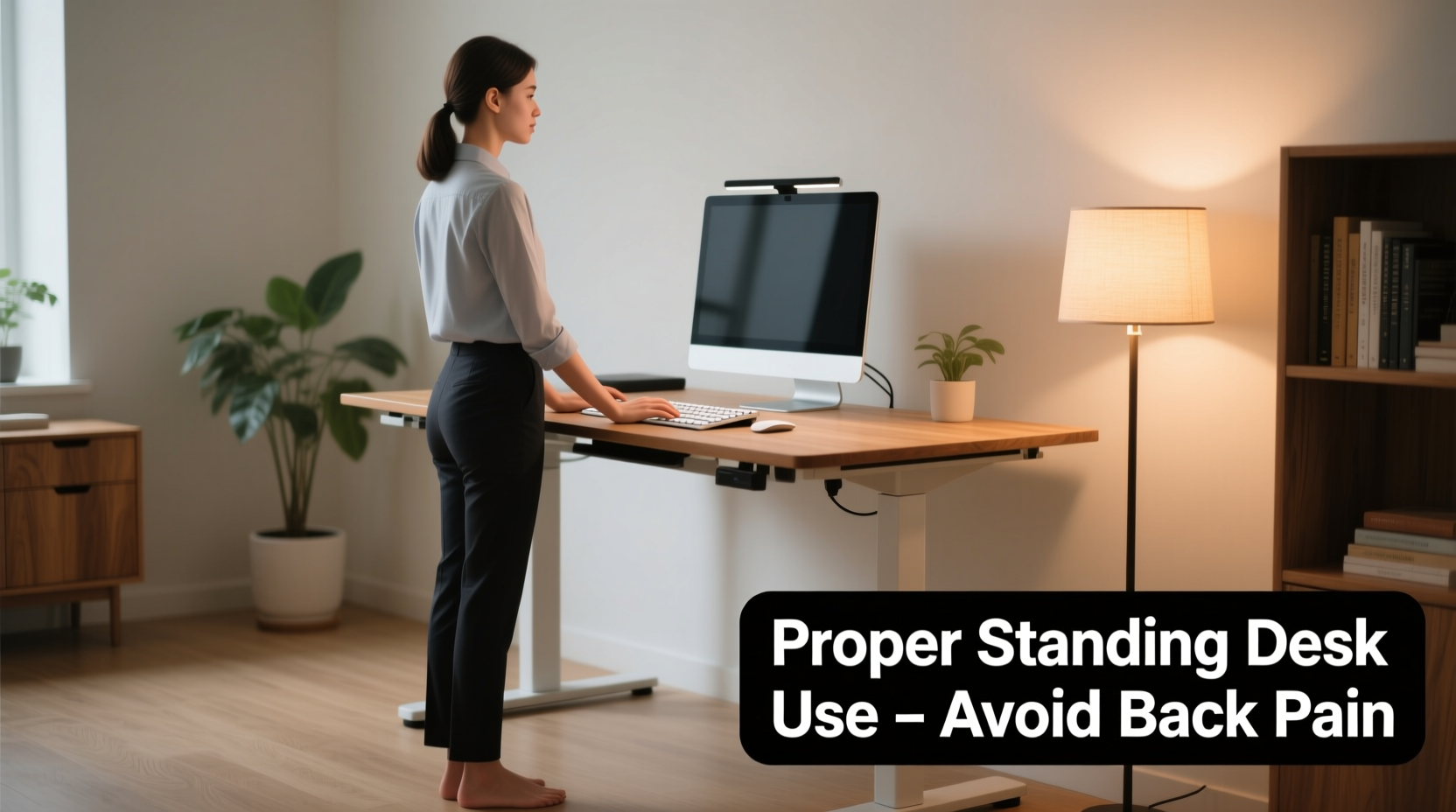
Prolonged sitting, especially in poorly designed chairs or at non-ergonomic workstations, places significant stress on the lower back. The natural inward curve of the lumbar spine (lordosis) tends to flatten when seated, particularly if slouching occurs. Over time, this leads to weakened core muscles, tight hip flexors, and increased disc pressure—factors that contribute to chronic lower back pain.
A 2015 study published in the Journal of Physical Therapy Science found that participants who sat for more than six hours daily had significantly higher rates of postural deviation and reported more frequent back discomfort compared to those with active sitting habits. The human body is built for motion, not static positions. Even “good” sitting becomes problematic when sustained for hours without interruption.
Standing Desks and Posture: The Benefits and Risks
Standing desks offer a compelling alternative by encouraging upright posture and reducing sedentary time. When standing properly, the spine maintains its natural curves, the shoulders stay aligned over the hips, and the head remains balanced over the cervical spine—positions that minimize strain.
However, simply replacing a chair with a standing position doesn't automatically fix poor posture. Standing incorrectly—such as leaning forward, locking the knees, or hunching over a screen—can cause just as much strain as bad sitting. In fact, a 2020 review in Ergonomics noted that users who transitioned abruptly to full-day standing reported increased discomfort in the lower back, legs, and feet within weeks.
The real benefit comes from dynamic work habits. Alternating between sitting and standing allows muscles to engage differently throughout the day, promoting circulation, muscle activation, and joint mobility.
“Posture isn’t about finding one perfect position—it’s about varying your positions frequently to prevent overuse and fatigue.” — Dr. Karen Jacobs, Clinical Professor of Occupational Therapy, Boston University
How to Use a Standing Desk Without Back Pain: A Step-by-Step Guide
To gain the benefits of a standing desk while avoiding discomfort, follow this structured approach:
- Start gradually. Begin with 20–30 minutes of standing per day, increasing by 10–15 minutes every few days. Aim for a 1:1 ratio of sitting to standing after two to three weeks.
- Set up your workstation correctly. Adjust your desk so the top surface aligns with your elbows when bent at 90 degrees. Your monitor should be at eye level, about an arm’s length away.
- Wear supportive footwear. Avoid standing barefoot or in flimsy shoes. Cushioned soles help absorb impact and reduce lower back strain.
- Use an anti-fatigue mat. These mats encourage subtle muscle movement, improving circulation and reducing stiffness.
- Maintain neutral posture. Keep your ears over your shoulders, shoulders relaxed, arms close to your body, and knees slightly bent—not locked.
- Move regularly. Shift your weight, rock gently on your feet, or take short walking breaks. Consider a sit-stand cycling desk or treadmill attachment for low-impact motion.
Do’s and Don’ts of Standing Desk Usage
| Do’s | Don’ts |
|---|---|
| Adjust your monitor to eye level | Bend your neck down to view the screen |
| Keep wrists straight while typing | Reach forward or raise shoulders to use the keyboard |
| Stand with feet shoulder-width apart | Lean on one leg or lock your knees |
| Use a footrest or stool to shift weight | Stand still in one position for over an hour |
| Wear supportive shoes or use a mat | Stand on hard surfaces like concrete or tile barefoot |
Real-World Example: Sarah’s Transition to a Standing Desk
Sarah, a 34-year-old graphic designer, spent nearly a decade working at a traditional desk. After developing chronic lower back pain and frequent neck stiffness, her physical therapist recommended a sit-stand desk. Eager for relief, she switched to standing full-time on day one.
Within a week, Sarah experienced new pain—aching feet, swollen ankles, and sharp lower back discomfort. Discouraged, she nearly abandoned the desk. However, after consulting an ergonomic specialist, she adjusted her approach.
She began alternating 30 minutes of sitting with 30 minutes of standing, invested in an anti-fatigue mat, and set reminders to stretch hourly. She also raised her monitor using a stand and started wearing supportive sneakers at work. Within four weeks, her back pain decreased significantly, and she reported improved focus and reduced midday fatigue.
Sarah’s experience underscores a critical point: success with a standing desk depends not on standing more, but on standing smarter.
Checklist: Optimizing Your Standing Desk Setup
- ✅ Desk height allows elbows to bend at 90° when typing
- ✅ Monitor top is at or slightly below eye level
- ✅ Screen is about 20–28 inches from your eyes
- ✅ Keyboard and mouse are close enough to avoid reaching
- ✅ Feet are flat on the floor or on an anti-fatigue mat
- ✅ You have a secondary stool or foot rail to shift posture
- ✅ You’re wearing supportive shoes or standing on cushioned flooring
- ✅ You’ve set a schedule to alternate sitting and standing
- ✅ You take micro-breaks to stretch or walk every 30–45 minutes
- ✅ Your shoulders are relaxed, not hunched or elevated
Can Standing Desks Fix Bad Posture?
Standing desks alone won’t “fix” years of poor posture. They are tools, not cures. However, they can serve as catalysts for healthier movement patterns when combined with intentional habits.
For example, someone with forward head posture (common among desk workers) may find that standing encourages them to lift their chin and draw their shoulders back. But without conscious effort and strengthening exercises, the default tendency to slouch can persist—even while standing.
Pairing a standing desk with postural exercises such as scapular retractions, chin tucks, and core engagement drills enhances long-term results. Additionally, strength training for the glutes, hamstrings, and core helps stabilize the pelvis and support proper spinal alignment during both sitting and standing.
“Using a standing desk is like adding resistance training to your day. But if your form is off, you’re just reinforcing bad mechanics.” — Dr. John Murdough, Orthopedic Spine Specialist
Frequently Asked Questions
How long should I stand at my desk each day?
Begin with 30 minutes total per day, split into 15-minute intervals. Gradually increase to 2–4 hours of standing over several weeks. Most experts recommend a 1:1 or 2:1 ratio of sitting to standing for optimal balance.
Why does my lower back hurt since I started using a standing desk?
Back pain often results from standing too long too soon, poor alignment, or lack of support. Common culprits include locked knees, slouched posture, or standing on a hard surface. Reassess your setup, shorten standing sessions, and ensure you’re moving regularly.
Do I need special shoes for a standing desk?
While not mandatory, supportive footwear with cushioning and arch support can significantly reduce fatigue and back strain. If you prefer barefoot standing, use a high-quality anti-fatigue mat to absorb impact.
Conclusion: Movement Is the Best Posture
Standing desks aren’t a magic solution, but they are a powerful tool when used wisely. They encourage movement, reduce sedentary risk factors, and can support better posture—if integrated thoughtfully into your daily routine. The goal isn’t to stand all day, but to break the cycle of immobility that harms spinal health.
Success lies in balance: alternating positions, maintaining ergonomic alignment, and listening to your body. Whether you’re managing existing back pain or aiming to prevent it, small, consistent changes make a lasting difference.




 浙公网安备
33010002000092号
浙公网安备
33010002000092号 浙B2-20120091-4
Comments
No comments yet. Why don't you start the discussion?