
In recent years, standing desks have surged in popularity among remote workers, office professionals, and health-conscious individuals alike. Proponents claim they reduce back pain, improve posture, and boost energy. But is there real science behind these claims? And are there hidden drawbacks that users should consider before making the switch?
This article dives into peer-reviewed research, ergonomic principles, and real-world usage patterns to answer whether standing desks truly benefit posture—and how to use them effectively without introducing new physical strain.
The Posture Problem: Why Sitting Has Become a Health Concern
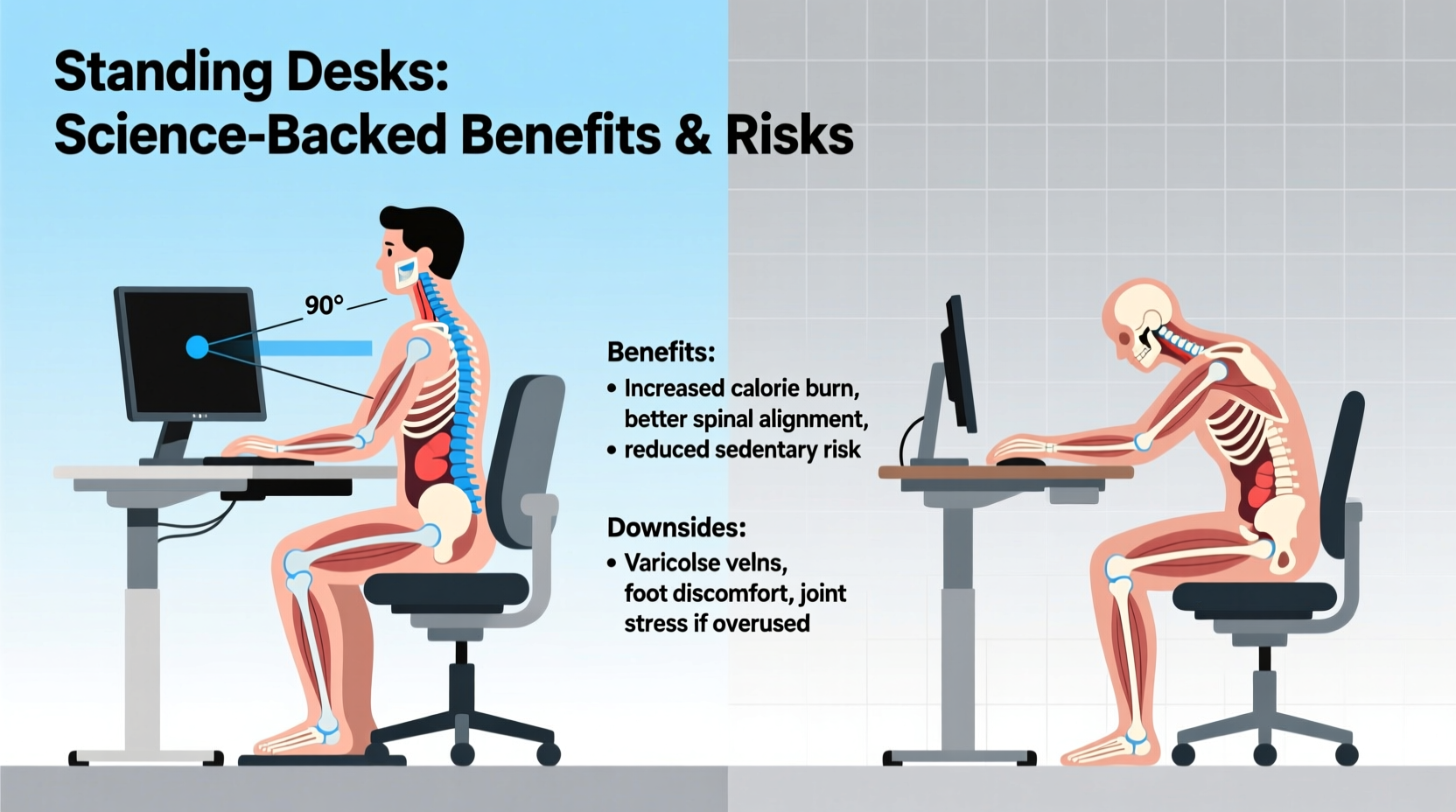
Modern work culture revolves around prolonged sitting. The average office worker spends 6 to 10 hours per day seated, often in less-than-ideal positions. Over time, this sedentary behavior contributes to poor posture, including forward head tilt, rounded shoulders, and a flattened lumbar curve—collectively known as “tech neck” or “slouched spine syndrome.”
According to the American Chiropractic Association, over 80% of adults experience lower back pain at some point, with poor posture during desk work being a leading contributor. Prolonged sitting also reduces circulation, weakens core muscles, and increases pressure on spinal discs by up to 40% compared to standing.
Enter the standing desk: a simple mechanical solution promising to counteract the damage of sedentary work. But does it deliver?
Scientific Evidence: Do Standing Desks Improve Posture?
Multiple studies suggest that alternating between sitting and standing throughout the day can lead to measurable improvements in spinal alignment and muscular engagement.
A 2018 study published in Occupational Ergonomics followed 50 office workers using sit-stand desks for 12 weeks. Researchers found a significant reduction in forward head posture and shoulder protraction after just six weeks. Participants reported less discomfort in the neck and upper back, with electromyography (EMG) data showing increased activation of postural stabilizing muscles like the erector spinae and transverse abdominis.
Another randomized controlled trial from the Journal of Physical Therapy Science (2020) demonstrated that participants who used standing desks for at least two hours daily showed improved thoracic kyphosis angles—a key indicator of upper back rounding—compared to a control group that remained seated all day.
“Alternating postures throughout the workday encourages dynamic movement, which is essential for maintaining healthy spinal mechanics.” — Dr. Lena Patel, Biomechanist and Ergonomic Consultant
However, researchers emphasize that simply standing isn’t enough. Without proper setup and movement variation, standing desks may shift problems rather than solve them.
Key Benefits of Standing Desks: What the Research Shows
- Reduced Lower Back Pain: A meta-analysis in BMC Musculoskeletal Disorders (2021) concluded that sit-stand desks reduced self-reported low back pain by 32% over 8–12 weeks.
- Improved Spinal Alignment: Standing naturally promotes a more neutral spine when the desk is properly adjusted, reducing disc compression.
- Increased Core Engagement: Maintaining balance while standing activates deep core muscles that support upright posture.
- Enhanced Circulation and Alertness: Standing boosts blood flow and oxygen delivery to the brain, potentially improving focus and reducing fatigue.
- Moderate Calorie Burn: While not a substitute for exercise, standing burns approximately 0.15 more calories per minute than sitting—adding up to ~50 extra calories per hour.
Potential Downsides and Risks of Standing Desks
Despite their advantages, standing desks aren't universally beneficial. Misuse can lead to new musculoskeletal issues.
1. Prolonged Standing Causes Its Own Problems
Standing for extended periods (>2 hours continuously) has been linked to increased risk of varicose veins, foot pain, and plantar fasciitis. A 2022 study in Applied Ergonomics found that full-time standing led to higher reports of leg fatigue and lower limb swelling, particularly in individuals with pre-existing circulatory conditions.
2. Poor Setup Can Worsen Posture
If the monitor is too low or the keyboard too high, users may end up leaning forward or raising their shoulders—creating new sources of tension. Incorrect desk height forces compensatory postures that negate any ergonomic gains.
3. Lack of Movement Still a Risk
Many people assume that standing = moving. In reality, most standing desk users remain statically upright, shifting weight from one leg to another without meaningful muscle activation. This \"static standing\" offers limited postural benefit.
4. Not Suitable for Everyone
Individuals with certain medical conditions—including chronic venous insufficiency, joint disorders, or balance issues—may find standing desks uncomfortable or unsafe without medical consultation.
Best Practices: How to Use a Standing Desk for Optimal Posture
To maximize the benefits and minimize risks, follow these evidence-based guidelines:
- Alternate Between Sitting and Standing: Aim for a 1:1 or 2:1 ratio (e.g., 30 minutes standing, 30 minutes sitting). Use a timer or smart desk app to prompt transitions.
- Set Up Your Desk Correctly:
- Elbows should be at 90 degrees when typing.
- Top of the monitor should be at or slightly below eye level.
- Feet flat on the floor or on an anti-fatigue mat.
- Wear Supportive Footwear: Avoid bare feet or flat shoes. Cushioned, supportive footwear helps reduce lower limb strain.
- Use an Anti-Fatigue Mat: These mats encourage micro-movements that engage stabilizing muscles and improve circulation.
- Incorporate Movement: Shift weight, perform calf raises, or do gentle stretches while standing.
| Posture Element | Sitting Risk | Standing Risk | Optimal Solution |
|---|---|---|---|
| Lumbar Support | Loss of natural curve due to slouching | Hyperextension if standing rigidly | Neutral spine maintained via lumbar roll (sit) or slight knee bend (stand) |
| Shoulder Position | Rounded forward from screen reach | Elevated if keyboard too high | Keep shoulders relaxed, elbows close to body |
| Neck Alignment | Forward head posture | Craning upward if monitor too low | Monitor top at eye level; avoid looking down |
| Lower Limb Health | Reduced circulation, risk of DVT | Varicose veins, foot pain | Change positions frequently; elevate one foot alternately |
Mini Case Study: Sarah’s Transition to a Standing Desk
Sarah, a 34-year-old graphic designer, had suffered from chronic lower back pain for three years. Despite regular chiropractic visits and core exercises, her symptoms persisted. After reading about standing desks, she invested in a height-adjustable model.
Initially, she stood for four hours straight each day. Within a week, she developed sharp pain in her right heel—diagnosed as early-stage plantar fasciitis. Discouraged, she nearly abandoned the desk.
After consulting an ergonomic specialist, she revised her approach: she began alternating 30 minutes of standing with 30 minutes of sitting, used an anti-fatigue mat, wore supportive shoes, and set up her monitor on a riser. She also started doing hourly ankle circles and shoulder rolls.
After eight weeks, Sarah reported a 70% reduction in back pain and improved energy levels. Her posture assessments showed a visible improvement in shoulder alignment and reduced forward head position.
Her experience underscores a critical lesson: success with a standing desk depends not on standing more, but on standing smarter.
Checklist: Optimizing Your Standing Desk Routine
Use this checklist to ensure you're getting the most out of your standing desk while protecting your posture:
- ✅ Adjust desk height so elbows are at 90° when typing
- ✅ Position monitor 20–30 inches away, top line at eye level
- ✅ Alternate sitting and standing every 30–60 minutes
- ✅ Use an anti-fatigue mat if standing for more than 20 minutes
- ✅ Wear supportive shoes or stand barefoot on a cushioned surface
- ✅ Engage in micro-movements: shift weight, squat slightly, rotate ankles
- ✅ Take a 5-minute walking break every hour
- ✅ Listen to your body—discomfort is a signal to change position
Frequently Asked Questions
How long should I stand at my desk each day?
There’s no universal rule, but research suggests 2 to 4 hours of total standing time spread across the day is optimal. Start with 30-minute intervals and gradually increase as your body adapts. Never stand motionless for more than 60 minutes at a time.
Can standing desks fix bad posture permanently?
Standing desks alone won’t “fix” poor posture. They are tools that support better alignment when combined with ergonomic setup, movement, and strength training. Long-term posture improvement requires consistent habits, including core stability exercises and awareness of body positioning.
Are standing desks worth it for remote workers?
Yes—for many remote workers, especially those experiencing back or neck pain. However, value depends on correct usage. A poorly adjusted standing desk can do more harm than good. Consider starting with a converter on your existing desk before investing in a full electric model.
Conclusion: A Balanced Approach Wins
Standing desks are not a magic bullet for perfect posture—but when used correctly, they offer scientifically supported benefits. They help interrupt prolonged sitting, encourage better spinal alignment, and promote subtle muscle engagement that supports long-term musculoskeletal health.
The key lies in balance. Alternating between sitting and standing, maintaining proper ergonomics, and incorporating movement throughout the day creates a dynamic work environment that aligns with the body’s natural need for variety.




 浙公网安备
33010002000092号
浙公网安备
33010002000092号 浙B2-20120091-4
Comments
No comments yet. Why don't you start the discussion?