
For millions of remote workers, chronic back pain has become an occupational hazard. Long hours seated at a desk—often in suboptimal ergonomic setups—can lead to stiffness, disc pressure, and muscle imbalances. As a result, standing desks have surged in popularity as a potential solution. But are they truly effective for people already struggling with back pain? The answer isn't straightforward. While some users report dramatic relief, others experience new discomforts or find little improvement. This article examines the evidence, practical benefits, and potential drawbacks of standing desks specifically for remote workers managing back pain.
The Link Between Sitting and Back Pain
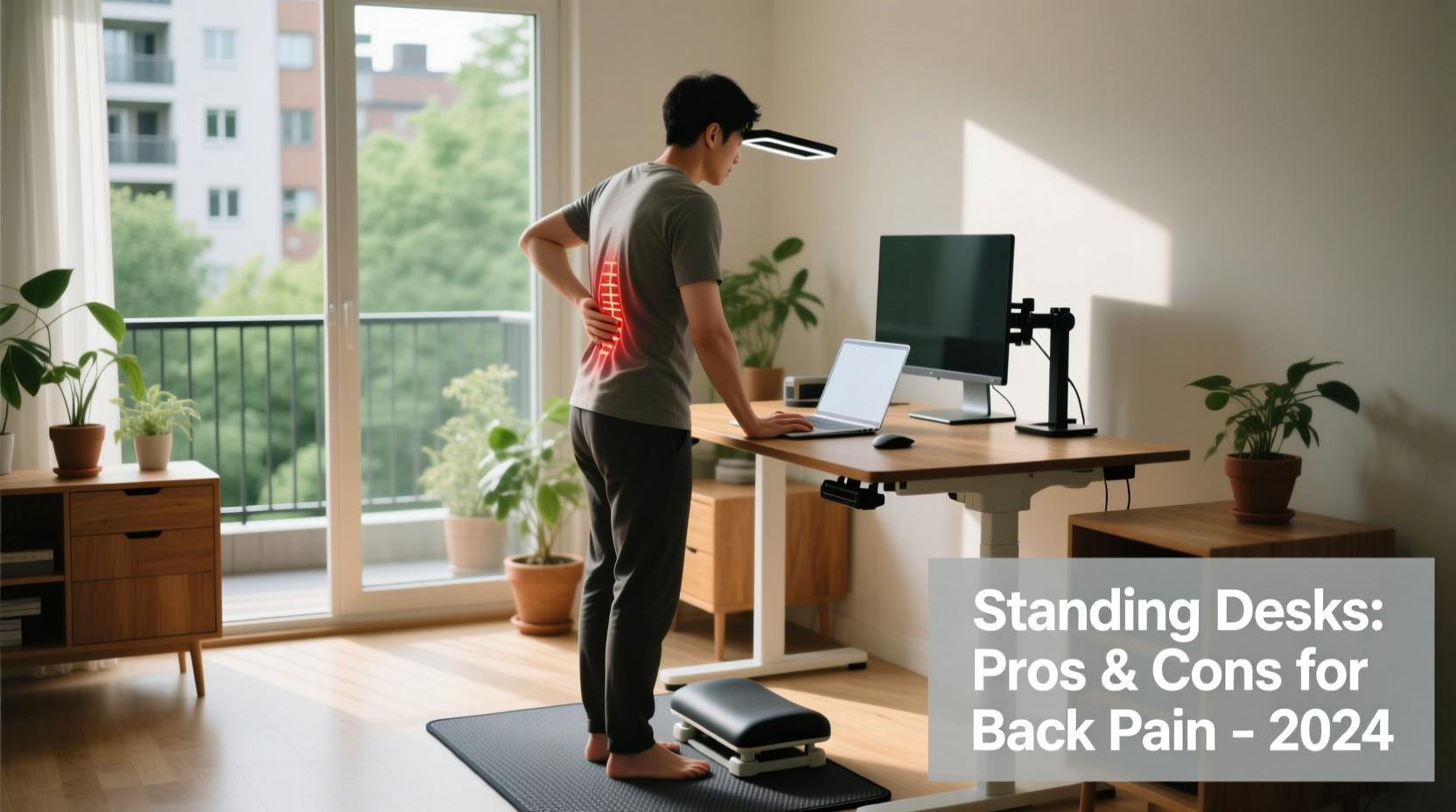
Prolonged sitting is one of the most significant contributors to lower back pain. When seated, especially in non-ergonomic chairs, the spine’s natural curvature flattens, increasing pressure on intervertebral discs by up to 40% compared to standing. Over time, this can lead to lumbar strain, weakened core muscles, and poor posture.
Remote work often amplifies these issues. Without office ergonomics support, many employees use dining tables, couches, or poorly adjusted furniture. A 2023 study published in Spine Journal found that 68% of remote workers reported increased back or neck pain since transitioning to home offices—up from 45% pre-pandemic.
Standing desks emerged as a countermeasure, promising to reduce sedentary time and encourage better alignment. But do they deliver on that promise for those already experiencing pain?
Pros of Standing Desks for Back Pain Sufferers
When used correctly, standing desks offer several tangible benefits for individuals with back pain:
- Improved Posture: Standing naturally encourages a more upright position, reducing slouching and forward head posture.
- Reduced Disc Pressure: While standing does not eliminate spinal load, it redistributes it more evenly than prolonged sitting.
- Increased Movement: Height-adjustable desks make it easier to alternate between sitting and standing, promoting micro-movements that enhance circulation and muscle activation.
- Core Engagement: Maintaining balance while standing subtly activates core stabilizers, which support spinal health over time.
- Reduced Risk of Degenerative Disc Disease: Some research suggests that regular postural variation may slow disc degeneration associated with static sitting.
“Alternating between sitting and standing every 30–60 minutes appears to be more beneficial than either posture alone for patients with chronic low back pain.” — Dr. Lena Torres, Physical Medicine & Rehabilitation Specialist
Cons and Potential Risks of Standing Desks
Despite their appeal, standing desks aren’t a universal fix—and in some cases, they can worsen back pain if misused.
- Overuse Injuries: Standing for extended periods without proper footwear or anti-fatigue mats can shift stress to the lower back, hips, and knees.
- Poor Transition Habits: Many users stand too long too soon, leading to muscle fatigue that compromises spinal alignment.
- Inadequate Setup: If monitor height, keyboard position, or desk angle are incorrect, standing can cause neck strain or shoulder tension, indirectly affecting the back.
- No Guarantee of Relief: For individuals with structural issues like herniated discs or spinal stenosis, standing may provide no benefit—or even aggravate symptoms.
- Cost and Space Constraints: Quality electric standing desks range from $300–$800, making them inaccessible for some remote workers without employer support.
A 2022 review in the Journal of Occupational Health Psychology concluded that while standing desks reduced self-reported discomfort in 57% of participants, 22% experienced new or intensified lower back pain due to improper usage patterns.
Real-World Case: Sarah’s Experience with a Standing Desk
Sarah, a 38-year-old software developer based in Portland, began experiencing sharp lower back pain after two years of full-time remote work. Her setup included a kitchen chair and a laptop propped on a stack of books. After consulting a physical therapist, she invested in a dual-motor standing desk and followed a structured transition plan.
Initially, she stood for 10 minutes every hour. Over six weeks, she built up to 45 minutes of standing per hour, using a cushioned mat and supportive shoes. She paired the desk with daily stretching and core exercises. Within three months, her pain decreased from a consistent 7/10 to 2/10 on the pain scale.
However, when she skipped her routine during a busy project week and stood for four consecutive hours, her pain returned. “It taught me that the desk isn’t a magic fix,” she said. “It’s a tool—one I have to use wisely.”
Choosing the Right Standing Desk: A Buyer’s Checklist
If you’re considering a standing desk for back pain, use this checklist to ensure you select and use it effectively:
- ✅ Choose a height-adjustable model (electric preferred for smooth transitions).
- ✅ Ensure the desk frame is stable and doesn’t wobble under load.
- ✅ Confirm the height range accommodates both your sitting and standing positions (typically 22–48 inches).
- ✅ Pair it with an anti-fatigue mat and supportive footwear.
- ✅ Position your monitor at eye level and keyboard at elbow height.
- ✅ Set reminders to alternate postures every 30–60 minutes.
- ✅ Combine desk use with regular movement breaks and core-strengthening exercises.
Comparing Standing vs. Sitting: A Balanced View
| Factor | Sitting (Poor Ergonomics) | Sitting (Ergonomic Setup) | Standing (With Breaks) | Standing (Prolonged) |
|---|---|---|---|---|
| Spinal Disc Pressure | High | Moderate | Moderate | High (due to stiffness) |
| Posture Support | Poor | Good | Good (if aligned) | Fair (fatigue reduces quality) |
| Muscle Activation | Low | Low | High (core, glutes, legs) | Very High (risk of overuse) |
| Risk of Back Pain | High | Low–Moderate | Low (with rotation) | Moderate–High |
| Productivity Impact | Neutral | Positive | Positive (early adaptation) | Negative (after 2+ hours) |
This comparison underscores a critical point: neither sitting nor standing is inherently superior. The key is variability and proper form.
Step-by-Step Guide to Using a Standing Desk Safely
To maximize benefits and minimize risks, follow this gradual integration plan:
- Week 1: Stand for 10–15 minutes every hour. Use a timer to remind yourself to switch.
- Week 2: Increase to 20 minutes per hour. Introduce light stretches during transitions.
- Week 3: Aim for 30 minutes of standing per hour. Assess how your back feels each evening.
- Week 4: Adjust based on comfort. Most users stabilize at 45 minutes of standing per hour.
- Ongoing: Incorporate walking breaks, dynamic stretches, and core exercises into your routine.
Monitor your body’s signals. Tingling, numbness, or increased pain are signs to reassess your setup or consult a healthcare provider.
Frequently Asked Questions
Can standing desks cure chronic back pain?
No single intervention \"cures\" chronic back pain. Standing desks can help manage symptoms by reducing sedentary strain and improving posture, but they should be part of a broader strategy including exercise, ergonomic adjustments, and medical guidance when needed.
How long should I stand at my desk each day?
There’s no universal rule, but research suggests alternating every 30–60 minutes is optimal. Total standing time should generally not exceed 2–3 hours per day initially. Listen to your body—discomfort means it’s time to sit or move differently.
Do I need special shoes or a mat for a standing desk?
Yes. Regular shoes may lack sufficient arch support for prolonged standing. Consider supportive footwear or orthotics. An anti-fatigue mat encourages subtle weight shifts, reducing lower back strain and improving circulation.
Expert Insight: What Physical Therapists Recommend
Physical therapists emphasize that movement—not just standing—is the cornerstone of spinal health. “The worst thing you can do is stay in one position for hours,” says Dr. Marcus Lee, a certified ergonomics specialist. “Whether sitting or standing, immobility is the enemy. A standing desk works best when it enables micro-breaks, posture changes, and intentional movement throughout the day.”
He advises pairing desk use with daily habits like pelvic tilts, cat-cow stretches, and glute bridges to maintain spinal flexibility and strength.
Final Verdict: Are Standing Desks Worth It?
For many remote workers with back pain, standing desks are worth the investment—but with important caveats. They are not a standalone solution, nor are they universally effective. Success depends on proper usage, gradual adaptation, and integration into a holistic approach to spinal health.
The most effective outcomes occur when standing desks are combined with:
- Ergonomic accessories (monitor risers, ergonomic chairs, keyboard trays)
- Regular physical activity (walking, stretching, strength training)
- Professional guidance (from physical therapists or occupational health experts)
If you're currently experiencing back pain, consider a standing desk as one component of a larger wellness strategy. Start slowly, prioritize form over duration, and remain attentive to your body’s feedback.




 浙公网安备
33010002000092号
浙公网安备
33010002000092号 浙B2-20120091-4
Comments
No comments yet. Why don't you start the discussion?