
In an era where online shopping dominates, virtual try-on apps have become a go-to tool for consumers looking to buy eyeglasses from the comfort of their homes. These digital tools promise convenience, realism, and confidence in your frame selection—without stepping into a physical store. But how reliable are they really? While many users report satisfaction with their purchases after using these apps, accuracy can vary significantly based on technology, lighting, device quality, and individual facial structure. Understanding both the strengths and limitations of virtual try-ons is essential for making a smart, comfortable, and stylish choice.
How Virtual Try-On Technology Works
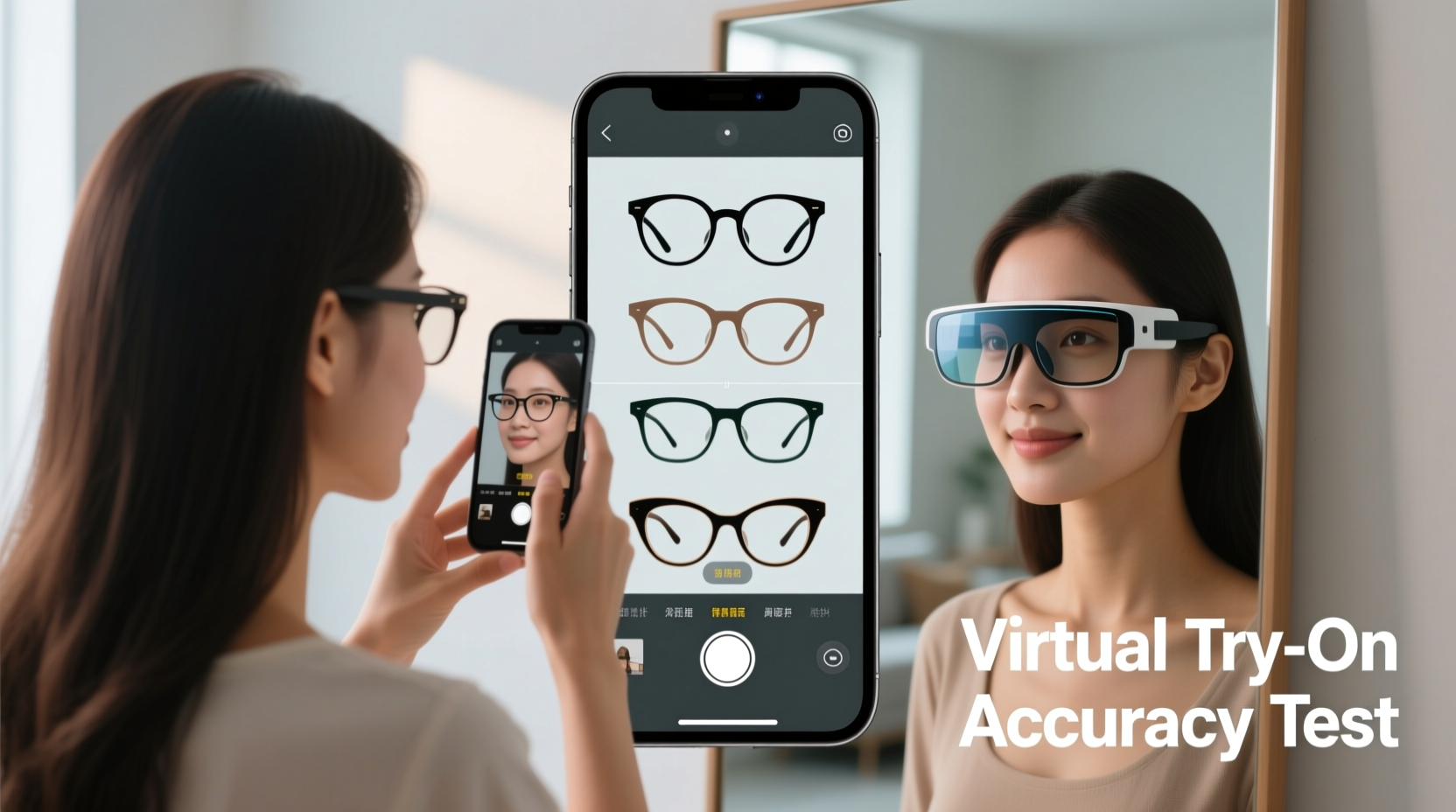
Virtual try-on apps rely on augmented reality (AR) and facial recognition algorithms to superimpose digital eyeglass frames onto a live or uploaded image of your face. The process typically begins with the app detecting key facial landmarks—such as the eyes, nose bridge, and ears—to determine the correct positioning and scale of the frames. Once aligned, the app renders the selected model in real time, adjusting for head movement and perspective.
Most platforms use one of two methods: real-time camera integration (like Snapchat filters) or static photo upload. Real-time AR tends to offer a more dynamic experience, allowing users to tilt their heads and view frames from multiple angles. However, even advanced systems struggle with precision when it comes to measuring proportions accurately without physical reference points.
The underlying technology has improved dramatically over the past five years, thanks to machine learning models trained on thousands of diverse faces. Yet, despite these advancements, virtual fitting remains an approximation—not a replacement—for professional optical consultations.
Factors That Affect Accuracy
Several variables influence how closely a virtual try-on reflects reality. Recognizing these factors helps set realistic expectations and improves decision-making.
- Facial Symmetry and Structure: Apps may misjudge asymmetrical features or prominent cheekbones, leading to misaligned rendering.
- Nose Bridge Fit: Virtual models cannot assess pressure points or comfort, which are critical for long-term wear.
- Frame Proportions: Some apps miscalculate temple length or lens height, especially on wider or narrower faces.
- Device Camera Quality: Lower-resolution cameras produce grainy images, reducing the app’s ability to detect facial contours precisely.
- Lighting Conditions: Harsh backlighting or dim environments confuse facial recognition software, distorting placement.
Additionally, skin tone contrast, glasses already worn during scanning, and hair covering facial landmarks can all interfere with accurate overlay. One user reported selecting oversized cat-eye frames that looked balanced on-screen but appeared comically large in person—a common issue when depth perception is missing from 2D projections.
“While AR try-ons are useful for narrowing options, they don’t account for weight distribution, nose pad adjustment, or how frames interact with your unique facial topography.” — Dr. Lena Patel, Optometrist and Vision Tech Consultant
Comparing Top Virtual Try-On Platforms
Different retailers use varying levels of AR sophistication. Below is a comparison of leading eyewear brands and their virtual fitting capabilities.
| Platform | Technology Used | Accuracy Rating (User Avg.) | Key Strengths | Limits |
|---|---|---|---|---|
| Warby Parker | Proprietary AR + AI measurement | 4.3/5 | Multiple angle preview, fit quiz integration | Limited customization for high-prescription lenses |
| Zenni Optical | Basic AR overlay | 3.5/5 | Affordable access, wide frame library | Poor scaling on non-standard face shapes |
| Glasses.com (by EssilorLuxottica) | PerfectFit 3D scanning | 4.6/5 | Depth sensing, adjustable sliders for bridge width | Requires strong internet and modern smartphone |
| EyeBuyDirect | Standard AR with manual adjustments | 3.8/5 | User-controlled positioning, social sharing option | No real-time feedback on comfort or balance |
| Amazon Prime Vision | AI-powered face modeling | 3.7/5 | Fast processing, integrates with Alexa | Less specialized for optics; generic rendering |
The data shows that platforms investing in 3D modeling and personalized measurements tend to deliver higher perceived accuracy. Still, none offer a perfect simulation of physical fit.
When Virtual Try-Ons Fall Short: Real-World Implications
Despite technological advances, virtual try-ons often fail to capture nuances that matter in daily wear. Consider the case of Marcus T., a graphic designer from Portland, who ordered a sleek titanium frame after testing it through a popular retailer’s app. On screen, the minimalist design complemented his angular jawline and enhanced his professional look. In reality, the frames slipped constantly due to a narrow nose bridge—an issue the app did not flag because it lacked anatomical pressure analysis.
He returned the pair and visited a local optician, where he discovered his ideal fit required adjustable silicone nose pads and slightly curved temple arms. “The app showed me what looked good,” he said, “but only a real mirror—and a trained eye—showed me what actually worked.”
This scenario highlights a critical gap: aesthetics versus ergonomics. Many users focus on visual appeal while overlooking functional aspects like weight balance, ear alignment, and forehead clearance—all of which impact comfort over hours of wear.
Step-by-Step Guide to Maximizing Virtual Try-On Accuracy
To get the most out of virtual try-on tools, follow this practical sequence:
- Prepare Your Environment: Stand in front of a plain wall with bright, even lighting. Avoid backlighting or glare.
- Clean Your Camera Lens: Smudges distort facial mapping. Wipe your phone or laptop lens before starting.
- Remove Existing Glasses: If possible, take them off to allow clear detection of eye spacing and brow line.
- Position Yourself Correctly: Center your face in the frame, keep your head straight, and maintain a distance of about 18–24 inches from the camera.
- Use Multiple Angles: Rotate slowly side to side if the app allows, checking how frames sit at different views.
- Compare Against Known Frames: Try on a pair you already own and love. See if the app renders them similarly to real life.
- Take Screenshots: Save images of your top choices and compare them later under natural daylight.
- Check Return Policy: Before purchasing, confirm the retailer offers free returns or exchanges in case the fit isn’t right.
Expert Recommendations and Best Practices
Opticians and vision scientists agree: virtual try-ons are best used as a preliminary filter, not a final decision-maker. Dr. Anika Rao, a clinical optometrist in Chicago, advises patients to treat AR tools like fashion previews. “They help eliminate styles you clearly dislike,” she says, “but shouldn’t replace tactile evaluation.”
She recommends combining virtual exploration with structured self-assessment:
- Know your pupillary distance (PD), ideally measured by a professional or provided in your prescription.
- Understand your face shape—oval, round, square, heart, or diamond—and choose frames that create balance.
- Prioritize adjustable features like spring hinges and cushioned nose pads, especially if you have a unique facial structure.
- If buying high-index or progressive lenses, consult customer service about frame compatibility.
Some premium services now offer hybrid solutions—virtual try-ons followed by home try-on kits. Warby Parker, for instance, lets users order up to five physical frames for free, wear them for a week, and return them postage-paid. This blend of digital convenience and real-world testing delivers the highest confidence in purchase accuracy.
Checklist: Smart Eyewear Buying Online
- ✅ Verified pupillary distance (PD) on file
- ✅ Measured current frame dimensions for reference
- ✅ Tested virtual try-on in optimal lighting
- ✅ Compared multiple frame styles across angles
- ✅ Reviewed return policy and shipping costs
- ✅ Selected a retailer offering home try-on options
- ✅ Confirmed lens type compatibility (e.g., progressives, blue light)
Frequently Asked Questions
Can virtual try-on apps measure my face accurately enough for prescription glasses?
Not entirely. While some apps estimate measurements like lens width and bridge size using AI, these are approximations. For precise optical alignment—especially with strong prescriptions—professional measurement is recommended. Misalignment can cause eye strain or distorted vision.
Why do frames look different in person than they did in the app?
Several reasons: screen color calibration differences, lack of depth perception, incorrect scaling due to camera distortion, and absence of real-world lighting effects. Materials like acetate or metal also reflect light differently than rendered textures.
Are there any apps that offer 3D face scanning for better accuracy?
Yes. Platforms like Glasses.com use 3D scanning via smartphone cameras to build a depth map of your face. These systems provide more accurate sizing and positioning, though they require compatible devices and stable internet connections.
Conclusion: Balancing Innovation With Practicality
Virtual try-on apps are undeniably transformative, offering unprecedented access to style experimentation without geographic or time constraints. They empower users to explore bold designs, compare subtle variations, and visualize changes instantly. However, their accuracy in predicting true fit and comfort remains limited by technological boundaries and human variability.
The smartest approach combines digital tools with cautious realism. Use virtual try-ons to shortlist appealing styles, but always verify with physical trials when possible. Leverage return policies, seek measurable data, and prioritize adjustability in your final pick. As AR continues to evolve, so will its reliability—but for now, nothing replaces the feel of well-fitted frames on your face.




 浙公网安备
33010002000092号
浙公网安备
33010002000092号 浙B2-20120091-4
Comments
No comments yet. Why don't you start the discussion?