
Millions of people spend eight or more hours a day seated at a desk, whether in an office or working remotely. Over time, poor posture and suboptimal workstation setups contribute to chronic back pain—a leading cause of lost productivity and reduced quality of life. The good news: most cases of desk-related back pain are preventable. With intentional adjustments to your workspace and daily habits, you can significantly reduce or even eliminate discomfort. This guide explores science-backed ergonomic fixes that target the root causes of back strain, offering practical, actionable strategies you can implement immediately.
The Anatomy of Desk-Related Back Pain
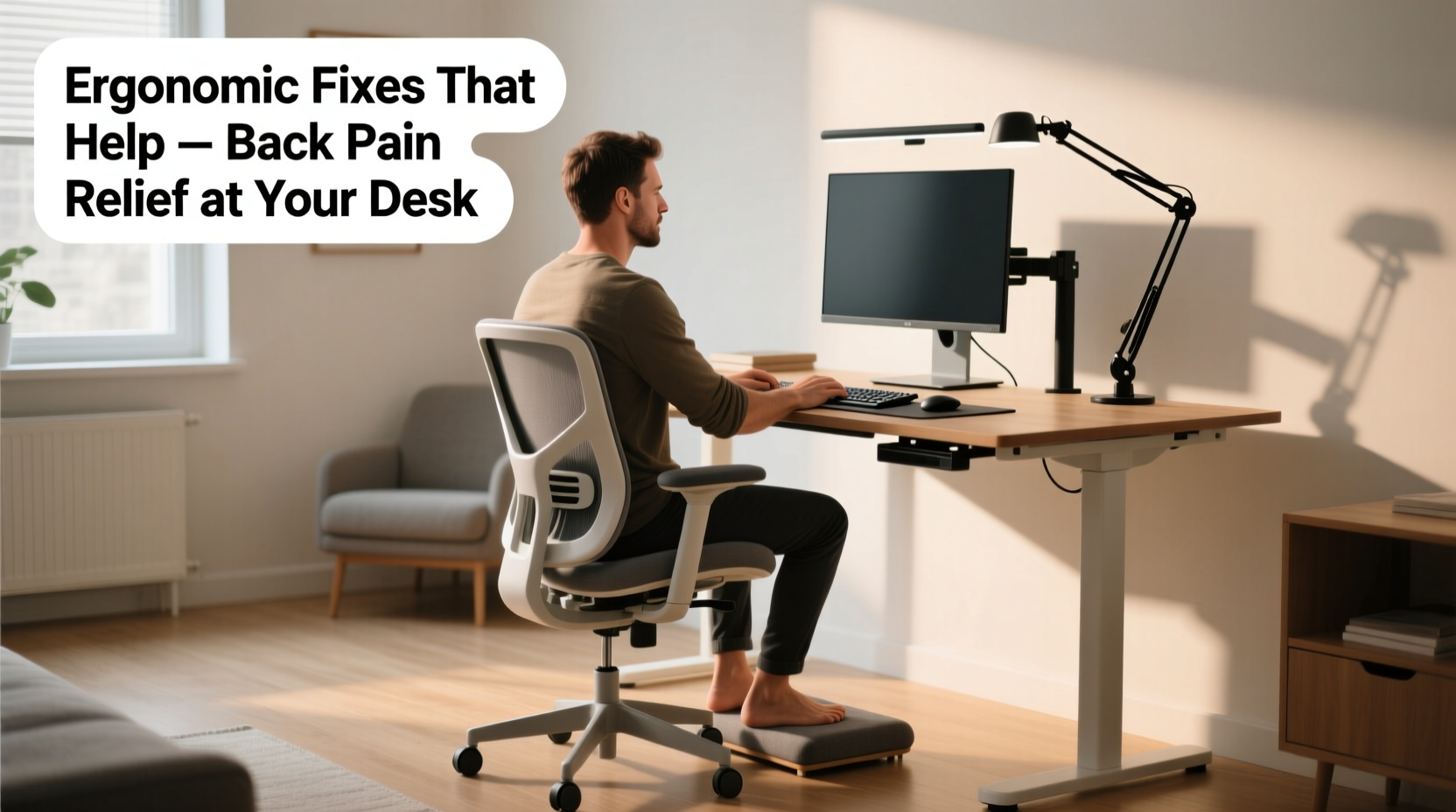
Sitting places unique stress on the spine. Unlike standing or walking, where movement naturally redistributes pressure, prolonged static sitting compresses spinal discs, weakens core muscles, and encourages slouching. The lumbar (lower) region is especially vulnerable. When unsupported, the natural inward curve of the lower back flattens or reverses, increasing disc pressure by up to 40% compared to standing.
Common contributors include:
- Chair design: Lack of lumbar support or improper seat depth forces the pelvis into a posterior tilt, straining the lower back.
- Desk height: A surface too high or low causes shoulder hunching or arm elevation, indirectly affecting spinal alignment.
- Monitor position: Screens below eye level encourage forward head posture, adding cervical and upper back strain that radiates downward.
- Static posture: Remaining in one position for over 30 minutes reduces blood flow and stiffens supporting muscles.
“Sitting is not the problem—poorly designed sitting is. Ergonomics isn’t about comfort; it’s about sustaining neutral spinal alignment under load.” — Dr. Lena Patel, Physical Medicine and Rehabilitation Specialist
Ergonomic Chair Adjustments That Make a Difference
Your chair is the foundation of your sitting posture. Even minor misalignments can compound over hours. Follow these steps to optimize your seating setup:
1. Set Seat Height Correctly
Your feet should rest flat on the floor with knees bent at approximately 90 degrees. If your feet don’t reach the ground, use a footrest. Too high a seat increases pressure behind the knees; too low strains the hamstrings and tilts the pelvis backward.
2. Adjust Seat Depth
There should be about two to four fingers’ width between the front edge of the seat and the back of your knees. A seat that’s too deep cuts off circulation and prevents full back support; one that’s too shallow fails to stabilize the pelvis.
3. Engage Lumbar Support
The chair’s lumbar pad should fit snugly into the small of your back, maintaining the spine’s natural S-curve. If your chair lacks built-in support, use a rolled towel or a contoured cushion. Avoid leaning forward without this support—it dramatically increases disc pressure.
4. Tilt and Tension Settings
A reclined seat angle of 100–110 degrees reduces disc load more than upright 90-degree sitting. Use the backrest tilt to allow slight recline while keeping your screen in view. Adjust tension so you can recline with minimal effort but still maintain control.
Optimizing Your Entire Workstation Layout
Ergonomics extends beyond the chair. Every element of your desk setup influences spinal health.
Monitor Position
The top of your screen should align with or slightly below eye level. Viewing from above causes neck flexion, which over time pulls the upper and mid-back out of alignment. Position the monitor about an arm’s length (20–30 inches) away. Dual monitors should form a curved arc centered on your body.
Keyboard and Mouse Placement
Your elbows should rest close to your sides at 90 degrees, with forearms parallel to the floor. Keyboards should be directly in front, not offset. Avoid extended reaches to the mouse—position it adjacent to the keyboard at the same height. Consider a vertical mouse to reduce wrist pronation, which indirectly improves shoulder and upper back posture.
Desk Height
Standard desks are 29–30 inches high, ideal for users 5'8\" to 5'10\". If you’re shorter or taller, adjust accordingly. Standing desks offer flexibility, but even sit-stand models require proper configuration. When transitioning, alternate every 30–60 minutes rather than standing all day.
| Component | Optimal Position | Common Mistake |
|---|---|---|
| Chair Height | Knees at 90°, feet flat | Feet dangling or knees above hips |
| Monitor Top | At or slightly below eye level | Looking down at laptop screen |
| Elbow Angle | 90°, arms relaxed | Shoulders hunched upward |
| Lumbar Support | Firm contact with lower back | Slouching without support |
| Seat Depth | 2–4 fingers between seat edge and knee | Thighs compressed or sliding forward |
Behavioral Fixes: Movement and Posture Habits
No ergonomic setup compensates for remaining motionless for hours. The spine thrives on micro-movements—small shifts in position that pump fluid into discs and prevent muscle fatigue.
Follow the 20-8-2 Rule
Every 20 minutes, take 20 seconds to stand, stretch, or shift posture. Every 8 sitting cycles (roughly 2.5 hours), perform a 2-minute dynamic break involving walking or mobility drills. This rhythm prevents stiffness and resets postural awareness.
Micro-Stretches for Immediate Relief
- Seated Cat-Cow: Place hands on knees. Inhale, arch back and lift chest (cow). Exhale, round spine and tuck chin (cat). Repeat 8 times.
- Thoracic Extension Over Chair: Clasp hands behind head, gently lean back over the chair’s top edge to open the upper back.
- Pelvic Tilts: Rock pelvis forward (arching lower back) and backward (flattening back) to re-engage core and relieve lumbar tension.
Strengthen Core and Glute Muscles
Weak glutes and abdominals force the lower back to overwork. Incorporate simple exercises like planks, bird-dogs, and glute bridges into your routine three times per week. Even five minutes daily builds endurance that supports better sitting posture.
Real-World Example: Sarah’s Transformation
Sarah, a 34-year-old data analyst, experienced persistent lower back pain after transitioning to full-time remote work. She worked from a dining chair at a kitchen counter, her laptop propped on a stack of books. Within six months, she developed sharp pain after just two hours of sitting.
After consulting an ergonomist, she made key changes:
- Purchased an adjustable ergonomic chair with dynamic lumbar support.
- Bought a laptop riser and external keyboard/mouse.
- Started using a sit-stand desk converter.
- Adopted the 20-8-2 rule with scheduled breaks.
Within three weeks, her pain decreased by 70%. After six weeks, she reported no pain during work hours and improved energy levels. Her case illustrates how combining equipment upgrades with behavioral changes delivers lasting relief.
Checklist: Your 7-Step Ergonomic Audit
Perform this quick audit at the start of each workweek:
- ✅ Chair height adjusted so feet are flat and knees at 90°.
- ✅ Lumbar support engaged and aligned with lower back curve.
- ✅ Monitor top at eye level, positioned 20–30 inches away.
- ✅ Keyboard and mouse within easy reach, elbows at 90°.
- ✅ No excessive reaching, twisting, or shoulder shrugging during typing.
- ✅ Taking at least one active break every hour (standing, stretching, walking).
- ✅ Sitting all the way back in the chair, not perched on the edge.
Frequently Asked Questions
Can standing desks eliminate back pain?
Standing desks reduce prolonged sitting but aren’t a cure-all. Standing too long can cause its own issues—leg fatigue, varicose veins, and lower back strain if posture is poor. The best approach is alternating between sitting and standing every 30–60 minutes, using both positions ergonomically.
Is a kneeling chair better for back pain?
Kneeling chairs promote a forward pelvic tilt, which may temporarily relieve lower back pressure for some users. However, they place significant load on the shins and knees and aren’t suitable for extended use. Most physiotherapists recommend them only as short-term alternatives, not primary seating.
How long does it take for ergonomic changes to reduce pain?
Many people notice improvement within 1–2 weeks of consistent adjustments. Full relief may take 4–6 weeks as muscles adapt and inflammation decreases. Consistency with posture, movement, and workstation setup is key.
Conclusion: Take Control of Your Spinal Health
Back pain while sitting isn’t an inevitable cost of modern work. It’s a signal that your environment and habits need refinement. By adjusting your chair, aligning your monitor, integrating movement, and building supportive routines, you reclaim comfort and long-term spinal resilience. These fixes don’t require expensive gear or drastic lifestyle shifts—just mindful attention and steady application. Start today with one adjustment. Then another. Small changes compound into profound results. Your back will thank you for years to come.




 浙公网安备
33010002000092号
浙公网安备
33010002000092号 浙B2-20120091-4
Comments
No comments yet. Why don't you start the discussion?