
Sitting at a desk for hours each day has become the norm for millions of workers—but so has chronic back pain. While occasional discomfort might seem inevitable, persistent pain is not normal. Poor ergonomics are often the root cause, and small, deliberate changes can make a dramatic difference. This article outlines proven, practical fixes grounded in biomechanics, occupational health research, and real-world application to reduce or eliminate back pain caused by prolonged sitting.
The Hidden Cost of Sitting Wrong
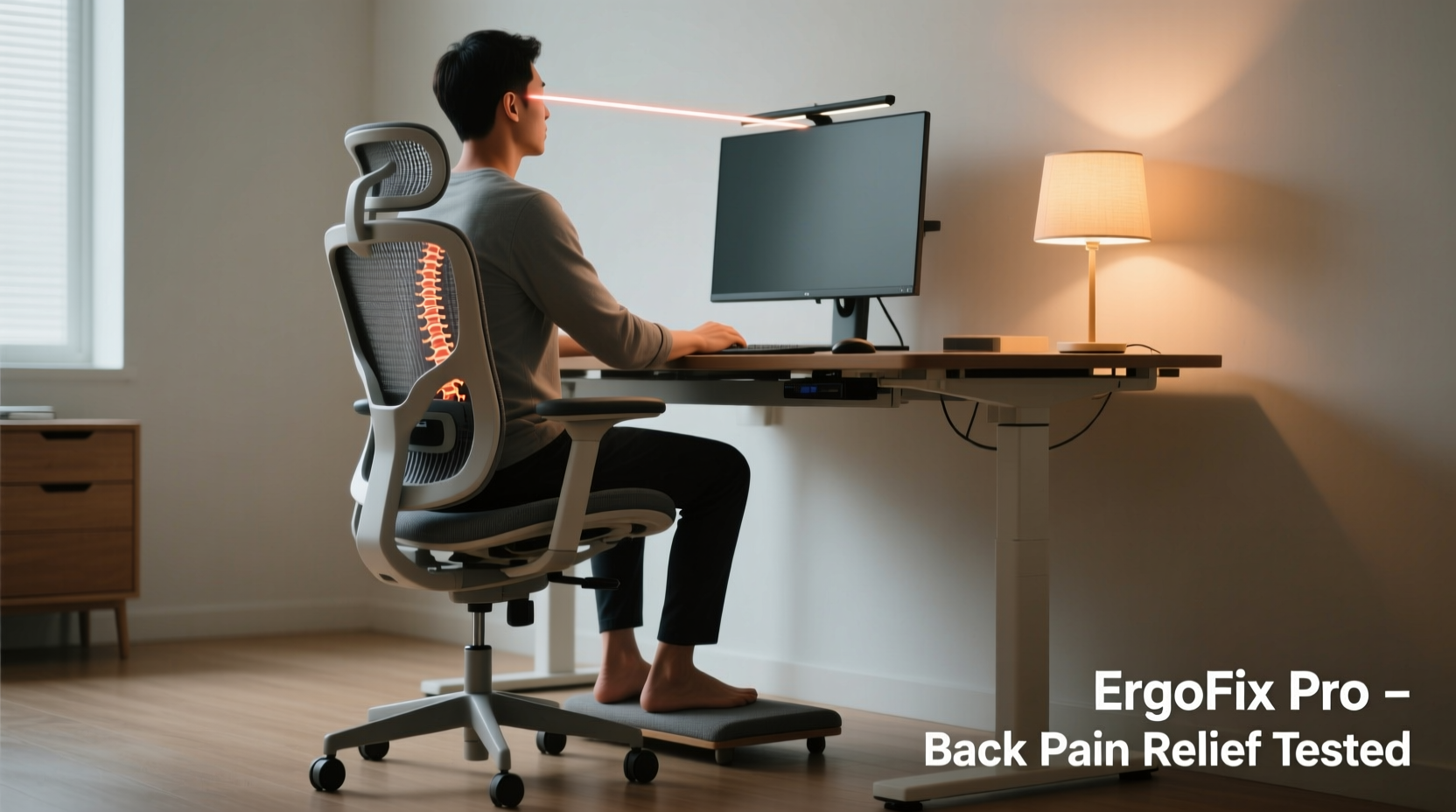
The human spine is designed for movement, not static postures. When you sit for long periods with poor alignment, pressure builds on the lumbar discs, muscles fatigue, and spinal curves flatten. Over time, this leads to stiffness, inflammation, and pain—particularly in the lower back (lumbar region).
A 2023 study published in the Journal of Occupational Rehabilitation found that office workers who made targeted ergonomic adjustments reduced their low back pain by an average of 64% within six weeks. The key wasn’t expensive equipment—it was consistent use of correct positioning and movement strategies.
“Most back pain from sitting isn’t due to injury—it’s due to sustained misalignment. The solution isn’t rest; it’s repositioning.” — Dr. Lena Torres, Physical Therapist & Ergonomics Consultant
Fix Your Chair: The Foundation of Spinal Support
Your chair is the single most important factor in your sitting posture. Even minor adjustments can shift pressure off vulnerable areas of your spine.
Seat Height and Thigh Alignment
Your hips should be slightly higher than your knees when seated. If your feet don’t rest flat on the floor, use a footrest. This slight downward tilt of the pelvis supports the natural curve of the lower back.
Lumbar Support That Actually Works
Many chairs come with built-in lumbar support, but they’re often positioned too high or too stiff. The ideal support fits snugly into the inward curve of your lower back—about two inches above your belt line.
If your chair lacks proper support, use a rolled-up towel or a memory foam lumbar cushion. Position it vertically so it fills the gap between your lower back and the chair without pushing you forward.
Seat Depth and Hip Position
The front edge of your seat should be about 1–2 inches from the back of your knees. Too deep, and the seat cuts into circulation behind your legs; too shallow, and your pelvis slides forward, collapsing your spine.
For people with shorter legs, consider a chair with adjustable seat depth or use a cushion to bring your hips forward.
Monitor and Keyboard Setup: Aligning Your Upper Body
Poor monitor or keyboard placement forces subtle compensations that travel down your spine. Leaning forward, craning your neck, or hunching your shoulders all contribute to lower back strain over time.
Monitor Height and Distance
The top of your screen should be at or slightly below eye level. Looking down even 15 degrees increases cervical load significantly, which shifts weight forward and strains the lower back.
Position the monitor about an arm’s length away (20–30 inches). If you use a laptop, elevate it with a stand and connect an external keyboard and mouse.
Keyboard and Mouse Placement
Your elbows should rest close to your sides at a 90-degree angle, with forearms parallel to the floor. The keyboard should be directly in front of you, centered with your body—not off to one side.
A tilted keyboard tray or negative tilt helps maintain neutral wrist alignment, reducing shoulder tension that can indirectly affect spinal posture.
| Component | Ideal Position | Common Mistake |
|---|---|---|
| Monitor Top Edge | At or slightly below eye level | Too low (laptop on desk) |
| Keyboard | Elbow height, wrists straight | Too high or too far forward |
| Mouse | Same height as keyboard, within easy reach | On the desk beside a raised laptop |
| Feet | Flat on floor or footrest | Dangling or crossed |
Movement Is Medicine: Breaking the Static Cycle
No ergonomic setup can compensate for sitting motionless for hours. The spine thrives on micro-movements—small shifts in position that pump fluid into discs and prevent muscle fatigue.
The 20-8-2 Rule
Adopt a rhythm of work: every 20 minutes, spend 8 minutes standing or moving, and 2 minutes doing dynamic stretches. This isn’t just about reducing sitting time—it’s about introducing variability into your posture.
- Set a timer every 20 minutes using a smartwatch or desktop app.
- Stand up and walk to get water, do a quick lap around your office, or perform wall squats.
- Stretch dynamically: cat-cow stretch, seated spinal twists, or standing side bends.
Seated Pelvic Tilts
While seated, gently rock your pelvis forward and backward. This activates core stabilizers and restores the natural lumbar curve. Do 10 slow repetitions every hour to maintain spinal mobility.
Real Fix: A Case Study in Posture Transformation
Mark, a 38-year-old software developer, came to an ergonomic consultation complaining of daily lower back pain after working 9–10 hours at his home desk. His setup included a gaming chair with reclined backrest, a laptop on the desk, and no external peripherals.
The assessment revealed several issues: his pelvis was posteriorly tilted (slumped), his neck was flexed forward, and he rarely stood during the day. After adjusting his chair height, adding a lumbar roll, elevating his laptop with a stand, and connecting a wireless keyboard, Mark reported noticeable relief within three days.
The biggest change came from implementing scheduled movement breaks. Using a free app, he began standing and stretching every 25 minutes. Within four weeks, his pain dropped from a daily 7/10 to occasional 2/10—and only after unusually long coding sessions.
“I thought I needed a new chair,” Mark said. “But really, I just needed to move more and sit smarter.”
Ergonomic Checklist: Your Action Plan
Use this checklist weekly to ensure your workspace supports your spine:
- ✅ Chair height adjusted so feet are flat and knees slightly below hips
- ✅ Lumbar support properly placed in lower back curve
- ✅ Monitor at eye level and an arm’s length away
- ✅ Keyboard and mouse at elbow height, close to body
- ✅ No slouching or forward head posture
- ✅ Standing or moving at least once every 30 minutes
- ✅ Performing seated pelvic tilts or gentle stretches hourly
- ✅ Feet supported—either on floor or footrest
Advanced Fixes for Persistent Pain
If basic adjustments aren’t enough, consider these deeper interventions:
Dynamic Seating Options
Replace a static chair with one that encourages movement. Options include:
- Kneeling chairs: Tilt the pelvis forward, promoting lumbar curve.
- Ball chairs: Introduce instability that engages core muscles.
- Saddle stools: Mimic a riding posture, opening the hip angle.
These aren’t for everyone, and should be introduced gradually—start with 20-minute intervals.
Desk-Level Resistance Bands
Attach resistance bands to your desk legs for under-the-desk leg lifts, seated rows, or ankle presses. These micro-exercises increase blood flow, reduce stiffness, and strengthen postural muscles without disrupting work.
Posture Feedback Tools
Wearable devices like Upright Go or Lumo Lift vibrate when you slouch. While not a long-term fix, they train muscle memory and increase awareness of poor habits.
“People don’t realize how much they slouch until they get real-time feedback. Awareness is the first step to change.” — Dr. Arjun Patel, Spine Biomechanist
Frequently Asked Questions
Can a standing desk cure my back pain?
Standing desks help by reducing total sitting time, but standing improperly can cause its own problems—like lower back strain from locked knees or uneven weight distribution. The best approach is alternating: 30–45 minutes sitting, then 15–30 minutes standing. Always use an anti-fatigue mat and avoid staying still.
Is it better to sit on a hard or soft chair?
Too soft causes you to sink, losing spinal alignment. Too hard creates pressure points. Look for medium-firm seats with contoured support. Memory foam padding over a firm base offers the best balance of comfort and stability.
How long does it take to see improvement?
Most people notice reduced discomfort within 3–7 days of consistent ergonomic adjustments. Significant improvement typically occurs within 3–6 weeks. Consistency matters more than perfection—small daily changes compound quickly.
Conclusion: Sit Smarter, Not Less
Back pain while sitting isn’t a life sentence. It’s a signal that your body needs better alignment and more movement. The most effective solutions aren’t extreme—they’re sustainable. Adjust your chair, align your screen, support your feet, and break up stillness with intentional motion.
You don’t need a full office overhaul to feel better. Start with one change today: adjust your lumbar support, set a timer for movement, or raise your monitor. Small actions create lasting relief. Your spine will thank you tomorrow—and years from now.




 浙公网安备
33010002000092号
浙公网安备
33010002000092号 浙B2-20120091-4
Comments
No comments yet. Why don't you start the discussion?