
Working from home was once a luxury, now it’s the norm for millions. While remote work offers flexibility and comfort, it often comes with an unexpected cost: chronic back pain. Unlike office environments designed with ergonomics in mind, home setups are frequently improvised—dining chairs, couches, and laptops on beds dominate the landscape. Over time, poor posture and inadequate support take a toll on the spine, leading to persistent discomfort that affects productivity and well-being.
The good news is that most cases of work-from-home back pain are preventable and reversible. By understanding the root causes and implementing practical adjustments, you can reclaim comfort, improve focus, and protect your long-term spinal health. This guide breaks down the most common culprits behind remote work-related back pain and delivers actionable, evidence-based solutions anyone can apply—no expensive equipment required.
Why Back Pain Is So Common in Home Offices
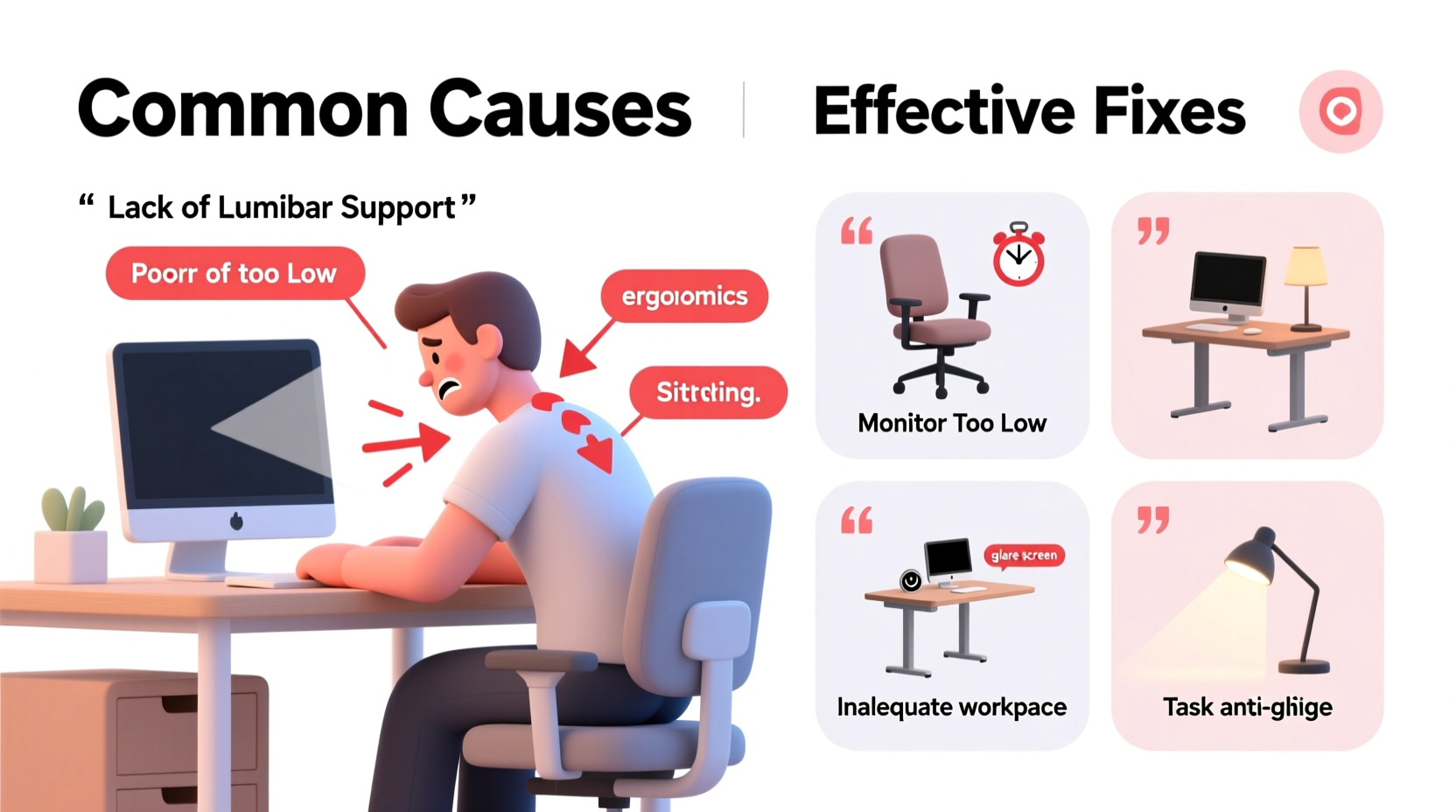
The human spine is designed for movement, not static sitting. Yet many remote workers spend 6–10 hours daily in suboptimal positions. The absence of ergonomic oversight at home amplifies risks. A study by the American Chiropractic Association found that 79% of remote workers reported new or worsened back pain within six months of transitioning to full-time home work.
Unlike traditional offices, where furniture and layouts may be professionally assessed, home workspaces are often created for convenience rather than biomechanical efficiency. People use kitchen tables too low for their height, sit on soft sofas that offer no lumbar support, or hunch over laptops at eye level. These habits create sustained strain on the lower back (lumbar region), mid-back (thoracic spine), and neck (cervical spine).
Muscle imbalances develop when certain groups—like hip flexors and chest muscles—tighten from prolonged sitting, while others—such as glutes and deep core stabilizers—weaken from disuse. This imbalance pulls the pelvis out of alignment, increasing pressure on spinal discs and joints.
Top 5 Causes of Back Pain in Remote Workers
1. Poor Chair and Desk Setup
Using a dining chair, stool, or couch as a desk seat is one of the leading causes of lower back pain. Most household seating lacks lumbar support, proper seat depth, and adjustable height. Sitting without support forces the spine into a C-shaped curve, compressing discs in the lower back.
2. Incorrect Monitor Height
Laptops used directly on desks require users to look down, tilting the head forward. For every inch the head moves forward, the load on the cervical spine increases by 10 pounds. Over time, this leads to “tech neck” and referred pain into the upper back and shoulders.
3. Prolonged Static Posture
Sitting continuously for more than 30–45 minutes without movement reduces blood flow to spinal tissues and stiffens supporting muscles. The intervertebral discs rely on motion to absorb nutrients; immobility accelerates degeneration.
4. Lack of Core Engagement
Slouching or relying entirely on chair backs weakens the transverse abdominis and multifidus—key stabilizing muscles of the spine. Without active engagement, the spine bears excessive load during everyday movements.
5. Inadequate Breaks and Movement
Remote workers often skip breaks due to workload or blurred boundaries between work and personal life. Without regular standing, stretching, or walking, muscle fatigue sets in, increasing susceptibility to strain.
“Sitting is not the problem—sitting without variation is.” — Dr. Jack Callaghan, Professor of Biomechanics, University of Waterloo
Workspace Fixes You Can Implement Today
You don’t need a $1,000 ergonomic chair to fix your setup. Many effective solutions are low-cost or free. Start with these foundational adjustments:
Chair Optimization
- Ensure your hips are slightly higher than your knees. Use a cushion or folded towel if needed.
- Add lumbar support: Roll a small towel and secure it behind your lower back, or purchase a $15 lumbar roll.
- Keep feet flat on the floor or use a footrest (a sturdy box works).
Monitor Positioning
Raise your screen so the top third aligns with your eye level. If using a laptop:
- Use books or a stand to elevate the screen.
- Connect an external keyboard and mouse to maintain proper hand position.
Desk Height Check
Your elbows should rest at 90–110 degrees when typing, with forearms parallel to the floor. If your desk is too high, raise your chair and use a footrest. If too low, place sturdy boards under the legs.
| Component | Ideal Position | Quick Fix |
|---|---|---|
| Chair Height | Hips slightly above knees | Towel under seat or footrest |
| Monitor Top | At or slightly below eye level | Stacked books or box |
| Keyboard | Elbows at 90–110°, wrists neutral | External keyboard for laptops |
| Mouse | Close to body, same height as keyboard | Avoid reaching across desk |
| Feet | Flat on floor or supported | Box, binder, or footrest |
Step-by-Step Daily Routine to Prevent Back Pain
Adjusting your workspace is only half the solution. Movement is medicine for the spine. Follow this simple daily structure to build resilience:
- Start with a 5-minute warm-up (8:55 AM)
Perform cat-cow stretches, pelvic tilts, and shoulder rolls to activate spinal mobility. - Work in 45-minute blocks (9:00 AM onwards)
Set a timer. When it rings, stand up immediately. - Take a 5-minute movement break every hour
Walk around, stretch hamstrings, or do wall angels. Avoid scrolling on your phone. - Lunch = Active Reset (12:30 PM)
Take a 15-minute walk outside. Sunlight and motion reset posture and mood. - Mid-afternoon reset (3:00 PM)
Do two minutes of diaphragmatic breathing and gentle twists to release tension. - End-of-day cooldown (5:30 PM)
Stretch hip flexors, glutes, and thoracic spine. Hold each for 30 seconds.
This rhythm prevents cumulative strain, boosts circulation, and trains your body to self-correct posture throughout the day.
Real-Life Example: How Sarah Reduced Her Back Pain in Two Weeks
Sarah, a 34-year-old content manager, began experiencing sharp lower back pain after switching to full-time remote work. She worked from her living room couch, propped up on pillows with her laptop on a coffee table. After three months, she could barely sit for more than 20 minutes without discomfort.
She implemented the following changes:
- Bought a $70 adjustable desk chair and placed it at the dining table.
- Used a cookbook stand to elevate her laptop screen.
- Connected a wireless keyboard and mouse.
- Set hourly reminders to stand and stretch.
- Started doing 10 minutes of yoga each morning focusing on spine mobility.
Within 10 days, her pain decreased significantly. By day 14, she reported being able to work full days without medication. Her employer later adopted her setup as a model for other remote staff.
Essential Exercises to Strengthen Spinal Support
No ergonomic setup can compensate for weak core and gluteal muscles. Incorporate these three exercises into your routine 3–4 times per week:
1. Dead Bug (Core Stability)
Lie on your back, arms extended toward ceiling, knees bent at 90 degrees. Slowly extend opposite arm and leg while keeping your lower back pressed into the floor. Return and switch sides. Perform 3 sets of 10 reps.
2. Glute Bridge (Glute Activation)
Lie on your back, knees bent, feet flat. Lift hips until shoulders, hips, and knees form a straight line. Squeeze glutes at the top. Lower slowly. 3 sets of 12 reps.
3. Thoracic Spine Rotation (Mobility)
Kneel on one knee, place opposite hand behind head. Rotate your elbow toward the ceiling, opening the chest. Return and repeat. 10 reps per side, 2 sets.
“People think they need more back strength, but what they really need is better motor control and endurance in postural muscles.” — Dr. Stuart McGill, Spine Biomechanist, University of Waterloo
Back Pain Prevention Checklist
Use this checklist weekly to ensure your setup and habits stay aligned with spinal health:
- ✅ Chair supports natural lumbar curve
- ✅ Feet are flat or supported
- ✅ Monitor top is at eye level
- ✅ Keyboard and mouse close to body
- ✅ Take a movement break every 45–60 minutes
- ✅ Perform at least 10 minutes of spine-friendly exercise daily
- ✅ Avoid working from bed or sofa
- ✅ End workday with a cooldown stretch
Frequently Asked Questions
Can back pain from sitting be reversed?
Yes, in most cases. Early-stage postural back pain responds well to ergonomic adjustments, movement, and targeted strengthening. Chronic pain may require professional evaluation, but improvement is still possible with consistent effort.
Is standing all day better than sitting?
No. Standing for prolonged periods can cause its own set of issues, including varicose veins and lower back strain. The key is variation. Alternate between sitting and standing every 30–60 minutes if using a standing desk.
How do I know if my back pain is serious?
Seek medical advice if you experience numbness, tingling, weakness in legs, loss of bladder control, or pain that radiates down the leg (sciatica). These may indicate nerve involvement requiring professional intervention.
Take Control of Your Spinal Health
Back pain doesn’t have to be the price of remote work. With thoughtful adjustments to your environment and daily habits, you can create a workspace that supports both productivity and physical well-being. The strategies outlined here—from optimizing chair height to integrating micro-movements—are grounded in biomechanics and accessible to everyone, regardless of budget.
Start today. Make one change—raise your screen, add lumbar support, or schedule your first movement break. Small actions compound into lasting relief. Your spine carries you through life; give it the care it deserves.




 浙公网安备
33010002000092号
浙公网安备
33010002000092号 浙B2-20120091-4
Comments
No comments yet. Why don't you start the discussion?