
When working late or gaming after dark, the appearance and functionality of your keyboard can significantly affect both comfort and immersion. Two common lighting solutions—backlit keyboards and illuminated keycaps—offer distinct visual experiences in low-light environments. While they may seem similar at first glance, their design, light distribution, and aesthetic impact differ in meaningful ways. Understanding these differences helps users choose not just what works best functionally, but also what enhances the ambiance of their workspace after sunset.
The debate isn't merely about visibility—it's about atmosphere, precision, and personal preference. Whether you're a writer who types under dim ambient lighting, a gamer building a custom RGB setup, or a professional using a laptop in a dark office, the way light interacts with your keyboard influences both performance and pleasure. This article dives into the nuances between backlit keyboards and illuminated keys, examining how each performs and appears when the lights go down.
Understanding the Difference: Backlighting vs Key Illumination
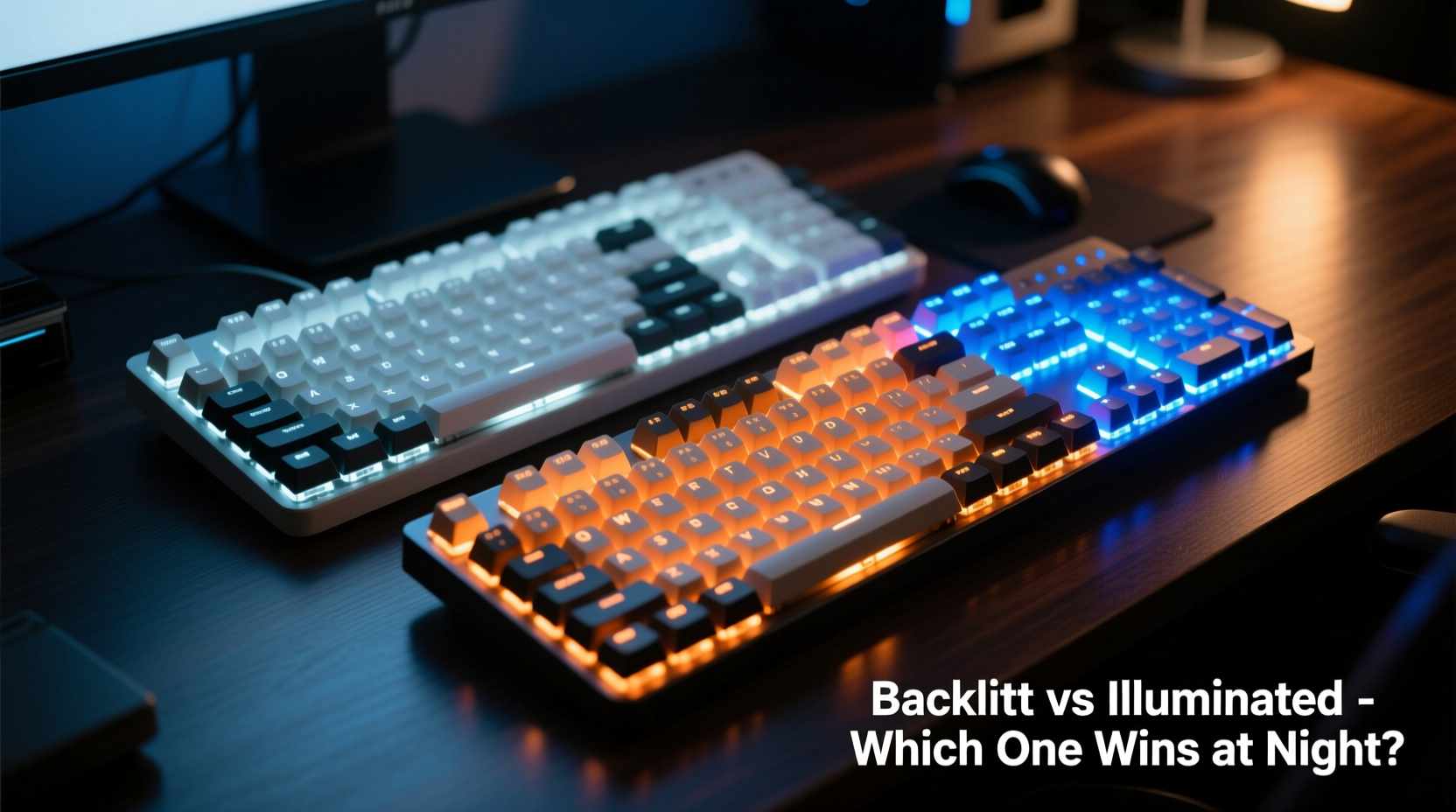
Before evaluating visual appeal, it’s essential to clarify what “backlit” and “illuminated” actually mean in the context of keyboards. These terms are often used interchangeably, but technically describe different mechanisms of light delivery.
Backlit keyboards feature LEDs mounted beneath the key switches. When activated, these lights shine upward through translucent or semi-transparent keycaps, creating a glow that highlights the entire surface of each key. The illumination originates from behind the keycap, hence the term \"backlit.\" Most mechanical and membrane keyboards with backlighting use this method, and many allow brightness adjustment or dynamic effects like wave patterns or reactive typing.
Illuminated keys, on the other hand, refer more specifically to keycaps designed to transmit light efficiently. These may be paired with backlighting, but the emphasis is on the material and structure of the cap itself—often made from double-shot PBT or transparent ABS plastic with laser-etched legends (the symbols/letters on keys). In some cases, especially with high-end custom keycap sets, the illumination comes from side-lit or underglow LEDs, where light enters the sides of the cap and diffuses throughout, giving a halo-like effect.
In short: all illuminated keys require a light source, but not all backlit keyboards have optimally illuminated keycaps. The visual outcome depends on both the placement of LEDs and the quality of the keycap design.
Visual Performance in Low Light: Aesthetic Comparison
At night, two primary factors determine how good a keyboard looks: uniformity of light and contrast against surroundings. Let’s break down how each system performs.
Backlit keyboards tend to produce a clean, even glow across the board. Because the LEDs sit directly below each switch, light rises uniformly through the center of the keycap. On well-designed models—especially higher-end mechanical boards—the result is a smooth, professional look with minimal hotspots (overly bright spots) or dark corners. Many modern backlit keyboards offer per-key RGB customization, allowing users to create gradients, breathing effects, or static color schemes that complement room lighting.
However, cheaper membrane-based backlit keyboards often suffer from inconsistent lighting. Some keys appear brighter than others due to uneven LED placement or poor diffusion materials. Additionally, if the keycaps are opaque or heavily textured, much of the backlight may be blocked, resulting in faint or patchy visibility.
Illuminated keycaps, particularly those engineered for optimal light spread, deliver a more refined aesthetic. High-quality keycaps act like lenses, diffusing light evenly across the legend and edges. Side-lit configurations—where LEDs are placed along the frame and shine into the base of the cap—can create a floating effect, making keys appear as if they’re glowing from within. This approach is popular among minimalist and luxury builds, offering a subtle elegance rather than flashy brilliance.
Still, illuminated keycaps depend entirely on external lighting. Without compatible backlighting underneath or beside them, even the most translucent caps will remain dark. And while they enhance clarity of lettering, they don’t inherently improve overall keyboard brightness unless paired with sufficient LEDs.
“Lighting quality transforms a functional tool into an expressive part of your environment. It’s not just about seeing the keys—it’s about how the light makes you feel while using them.” — Daniel Reyes, Industrial Designer at Lumisys Input Systems
Comparison Table: Backlit vs Illuminated Keys at Night
| Feature | Backlit Keyboard | Illuminated Keys |
|---|---|---|
| Light Source Location | Beneath switches | Below, beside, or within keycap structure |
| Uniformity of Glow | Good (varies by build quality) | Excellent (with proper caps) |
| Legend Clarity | Moderate to high | Very high (double-shot/dye-sub) |
| Ambient Effect | Bright, visible from afar | Softer, more immersive |
| Customization | High (RGB, modes, zones) | Limited to cap design + lighting setup |
| Best For | Gaming, productivity, vibrant setups | Minimalist desks, quiet workspaces, custom builds |
Real-World Example: A Late-Night Writer’s Setup
Sophie, a freelance novelist based in Portland, spends several hours every night writing in her home office. She prefers a calm, distraction-free environment lit only by a warm desk lamp and soft blue accent lighting. Initially, she used a standard backlit laptop keyboard with white LEDs. While functional, she found the harsh brightness disrupted her focus and created glare on her screen.
Seeking a gentler solution, Sophie upgraded to a mechanical keyboard with warm-white backlighting and custom translucent keycaps designed for side illumination. By placing small LEDs along the inner rim of her case, she achieved a diffuse, low-intensity glow that highlighted the keys without overwhelming the room. The change was subtle but impactful: her typing became more fluid, eye strain decreased, and the keyboard itself added to the serene mood of her workspace.
This shift wasn’t just practical—it was emotional. “It feels like the keyboard breathes with me now,” she said. “Not shouting with light, but whispering. That matters when you’re deep in a story.”
Her experience illustrates a key point: illuminated keys, when thoughtfully integrated, can offer superior nighttime aesthetics by blending form and function seamlessly.
How to Optimize Your Keyboard Lighting for Night Use
No matter which type you choose, maximizing visual appeal and usability at night requires intentional setup. Follow this step-by-step guide to refine your keyboard’s nighttime presence.
- Assess your current lighting: Turn off overhead lights and observe how your keyboard performs. Are legends readable? Is there uneven brightness?
- Adjust brightness settings: Most backlit keyboards allow multiple brightness levels. Lower intensities reduce eye fatigue and prevent light pollution.
- Choose appropriate colors: Warm whites or soft reds are less disruptive to melatonin production than cool blue or bright white. Ideal for late-night sessions.
- Upgrade keycaps: Replace stock caps with double-shot PBT or transparent ABS keycaps optimized for light transmission.
- Add indirect lighting: Consider under-desk RGB strips or case-mounted LEDs to enhance ambient glow without direct key illumination.
- Enable smart lighting modes: Use software (like QMK or manufacturer suites) to set timers or motion-activated lighting that turns on only when typing.
- Test in real conditions: Use the keyboard during actual nighttime tasks—writing, coding, browsing—to evaluate comfort and aesthetics over time.
Frequently Asked Questions
Can I make my non-backlit keyboard glow at night?
Yes, but with limitations. You can install LED strips inside the case or use adhesive mini-lights around the perimeter. However, without cutout keycaps or proper diffusion, the effect will likely be uneven. For best results, combine physical modifications with translucent keycaps.
Are illuminated keys better for eyes during night use?
They can be, depending on implementation. Illuminated keys with warm-toned, diffused lighting reduce contrast strain compared to stark, cool-white backlights. Pairing low-luminance illumination with matte screens further minimizes eye fatigue.
Do RGB backlit keyboards look better than single-color ones at night?
Subjectively, yes—for some users. RGB offers creative flexibility, enabling themes that match room decor or mood. However, overly vibrant colors can feel distracting in serene environments. Single-color options (especially warm white or amber) often provide a cleaner, more professional nighttime appearance.
Checklist: Choosing the Right Nighttime Keyboard Look
- ☐ Determine your primary use case: gaming, writing, programming, casual browsing
- ☐ Decide on desired ambiance: vibrant and energetic vs. calm and focused
- ☐ Check compatibility between keyboard and keycap lighting methods
- ☐ Test brightness levels to avoid screen glare or excessive room illumination
- ☐ Prefer warm-color temperatures (2700K–3500K) for relaxed evening use
- ☐ Invest in high-diffusion keycaps if pursuing a premium illuminated look
- ☐ Consider software controls for scheduling or automating lighting changes
Final Verdict: Which Looks Better at Night?
There is no universal answer—but there is a personalized one. For bold, dynamic visuals with strong legibility and customizable flair, a high-quality backlit keyboard wins. Gamers, streamers, and tech enthusiasts who enjoy visual feedback and vibrant setups will appreciate the immediate impact of evenly lit RGB keys.
Yet, for those seeking elegance, subtlety, and integration with a tranquil environment, illuminated keys—especially when paired with thoughtful lighting architecture—deliver a superior nighttime aesthetic. They turn the keyboard into a softly glowing instrument, enhancing focus without demanding attention.
In essence, backlit keyboards announce their presence; illuminated keys invite interaction. The choice depends not on technology alone, but on how you want your space to feel when the world quiets down.




 浙公网安备
33010002000092号
浙公网安备
33010002000092号 浙B2-20120091-4
Comments
No comments yet. Why don't you start the discussion?