
For many professionals, gamers, writers, and students, late-night work sessions are a regular part of life. Whether you're coding under dim ambient lighting, responding to urgent emails after hours, or immersed in a gaming marathon, visibility matters. One key factor that influences nighttime usability is the presence—or absence—of keyboard backlighting. But does a backlit keyboard actually improve typing performance at night? Or is it just a flashy aesthetic feature? The answer lies in ergonomics, visual cognition, and real-world usability.
This article examines the functional differences between backlit and non-backlit keyboards, evaluates their impact on typing speed and accuracy in low light, and provides practical guidance for choosing the right option based on your needs.
The Science of Visibility and Typing Performance
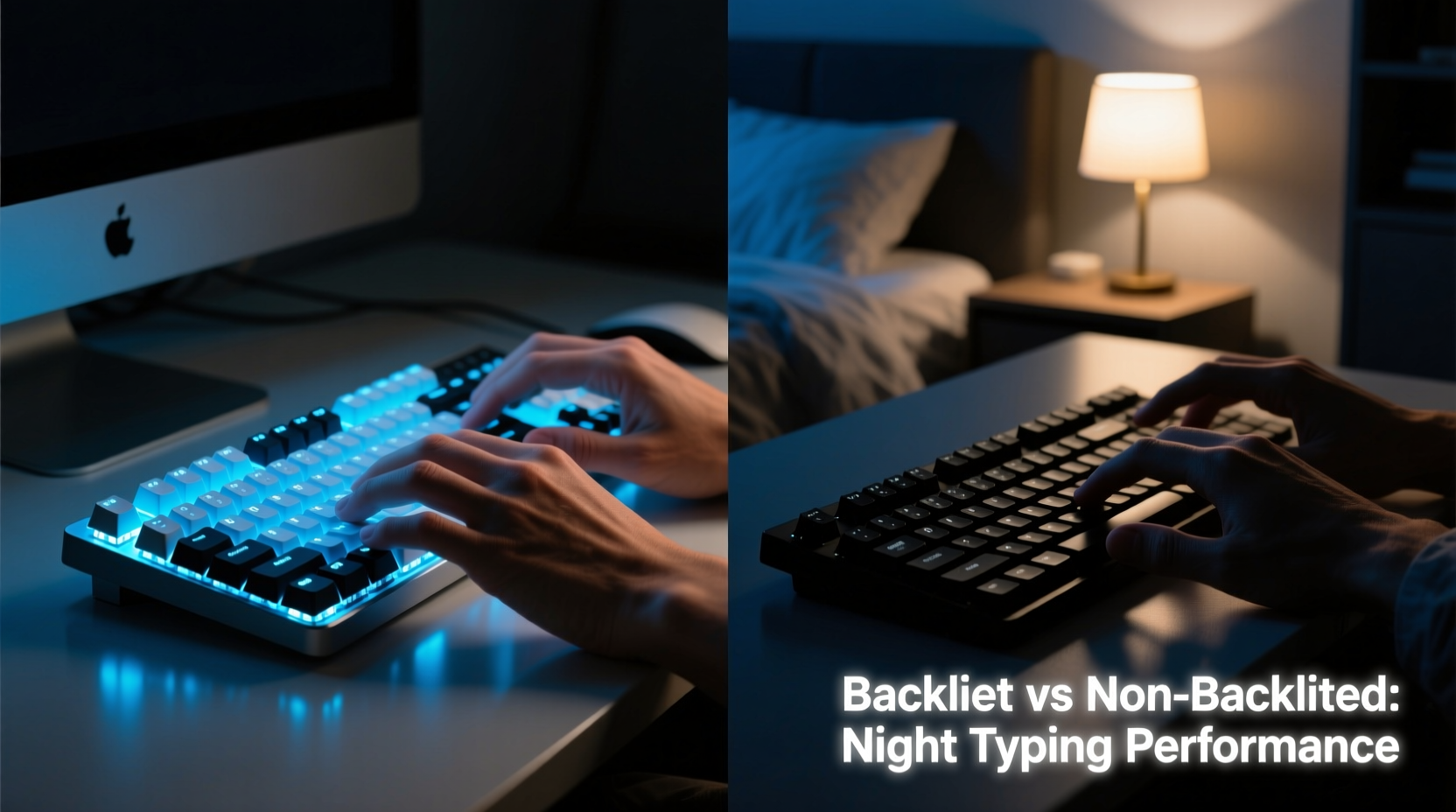
Typing efficiently requires both motor memory and visual feedback. While experienced typists rely heavily on muscle memory, visual cues still play a role—especially when correcting errors, navigating shortcuts, or using less familiar keys like function keys, symbols, or modifier combinations (e.g., Ctrl+Alt+Del).
In low-light conditions, non-backlit keyboards become difficult to read. Key labels fade into shadow, forcing users to squint, adjust lighting, or look away from the screen to locate specific keys. This disrupts workflow and increases cognitive load. A study published in the *Journal of Human Factors and Ergonomics* found that poor visibility during data entry tasks led to a 17% increase in error rates and a 12% reduction in typing speed among participants working in dim environments.
Backlit keyboards counteract this by illuminating key legends from beneath, enhancing contrast and readability without requiring external light sources. The illumination reduces eye strain caused by constant shifting between bright screens and dark peripherals—a common issue in home offices with uneven lighting.
“Proper peripheral visibility is as critical as screen brightness for maintaining focus and reducing fatigue during extended work sessions.” — Dr. Lena Patel, Human-Computer Interaction Researcher, MIT Media Lab
Key Differences: Backlit vs Non-Backlit Keyboards
The primary distinction between backlit and non-backlit keyboards lies in their ability to support use in variable lighting. However, several other factors differentiate them beyond mere illumination.
| Feature | Backlit Keyboard | Non-Backlit Keyboard |
|---|---|---|
| Low-Light Usability | Excellent – keys remain visible in darkness | Poor – requires external lighting |
| Typing Accuracy (Night) | Higher – reduced mispresses due to visibility | Lower – increased risk of hitting wrong keys |
| Battery Consumption | Higher – especially with RGB lighting | Minimal – no additional power draw |
| Price | Average to premium ($60–$200+) | Budget-friendly ($20–$70) |
| Ergonomic Benefit | Moderate – reduces neck strain from leaning toward light | Limited – may encourage awkward postures |
| Aesthetic Appeal | High – customizable colors and effects | Neutral – functional design |
The table highlights that while backlit keyboards offer tangible advantages in usability and comfort at night, they come with trade-offs in cost and energy efficiency. For users who primarily work during daylight or in well-lit rooms, these benefits may not justify the added expense.
Real-World Impact: A Mini Case Study
Consider the case of Marcus Tran, a freelance software developer based in Portland, Oregon. Marcus typically works from 8 PM to 2 AM, debugging code and writing documentation in a room lit only by his dual monitors and a small desk lamp. He initially used a standard non-backlit membrane keyboard but began experiencing frequent typos in command-line inputs—mistaking 'i' for 'k', missing parentheses, and accidentally triggering Alt+F4 instead of Ctrl+C.
After switching to a mechanical keyboard with white LED backlighting, he reported an immediate improvement. “I stopped having to pause and double-check every line,” he said. “My compile errors dropped by half in the first week. It’s not magic—it’s just that I can finally see what I’m doing.”
Over three months, Marcus tracked his typing accuracy using a keystroke logging tool. His average error rate fell from 5.3% to 2.1%, and self-reported fatigue decreased significantly. While multiple factors could have contributed, he attributed most of the change to improved keyboard visibility.
This example illustrates how a seemingly minor hardware upgrade can yield measurable gains in productivity and comfort—particularly in niche usage patterns like nocturnal work.
When Backlighting Matters Most
Not all users will benefit equally from a backlit keyboard. The value depends on environment, habits, and sensitivity to visual stress. Here are scenarios where backlighting delivers the greatest advantage:
- Night shift workers: Customer support agents, developers, and healthcare professionals working overnight benefit from consistent key visibility without disturbing others with bright overhead lights.
- Gamers: Many games require rapid key combinations in darkened rooms. Backlighting allows players to maintain immersion without losing control precision.
- Shared spaces: People sharing bedrooms or living rooms may avoid turning on bright lights late at night. Backlit keyboards enable silent, independent work.
- Visual impairments: Users with mild vision challenges find high-contrast illuminated keys easier to distinguish than printed legends on dark backgrounds.
- Frequent travelers: Those working on planes, trains, or in hotel rooms often face inconsistent lighting. A backlit keyboard adapts more readily to changing conditions.
Conversely, if you work exclusively in daylight, use large-print keycaps, or rely heavily on voice-to-text tools, a non-backlit model may suffice—and save money and battery life.
Step-by-Step Guide to Optimizing Nighttime Typing
If you're struggling with typing accuracy at night, follow this actionable sequence to improve your setup regardless of keyboard type:
- Assess Your Lighting Environment
Determine whether your workspace has adequate ambient light. Ideally, screen brightness should match surrounding illumination to reduce eye strain. - Test Your Current Keyboard
Type a paragraph in dim light without adjusting lamps. Note how often you miss keys or need to correct errors. - Adjust Screen Brightness
Lower your monitor to a comfortable level. Excessive screen glare makes unlit keyboards appear even darker by comparison. - Try Temporary Solutions
Use a small LED desk lamp aimed at the keyboard. Avoid casting shadows with your hands. Alternatively, apply reflective keycap stickers. - Evaluate Upgrade Options
If temporary fixes aren’t sustainable, consider a backlit keyboard with adjustable brightness levels and warm-color options to minimize blue light exposure before sleep. - Adopt Touch-Typing Habits
Invest time in learning proper finger placement. Strong muscle memory reduces reliance on visual confirmation, making any keyboard easier to use in the dark.
This process helps identify whether the issue stems from equipment limitations or technique gaps—ensuring you make informed decisions about upgrades.
Expert Recommendations and Features to Look For
When shopping for a backlit keyboard, not all models perform equally. Experts recommend prioritizing functionality over flashy features:
- Adjustable Brightness: Multiple intensity levels let you fine-tune illumination for different environments.
- Color Temperature: Warm white or amber backlighting is less disruptive to melatonin production than cool blue tones.
- Per-Key Lighting (vs Edge Lighting): True per-key LEDs ensure even coverage; edge-lit designs often leave center keys dim.
- Battery Efficiency: For wireless models, check if backlighting can be disabled or scheduled (e.g., off during daytime).
- Anti-Ghosting & N-Key Rollover: These prevent input lag and missed keystrokes during fast typing—critical when errors are harder to catch visually.
“The best backlit keyboard isn’t the brightest one—it’s the one that integrates seamlessly into your workflow without drawing attention to itself.” — Jordan Lee, Peripheral Design Lead at InputLabs
Frequently Asked Questions
Does a backlit keyboard reduce eye strain?
Yes, when properly calibrated. A well-lit keyboard balances screen brightness and peripheral visibility, minimizing the constant pupil adjustment that causes eye fatigue. However, overly bright or blue-heavy backlighting can contribute to digital eye strain, especially before bedtime.
Can I add backlighting to a non-backlit keyboard?
Generally, no. Backlighting requires integrated LEDs and transparent or semi-transparent keycaps. Retrofitting is impractical and costly. However, some third-party kits exist for advanced modders, though results vary and may void warranties.
Do backlit keyboards wear out faster?
No. The lifespan of a keyboard is determined by switch durability (measured in keystrokes) and build quality—not backlighting. LEDs typically last 20,000 to 50,000 hours, far exceeding the mechanical life of most consumer-grade keyboards.
Checklist: Choosing the Right Keyboard for Night Use
- ✅ Assess whether you regularly type in low-light conditions
- ✅ Determine budget range ($50–$150 recommended for quality backlit models)
- ✅ Prioritize adjustable backlight brightness and color temperature
- ✅ Confirm compatibility with your OS (Windows, macOS, Linux, mobile)
- ✅ Test tactile feedback—mechanical switches often pair better with backlighting for responsiveness
- ✅ Consider wireless vs wired: Bluetooth models may limit simultaneous lighting and connectivity performance
- ✅ Read user reviews focusing on real-world low-light usability, not just specs
Conclusion: Make the Right Choice for Your Workflow
A backlit keyboard isn't a luxury—it's a functional enhancement for anyone who types regularly in dim environments. The evidence shows clear improvements in typing accuracy, reduced errors, and greater comfort during nighttime use. While non-backlit keyboards remain viable for daylight or brightly lit settings, they fall short when visibility drops.
The decision ultimately hinges on your personal routine. If you've ever paused mid-sentence to hunt for the quotation mark key or deleted lines due to misplaced brackets, you’ve already felt the cost of poor visibility. Upgrading to a backlit model could reclaim minutes each day and reduce mental fatigue over time.




 浙公网安备
33010002000092号
浙公网安备
33010002000092号 浙B2-20120091-4
Comments
No comments yet. Why don't you start the discussion?