
In an age where smartphones are lifelines and connectivity defines convenience, manufacturers have responded by embedding technology into everyday items. One of the most visible examples is the rise of backpacks with built-in USB ports—designed to let users charge devices on the go. But as these tech-enhanced bags flood the market, a critical question emerges: Is this innovation genuinely useful, or is it just another marketing gimmick capitalizing on our obsession with gadgets?
To answer that, we need to look beyond the sleek branding and examine real-world utility, durability, safety, cost, and user experience. The choice between a traditional backpack and one with integrated charging capabilities isn’t just about preference—it’s about understanding what you actually need versus what sounds good in a product description.
The Rise of Tech-Integrated Backpacks
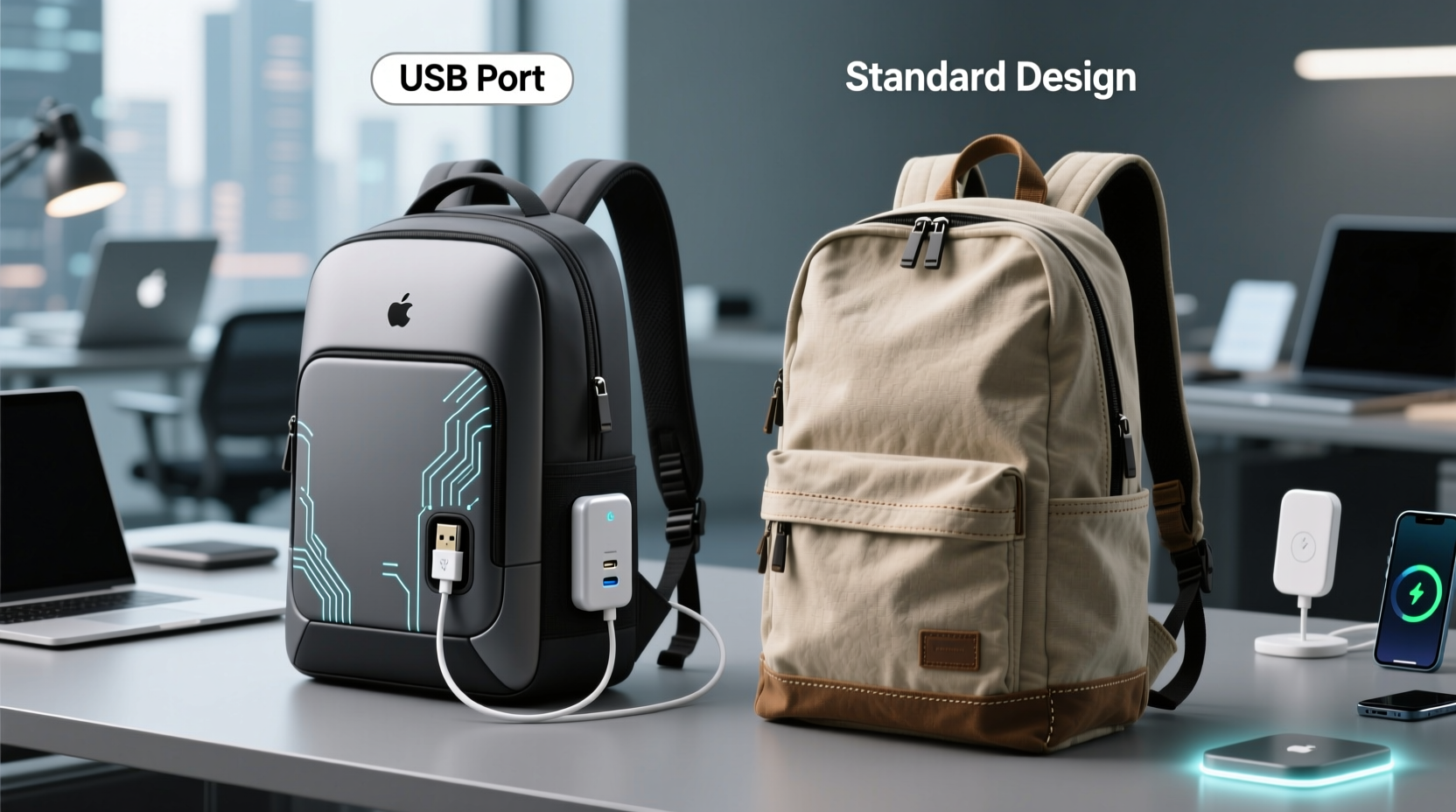
Backpacks with USB ports began appearing in mainstream retail around the mid-2010s, often marketed toward students, travelers, and urban commuters. These designs typically include a built-in USB port on the exterior or side panel, connected internally to a power bank pocket. Users plug their phone into the external port while the battery pack sits securely inside the bag.
The concept is simple: eliminate the hassle of fumbling with cords while walking or commuting. No more awkwardly holding your phone near a public outlet or draining your own battery trying to keep your device alive. Instead, you’re promised seamless, mobile charging—just like a smartphone hotspot or wireless earbuds.
But simplicity in theory doesn’t always translate to practicality in use. While early adopters praised the convenience, others criticized the execution—citing poor cable quality, lack of waterproofing, and limited compatibility with larger power banks.
Breaking Down the Features: What You Actually Get
Let’s dissect what sets a USB-enabled backpack apart from its conventional counterpart:
- External USB Port: Usually located on the side or top flap for easy access.
- Internal Power Bank Compartment: A padded or zippered pouch designed to hold a standard-sized power bank (typically 10,000–20,000 mAh).
- Integrated Charging Cable: Some models come with a fixed micro-USB or USB-C cable routed through the bag; others require you to use your own.
- Additional Tech-Friendly Pockets: Often includes RFID-blocking slots, headphone pass-throughs, or tablet sleeves.
On paper, these features sound like thoughtful upgrades. In practice, however, many users report underwhelming results. For instance, internal cables can fray quickly due to constant bending at stress points. Fixed cables also limit flexibility—if your device uses USB-C but the backpack has only a micro-USB line, you’re stuck carrying an adapter anyway.
Moreover, not all manufacturers design these compartments with universal fit in mind. A 20,000mAh Anker may not fit in a pocket sized for older, slimmer batteries. This mismatch turns what should be a convenience into a frustration.
Useful or Gimmicky? A Practical Comparison
To determine whether the USB feature adds real value, consider how it performs across key criteria compared to a regular backpack.
| Feature | Backpack with USB Port | Regular Backpack |
|---|---|---|
| Charging Convenience | Moderate – depends on power bank placement and cable quality | Low – requires manual setup and exposed cables |
| Durability | Variable – weak points at cable entry; potential fraying | Generally high – no electronic components to fail |
| Safety | Risk of short circuits if exposed to moisture; overheating concerns | No electrical risks |
| Cost | $40–$120+, often 30–50% more than equivalent non-tech versions | $20–$80 depending on brand and material |
| Versatility | Lower – dependent on compatible power bank and cable type | Higher – adaptable to any charging method or accessory |
| Maintenance | More complex – cleaning around ports requires caution | Simple – wipe down or machine wash (if applicable) |
The data suggests a trade-off: you gain marginal convenience at the expense of reliability, cost, and long-term usability. Unless you're frequently traveling without access to outlets—such as hiking, camping, or extended train rides—the added complexity may not justify the premium.
“We’ve seen a spike in returns for ‘smart’ backpacks due to broken internal wires and incompatible power banks. Consumers expect plug-and-play reliability, but the engineering isn’t there yet.” — David Lin, Product Manager at UrbanGear Reviews
Real-World Example: Commuter vs. Traveler
Consider two scenarios:
Scenario 1: City Commuter (Alex)
Alex takes the subway daily, works in a café, and rarely goes more than four hours without access to an outlet. They bought a USB backpack hoping to stay charged during transit. In reality, they end up plugging directly into café tables most days. The backpack’s internal cable broke after six months of daily use, rendering the port useless. Alex now carries a separate power bank and regrets the extra $35 spent on the “smart” version.
Scenario 2: International Traveler (Samira)
Samira travels across Southeast Asia, often spending full days exploring remote areas with spotty electricity. Her USB backpack allows her to charge her phone from a solar-powered power bank while hiking. She values the clean cable routing and secure storage. Despite minor wear on the port, she finds the feature indispensable and credits it with helping her navigate unfamiliar cities without losing battery anxiety.
This contrast highlights a crucial insight: usefulness depends entirely on context. For frequent travelers, outdoor enthusiasts, or digital nomads, the integration offers tangible benefits. For everyday urban users, it often becomes redundant—or worse, a point of failure.
Expert Tips for Evaluating Tech-Enhanced Backpacks
If you're considering a backpack with a USB port, don’t assume all models are created equal. Use this checklist before purchasing:
- ✅ Does it include a removable power bank, or must you supply your own?
- ✅ Is the internal compartment large enough for modern high-capacity batteries?
- ✅ Are the cables detachable or replaceable?
- ✅ Is the fabric water-resistant, especially around the port area?
- ✅ Can the bag be cleaned safely without damaging electronic components?
- ✅ Does the warranty cover electrical failures or cable damage?
When Integration Makes Sense—and When It Doesn’t
Tech integration is only valuable when it solves a recurring problem without introducing new ones. A USB port in a backpack makes sense if:
- You regularly spend long stretches away from power sources.
- You carry a power bank anyway and want cleaner cable management.
- You prioritize minimalism and dislike dangling cords.
- You're using the bag for travel, fieldwork, or outdoor activities.
It becomes gimmicky when:
- The feature is poorly executed (e.g., flimsy cables, non-standard ports).
- The price markup is disproportionate to actual utility.
- The design compromises durability or comfort.
- You already have reliable charging habits and access to outlets.
As with any tech upgrade, ask yourself: *Does this improve my life, or just make me feel more futuristic?*
Frequently Asked Questions
Can I wash a backpack with a USB port?
No, never submerge or machine-wash a backpack with electronic components. Spot-clean only, and avoid moisture near the port. Remove the power bank and disconnect cables before cleaning.
Are USB backpacks safe to use in the rain?
Most are not fully waterproof. Even water-resistant models can suffer internal damage if the port is exposed. Use a rain cover or plastic sleeve during wet weather, and dry thoroughly afterward.
Do all USB backpacks come with power banks?
No—many do not. Always read the product details carefully. Some brands sell the power bank separately, which can add $20–$50 to the total cost.
How to Maximize Value If You Own One
If you already own or plan to buy a USB-integrated backpack, follow this step-by-step guide to get the most out of it:
- Invest in a high-quality, slim power bank that fits snugly and charges efficiently.
- Use a protective case for the power bank to prevent scratches and insulation damage.
- Route cables neatly each time you pack to avoid kinks and strain on connectors.
- Inspect the port monthly for lint, corrosion, or looseness.
- Replace damaged cables immediately—don’t wait until charging fails completely.
- Store the backpack in a dry place, away from heat sources that could degrade battery life.
Treating the tech elements with care extends both functionality and lifespan. Think of it like maintaining headphones or a smartwatch—preventive maintenance pays off.
Final Verdict: Utility Over Hype
The truth is, backpacks with USB ports aren’t inherently gimmicky—but many are poorly designed. The concept itself has merit: reducing clutter, improving accessibility, and supporting mobile lifestyles. However, too many products prioritize appearance over engineering, leading to fragile connections, incompatible parts, and inflated prices.
A well-built tech-integrated backpack from a reputable brand can be a worthwhile investment—for the right user. But for the average person navigating city life with regular access to charging stations, a durable regular backpack paired with a standalone power bank offers greater flexibility, lower cost, and fewer points of failure.
Ultimately, the decision comes down to lifestyle, not trendiness. Ask not whether the backpack has a USB port—but whether that port will actually serve you day after day.




 浙公网安备
33010002000092号
浙公网安备
33010002000092号 浙B2-20120091-4
Comments
No comments yet. Why don't you start the discussion?