
In an age where staying connected is non-negotiable, manufacturers have responded by embedding USB charging ports directly into backpacks. These features promise seamless on-the-go power—no more scrambling for outlets or lugging around bulky power banks. But beneath the sleek design and futuristic appeal lies a critical question: Are these integrated USB ports genuinely useful, or are they little more than a clever marketing ploy?
The answer isn’t straightforward. While some users swear by the convenience, others dismiss the feature as fragile, unnecessary, or even hazardous. To cut through the noise, we’ll examine the functionality, durability, safety, and real-world value of backpacks with built-in USB ports—helping you decide whether this innovation deserves a spot in your daily carry.
How Built-In USB Ports Work
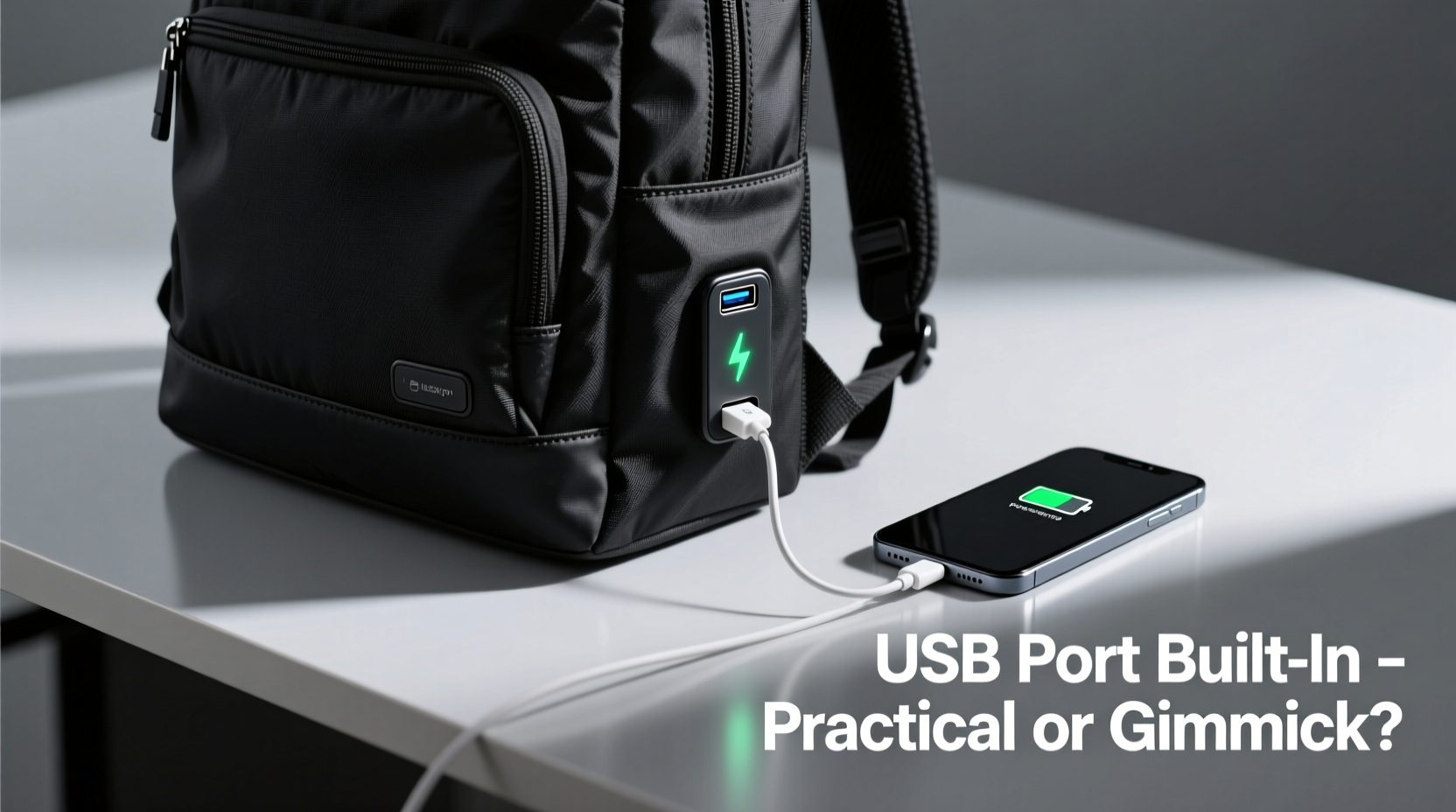
Backpacks with built-in USB ports don’t generate power themselves. Instead, they integrate a port—usually USB-A or increasingly USB-C—into the fabric near a shoulder strap or side panel. This port connects via an internal cable to a power bank stored inside a dedicated compartment. The external port allows you to plug in your phone, tablet, or earbuds without opening the bag.
The setup typically includes:
- An external USB port (sometimes dual)
- An internal wire routed discreetly through the lining
- A padded sleeve or pocket for a standard-sized power bank (usually 10,000–20,000 mAh)
This design aims to streamline charging during commutes, travel, or outdoor activities. No need to unzip multiple compartments or fumble with tangled cables mid-walk.
Practical Benefits: When They Actually Add Value
For certain users, built-in USB ports offer tangible advantages. The key lies in understanding who benefits most—and under what circumstances.
Urban commuters navigating long subway rides or walking between meetings appreciate the ability to charge devices without stopping. A journalist rushing from one interview to another can top up their recorder or smartphone while walking. Similarly, students shuttling between classes often find themselves away from outlets for hours. Having continuous access to power reduces battery anxiety.
Travelers also benefit. At airports or train stations, finding an open outlet is competitive. With a pre-charged power bank inside the backpack, you bypass that stress entirely. One frequent flyer shared: “I charged my phone three times during a layover just by walking around. No sitting by a wall socket.”
Outdoor enthusiasts using GPS devices or action cameras may rely on constant power. Hikers carrying portable solar panels can route the output through the backpack’s internal system, creating a mobile charging hub.
In these scenarios, the integration simplifies logistics. The fewer cables and exposed devices, the lower the risk of loss or theft.
Safety and Durability Concerns
Despite the convenience, built-in USB systems come with notable drawbacks—especially regarding longevity and safety.
The primary issue is wear and tear. Wires sewn into fabric move with every use. Over time, repeated bending, twisting, and pressure can fray internal cables. Once damaged, the entire wiring system often becomes unusable—and repairs are rarely feasible. Most warranties exclude damage from “normal use,” leaving buyers stranded.
Water resistance is another concern. While many backpacks claim water-resistant exteriors, the USB port creates a potential entry point for moisture. Even a light drizzle can seep in if the port isn’t properly covered. Moisture near electronics increases the risk of short circuits, especially if the power bank remains connected.
“Integrated tech in bags walks a fine line between innovation and liability. If the wiring fails after six months, the whole product feels disposable.” — Lena Torres, Product Design Analyst at GearReview Labs
Beyond physical vulnerabilities, there’s the psychological risk of over-reliance. Users may assume the port always works, only to discover mid-journey that the internal wire has disconnected or corroded. Without a backup plan, this leads to frustration—or worse, a dead phone during an emergency.
Comparing Integrated vs. DIY Charging Solutions
To assess true value, it helps to compare built-in USB backpacks against simpler, user-controlled alternatives.
| Feature | Built-In USB Backpack | Standard Backpack + External Power Bank |
|---|---|---|
| Setup Time | Instant (pre-wired) | Requires plugging in each time |
| Cable Management | Internal routing (neat) | Loose cables (can tangle) |
| Durability | Moderate (wiring degrades) | High (replaceable components) |
| Repairability | Low (often irreparable) | High (swap cables or banks) |
| Cost | $80–$150+ | $40–$70 (bag) + $20–$50 (bank) |
| Flexibility | Fixed setup | Use any power bank or cable |
The data shows a trade-off: convenience versus control. Built-in systems win on aesthetics and ease of use but lose on adaptability and lifespan. A DIY approach lets you upgrade your power bank independently or replace a frayed cable without discarding the entire backpack.
Real-World Case: The Student Who Relied Too Much
Consider Maya, a university student who bought a premium backpack with dual USB ports for her semester abroad. She relied on it daily to charge her phone during transit. By week eight, the port stopped working. She opened the power bank pocket and found the internal wire had snapped at the base of the shoulder strap—a common stress point.
With no repair option and a tight budget, she resorted to using a separate power bank clipped to her belt loop. “It looked messy, but at least it worked,” she said. “I’d still recommend the feature, but only if you treat it as a bonus—not a necessity.”
Her experience underscores a crucial insight: built-in USB ports should be viewed as a convenience enhancer, not a core function. When they work, they’re great. When they fail, you shouldn’t be left powerless.
What to Look for in a Quality USB-Enabled Backpack
If you’re considering a backpack with a built-in charging port, not all models are created equal. Use the following checklist to avoid disappointment.
- Reinforced Wiring Path: Look for models with rubber grommets or protective sleeves where the wire exits the compartment.
- Detachable Cable: Some brands offer removable internal wires, allowing replacement if damaged.
- Water-Resistant Port Cover: A silicone flap or screw-on cap adds protection against rain and spills.
- Dedicated Power Bank Pocket: Should be padded, accessible without opening the main compartment, and fit common bank sizes.
- USB-C Support: Newer models include USB-C ports, which are more durable and future-proof than older USB-A.
- Transparent Warranty Policy: Check if the manufacturer covers wiring defects within the first year.
Premium brands like SwissGear, Targus, and Matein have improved designs with modular internals. Some even sell replacement cables separately—a sign of long-term thinking. Avoid ultra-cheap options from unknown brands; their wiring often uses thin-gauge copper prone to early failure.
Step-by-Step Guide: Maximizing Longevity of Your USB Backpack
To get the most out of your investment, follow this maintenance routine:
- Before First Use: Inspect the internal wire for kinks or loose connections. Test the port with a low-draw device like earbuds.
- Charge Smart: Always place the power bank inside the designated pocket before connecting. Never force the cable into tight bends.
- Routine Inspection: Every two weeks, check the port area for debris, corrosion, or looseness.
- Weather Prep: In rain or snow, cover the port with tape or a waterproof plug, and disconnect the power bank if possible.
- Storage: Store the backpack in a dry place with the internal cable gently coiled—not compressed under heavy items.
- Upgrade Strategy: When the power bank degrades, replace it with a slim, high-efficiency model to maintain balance and comfort.
Following these steps can extend the functional life of the USB system by up to 50%, based on field reports from long-term users.
Frequently Asked Questions
Can I use any power bank with a built-in USB backpack?
Most backpacks are designed to work with standard-sized power banks (approximately 3.5 x 2.5 inches). As long as your power bank fits securely and the internal cable reaches it, compatibility isn’t usually an issue. However, avoid oversized or oddly shaped banks that could strain the internal wire.
Is there a fire risk with built-in USB ports?
The risk is minimal if you use certified power banks and avoid cheap, uncertified chargers. The backpack itself doesn’t generate power—it simply routes it. However, never leave a damaged cable connected, and discontinue use if you notice overheating, burning smells, or sparks.
Do airlines allow backpacks with built-in USB ports?
Yes. Since the charging system is passive and requires an external power bank, there’s no restriction. However, remember that power banks must be carried in hand luggage (not checked bags) and typically cannot exceed 100Wh (about 27,000 mAh). Always verify with your airline.
Conclusion: Innovation with Caveats
Backpacks with built-in USB ports sit at the intersection of convenience and compromise. For the right user—someone who values streamlined charging and frequently operates off-grid—they can be a worthwhile upgrade. The ability to power devices without unpacking is undeniably useful in fast-paced environments.
Yet, calling them “essential” would be misleading. The technology is still maturing. Durability issues, limited repairability, and incremental cost increases mean these backpacks aren’t for everyone. If you prioritize longevity and flexibility, a traditional backpack paired with a high-quality power bank may serve you better over time.
The verdict? Built-in USB ports are **practical—but not indispensable**. They enhance functionality when well-designed and used wisely. But they should never be the sole reason for a purchase. Think of them as a thoughtful extra, not a game-changer.




 浙公网安备
33010002000092号
浙公网安备
33010002000092号 浙B2-20120091-4
Comments
No comments yet. Why don't you start the discussion?