
Smart lighting has transformed how we interact with our homes. For beginners, the choice between using standalone Wi-Fi bulbs and investing in a smart home hub can feel overwhelming. Both options promise convenience, automation, and remote control—but they differ significantly in reliability, scalability, and long-term performance. Understanding these differences is essential to building a system that works seamlessly today and grows with your needs tomorrow.
Wi-Fi bulbs offer plug-and-play simplicity, while smart home hubs introduce a more robust, centralized network for managing multiple devices. This guide breaks down both approaches, compares their strengths and weaknesses, and helps you determine which solution delivers greater reliability for your smart home journey.
How Smart Lighting Works: The Basics
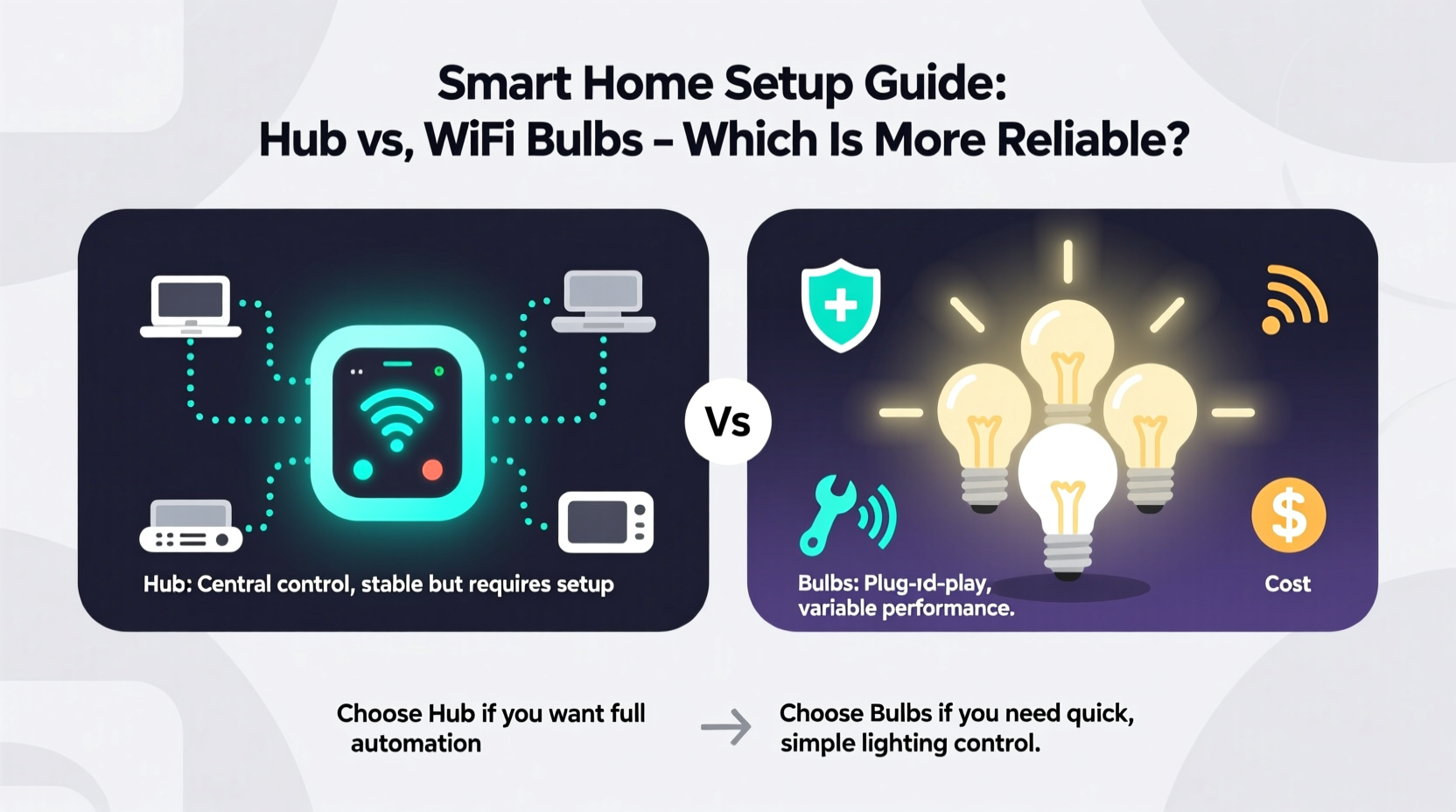
At its core, smart lighting allows users to control lights remotely via smartphone apps, voice assistants, or automated schedules. Whether through Wi-Fi or a dedicated protocol like Zigbee or Z-Wave, each bulb connects to a network and receives commands from a central point—your phone, a hub, or a cloud service.
Wi-Fi bulbs connect directly to your home’s wireless router, just like your laptop or phone. This direct link makes them easy to set up but also ties them closely to the stability and congestion of your Wi-Fi network. In contrast, smart home hubs act as intermediaries. They communicate with bulbs using low-power wireless protocols (like Zigbee or Thread), then relay commands over Wi-Fi to your internet-connected devices.
This distinction is crucial. While both systems achieve similar outcomes—turning lights on/off, dimming, changing color—the underlying architecture affects performance, responsiveness, and reliability, especially as your smart home expands.
Wi-Fi Bulbs: Simplicity with Trade-offs
Wi-Fi-enabled bulbs are ideal for those testing the waters of smart home technology. Brands like Philips Hue (Wi-Fi version), LIFX, and TP-Link Kasa offer models that pair directly with your 2.4GHz Wi-Fi network. Setup typically involves downloading an app, plugging in the bulb, and following step-by-step prompts to connect it to your network.
The appeal lies in simplicity. No extra hardware is required. You can replace one bulb at a time and control it instantly from your phone. Voice integration with Alexa, Google Assistant, or Siri is usually straightforward.
However, this convenience comes at a cost. Each Wi-Fi bulb consumes bandwidth and occupies an IP address on your network. As you add more devices, network congestion increases, leading to lag, delayed responses, or even dropped connections. A single overloaded router can cause multiple bulbs to become unresponsive simultaneously.
Additionally, Wi-Fi bulbs depend entirely on your internet connection for remote access. If your Wi-Fi goes down, so does control—unless the manufacturer offers limited local control. Some newer models support Matter over Wi-Fi, improving interoperability, but they still face the same network strain issues.
Smart Home Hubs: Building a Reliable Foundation
A smart home hub—such as Samsung SmartThings, Apple HomePod (as a hub), Amazon Echo (with Zigbee), or Hubitat—acts as a command center for connected devices. Instead of connecting each bulb directly to Wi-Fi, they use mesh networking protocols like Zigbee or Z-Wave, which are designed specifically for low-power, high-reliability communication between devices.
These protocols allow dozens of devices to form a self-healing network. If one path fails, signals reroute through other nodes. This reduces latency and improves uptime, especially in larger homes with spotty Wi-Fi coverage.
Hubs also enable local processing. Commands can be executed within your home network without relying on the cloud. For example, turning off lights when motion stops doesn’t require data to travel to a server and back—it happens instantly. This results in faster response times and continued functionality during internet outages.
“Hubs provide a more deterministic environment for automation. When reliability matters, decentralized protocols like Zigbee outperform Wi-Fi every time.” — David Lin, IoT Systems Engineer
Moreover, hubs support broader device ecosystems. Beyond lighting, they can integrate door sensors, thermostats, locks, and blinds—all managed under one platform. This unified control enhances automation possibilities, such as turning on lights when a door opens or adjusting brightness based on ambient light levels.
Reliability Face-Off: Key Comparison Factors
To determine which approach is more reliable, consider the following criteria:
| Factor | Wi-Fi Bulbs | Smart Home Hub + Zigbee/Z-Wave |
|---|---|---|
| Network Load | High – each bulb uses Wi-Fi bandwidth | Low – minimal impact on main Wi-Fi |
| Response Time | Moderate – depends on router and internet | Fast – local processing, no cloud dependency |
| Scalability | Poor – performance degrades with >10–15 devices | Excellent – supports 50+ devices reliably |
| Fault Tolerance | Low – single point of failure (router) | High – mesh networks reroute around failures |
| Internet Dependency | High – most features fail offline | Low – automations run locally |
| Setup Complexity | Easy – no additional hardware | Moderate – requires hub configuration |
| Cost per Device | Higher – Wi-Fi chips increase bulb price | Lower – simpler, cheaper end devices |
The data shows a clear trend: while Wi-Fi bulbs win on initial ease of setup, smart home hubs deliver superior reliability, especially in environments with multiple devices or unstable internet.
Step-by-Step: Choosing and Setting Up Your System
Follow this timeline to make an informed decision and implement a reliable smart lighting solution.
- Assess Your Needs (Week 1): Determine how many lights you want to automate. If it’s fewer than five and spread across different rooms, Wi-Fi bulbs may suffice. For whole-home automation or future expansion, start with a hub.
- Evaluate Your Network (Week 1): Run a speed test and check signal strength in key areas. Weak Wi-Fi in bedrooms or basements suggests Wi-Fi bulbs may underperform there.
- Select a Hub or Bulb Type (Week 2): Choose based on ecosystem preference. Apple users should consider HomeKit-compatible hubs (e.g., HomePod or Aqara). Android/Google fans might prefer Google Nest or SmartThings. For Wi-Fi-only, pick bulbs supporting Matter for better compatibility.
- Install Devices (Week 3): Replace bulbs and follow pairing instructions. For hubs, plug in the device, connect via app, and begin adding bulbs using the supported protocol (Zigbee, Z-Wave, or Thread).
- Test Reliability (Week 4): Simulate real-world conditions: turn off your router, trigger automations, and monitor response times. Note any delays or disconnections.
- Expand and Automate (Ongoing): Add sensors or switches to enhance functionality. Use routines like “Goodnight” to turn off all lights with one command.
Real-World Example: Sarah’s Smart Home Upgrade
Sarah lives in a three-bedroom apartment and initially installed six Wi-Fi bulbs from a popular brand. At first, everything worked smoothly. She could control lights from her phone and set simple schedules. But after adding smart plugs and a robot vacuum, she noticed delays. Lights would sometimes take 10 seconds to respond, and automations failed during evening peak usage.
Frustrated, she invested in a Samsung SmartThings Hub and gradually replaced her Wi-Fi bulbs with Zigbee versions. The change was immediate. Lights responded instantly, even when streaming video or working from home. Her “Movie Night” routine—which dims lights and closes blinds—now runs flawlessly without internet. She also added a motion sensor that turns on hallway lights at night, something her old setup couldn’t handle reliably.
Sarah’s experience reflects a common progression: starting simple with Wi-Fi, then upgrading to a hub-based system for better performance and peace of mind.
Checklist: Is a Hub Right for You?
- ✅ Do you plan to control more than 10 smart devices?
- ✅ Do you value automation that works without internet?
- ✅ Are you experiencing Wi-Fi congestion or dead zones?
- ✅ Do you want seamless integration across brands (lights, locks, sensors)?
- ✅ Are you willing to spend $50–$150 upfront for a hub?
If you answered yes to three or more, a smart home hub will likely offer greater long-term reliability than Wi-Fi-only bulbs.
FAQ: Common Questions Answered
Can I mix Wi-Fi bulbs and hub-connected bulbs in the same home?
Yes, but manage them through a unified platform like Apple Home, Google Home, or Amazon Alexa. Ensure all devices support Matter or are natively compatible with your chosen app. Be aware that Wi-Fi bulbs may still suffer from network lag, even in a hybrid setup.
Do smart hubs require a subscription?
Most do not. Samsung SmartThings, Hubitat, and Apple Home operate without monthly fees. However, some advanced features in certain ecosystems (like extended cloud video storage) may require paid plans, but core lighting control remains free.
Are Wi-Fi bulbs obsolete now that hubs exist?
No. Wi-Fi bulbs remain a practical choice for renters, small apartments, or temporary setups where installing a hub isn’t feasible. They’re also useful for single-room upgrades. However, for permanent, scalable installations, hubs are the more reliable option.
Final Thoughts: Prioritizing Long-Term Reliability
Choosing between Wi-Fi bulbs and a smart home hub isn’t just about convenience—it’s about building a system that lasts. Wi-Fi bulbs lower the entry barrier, but their reliance on your home’s primary network introduces avoidable risks. Latency, congestion, and internet dependency undermine the very promise of smart lighting: effortless, instant control.
A smart home hub, by contrast, creates a dedicated, optimized network for your devices. It insulates your lighting system from Wi-Fi fluctuations, enables faster local processing, and lays the groundwork for a fully integrated smart home. The slight increase in setup complexity pays dividends in stability and scalability.
Technology evolves quickly, but reliability never goes out of style. Whether you're automating a studio apartment or a multi-level house, prioritize a foundation that won’t falter when you need it most. Start with a hub if you’re serious about a responsive, future-proof system. If you begin with Wi-Fi bulbs, keep the upgrade path in mind—and know when it’s time to level up.




 浙公网安备
33010002000092号
浙公网安备
33010002000092号 浙B2-20120091-4
Comments
No comments yet. Why don't you start the discussion?