
Every year, thousands of accidents occur during reversing or parking maneuvers—many involving children, pets, or stationary objects. A reliable car radio with an integrated backup camera can significantly reduce these risks by providing real-time visual feedback. Beyond safety, such systems enhance convenience, especially in tight urban spaces or crowded driveways. With a wide range of options available, selecting the right unit involves balancing display quality, ease of use, compatibility, and reliability.
Why a Backup Camera Integration Matters
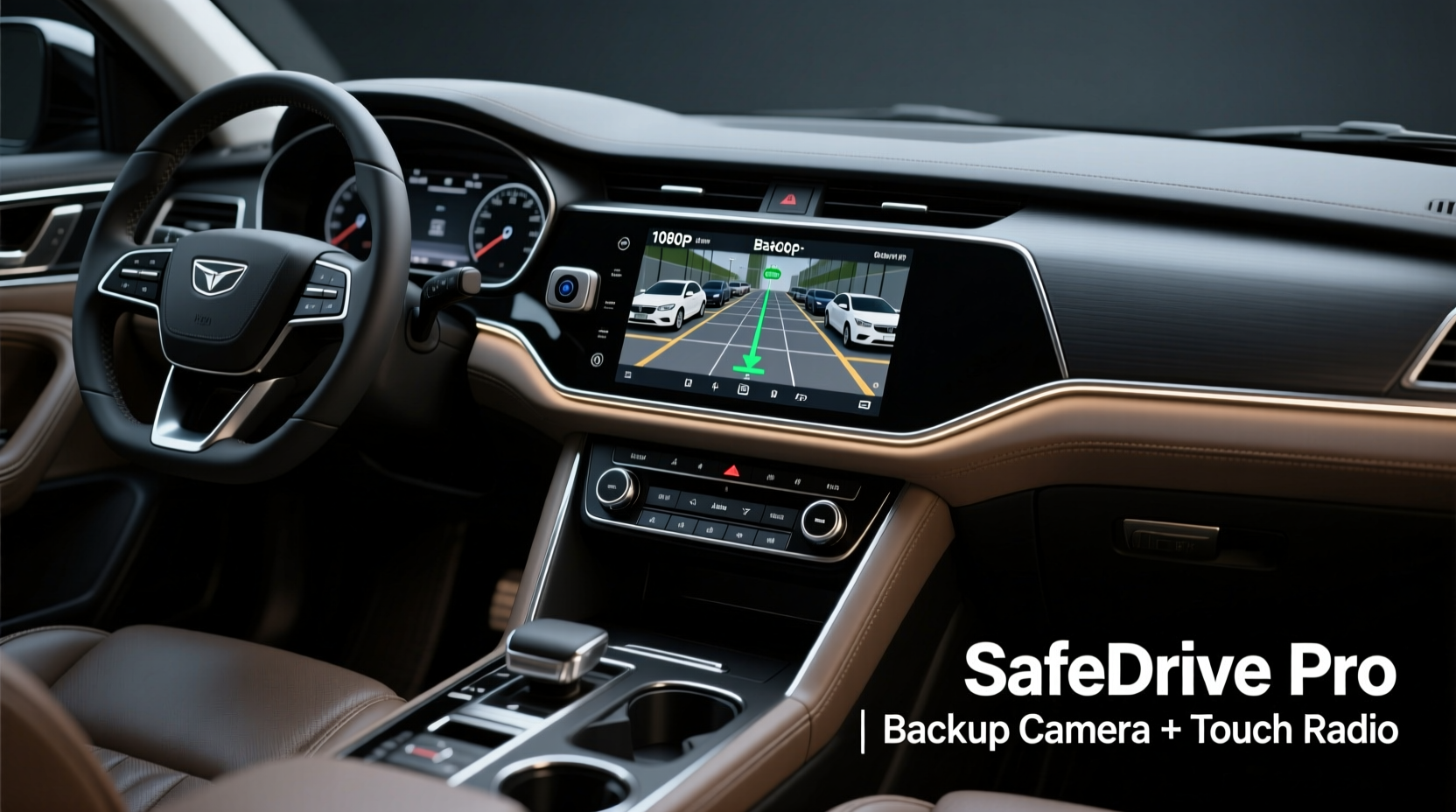
The National Highway Traffic Safety Administration (NHTSA) mandates backup cameras in all new vehicles sold in the U.S. since 2018, underscoring their importance in preventing backover incidents. However, many older vehicles lack this feature. Aftermarket car radios with built-in backup camera support offer an affordable and effective upgrade path.
These systems activate automatically when the vehicle is shifted into reverse, displaying a live feed from a rear-mounted camera. Many also include dynamic guidelines that adjust based on steering input, helping drivers judge distance and trajectory accurately.
“Adding a backup camera through an upgraded head unit is one of the most cost-effective safety improvements you can make to an older vehicle.” — David Lin, Automotive Electronics Technician with 15+ years of experience
Top Features to Look For
Not all car radios with backup camera support are created equal. To ensure long-term satisfaction and performance, focus on these key attributes:
- Screen Size and Resolution: A minimum 6.8-inch display with 720p resolution ensures clear visibility in daylight and at night.
- Camera Quality: Look for a camera with at least 720p resolution, wide dynamic range (WDR), and infrared night vision for low-light clarity.
- Plug-and-Play Installation: Units designed for specific vehicle makes simplify wiring and retain factory controls like steering wheel buttons.
- Wireless vs. Wired Camera Connection: While wireless setups reduce cable clutter, wired connections offer more stable signals and less interference.
- Additional Connectivity: Bluetooth, Apple CarPlay, Android Auto, and USB support improve usability beyond camera functions.
Comparison of Top 5 Car Radios with Backup Camera Support
| Model | Screen Size | Camera Type | CarPlay/Android Auto | Price Range |
|---|---|---|---|---|
| Pioneer DMH-WT8600NEX | 9-inch | Wired, 1080p | Yes (wireless) | $800–$1,000 |
| Sony XAV-AX1000 | 6.95-inch | Wired, 720p | Yes (wired) | $400–$500 |
| Kenwood DDX9705S | 6.8-inch | Wired, 720p | Yes (wired) | $500–$600 |
| Alpine iLX-F309 | 9-inch | Wired, 720p | Yes (wireless) | $700–$850 |
| Double DIN Universal Unit (No Name Brand) | 7-inch | Wireless, 720p | Limited (often mirrored) | $150–$250 |
The premium models from Pioneer and Alpine lead in responsiveness and integration quality, while Sony offers excellent value with strong audio processing. Budget units may save money upfront but often lack software updates, touch accuracy, and camera latency control.
Step-by-Step Installation Guide
Installing a car radio with backup camera capability doesn’t require professional help if you follow a structured approach. Here's how to do it safely and correctly:
- Gather Tools: Wiring harness adapter, screwdrivers, panel removal tools, electrical tape, and a multimeter.
- Disconnect Battery: Turn off the engine and disconnect the negative terminal to prevent short circuits.
- Remove Factory Radio: Use trim tools to remove the dashboard bezel and unscrew the existing unit. Pull it out gently to access wires.
- Connect Wiring Harness: Match the aftermarket harness to your vehicle’s factory wiring using color codes. Solder or crimp connections securely.
- Install Backup Camera: Mount the camera on the license plate frame or trunk lid. Route the video cable along the interior trim to the head unit.
- Mount the Head Unit: Slide the new radio into place, ensuring the reverse trigger wire connects to the vehicle’s reverse light circuit.
- Test System: Reconnect the battery, start the car, shift into reverse, and verify camera activation and image clarity.
Real-World Example: Sarah’s Parking Anxiety Eliminated
Sarah, a 42-year-old school administrator in Portland, drove a 2012 Honda Accord without factory rear visibility. She once backed into a shopping cart left behind in a parking lot, damaging her bumper. “I was embarrassed and nervous every time I reversed,” she recalls. After installing a Sony XAV-AX1000 with a high-sensitivity backup camera, her confidence improved dramatically.
“Now I see everything behind me clearly—even in the rain. The guidelines move when I turn the wheel, so I know exactly where my car will go. It’s made parking in tight spots stress-free,” she says. Her total investment was under $600, including professional installation assistance for the camera wiring.
Essential Checklist Before Buying
Before purchasing a car radio with backup camera support, confirm the following:
- ✅ Compatibility with your vehicle’s make, model, and year
- ✅ Availability of a dash kit or mounting frame
- ✅ Support for both Apple CarPlay and Android Auto
- ✅ Inclusion of a high-quality rear camera (or ability to pair with one)
- ✅ Reverse trigger wire included for automatic camera activation
- ✅ Positive user reviews regarding touchscreen responsiveness and camera lag
- ✅ Warranty of at least one year from manufacturer or seller
Frequently Asked Questions
Can I add a backup camera to any car radio?
No. Only head units with a dedicated video input (usually RCA or A/V port) can accept a camera signal. Check product specifications before purchase. Some budget units claim “camera ready” but require additional adapters or have poor integration.
Do I need professional installation?
While DIY is possible for those comfortable with basic electronics, professional installation ensures proper wire sealing, secure camera placement, and compliance with local regulations. It also protects your vehicle’s warranty if non-invasive methods are used.
What if my camera shows a delayed image?
Lag usually stems from wireless transmission interference or low-processing power in cheaper units. Opt for wired cameras and reputable brands with fast processors. Firmware updates may also resolve latency issues.
Final Thoughts: Drive Safer, Park with Confidence
Integrating a backup camera into your car’s infotainment system is more than a convenience—it’s a proactive step toward safer driving. Whether you're backing out of a driveway with playing children nearby or navigating a multi-level garage, real-time visual feedback reduces guesswork and prevents costly accidents.
The best car radio with backup camera combines crisp display technology, responsive software, and seamless integration. While higher-end models offer superior performance, even mid-range options from trusted brands deliver substantial benefits over no camera at all.




 浙公网安备
33010002000092号
浙公网安备
33010002000092号 浙B2-20120091-4
Comments
No comments yet. Why don't you start the discussion?