
Leaving your car unattended, even in a familiar neighborhood, carries risk. Theft, vandalism, or hit-and-run incidents can happen without warning—and without evidence, resolving disputes becomes nearly impossible. A dash cam with reliable parking mode is one of the most effective tools available to safeguard your vehicle around the clock. Unlike standard recording systems that only activate when the engine runs, parking mode enables continuous surveillance even when your car is turned off. Choosing the right model requires understanding not just video quality, but power management, trigger sensitivity, and durability under real-world conditions.
Why Parking Mode Matters for Vehicle Security
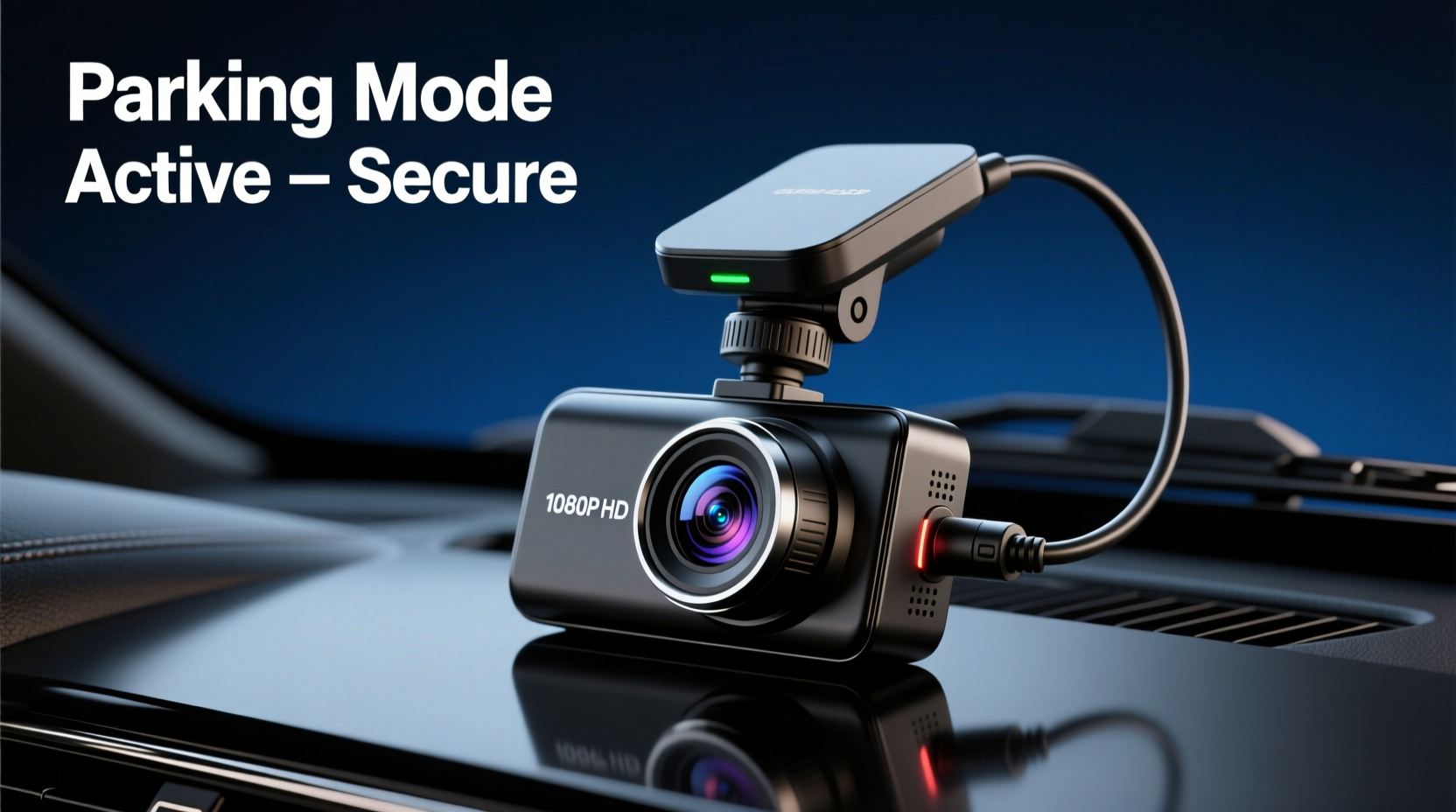
Parking mode transforms a dash cam from a simple driving recorder into a 24/7 security system. When enabled, the device monitors activity around your vehicle using motion detection, impact sensors (G-sensor), or time-lapse recording. If an event occurs—such as someone hitting your bumper or attempting to break in—the camera automatically starts recording and saves the footage to prevent overwriting.
This feature is especially valuable for those who park on the street, in poorly lit areas, or in multi-level garages where surveillance may be limited. According to a 2023 report by the National Insurance Crime Bureau, over 700,000 vehicles are vandalized annually in the U.S. alone. Many of these cases go unresolved due to lack of evidence. A dash cam with intelligent parking mode provides irrefutable video proof that can support insurance claims or assist law enforcement.
“Parking mode turns your dash cam into a silent witness. In cases of minor collisions or tampering, having timestamped, geotagged footage often makes the difference between a denied claim and full reimbursement.” — David Lin, Auto Insurance Adjuster, Pacific Claims Group
Key Features to Look for in a Dash Cam with Parking Mode
Not all dash cams with parking mode perform equally. Some drain your battery within hours; others miss critical events due to poor sensor calibration. To ensure you're investing in a truly secure system, consider these essential features:
- G-Sensor Sensitivity: Detects sudden impacts like bumps or collisions. Adjustable sensitivity prevents false triggers from road vibrations.
- Motion Detection: Activates recording when movement is detected near the vehicle. Best paired with infrared or low-light capabilities.
- Time-Lapse Recording: Compresses long periods of inactivity into shorter clips, conserving storage and power.
- Loop Recording with Locked Files: Ensures critical footage is preserved and not overwritten during regular cycling.
- Power Source Options: Hardwiring kits allow direct connection to the fuse box, enabling extended monitoring without draining the car battery.
- High Dynamic Range (HDR) & Night Vision: Critical for capturing clear details in low-light or high-contrast environments like dimly lit parking lots.
- Storage Capacity: Supports microSD cards up to 256GB or more, with efficient compression formats like H.265 to extend recording time.
Top 5 Dash Cams with Superior Parking Mode Performance
After evaluating dozens of models based on reliability, video clarity, power efficiency, and user feedback, these five stand out as the best dash cams with robust parking mode functionality.
| Model | Resolution | Parking Mode Type | Power Source | Special Feature |
|---|---|---|---|---|
| Garmin Dash Cam Tandem 2 | 4K front / 1080p rear | Motion + Impact | Hardwired kit included | Dual-camera setup with seamless sync |
| Axon Body 3 (Vehicle Edition) | 1080p with HDR | AI-powered motion detection | Internal battery + hardwire | Cloud backup and real-time alerts |
| BlackVue DR970X-2CH | 1440p front / 1080p rear | Supercapacitor + motion sensing | Hardwired with Power Magic Pro | Wi-Fi app control and cloud access |
| Viofo A229 Pro | 4K with Sony STARVIS 2 sensor | GPS-triggered time-lapse | Hardwire or capacitor module | Excellent night vision performance |
| CloverCare Dual Pro | 3K front / 1080p interior | Impact-only parking mode | Hardwired optional | Budget-friendly with cabin monitoring |
The Garmin Tandem 2 leads in ease of installation and dual coverage, making it ideal for comprehensive protection. The BlackVue DR970X series excels in smart connectivity and remote viewing via smartphone, while the Viofo A229 Pro delivers exceptional low-light detail crucial for nighttime incidents.
How to Install and Optimize Parking Mode Safely
Improper setup can lead to battery drain or system failure. Follow this step-by-step process to ensure your dash cam operates effectively in parking mode without compromising your vehicle’s electrical health.
- Choose a Hardwiring Kit: Purchase a fused hardwire kit compatible with your car’s fuse box. This bypasses the 12V socket and connects directly to an accessory circuit that remains live after ignition off.
- Set Voltage Cut-Off: Configure the dash cam or power module to shut down when battery voltage drops below 12.2V (for 12V systems). This prevents deep discharge that could leave you stranded.
- Enable Motion & G-Sensor Triggers: In settings, activate both motion detection and impact sensing. Adjust sensitivity to medium-high unless in a high-vibration environment.
- Format the Memory Card: Use the camera’s built-in format tool to optimize the microSD card for loop recording and emergency locking.
- Test the System: Simulate a bump or wave your hand in front of the lens while the car is off. Verify that the camera powers on and records a short clip marked as “locked.”
- Monitor Battery Health: Check your car battery monthly if using parking mode daily. Consider a solar-powered trickle charger for long-term outdoor parking.
Real-World Example: How Parking Mode Captured a Hit-and-Run
In early 2023, Sarah M., a rideshare driver in Denver, returned to her sedan after dropping off a passenger to find a dent on the rear driver’s side door. There were no witnesses, and the lot had no working surveillance cameras. However, her BlackVue DR970X-2CH had been in parking mode, powered by a Power Magic Pro kit.
The next morning, she checked the app and discovered a 30-second clip from 2:17 AM showing a delivery van backing into her car, pausing briefly, then driving away. The footage clearly captured the license plate, vehicle make, and driver’s face. She filed a police report and submitted the video to her insurer. Within a week, the delivery company’s insurance accepted liability and covered repairs—without requiring her to pay a deductible.
Sarah later said, “I almost skipped the hardwiring because it seemed complicated. But that one clip saved me over $1,200 and weeks of hassle. It’s like having a watchdog that never sleeps.”
Common Mistakes That Disable Effective Parking Surveillance
Even high-end dash cams fail when used incorrectly. Avoid these common pitfalls:
- Using the cigarette lighter port: Most stop supplying power within minutes of turning off the engine, cutting off parking mode immediately.
- Setting too high motion sensitivity: Causes frequent false recordings from passing headlights or wind-blown debris, exhausting storage and power.
- Ignoring battery thresholds: Continuous monitoring without voltage cutoff risks a dead battery, especially in older vehicles.
- Storing in extreme temperatures: Prolonged exposure to heat above 140°F (60°C) degrades internal batteries and sensors over time.
- Forgetting firmware updates: Manufacturers release patches to improve parking mode logic, file recovery, and Wi-Fi stability.
Frequently Asked Questions
Does parking mode drain my car battery?
It can—but only if improperly configured. With a hardwiring kit that includes voltage monitoring, the dash cam automatically shuts down before the battery reaches a critical level (typically below 12.2V). Most modern systems consume less than 20mA in standby, allowing weeks of monitoring on a healthy battery.
Can I view parking mode footage remotely?
Yes, if your dash cam supports Wi-Fi or LTE connectivity. Models like the BlackVue DR970X and Axon Body 3 let you stream or download clips via smartphone apps, even when you’re not in the vehicle. Some offer cloud subscriptions for automatic backup.
Is parking mode legal everywhere?
Audio recording laws vary by state and country. While video surveillance in public spaces is generally permitted, audio capture without consent may violate wiretapping statutes. Disable audio in parking mode if required by local law. Always check regional regulations before enabling continuous recording.
Action Plan: Maximizing Your Dash Cam’s Security Potential
- Evaluate your parking environment: urban street, garage, or rural area?
- Select a dash cam with proven parking mode reliability and appropriate field of view.
- Invest in a fused hardwiring kit with low-voltage cutoff protection.
- Use a high-endurance microSD card rated for surveillance use.
- Test the system weekly by triggering a mock event.
- Review settings quarterly to ensure firmware and sensitivity levels are up to date.
- Store backup footage off-device if dealing with recurring incidents.
Final Thoughts: Security That Works While You’re Away
A dash cam with parking mode isn’t just a gadget—it’s a proactive defense against damage, fraud, and uncertainty. The best systems blend high-resolution imaging with intelligent power management and responsive triggers to deliver peace of mind whether you're at work, traveling, or simply stepping into a store. Technology has made it easier than ever to maintain vigilance without effort. Once set up correctly, your dash cam operates silently, ready to document any incident with precision.
Don’t wait until an incident occurs to wish you had evidence. Choose a model that fits your vehicle and lifestyle, install it properly, and let it guard your investment around the clock.




 浙公网安备
33010002000092号
浙公网安备
33010002000092号 浙B2-20120091-4
Comments
No comments yet. Why don't you start the discussion?