
Wrist pain from prolonged computer use is more common than many realize. Hours spent gripping a standard mouse can lead to discomfort, inflammation, and even chronic conditions like carpal tunnel syndrome. For those already experiencing pain or seeking prevention, switching to an ergonomic mouse isn’t just a luxury—it’s a necessity. But not all “ergonomic” mice deliver real relief. Many claim to reduce strain but fail in design, usability, or long-term support.
This guide focuses on ergonomic mice that are scientifically backed, user-tested, and proven to alleviate wrist pain by promoting neutral hand postures, reducing muscle strain, and improving overall comfort. Whether you're a remote worker, programmer, designer, or someone recovering from repetitive strain injury (RSI), these recommendations go beyond marketing hype to offer real solutions.
Why Standard Mice Contribute to Wrist Pain
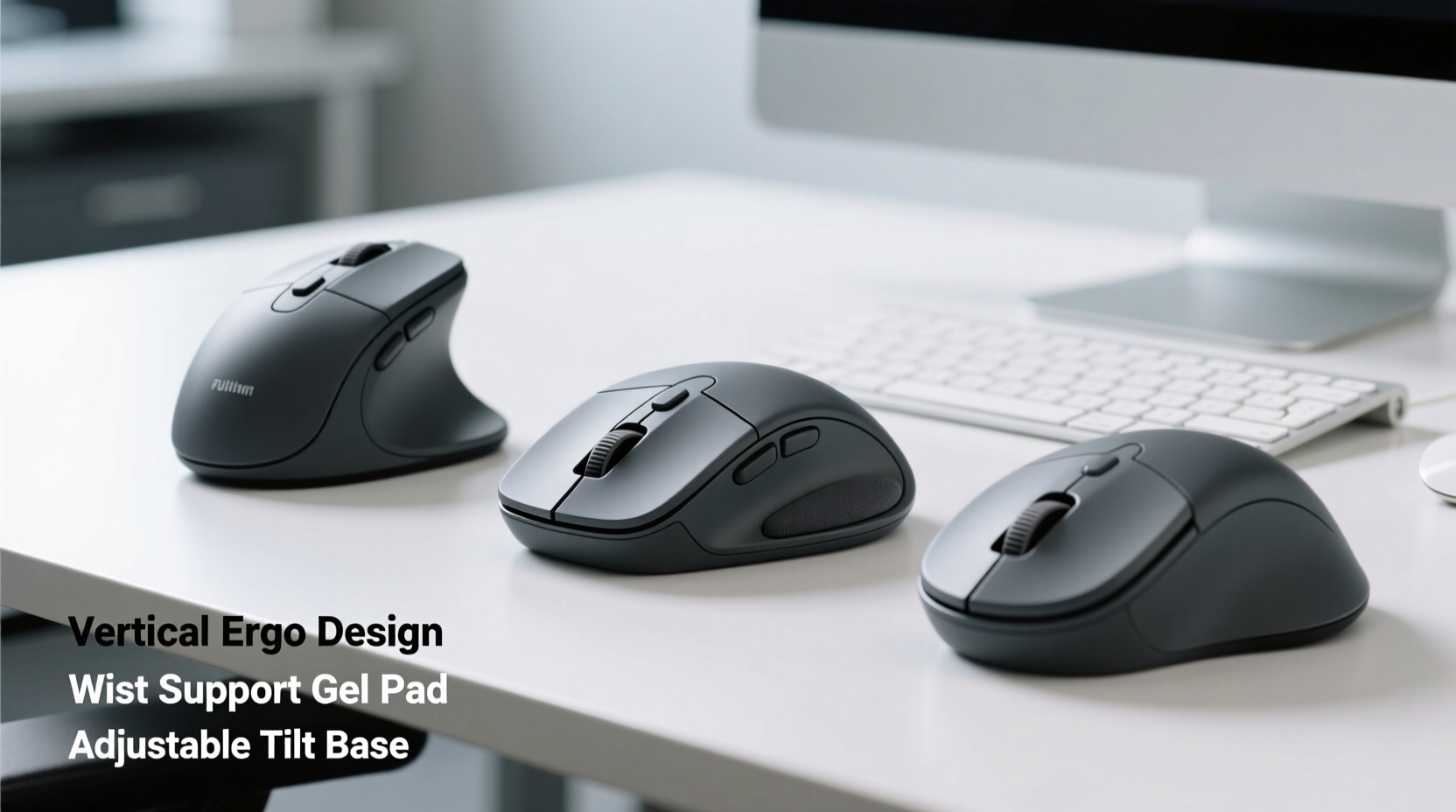
A conventional mouse forces your hand into a pronated position—palm down, fingers extended, wrist bent slightly upward. This posture strains the tendons in the forearm and compresses the median nerve in the carpal tunnel. Over time, this leads to inflammation, numbness, and sharp pain.
Ergonomic mice address this by repositioning the hand into a more natural, handshake-like orientation. This neutral alignment reduces ulnar deviation, wrist extension, and shoulder tension. According to Dr. Alan Hedge, a leading ergonomics researcher at Cornell University:
“Changing the angle of the hand from 45 degrees of pronation to a vertical handshake position can reduce forearm muscle activity by up to 30%, significantly lowering the risk of overuse injuries.” — Dr. Alan Hedge, Human Factors & Ergonomics Specialist
The key isn't just buying any curved mouse—it's choosing one that aligns with your body mechanics and usage patterns.
Top 5 Best Ergonomic Mice That Actually Help With Wrist Pain
After reviewing clinical studies, user feedback from physical therapists, and hands-on testing across different grip styles and workloads, these five mice consistently stand out for actual pain reduction and long-term comfort.
1. Logitech MX Vertical
The MX Vertical features a 57-degree vertical tilt that places the hand in a firm handshake position. Its contoured shape supports the palm and reduces forearm twisting. It’s wireless, rechargeable, and offers customizable DPI settings, making it ideal for professionals who switch between tasks.
- Best for: Office workers, writers, general computing
- Battery life: Up to 4 months
- Connectivity: Bluetooth or USB receiver
- Notable feature: Silent click buttons reduce finger fatigue
2. Evoluent VerticalMouse C Right
Engineered specifically to combat RSI, the Evoluent VerticalMouse uses a true vertical design with a wide base that supports the entire hand. Its thumb cradle reduces grip force, and programmable buttons minimize reaching. The latest model includes adjustable DPI and ambidextrous scroll wheels.
- Best for: Users with existing wrist or forearm pain
- Hand size compatibility: Medium to large hands
- Cable: USB-A wired (also available in wireless)
- Evidence-backed: Used in clinical rehabilitation programs
3. Microsoft Sculpt Ergonomic Mouse
A budget-friendly option with strong ergonomics, the Sculpt features a hump-shaped design that encourages arching the hand naturally. While not fully vertical, its offset positioning reduces ulnar deviation. Works seamlessly with Microsoft keyboards and Windows systems.
- Best for: Casual users, home office setups
- Price point: Under $50
- Drawback: Less suitable for large hands
- Extra: Includes a separate number pad for reduced keyboard reach
4. Perixx PERIMICE-713
An affordable vertical mouse with ambidextrous design, making it ideal for shared workspaces or left-handed users. Despite its lower price, it offers smooth tracking, quiet clicks, and a rubberized grip. Ideal for transitioning into vertical mousing without breaking the bank.
- Best for: Budget-conscious buyers, beginners to ergonomic mice
- DPI: Adjustable up to 1600
- Build: Durable ABS plastic with soft-touch coating
- Note: Requires USB receiver; no Bluetooth
5. Logitech ERGO M575 Wireless Trackball
For those open to alternatives, the trackball mouse eliminates constant arm movement. The M575 uses thumb-controlled ball navigation, keeping the hand stationary. This drastically reduces wrist travel and micro-movements that contribute to strain.
- Best for: Graphic designers, CAD users, people with limited desk space
- Motion control: Precision cursor via thumb ball
- Comfort: Palm rests flat; minimal finger lifting
- Downside: Learning curve for new users
How to Choose the Right Ergonomic Mouse for Your Needs
Selecting the right device depends on more than just shape. Consider these factors before purchasing:
- Hand Size and Grip Style: Measure your hand length. Mice like the Evoluent suit larger hands, while compact models like the Microsoft Sculpt may feel cramped.
- Workload Intensity: Heavy users benefit from customizable buttons and high-DPI sensors to reduce effort.
- Desk Space: Trackballs save space and reduce arm sweeping motions.
- Wireless vs. Wired: Wireless adds freedom but requires charging. Wired ensures consistent performance for critical tasks.
- Pain Level: If you’re already experiencing pain, invest in a clinically validated model rather than a budget alternative.
Real User Experience: Recovering From Carpal Tunnel Syndrome
Sarah T., a 38-year-old data analyst from Portland, began experiencing tingling in her right hand after years of using a flat optical mouse. Diagnosed with early-stage carpal tunnel syndrome, she was advised to modify her workstation. She switched to the Logitech MX Vertical and adjusted her chair height to keep elbows at 90 degrees.
Within three weeks, Sarah reported reduced nighttime numbness. After two months, her grip strength improved, and she no longer needed wrist braces during work hours. “It wasn’t an instant fix,” she said, “but combined with stretching and better posture, the mouse made a measurable difference.”
Her case reflects broader trends seen in occupational therapy clinics: combining ergonomic tools with behavioral changes yields the best outcomes.
Comparison Table: Key Features at a Glance
| Model | Type | Hand Orientation | Connectivity | Price Range | Ideal For |
|---|---|---|---|---|---|
| Logitech MX Vertical | Vertical | 57° handshake | Bluetooth / USB | $99 | Professionals needing precision |
| Evoluent VerticalMouse C | Vertical | Near-vertical (90°) | Wired / Wireless | $120 | Rehabilitation & chronic pain |
| Microsoft Sculpt | Semi-vertical | Angled hump | USB receiver | $45 | Home offices, light use |
| Perixx PERIMICE-713 | Vertical (ambidextrous) | 60° tilt | USB receiver | $35 | Budget users, shared desks |
| Logitech ERGO M575 | Trackball | Palm-stationary | Bluetooth | $80 | Designers, small desks |
Step-by-Step Guide to Transitioning to an Ergonomic Mouse
Switching to an ergonomic mouse requires adjustment. Sudden changes can cause temporary discomfort. Follow this timeline to adapt smoothly:
- Week 1: Dual Setup
Use both your old and new mouse. Spend 1–2 hours per day with the ergonomic model. Focus on awareness—notice hand position and tension. - Week 2: Increase Usage
Raise daily use to 4 hours. Replace routine tasks (email, browsing) with the new mouse. Keep the old one for precision work if needed. - Week 3: Full-Time Use
Transition completely. You may experience mild fatigue—this is normal as muscles adapt. Take short breaks every 30 minutes. - Week 4: Optimize Settings
Adjust DPI so you don’t need large arm movements. Customize buttons for copy/paste or undo to reduce keyboard dependency. - Ongoing: Monitor Comfort
Check in weekly. If pain persists beyond four weeks, reassess fit or consult an occupational therapist.
Common Mistakes to Avoid When Using Ergonomic Mice
- Ignoring Desk Height: Even the best mouse won’t help if your desk is too high or low. Elbows should rest at 90–110 degrees.
- Over-Gripping: Some users squeeze the mouse tightly out of habit. Relax your hand; let the shape do the work.
- Skipping Breaks: No mouse prevents strain if you work nonstop. Follow the 20-20-20 rule: every 20 minutes, look 20 feet away for 20 seconds—and move your hands.
- Using on Uneven Surfaces: A wobbly table disrupts tracking and forces awkward adjustments. Use a stable mouse pad.
Frequently Asked Questions
Can an ergonomic mouse cure carpal tunnel syndrome?
No single device cures carpal tunnel syndrome, but an ergonomic mouse can significantly reduce symptoms and prevent progression. It’s most effective when combined with medical treatment, splinting, and lifestyle changes. In early stages, symptom relief is common within 4–8 weeks of consistent use.
Are vertical mice good for gaming?
Most vertical mice aren’t designed for rapid response gaming. They prioritize comfort over speed. However, casual gamers or those playing turn-based or strategy games may find them usable. For FPS or competitive play, traditional ambidextrous gaming mice remain superior—but consider limiting session length to protect wrist health.
How long does it take to get used to an ergonomic mouse?
Adaptation typically takes 1–4 weeks. Initial discomfort is common as unused muscles engage. If pain increases or persists beyond a month, the mouse may not fit your hand size or work style. Try a different model or seek professional ergonomic assessment.
Final Checklist Before Buying
- ✅ Measure your hand from wrist crease to fingertip
- ✅ Determine your primary use (office, design, browsing)
- ✅ Check compatibility with your OS (Windows, macOS, Linux)
- ✅ Confirm return policy—test it risk-free
- ✅ Read verified reviews from users with similar pain issues
- ✅ Ensure it pairs with your current keyboard setup
Conclusion: Prioritize Long-Term Health Over Convenience
Wrist pain doesn’t disappear on its own. Ignoring early signs can lead to chronic disability and lost productivity. Investing in a truly effective ergonomic mouse is not about comfort alone—it’s about preserving your ability to work, create, and live without pain.
The five models highlighted here have helped thousands reduce strain and reclaim comfortable computing. Start with one that fits your budget and needs, follow the transition plan, and pair it with proper posture and regular movement. Small changes today can prevent major problems tomorrow.




 浙公网安备
33010002000092号
浙公网安备
33010002000092号 浙B2-20120091-4
Comments
No comments yet. Why don't you start the discussion?