
A clean, organized desk is more than just aesthetically pleasing—it directly impacts focus, productivity, and long-term comfort. One of the most effective ways to eliminate visual and physical clutter is by upgrading from a traditional monitor stand to a top-mounted adjustable arm. These mounts elevate your display, free up valuable desktop space, and allow for precise positioning to support better posture. With countless options on the market, choosing the right one can be overwhelming. This guide breaks down the top-performing adjustable monitor arms, key selection criteria, and practical installation strategies to help you build a streamlined, ergonomic workspace.
Why Top-Mounted Adjustable Arms Are Worth It
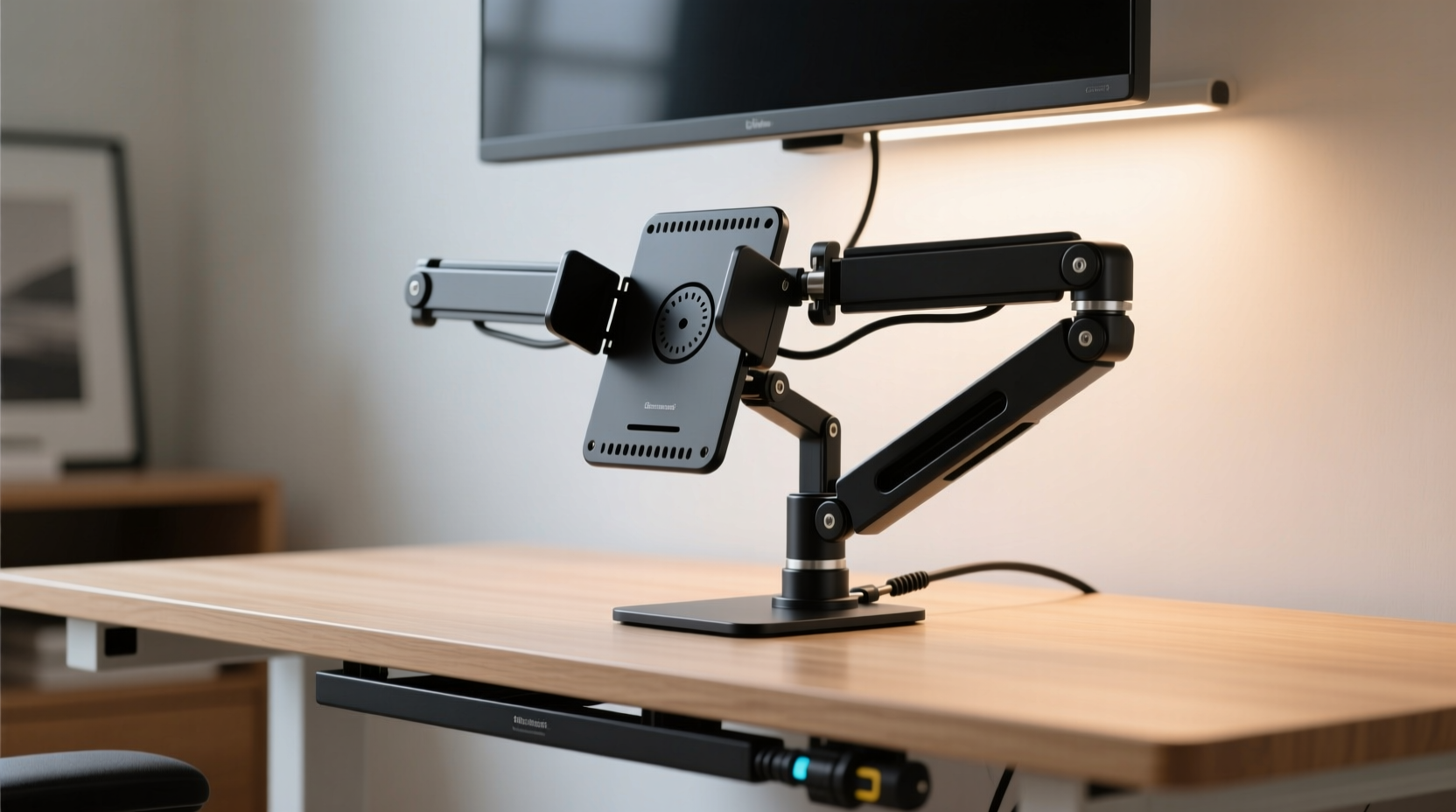
Traditional monitor bases take up significant real estate on your desk, often pushing your keyboard and mouse closer to the edge. This forces you into awkward postures that contribute to neck strain, shoulder tension, and reduced typing efficiency. A top-mounted adjustable arm solves these issues by suspending your monitor above the surface, freeing up space for documents, accessories, or simply breathing room.
Beyond space-saving, these arms offer unparalleled flexibility. Most models support height, tilt, swivel, and rotation adjustments—allowing you to pivot from landscape to portrait mode seamlessly. This adaptability is especially useful for developers, designers, and multitaskers who switch between coding, reading, and media consumption throughout the day.
“Ergonomic alignment isn’t optional in modern work environments. A properly mounted monitor reduces musculoskeletal strain by up to 40% over prolonged use.” — Dr. Lena Torres, Occupational Health Specialist
Top 5 Monitor Mounts with Adjustable Arms (2024)
After evaluating performance, build quality, adjustability, and user feedback, these five mounts stand out as the best options for achieving a clean, functional desk setup.
| Model | Max Load Capacity | Adjustability Features | Cable Management | Best For |
|---|---|---|---|---|
| Ergotron LX Desk Mount | 11.36 kg (25 lbs) | Height, tilt, swivel, rotate | Integrated internal routing | Heavy dual-monitor setups |
| Humanscale M8.1 | 9.07 kg (20 lbs) | Smooth counterbalance, 360° rotation | External sleeve system | Premium ergonomics & design |
| AmazonBasics Premium Single Arm | 9.07 kg (20 lbs) | Tilt, swivel, height adjustment | External clips | Budget-conscious professionals |
| Neat Mount Flex 1 | 10 kg (22 lbs) | Full range motion, tool-free adjustments | Internal channel + external cover | Hybrid office environments |
| Loctek LDK2 Dual Arm | 2x 9 kg (18 kg total) | Synchronized movement, independent positioning | Dedicated cable trays | Multi-monitor power users |
The Ergotron LX remains an industry benchmark for durability and smooth articulation, making it ideal for high-use environments. Meanwhile, the Humanscale M8.1 excels in minimalist offices where design and silent operation matter. For those balancing cost and performance, AmazonBasics delivers solid mechanics at a fraction of the price.
How to Choose the Right Mount for Your Setup
Selecting a monitor arm isn’t just about brand reputation—it’s about matching the hardware to your specific needs. Consider the following factors carefully:
- Monitor Size and Weight: Check both your display’s weight and its VESA pattern. Exceeding load limits leads to sagging or mechanical failure.
- Desk Thickness and Clamp Type: Most arms use C-clamps or grommet mounts. Ensure your desk thickness (typically 20–80mm) is compatible.
- Single vs. Dual Arm: Dual arms maximize screen real estate but require wider desks. Confirm clearance to avoid monitor collisions.
- Material and Build Quality: Aluminum arms offer strength without excessive weight. Avoid plastic joints or thin steel tubing.
- Cable Management: Look for internal routing channels. Exposed cables defeat the purpose of a clean desk.
Real-World Example: Transforming a Home Office
Mark, a freelance graphic designer, struggled with back pain and limited space on his 120cm desk. His dual 27-inch monitors sat on bulky stands, leaving little room for his drawing tablet and reference materials. After installing the Loctek LDK2 dual-arm mount, he repositioned both screens at optimal eye level and rotated one into portrait mode for vertical design work. The freed-up surface allowed him to add a wireless charging dock and notebook tray. Within two weeks, he reported improved posture, faster workflow transitions, and a noticeable reduction in midday fatigue.
Step-by-Step Installation Guide
Installing a top-mounted monitor arm is straightforward if done methodically. Follow this sequence to ensure safety and precision:
- Prepare Your Tools: Gather a Phillips screwdriver, Allen wrench (usually included), and optionally a second person for heavier monitors.
- Detach the Monitor Stand: Remove the factory base using the release mechanism or screws on the back panel.
- Attach the VESA Plate: Secure the mounting plate to the monitor using the provided screws. Double-check tightness.
- Mount the Base: Position the clamp near the rear edge of your desk. Tighten securely—ensure no wobble.
- Connect the Arm to the Monitor: Hook the VESA plate into the arm’s cradle and lock it in place.
- Route Cables: Thread power and video cables through the arm’s channel before final tightening.
- Adjust Position: Set the monitor at eye level, roughly an arm’s length away. Tilt slightly upward if needed.
“Improper installation is the leading cause of monitor arm failure. Take your time—especially with cable routing and clamp tightness.” — Jordan Lee, AV Systems Technician
Frequently Asked Questions
Can I use a monitor arm on a glass desk?
Most standard clamp mounts are not suitable for glass desks unless the glass is thick (minimum 12mm) and tempered. In such cases, use a grommet-style mount that distributes pressure evenly. Always consult the manufacturer’s guidelines.
Do monitor arms reduce cable clutter?
Yes—high-quality arms include built-in cable management systems that conceal HDMI, DisplayPort, and power cords along the arm’s body. This keeps wires off the desk and prevents tangling.
Are gas-spring arms better than mechanical ones?
Gas-spring mechanisms (like those in Humanscale models) provide smoother, more balanced movement and require less effort to adjust. Mechanical arms with tension knobs work well but may need periodic readjustment.
Checklist: Preparing for Your Monitor Arm Upgrade
- ✅ Measure your desk thickness and depth
- ✅ Confirm monitor weight and VESA pattern
- ✅ Decide between single or dual-arm configuration
- ✅ Choose between clamp or grommet mounting
- ✅ Purchase tools or kit extras (e.g., cable sleeves, adhesive clips)
- ✅ Clear the workspace before installation
- ✅ Test monitor position after mounting for comfort
Final Thoughts: Building a Cleaner, Smarter Workspace
A clutter-free desk starts with intentional choices—and few upgrades deliver as much value as a top-mounted adjustable monitor arm. Beyond aesthetics, these devices promote healthier working postures, improve accessibility, and unlock new levels of customization. Whether you're setting up a home office, upgrading a corporate workstation, or building a content creation rig, investing in a high-quality mount pays dividends in comfort and efficiency.
The key is selecting a model that aligns with your equipment, desk layout, and usage patterns. Prioritize build quality, smooth adjustability, and integrated cable management. Once installed, take time to fine-tune the position—your neck and shoulders will thank you in the long run.




 浙公网安备
33010002000092号
浙公网安备
33010002000092号 浙B2-20120091-4
Comments
No comments yet. Why don't you start the discussion?